
I remember the smell of fresh plastic and the crisp click of the lid on my first real ‘pro’ machine. I’d just dropped a month’s rent on it. I thought it would be ready to go. Instead, within twenty minutes, it was trying to sell me a trial antivirus subscription while my Wi-Fi kept dropping every time I moved two feet. It was a mess. I’d made the classic mistake of thinking ‘Business Class’ meant ‘Pre-Configured for Success.’ It doesn’t. In fact, if you don’t gut the fluff early, you’re just carrying a shiny, expensive paperweight. Today, I’m going to show you how to strip away the noise and set up a machine that actually works as hard as you do. Have you ever opened a brand new laptop only to find it slower than the five-year-old clunker you just replaced? It’s a gut-punch, isn’t it?
Your New Laptop is Not Ready for Work Yet
Most people assume that because they bought one of the top business laptops for productivity in 2025, the manufacturer has already done the heavy lifting. They haven’t. They’ve filled it with ‘partner’ software that eats your RAM for breakfast and tracks your habits. My biggest early mistake was ignoring the 5 key differences between enterprise and home windows; I tried to run a professional workload on a Home-license machine and spent weeks wondering why my security protocols kept failing and my VPN wouldn’t connect. You need a clean slate. This isn’t just about speed; it’s about digital survival. A staggering 60% of small businesses that experience a cyberattack go out of business within six months, according to the National Cyber Security Alliance. That vulnerability often starts with how you configure your local accounts and encryption on day one. You also need to think about your physical environment. I used to think I could work anywhere, but I quickly realized that why your business laptop needs a privacy filter becomes incredibly obvious the first time you try to work on a train with a nosey neighbor staring at your spreadsheets. We’re going to walk through the essential purge, the update cycle, and the deep-level settings that the ‘Getting Started’ wizard never tells you about.
Is All This Customization Actually Worth the Hassle?
I get it. You want to start working immediately. You have emails to answer and decks to build. But rushing into your first login without a plan is a recipe for a painful reformat six months down the line. I once thought I could skip the driver updates and go straight to installing my CRM. Big mistake. The trackpad started ghost-clicking in the middle of a proposal, and I ended up accidentally deleting a whole column of pricing data because the firmware was outdated. Taking the time to establish a seamless setup with the right accessories and internal configurations now prevents the ‘blue screen of death’ later. We aren’t just clicking ‘Next’ on every screen here. We are building a fortress for your data. We’ll even look at the best way to organize your desktop for deep focus so that once the OS is clean, your mind can be too. By the time we’re done, your laptop won’t just be a tool; it will be an extension of your workflow that stays out of your way and lets you crush your goals.
Burn the Bloatware Before It Burns Your Productivity
The first time I tried to set up a fleet of business laptops for professionals, I spent six hours manually uninstalling candy-themed puzzle games and ‘free’ trials that weren’t actually free. It was a nightmare. If you found one of those unbeatable laptop deals, the manufacturer likely subsidized the cost by pre-loading junk. My rule of thumb is simple: wipe it. Don’t just ‘Add or Remove Programs.’ Download a clean ISO of Windows, create a bootable USB, and format the drive. This ensures you aren’t carrying hidden background processes that leak data or throttle your CPU. If you aren’t ready for a full format, at least use a ‘decrapifier’ script to gut the telemetric data that reports your every move back to the mothership. Think of your OS like a race car; you wouldn’t leave the heavy passenger seats and the trunk full of groceries in it if you were trying to win a race. 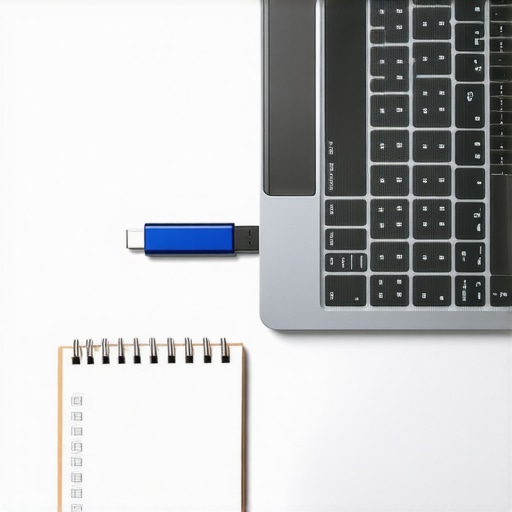
Why You Can’t Trust the Windows Update Button Alone
Most people think clicking ‘Check for Updates’ is the final step. I used to think that too, until a presentation I was giving at a conference turned into a slideshow of static because my graphics driver crashed. Windows Update provides generic drivers that ‘just work,’ but they aren’t optimized for your specific hardware. You need to head directly to the manufacturer’s support page. Download the latest BIOS/firmware and chipset drivers manually. This is especially critical if you are using the most reliable USB-C hubs for multi-monitor setups; without the proper Thunderbolt or firmware updates, your screens will flicker or, worse, your ports might overheat and permanently fail. I once lost a $300 dock because I didn’t update the PD (Power Delivery) controller on my laptop, and the mismatched voltages fried the circuit.
Lock Down Your Hardware Before Crossing the Front Door
Security isn’t just about a strong password. It’s about ensuring that if someone swipes your bag at a coffee shop, they can’t just pull the SSD and read your client contracts. Enable BitLocker or FileVault immediately. While you’re in the BIOS updating your firmware, set a supervisor password. This prevents anyone from changing your boot order or disabling security features. For those of us who travel often, you should also learn how to detect a hidden keylogger on your machine, particularly if you’ve left it unattended in a hotel room. It sounds like spy-movie stuff, but physical access is the easiest way to compromise a device.
Dial in Your Physical Workspace for Deep Focus
A clean OS is useless if your neck is killing you. While I love the portability of student laptops that balance power and portability perfectly, they are ergonomic disasters when used flat on a desk. You need elevation. If you’re on a budget, you can learn how to fix a wobbly laptop stand with household items or just use a stack of books, but pair it with a real keyboard and mouse. Integrating must-have laptop accessories to boost your work setup isn’t about being flashy; it’s about creating a station where you can actually produce work for eight hours without needing a chiropractor. I spent years hunched over a 13-inch screen before realizing that a simple $20 riser and a decent peripheral set could double my daily output simply by removing the physical friction of being uncomfortable.But there is a deeper level of friction most people ignore until it is too late: the thermal reality of modern hardware. One of the biggest lies we have been sold in the tech world is that thinner is always better. Everyone wants that sleek, ultra-portable profile, but in my experience, the quest for a ‘paper-thin’ chassis is often a productivity killer in disguise. When you cram a high-end processor into a tiny space, the heat has nowhere to go. This leads to thermal throttling, where your expensive machine slows down to the speed of a budget tablet just to keep from melting. I have seen countless professionals buy game-changing gaming laptops for serious players in 2025 and then get frustrated because the performance drops significantly after twenty minutes of video editing. It is the hidden downside of ultra-thin gaming laptops; you are essentially paying for power you cannot actually use for more than a few minutes at a time. According to research by NotebookCheck, thermal management issues can reduce peak CPU performance by as much as 25% during sustained workloads in many popular slim-profile machines. If you want a machine that actually holds its speed, look for one with a slightly thicker base and larger exhaust vents. 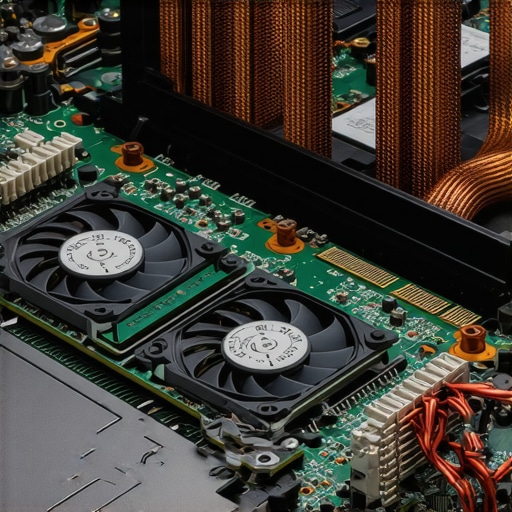
Wait, Is a Gaming Rig Actually Better for My Creative Degree?
Most students are told to stick to thin ‘student’ models, but I am going to challenge that. If you are doing anything more intensive than writing essays—think CAD, 3D modeling, or high-res photography—a standard productivity machine won’t cut it. In fact, why every engineering student needs a dedicated GPU laptop becomes painfully clear the first time your screen freezes during a final project. Gaming laptops are often the best value for students because they are built to handle heat and heavy loads better than any other category. While others are searching for unbeatable laptop deals on consumer-grade hardware, savvy buyers look for the specs that last. And do not forget your secret weapon: why your student id is the best tool for laptop discounts can save you hundreds on high-end hardware that would otherwise be out of reach. One ‘oops’ factor I see constantly is people neglecting the health of their ports. I have seen $3,000 workstations turned into scrap because the user constantly yanked their charger at an angle. Understanding the reason your laptop charge port feels loose early on can save you a $400 motherboard repair later. Also, if you find your fans screaming during a simple Zoom call, you might need to learn how to stop your gaming laptop from thermal throttling in summer by adjusting your power profiles rather than just buying a cooling pad. Have you ever fallen into the ‘thinness trap’ or had a laptop overheat when you needed it most? Let me know in the comments below.Once the honeymoon phase of a new purchase fades, you are left with the reality of daily wear and tear. I have seen $2,000 workstations turn into sluggish bricks within eighteen months because the owner treated them like a toaster rather than a high-performance engine. Maintenance isn’t just a chore; it is an investment in your future productivity. Whether you are hunting for top laptop deals in 2025 or keeping a legacy machine alive, the goal is to prevent that inevitable slide into obsolescence.
Stop Killing Your Battery Every Single Night
One of the most common ways people destroy their hardware is through poor charging habits. We have been conditioned to leave our devices plugged in 24/7, but this is a death sentence for lithium-ion cells. I personally set a charge threshold at 80% using my laptop’s manufacturer software. According to detailed technical guides from Battery University, keeping a battery at a constant 100% state of charge while plugged into AC power significantly accelerates capacity loss. This is the reason your laptop battery wont charge past eighty percent on many pro-grade machines—it is a feature, not a bug. If you are buying second-hand, make sure to verify the battery health of a used laptop purchase before the return window closes, or you might find yourself tethered to a wall outlet forever.
Build Your Own Tech Survival Kit
I never leave the house without a small pouch of essentials. It isn’t just about cables; it is about hygiene and port integrity. I’ve seen ports stop working simply because a piece of pocket lint got compressed inside. That is why why we still carry a microfiber cloth in our laptop bags and a small brush to clear out the keyboard. If you are using business laptops for professionals, you likely have a few high-speed ports that are sensitive to debris. A quick blast of compressed air once a month can prevent your machine from sounding like a jet engine during a meeting. 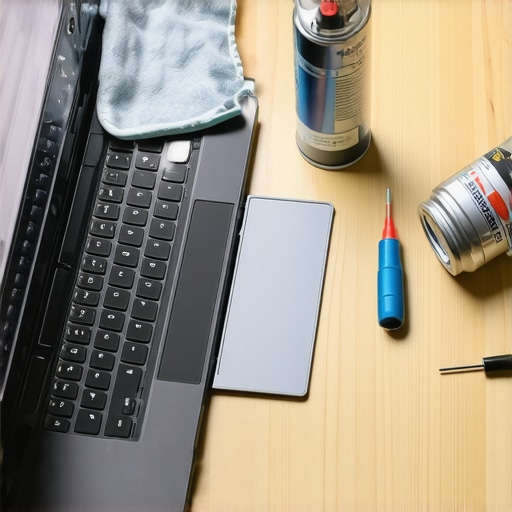
How do I maintain my laptop’s speed over several years?
The secret isn’t more RAM; it is monitoring your drive health. Your SSD has a limited number of ‘write’ cycles, and once it hits that wall, your data is gone. I use a S.M.A.R.T. monitoring tool to spot a dying SSD before your files vanish. If the health drops below 90%, I start planning my migration. Furthermore, I recommend a ‘Sunday Morning Purge’ where you clear your cache and uninstall any ‘one-off’ software you used for a single project. This keeps the registry clean and prevents background processes from stacking up. If your machine is starting to feel ancient, consider the best budget ssds for reviving older student laptops; it is the single most effective way to make a five-year-old machine feel brand new.
Modular Hardware is the Future of Sustainability
Looking ahead, the trend of soldered-on components is finally facing a backlash. I predict that within the next few years, the ‘right to repair’ movement will force even the biggest manufacturers to return to more modular designs. We are already seeing the only 3 brands that still make easily repairable laptops gaining massive market share among tech enthusiasts. This is why why your next business laptop needs a user replaceable battery; if you can’t swap the juice, the whole machine has a pre-set expiration date. Don’t let your hardware dictate your timeline. I challenge you to go into your settings right now and find your battery cycle count—knowing that number is the first step to making your laptop last five years instead of two.
The Hardest Lessons I Learned Managing High-End Setups
I used to think that the specs on the box were the only thing that mattered. I was wrong. The most expensive machine in the world is useless if you haven’t accounted for the human element. One major realization was that comfort equals consistency. If your desk isn’t right, you won’t use the power you paid for. I also learned that the only 4 brands we trust for rugged build quality are the ones that actually survive three years in a backpack. Another hard truth? Don’t fall for the flashy marketing. Sometimes, the most boring-looking top business laptops for productivity in 2025 are the ones that will keep your business afloat when a deadline is looming and your Wi-Fi is spotty.
The Tech Vault for Every New Owner
If you want to keep your machine in peak condition, you need a few reliable resources. I always suggest checking top laptop deals in 2025 before ever paying full price, as the savings can often fund your entire accessory kit. For those still in school, prioritize student laptops that boost productivity and learning over those with high-refresh screens that just distract you. I personally rely on HWInfo for monitoring my internal temperatures and Macrium Reflect for making sure I never lose a file. If you are a power user, keep an eye on game-changing gaming laptops for 2025 adventures to see how cooling technology is evolving for everyone. #IMAGE_PLACEHOLDER_E#
Go Build Something Incredible With Your New Setup
You have the knowledge, the clean OS, and the hardware locked down. Now, it is time to stop tweaking and start doing. Your laptop is finally the tool it was meant to be—silent, fast, and secure. Whether you are hunting for unbeatable laptop deals or configuring business laptops for professionals, remember that you are in control of the hardware, not the other way around. Which step of the setup process do you usually skip, or which one do you find the most frustrating? Let me know in the comments below!