
I was sitting in a cramped airport lounge last November, finishing a confidential budget proposal on one of my favorite business laptops for professionals. I felt a strange prickle on the back of my neck, that universal signal that someone is watching you. I looked up and realized the person in the seat next to me wasn’t just glancing; they were practically proofreading my Excel formulas. It was a visceral moment of vulnerability. I realized right then that all the passwords and firewalls in the world don’t mean a thing if the guy with the latte next to you can see your entire screen. Today, I am going to show you why a simple privacy filter is one of the most underrated must-have laptop accessories you can buy to protect your career.
Stop Letting Strangers Read Your Emails Over Your Shoulder
I used to be incredibly smug about my setup. I had the latest hardware and the best software, but I made the rookie mistake of thinking physical privacy was a secondary concern. I once left a meeting feeling productive, only to realize later that a competitor had been sitting three tables away while I mapped out our Q4 strategy. It was a wake-up call. We spend so much time worrying about the risk of using public charging stations or finding the perfect encrypted cloud, yet we leave the front door wide open by letting our screens glow for the whole world to see. A privacy filter isn’t just a piece of plastic; it is a blackout curtain for your professional life. Have you ever caught someone ‘shoulder surfing’ while you were working on something sensitive? It’s a violation of your personal space and your company’s data.
Is a piece of plastic actually worth the hype?
You might be skeptical, thinking a screen overlay will just make your beautiful display look muddy or dark. I thought the same thing. I actually bought a cheap, generic one years ago that was so bad I threw it away within an hour because I couldn’t even see my own icons. But the technology has changed. High-quality filters now use micro-louver technology that works exactly like tiny vertical blinds. According to the 3M Visual Hacking Experiment, a staggering 91% of visual hacking attempts are successful when no privacy measures are in place. That is a terrifying statistic for anyone handling client data. By the time we’re done here, you’ll know exactly how to choose a filter that keeps your data hidden without ruining your user experience.
Get Your Ruler Before You Spend a Dime
When I first decided to protect my screen, I made the mistake of just searching for ’14-inch screen protector.’ I ended up with a piece of plastic that was a quarter-inch too wide, preventing my laptop from closing properly. You have to measure the actual viewable area, not just the bezel. If you are using one of the business laptops for professionals, look up your exact model dimensions or use a physical tape measure. Most filters are sold by aspect ratio as much as diagonal size. Buying a generic one without checking is the fastest way to waste money.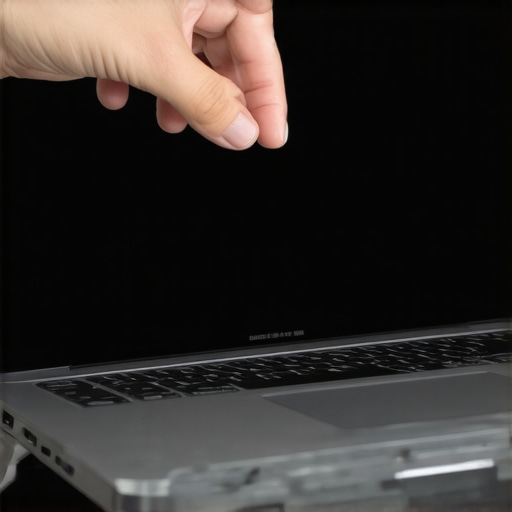
Magnets vs. Sticky Strips: Choose Your Weapon
There are two main ways to attach these things, and your choice depends on how often you want to take it off. I prefer the magnetic versions for my top business laptops for productivity in 2025 because they snap on and off in seconds. However, if your laptop has a flush, edge-to-edge glass screen, magnets might not have a bezel to grip. You will need clear adhesive tabs. I once tried to apply adhesive strips while sitting in a crowded coffee shop. I got a piece of dust trapped right in the center. Every time I looked at a spreadsheet, it looked like a dead pixel was mocking me. I ended up peeling the whole thing off and starting over after using a microfiber cloth and a lot more patience. Always clean your screen until it is surgical-grade spotless before you even touch the filter packaging. These are must-have laptop accessories for a seamless setup that require a little bit of upfront effort for long-term peace of mind.
How to Stop Your Screen from Looking Like a Dark Cave
The biggest complaint I hear is that privacy filters make the display too dim. That is by design, but you can mitigate it. You are essentially putting sunglasses on your computer. When you are in a safe environment, take the filter off to enjoy the full brightness of student laptops that boost productivity and learning. When you are in public, you will typically need to bump your brightness up about 20% higher than usual. Understanding the truth about anti-glare vs glossy screens for office lighting helps here, as filters often add a matte finish that cuts down on annoying reflections.
Check Your Angles Before Your Boss Does
Once the filter is on, do a quick sanity check. Get up from your chair, walk three feet to the left, and look at your screen. It should be completely black. If you can still see your windows, the filter is not seated correctly or the quality is too low. This is especially important for game-changing gaming laptops for 2025 that have high-nit displays which can sometimes bleed through cheaper filters. You want a 60-degree viewing angle; anything wider and you are just giving the guy next to you a slightly dimmed view of your private data. While looking for top laptop deals in 2025, always factor the cost of a high-quality filter into your total budget to ensure your hardware investment stays private.Most people assume that once they have slapped a filter on, they are invisible to the world. That is a dangerous lie. In my experience, the biggest mistake is buying a 4-way filter for a standard laptop. Everyone says more protection is better, but you are actually falling into a trap. 4-way filters darken your screen from the top and bottom as well as the sides. Unless you are literally working in a ball pit with people looking down from above, you are just killing your battery life by forcing your backlight to 100% just to see your cursor. There is a hidden nuance here regarding touchscreens. I have seen so many colleagues grab unbeatable laptop deals on premium 2-in-1s, only to realize that a privacy filter completely kills the touch sensitivity. It is one of the main reasons why we don’t recommend touchscreen laptops for coding or heavy data work if privacy is your top priority. You end up tapping the screen like a frustrated woodpecker just to get a response.
Will a Privacy Filter Ruin My Color-Critical Work?
If you are a designer or editor, this is the million-dollar question. The short answer? Yes, it will. Even the most expensive filters shift the white balance toward a cooler, bluish tint. A study by the Visual Privacy Advisory Council suggests that while these filters are elite for data protection, they can reduce light transmission by up to 30%. If you are choosing between student laptops that balance power and portability perfectly for creative projects, you must account for this shift. My advice is to use a magnetic filter that you can rip off the second you need to color-grade a photo. The ‘Oops’ factor often comes down to the blue light claim. Many brands use blue light blocking as a marketing buzzword to justify a higher price. In reality, any physical barrier over your screen blocks some degree of short-wave light, but it is rarely the medical-grade protection they claim. Don’t pay an extra forty dollars for a pro version just for the blue light sticker. Have you ever fallen into this trap where you bought an accessory that actually made your laptop harder to use? Let me know in the comments. It is these small, overlooked details that separate a professional setup from a frustrating one.To answer my own question from earlier, the most frustrating accessory I ever bought was a cheap screen filter that wouldn’t stop sliding. It eventually scratched my display because grit got trapped underneath. That is why maintenance isn’t just about hygiene; it is about protecting your investment. If you are using business laptops for professionals, you need to treat your screen like a high-end camera lens. I make it a habit every Sunday to peel back the filter and use a high-quality cleaning kit. This is precisely why we still carry a microfiber cloth in every single one of our gear bags. A quick wipe-down prevents the micro-louvers in the filter from getting clogged with skin oils and dust, which is the number one cause of that ‘fuzzy’ look people complain about.
Don’t Let Dirt Kill Your Professional Vibe
I’ve seen colleagues with incredible top business laptops for productivity in 2025 who let their privacy filters get so grimy it looks like they’re working through a fog bank. Beyond the screen, you need to think about the rest of your interface. If you’re working in public spaces, your keyboard is also a magnet for debris. I personally use the best keyboard cleaning slime we actually tested to lift the crumbs and coffee-shop dust that inevitably finds its way under the keys. It sounds niche, but keeping your physical workspace clean actually extends the life of your hardware and maintains that crisp, out-of-the-box feel that helps you stay focused during deep work sessions.
How do I keep my privacy filter clear for years?
The secret to longevity is storage. If you use a magnetic filter on student laptops that boost productivity and learning, don’t just toss it into your bag when you’re at home. It will bend, and once those micro-louvers are creased, the filter is ruined. I keep the original plastic folder the filter came in and slide it inside my laptop sleeve. Also, never use harsh chemicals. Windex is the enemy of the anti-glare coatings found on most filters. Stick to distilled water or specialized screen cleaners. If you’re looking for top laptop deals in 2025, remember that a well-maintained machine has a much higher resale value when you’re ready to upgrade.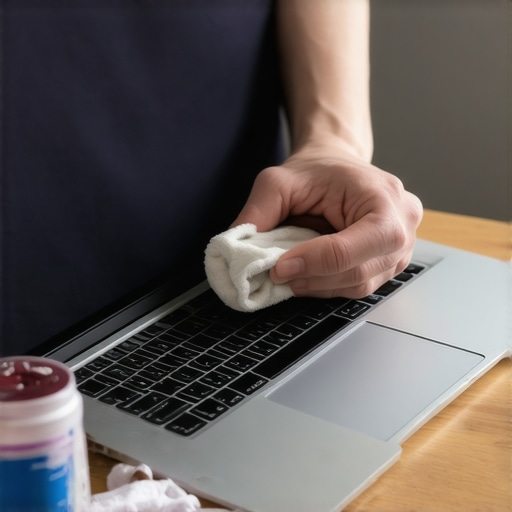
The Future of Privacy is Built Right Into the Glass
We are starting to see a shift where you won’t even need a physical piece of plastic. High-end enterprise machines are starting to integrate electronic privacy screens that you can toggle with a function key. It works by narrowing the light distribution of the backlight itself. However, until those become standard on game-changing gaming laptops for 2025 or budget-friendly student models, the physical filter remains our best line of defense. As noted in the National Institute of Standards and Technology (NIST) Special Publication 800-53, physical safeguards are a critical component of media protection and access control. We can secure the software all we want, but physical visibility is a hardware problem that requires a hardware solution. I predict that within five years, ‘Privacy Mode’ will be as common as ‘Airplane Mode’ on every premium laptop on the market. In the meantime, I highly recommend you grab a magnetic filter today and perform a ‘visual audit’ next time you’re in a coffee shop—literally stand up and see what a stranger sees. You might be surprised at how much you’re giving away for free.
Hard Lessons from My Years of Mobile Working
Over the years, I have learned that the best privacy filter in the world is useless if you do not treat it with care. One of the biggest mistakes I made was forgetting to check for webcam compatibility. Some thicker filters can actually interfere with the physical shutters found on many business laptops for professionals. Another lightbulb moment came when I realized that most filters are double-sided. If you hate the reflection of the overhead lights in a café, flip the filter to the matte side to act as an anti-glare shield. Finally, never forget that physical security is only half the battle. You should also learn how to secure your data before selling your old laptop so your digital footprint stays as private as your screen.
The Best Gear to Keep Your Setup Professional
To keep my mobile office running smoothly, I have a very specific set of tools I never leave home without. First, I always keep the best keyboard cleaning slime we actually tested in my bag. It is perfect for getting the dust out of the tracks where magnetic filters attach. Second, a high-quality sleeve is non-negotiable to prevent your filter from bending during transit. If you are a student, remember that why your student id is the best tool for laptop discounts extends beyond the computer itself; many accessory brands offer student pricing too. I also keep a digital copy of my laptop’s manual on my phone to quickly look up screen dimensions if I ever need a replacement filter in a pinch.
Stop Worrying and Start Working Anywhere
Investing in your privacy is a signal to yourself and your clients that you take your professional responsibilities seriously. It transforms a crowded airport or a busy coffee shop into a secure satellite office. These must-have laptop accessories provide more than just a darkened screen; they provide the freedom to be productive without the constant fear of visual hacking. The next time you open your machine in public, you can do so with the confidence that your formulas, emails, and strategies are for your eyes only. Have you ever had a moment where you realized a stranger was definitely looking at your screen? Let me know in the comments below! #IMAGE_PLACEHOLDER_E#