
I still remember the smell—that sharp, acrid scent of burning ozone and melting plastic that haunts every tech lover’s nightmares. It was a Tuesday evening, and I was deep into a deadline on my favorite business laptop. My original power brick had vanished during a move, so I’d snagged what looked like a “genuine” replacement online for twenty bucks. It had the right logo. It had the right stickers. Then, without warning, a literal spark jumped from my charging port, and the screen went black forever. I didn’t just lose a charger; I lost a $1,500 machine because I tried to save thirty dollars on laptop accessories. Today, I want to make sure that never happens to you by showing you how to sniff out these high-voltage imposters.
The Stealthy Danger Hiding in Your Laptop Bag
Most of us think of a power adapter as just a simple cable, but it’s actually a complex piece of power-management hardware. A fake charger doesn’t just provide “dirty” power; it often lacks the critical voltage regulators that prevent surges from hitting your motherboard directly. When you are hunting for top laptop deals, you aren’t just looking for the machine itself, but for the reliability of the ecosystem. I made the classic mistake of assuming that if the plug fits, it must be safe. It’s a gamble that almost never pays off. According to a safety report by Electrical Safety First, an astounding 98% of counterfeit chargers they tested failed basic safety standards, posing a significant risk of fire or electric shock.
Is Saving Thirty Dollars Actually Worth the Risk?
You might be sitting there thinking, “I’ve used cheap cables for years and my phone is fine.” Laptops are different beasts entirely. They draw significantly more power and have much more sensitive internal components than a smartphone. If you’ve ever felt your charger getting “concerningly hot” to the touch, you’re already flirting with disaster. Have you ever noticed your trackpad acting jumpy or your screen flickering when you plug in a third-party brick? That’s often the first sign of electromagnetic interference from a poorly shielded fake. Before you go out and look for how to find a replacement charger that wont fry your board, let’s talk about why the “bargain” is usually a trap.
Why These Fakes Are Flooding the Market Right Now
The demand for student laptops and remote work setups has created a massive opening for counterfeiters. They’ve gotten terrifyingly good at mimicking the weight and texture of OEM parts. Sometimes they even put lead weights inside the plastic shell just to make it feel “premium.” It’s a sophisticated scam designed to prey on anyone looking to cut costs on their laptop accessories. We need to look past the logo and start checking the fine print, the UL certifications, and the build quality of the cable itself. Have you ever bought a charger that felt suspiciously light or got too hot to touch? Let me know!To protect your investment, especially when dealing with high-performance business laptops for professionals, you need a systematic approach to inspection. Start with the label. Authentic manufacturers spend millions on branding; counterfeiters do not. Look for typos like ‘Desinged’ instead of ‘Designed’ or fonts that look slightly blurry. This happens because scammers often scan an original label and reprint it, losing detail in the process. It is like a photocopy of a photocopy; the sharp edges of the manufacturer’s font become rounded and fuzzy. I once spent twenty minutes comparing two bricks under a desk lamp and realized the fake one had a ‘CE’ logo that was just a fraction of a millimeter too wide—a classic sign of a rushed job.
Examine the Build Quality with Skepticism
If the charger feels like a hollow toy, it probably is. Genuine power bricks are packed with shielding and heavy-duty capacitors. Counterfeiters often use lead weights to mimic this weight, but they rarely get the balance right. If you shake the brick and hear anything rattling, it’s an immediate red flag. This isn’t just about weight; it is about the physical integrity of the laptop accessories you trust with your hardware. Authentic bricks feel solid, like a single piece of dense stone, because they are often potted with resin to dissipate heat.
The Cable Flex Test
Grab the cable near the strain relief—that little rubberized sleeve where the wire meets the brick. On a real charger, this area is robust but flexible. On a fake, it often feels brittle or is so stiff it doesn’t bend at all. I remember trying to coil a cheap charger for one of my student laptops, and the outer plastic casing actually cracked, exposing thin, copper-colored threads inside. Real copper is expensive, so fakes use ‘copper-clad aluminum’ (CCA), which is more prone to snapping and overheating. 
Decode the Safety Certification Symbols
Certification marks like UL, ETL, or the Regulatory Compliance Mark are not just stickers; they are legal promises of safety. On a counterfeit, these logos are often printed directly onto the plastic rather than being part of a high-quality, heat-resistant label. If the UL logo does not have a unique file number underneath it, it is almost certainly a forgery. This is a common tactic when people hunt for top laptop deals on marketplaces where third-party sellers thrive. Learning how to find a replacement charger that wont fry your board means becoming a bit of a hardware detective.
Look Inside the Connector Tip
The ‘business end’ of the charger—the part that actually enters your laptop—should be pristine. Check the center pin. If it is crooked, off-center, or made of a dull, grayish metal instead of bright gold or silver-toned plating, stay away. A poorly machined tip is often the real reason your laptop charge port feels loose after just a few weeks of use. It physically deforms the internal pins of your motherboard’s DC jack, leading to a repair bill that far exceeds the cost of a genuine adapter. Always compare the metal finish to your original charger; the difference in luster is usually a dead giveaway of cheap alloys.But even if the tip looks perfect, the internal ‘handshake’ could be a lie. One of the biggest myths I see is the belief that USB-C makes everything compatible by default. This is a dangerous oversimplification. In my experience, even when hunting for unbeatable laptop deals, the universal nature of the port is exactly what counterfeiters exploit. The USB Implementers Forum (USB-IF) has strict specifications for Power Delivery (PD), yet many third-party bricks use ‘zombie’ controllers that spoof these protocols, lying to your motherboard about their actual capacity. This is exactly why cheap usb-c hubs might be killing your ports; they lack the sophisticated logic to prevent back-feeding current into sensitive components. 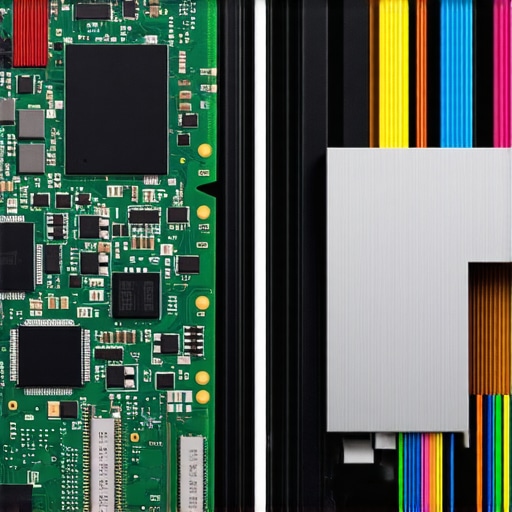
Does Your Charger Actually Know When to Stop?
This is the advanced question you need to ask. Real chargers engage in a constant digital dialogue with your laptop, adjusting voltage based on the machine’s thermal state and power draw. Cheap clones often skip this or use flawed firmware that can cause a thermal runaway during peak usage. According to hardware safety analysis by experts at UL Standards, genuine chargers contain complex filtering circuits to stabilize ‘dirty’ electricity from your wall outlet, whereas fakes often have almost no noise suppression, relying on the laptop’s internal capacitors to do the heavy lifting—until they inevitably pop. This lack of communication is frequently the reason your laptop battery wont charge past eighty percent or why it fluctuates wildly. Have you ever fallen into this trap or noticed your brick getting dangerously hot? Let me know in the comments!
The Lead Weight Illusion Is a Real Danger
Most people say a heavy charger is a sign of quality, but I have a contrarian warning: weight is now being weaponized. I have opened dozens of counterfeit adapters where a literal slug of scrap metal was glued inside the plastic casing just to mimic the feel of high-end capacitors. It is a sophisticated trap designed for those looking for student laptops that boost productivity and want to save on the accessories. If you are using business laptops for professionals, you are handling a precision instrument. Feeding it power through a fake brick is like putting kerosene in a jet engine. Before you finalize your search for how to find a replacement charger that wont fry your board, remember that the most expensive charger you will ever buy is the one that destroys your entire machine.Maintaining a high-end machine goes far beyond just avoiding fake chargers. I have a ritual every Sunday morning—the ‘Hardware Audit’—where I inspect my gear for the subtle signs of wear that most people miss until it is too late. It starts with physical cleaning. I strictly avoid using a vacuum on my keys because of static discharge risks; instead, I use a high-velocity electronic duster. If you are worried about your internals, learning how to clean the dust out of your laptop without opening it can save you from thermal throttling and eventual fan failure. This is especially true for game-changing gaming laptops for serious players in 2025 that pull massive amounts of air through tiny vents.
Stop the Dust Before it Stops Your Fan
It is not just about the external shell. I personally use HWiNFO64, a professional-grade diagnostic tool, to check my battery health monthly. If I see a wear level above 15% within the first year, I know something is wrong with my charging habits or the environment. According to the technical repairability standards set by iFixit, the longevity of modern machines is increasingly dependent on the user’s ability to monitor these ‘invisible’ metrics before the hardware physically fails. If you’re pushing a business laptop for productivity, you cannot afford to wait for a blue screen to tell you your SSD is dying. I always keep a microfiber cloth in my laptop bag to prevent skin oils from etching into the screen coating, a permanent type of damage that no software can fix.
How can I keep my laptop running like new for years?
The secret lies in a combination of thermal management and software hygiene. I make it a point to perform the only 3 ways to genuinely speed up a slow laptop once a quarter, which includes a deep dive into startup services and a physical check of the battery’s shape. You should regularly run your hand over the bottom casing; if you feel a slight bulge, you need to know how to tell if your laptop battery is swelling before it bursts. This proactive approach is what separates a machine that lasts two years from one that lasts seven. 
The Future of Power and Portability
Looking ahead, I predict the total death of the traditional ‘power brick.’ We are already seeing the rise of Gallium Nitride (GaN) technology, which allows for 100W+ chargers that fit in a coin pocket. Within the next two years, expect to see top laptop deals bundled with these ultra-efficient, AI-monitored power units that communicate with your laptop to optimize charging cycles based on your calendar. For now, your best defense is knowledge and the right tools. If you want to level up your setup today, I highly recommend downloading a battery limiter tool to cap your charge at 80%—it is the single most effective way to double your battery’s lifespan. Check out how to find official repair guides for your exact model to see exactly what your manufacturer recommends for your specific chassis.
The Hardest Lesson My Fried Motherboard Ever Taught Me
Reflecting on that smoke-filled Tuesday, I realized that the biggest mistake wasn’t just buying a cheap charger; it was ignoring the ‘too good to be true’ feeling. Here is what I know now after years of testing gear: first, if the price of a replacement adapter is less than a fancy lunch, it is likely a fire hazard. Counterfeiters rely on our desire for unbeatable laptop deals to slip dangerous hardware into our homes. Second, technical weight means nothing if it is just lead slugs glued inside. True quality comes from the shielding you can’t see but can definitely feel in the lack of electromagnetic interference on your screen. Lastly, always trust your nose; genuine electronics have a specific ‘new tech’ smell, while fakes often give off an oily, chemical scent the moment they start to get warm.
The Software and Gear I Use to Monitor My Hardware
I don’t just guess if my machine is healthy; I use a specific stack of tools to ensure my business laptops for professionals stay in peak condition. I highly recommend using the hidden price history tools every deal hunter needs to ensure you are buying from reputable vendors and not falling for a ‘limited time’ scam on a counterfeit part. To protect the physical chassis, I only trust my gear in these 3 student backpacks because of their superior padding and moisture resistance. Once your hardware is physically secure, I suggest looking into the best way to organize your desktop for deep work, as a clean workspace often leads to better care of the physical machine itself. I also swear by a simple USB-C power meter—a tiny $15 device that shows you exactly how many watts your charger is actually pushing, which is the ultimate way to catch a liar.
Treat Your Laptop Like the Precision Tool It Is
Your laptop is more than just a screen and a keyboard; it is the hub of your professional and personal life. Taking the time to verify your laptop accessories isn’t being paranoid—it is being professional. Whether you are hunting for top laptop deals or just trying to get one more year out of your current machine, remember that the power cable is the lifeblood of the system. Don’t let a twenty-dollar shortcut turn into a thousand-dollar disaster. You’ve worked hard for your setup, so give it the reliable power it deserves. Have you ever caught a fake charger or a scam listing before it caused a problem? Let me know in the comments below!