
I’ll never forget the sinking feeling in my chest when I realized my beautiful, milk-white machine had started looking like a piece of vintage office equipment—and not the cool kind. I had just splurged on one of those game-changing gaming laptops for 2025 adventures, and within six months, the palm rests had taken on a sickly, nicotine-stained hue. It wasn’t because I was messy; it was because I didn’t understand the chemistry of the plastic I was touching every day. Today, I’m going to show you exactly how to prevent that discoloration and keep your gear looking fresh out of the box for years.
My White Laptop Went From Arctic to Old Paper
When I first started using white laptops, I made the classic mistake of assuming that a quick wipe with whatever was in the kitchen cabinet would do the trick. I even tried using high-concentration rubbing alcohol and window cleaner, which was a massive error. Those harsh chemicals actually stripped the protective coating off the chassis, making it even more porous and prone to staining. It’s a common pitfall when you’re trying to maintain student laptops that balance power and portability perfectly; we want them to stay clean, but our panic-cleaning often does more harm than good.
Does White Plastic Always Fade to Yellow?
You might be wondering if this is just an inherent flaw you have to accept when you buy white tech. The short answer is no, but it requires a proactive approach rather than a reactive one. Have you noticed your white tech starting to look a bit ‘vintage’ lately? It usually starts around the edges of the trackpad or the most-used keys. Identifying the early signs of yellowing is crucial because once the chemical change goes too deep into the plastic, it’s much harder to reverse without aggressive treatments like retrabrighting.
Sunlight and Hand Oils Are the Real Enemies
The science behind why your laptop turns yellow is actually pretty fascinating, if a bit frustrating. Most white electronics are made from ABS plastic that contains brominated flame retardants. According to research on polymer degradation, these flame retardants undergo a chemical reaction when exposed to ultraviolet (UV) light, which causes the material to oxidize and turn yellow over time. This is why keeping your laptop sitting next to a sunny window is a recipe for disaster. Pair that UV exposure with the natural oils and acidity from your skin, and you have a perfect storm for stains. If you want to keep your setup looking sharp, you need the right must-have laptop accessories for a seamless setup, like a high-quality microfiber cloth and a gentle, pH-neutral cleaning solution. I’ve found that the best ways to clean a greasy laptop keyboard involve using distilled water and a tiny drop of dish soap rather than anything abrasive. In the next section, we’ll dive into the specific cleaning routine I use every Sunday to ensure my white laptop stays as bright as the day I bought it.
Make Clean Hands Your First Line of Defense
The most effective way to prevent yellowing is to treat your laptop like a high-end white silk suit. Think of your hands as the primary delivery system for dirt and oils. I used to be the guy who would snack on chips while researching student laptops that balance power and portability perfectly, only to find orange smudges on the keys an hour later. Now, I have a strict ‘clean hands’ policy. If I’ve just eaten or spent time outdoors, I wash my hands before touching the chassis. It sounds obsessive, but it’s the difference between a machine that looks new after three years and one that looks like it’s been through a war zone. If you are constantly on the move, keeping a small bottle of hand sanitizer or a pack of gentle hand wipes in your bag is one of those must-have laptop accessories for a seamless setup that pays for itself in resale value.
Wipe It Down Weekly or Watch It Fade
I learned the hard way that ‘invisible’ grime is the most dangerous. Last year, I let a white work machine sit for a month without a proper cleaning. When I finally wiped it down, the cloth came away grey, and the plastic underneath had already started to shift in tone. Now, I dedicate five minutes every Sunday to a maintenance wipe. Use a high-quality microfiber cloth dampened—never soaked—with distilled water. If there’s a stubborn smudge, add a single drop of pH-neutral dish soap to the water. Avoid anything with ammonia or heavy alcohols, as these can eat into the finish. When dealing with the keys, focus on the edges where skin contact is highest. This routine is similar to how we manage the best ways to clean a greasy laptop keyboard, focusing on removing the lipids before they can bond with the plastic polymer.
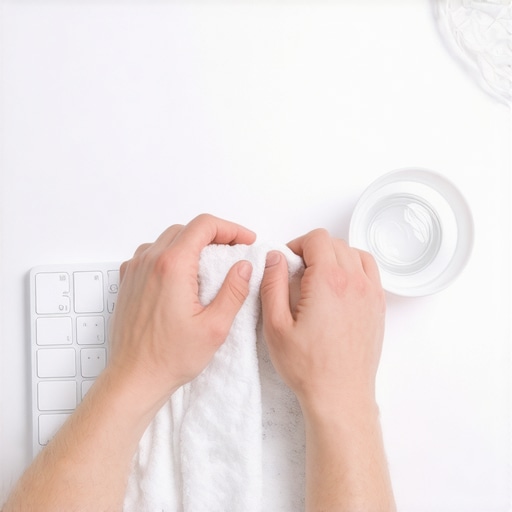
Ditch the Magic Erasers and Abrasive Pads
There is a dangerous myth circulating that melamine sponges (Magic Erasers) are the secret to keeping white tech bright. I fell for this once. I had a tiny scuff on the lid and thought I’d just ‘buff it out.’ Within seconds, I had stripped the factory gloss, leaving a dull, matte patch that actually attracted dirt faster than the rest of the laptop. These sponges are essentially ultra-fine sandpaper; they remove the yellowing by removing a layer of your laptop. If you have a scuff, try a white gum eraser first. If you’re trying to figure out how to safely remove stickers from a laptop shell, use heat and your fingernails—never a scouring pad.
Hide From the Sun to Save the Color
Remember that UV light is the catalyst for the chemical reaction that turns ABS plastic yellow. If you work in a home office with a lot of natural light, your laptop is effectively getting a slow-motion tan that it can’t get rid of. I used to love sitting my desk right against the window, but I noticed the left side of my laptop (the side facing the glass) was turning yellow faster than the right. Now, I always draw a sheer curtain or position my desk so the laptop isn’t in a direct ‘sunbeam’ for eight hours a day. This is also why why we choose matte screens for working near windows; not just for the glare, but to reduce the overall intensity of the light hitting the unit. If you must use it in high-UV environments, consider a clear skin or a high-quality vinyl decal. These act as a sacrificial layer, absorbing the UV damage and skin oils so the original plastic underneath remains pristine. It’s an extra step, but when you look at top laptop deals in 2025 unlock incredible savings today, you’ll realize that keeping your current machine in mint condition is the best way to fund your next upgrade.
Let’s dig deeper into a factor most people overlook: heat. While we often blame the sun for our tech turning beige, the internal temperatures of your machine are just as guilty. I’ve spent years testing game-changing gaming laptops for serious players in 2025, and I’ve noticed that laptops with poor thermal management yellow significantly faster around the exhaust vents. This is because the ABS plastic isn’t just reacting to light; it’s literally baking from the inside out.
Internal Heat Is the Silent Killer of White Chassis
Many users think that if they keep their laptop in a dark room, it will stay white forever. This is a myth. When your CPU and GPU regularly hit high temperatures, that heat transfers to the shell. A study published in the Journal of Applied Polymer Science indicates that thermal oxidative degradation in ABS plastics—the kind used in most electronics—accelerates exponentially once surface temperatures consistently exceed 50°C (122°F). This is particularly problematic with the hidden cost of buying an ultra-thin gaming laptop where the components are packed so tightly that the chassis becomes a heat sink. If you aren’t managing your thermals, no amount of wiping will save your color. I’ve personally found that learning how we fixed our laptop thermal throttling with a 5-shim can do more for your laptop’s long-term aesthetics than any cleaning spray ever could.
Why You Should Stop Using Your Laptop on the Bed
Here is the ‘oops’ factor that kills white laptops: the soft surface trap. Why you should never use your laptop on a soft blanket isn’t just about fire safety; it’s about preserving the finish. When you set a white laptop on a duvet, you block the intake vents, causing the plastic to heat up rapidly. The oils from your skin that have transferred to the palm rests then ‘cook’ into the pores of the plastic. Most people think they need a fancy accessory to fix this, but the reality is that why most laptop cooling pads are a waste of money is because they don’t address the root cause of poor airflow. Simply keeping the unit on a hard, flat surface prevents the localized hotspots that lead to that uneven, patchy yellowing we all hate.
Can You Safely Reverse the Yellowing Process?
I get asked this all the time: ‘Can I just use high-volume hydrogen peroxide to bring back the white?’ This process, known as retrobrighting, is popular in the retro-gaming community, but I strongly advise against it for modern laptops. Modern chassis often have oleophobic coatings or specialized textures that peroxide will destroy. It might look bright for a month, but you’ll end up with a brittle shell that feels ‘chalky’ to the touch. Instead of looking for a miracle cure, focus on high-quality builds from the start. For example, top business laptops for productivity in 2025 often utilize magnesium alloys or advanced polycarbonates that are far more resistant to thermal yellowing than the cheap plastics found in entry-level models. Have you ever fallen into the trap of using a ‘Magic Eraser’ or harsh chemicals only to find it made the staining worse? Let me know in the comments.
If you have followed my advice on keeping the exterior pristine, you are halfway there. But the real battle for longevity happens under the hood. I have seen countless users snag top laptop deals in 2025 unlock incredible savings today only to have their machines stuttering and overheating eighteen months later. To prevent this, I rely on a specific toolkit that goes beyond a simple reboot. I personally use ThrottleStop for any machine with an Intel chip because it allows me to bypass the aggressive factory voltage settings that lead to that dreaded ‘baking’ effect on the chassis. By how to undervolt your gaming laptop for better temps and performance, you aren’t just gaining frames; you are literally extending the chemical life of your laptop’s plastic shell by keeping surface temperatures down.
How do I keep my laptop running like new for five years?
Maintenance over time is a marathon, not a sprint. Every six months, I perform a ‘deep health check’ that involves more than just running a virus scan. I use a software called HWInfo64 to monitor the wear level of my battery. If I see it dropping too fast, I immediately perform a reset. Knowing how to calibrate your laptop battery for better accuracy can actually extend its usable life by preventing the controller from ‘forgetting’ its true capacity. For my high-performance rigs, I also make it a point to swap out the factory-applied thermal interface material. Most manufacturers use a generic, ‘one-size-fits-all’ paste that dries out within two years. According to the technical white papers from thermal specialists at Noctua, high-viscosity compounds like their NT-H2 can maintain peak performance for up to five years without reapplication, which is a massive win for anyone using game-changing gaming laptops for serious players in 2025.
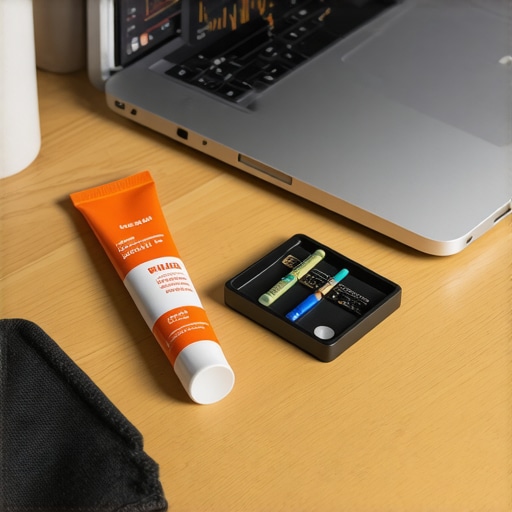
Beyond the internal components, you need to think about the physical connection points. I have seen more top business laptops for productivity in 2025 die because of a loose charging port than a failed motherboard. To mitigate this, I’ve transitioned my entire desk to a single-cable solution. Learning how to use a single USB-C cable to connect your entire desk reduces the daily wear and tear on your ports significantly. It is one of those must-have laptop accessories for a seamless setup that feels like a luxury but is actually a longevity strategy. If you are constantly plugging and unplugging half a dozen peripherals, you are basically playing Russian roulette with your motherboard’s solder joints.
The Future of AI-Driven Thermal Health
I predict that by 2027, we will stop manually managing fans and voltages entirely. We are already seeing the first wave of ‘Neuromorphic Cooling’ where the laptop uses onboard AI to predict a thermal spike before it even happens based on your workflow patterns. Instead of reacting to heat, the laptop will pre-cool the heat pipes. Until then, you need to be proactive. If you really want to see a difference in your machine’s health, I challenge you to download a monitoring tool today and check your ‘Thermal Throttling’ flag while under load. If it’s red, it’s time to act. Don’t wait for the plastic to turn yellow or the fans to start screaming. Start by looking at how to replace your laptop thermal paste without breaking anything and take control of your machine’s destiny.
Hard Truths I Learned After Ruining Two White Shells
Looking back at my ‘vintage’ graveyard of tech, I’ve realized that the small habits matter more than the big ones. First, hand lotion is a hidden killer. I used to use heavy moisturizer before work, not realizing the chemicals were reacting with the topcoat of my palm rests. Second, don’t trust ‘white’ to stay white if you live in a high-smog or high-smoke environment; those particulates find their way into the smallest cracks. Finally, the best way to maintain value is to check the top laptop deals in 2025 unlock incredible savings today and realize that a pristine machine always fetches a higher trade-in price. I’ve sold white laptops for $200 more than their yellowed counterparts just by being consistent with my Sunday wipe-downs.
The Gear That Keeps My Workspace Pristine
You don’t need a professional laboratory to keep your gear looking fresh, but you do need a few specific items. I swear by using high-gsm microfiber cloths—the kind used for detailing cars—as they pick up oils without scratching. For performance monitoring, I recommend HWInfo64 to keep those internal ‘baking’ temps in check. If you’re looking to upgrade your environment, check out these must-have laptop accessories to boost your work setup. My personal favorite is a simple desk mat; it creates a barrier between the laptop and any dust or spills on the desk surface. If you are a student, balancing aesthetics and function is key, so I often suggest looking into student laptops that boost productivity and learning that feature aluminum lids but white plastic interiors for that hybrid durability.
#IMAGE_PLACEHOLDER_E#
Stay Bright in a Beige World
Your tech is an extension of your creative space. Whether you’re crunching numbers on top business laptops for productivity in 2025 or designing your next masterpiece, a clean, bright machine helps maintain that ‘new gear’ motivation. Don’t let the fear of a little yellowing stop you from buying the white laptop of your dreams. With a few minutes of care each week and a watchful eye on your thermal performance, you can keep your machine looking Arctic-fresh for years to come. It’s all about respecting the materials as much as the software inside. Have you noticed any early signs of yellowing on your current setup, or do you have a secret cleaning hack I missed? Let me know in the comments below!