
I still remember the sound. It was a sharp, sickening plastic-on-tile crack that echoed through a packed lecture hall on a Tuesday morning. My brand-new machine, the one I had scrimped and saved for, had just slipped from my desk. When I picked it up, the corner was completely crushed, and the screen looked like a spiderweb of dead pixels. It was a total loss, all because I thought a sleek, bare metal chassis was too pretty to cover up.
The Real World Is Brutal on Student Tech
We expect our machines to survive a chaotic gauntlet every single day. We throw them into backpacks alongside heavy textbooks, metal water bottles, and half-eaten snacks. We rush between classrooms, balancing them on tiny, unstable lecture desks. If you are using one of the many popular student laptops that boost productivity, you know how thin and fragile they have become. Manufacturers shave off every millimeter of thickness to make them portable, but in doing so, they sacrifice structural integrity. A single clumsy drop or a tightly packed bag can bend the frame, putting pressure on the delicate internal components.
Are protective shells actually worth the extra bulk?
I used to be a purist. I hated the idea of snapping a piece of plastic over an elegant aluminum body. But after paying hundreds of dollars for a replacement, my perspective changed fast. Some people worry that hard cases trap heat, but for daily academic tasks, a quality shell offers a layer of armor that a soft sleeve simply cannot replicate when the device is actively in use. If you want to keep your machine safe without adding massive weight, you can find excellent options designed to absorb impact in our guide to must-have laptop accessories to boost your work setup. According to a consumer electronics reliability study by SquareTrade, nearly one-third of all laptops experience accidental damage within the first three years of use, with drops and spills being the leading causes. A simple, inexpensive shell absorbs the brunt of those everyday impacts, ensuring that a minor slip does not turn into an expensive trip to the repair shop. Have you ever dropped your device during a hectic day on campus, or are you currently risking it all with a bare laptop?
Step Up Your Physical Defenses Before Disaster Strikes
You cannot prevent every bump on campus, but you can control how your device absorbs those impacts. Think of physical laptop protection like a high-performance helmet. You do not buy a helmet after a crash; you buy it so you can walk away from one. When choosing your defense strategy, you must focus on corner protection. The corners are the weak link in any device’s design, acting as lightning rods for physical shock that easily shatters delicate screens.
Invest in a Dual-Layer Sleeve with Corner Armor
Many students make the mistake of buying thin, cheap neoprene pouches that offer nothing more than scratch protection. I learned this lesson the hard way when my backpack slipped off a bench with my device tucked inside what I thought was a protective sleeve. The thin fabric offered zero resistance, resulting in a bent frame that cost a small fortune to repair. Since that day, I only trust options that feature reinforced rubber bumpers inside the edges. If you are constantly moving between classes, utilizing the best laptop sleeve for maximum drop protection is non-negotiable for keeping your hardware structurally sound.
Keep Your Internal Hardware Safe from Suffocation
Protecting the outside is useless if you end up killing the machine from the inside. One of the most common ways students accidentally destroy their hardware is thermal throttling caused by blocked vents. Using a powerful machine on a soft surface like a bed or a plush carpet acts like a heavy blanket, trapping heat and degrading the battery quickly. For a deeper look into why this happens, read our analysis on why you should never use your laptop on a soft blanket. Always stick to hard, flat surfaces, or use a rigid lap desk to keep the airflow clear.
Optimize Your Settings for Chaotic Workspaces
Physical armor is only half the battle; how you configure your software determines if your device survives a sudden drop or a frantic rush to your next lecture. Modern operating systems have built-in safeguards designed specifically for mobile environments, but they are rarely optimized out of the box.
Configure Immediate Sleep Settings
When you close your screen, you expect your machine to go to sleep instantly. However, background processes often keep the system running hot inside your backpack, draining your battery and cooking the processor. I once pulled a boiling hot, completely dead machine out of my bag right before a presentation because Windows decided to run an update with the lid closed. To prevent this, manually configure your power button to initiate a deep hibernate or immediate sleep cycle. This ensures that when you pack up in a hurry, your system cools down immediately and saves battery life for your actual study sessions.
Everyone tells you to buy the thickest plastic shell or the prettiest sleeve on Amazon to protect your tech investment. But in my years of testing gear and watching classmates destroy their expensive machines, I have realized that most mainstream advice is completely backwards. We are obsessed with shielding the outer aluminum shell from cosmetic scratches while completely ignoring the forces that actually kill our motherboards and screens.
The Great Shell Myth That is Quietly Ruining Your Hardware
Here is my contrarian view: hard-shell snap-on cases do far more harm than good. While they might prevent a minor scuff, they act as permanent thermal blankets. When you trap heat inside a machine, the cooling fans have to work twice as hard. If you are constantly wondering why your laptop fan only gets louder after cleaning, look no further than that rigid plastic shell trapping heat around your chassis. Over time, this chronic overheating degrades your battery chemistry and slows down your processor.
Is your protective case secretly bending your display hinge?
Beyond the thermal issues, cheap hard cases introduce a mechanical trap that most students never anticipate: hinge strain. Laptop hinges are engineered with incredibly tight tolerances. Adding even a few extra grams of cheap plastic to the back of the lid changes the balance of the display panel. When you open and close the screen, that extra weight puts leverage on the weakest points of the frame. I have seen countless students end up needing a costly repair because their protective shell slowly pried the hinge mounts right out of the plastic bezel. A report by the International Journal of Computer Applications highlights that structural fatigue in portable electronics is heavily accelerated by uneven physical stress and poor heat dissipation. Instead of a bulky hard case, a minimal, high-quality sleeve is a far safer bet for structural longevity.
If you want a truly reliable study setup, skip the gimmicks. Focus on high-quality utility items like the ones featured in our guide to must-have laptop accessories for a seamless setup. Have you ever fallen into this trap and noticed your machine running incredibly hot under a plastic shell? Let me know in the comments below.
Now that we have dismantled the myth of the hard-shell case, let us talk about the long-term maintenance habits that actually keep your machine running. Over years of managing hardware setups, I have realized that true protection is about active preservation, not passive shielding. If you want your hardware to last through your college years or business ventures, you need to transition from cosmetic defense to structural and system maintenance.
How do I maintain my laptop hardware over time?
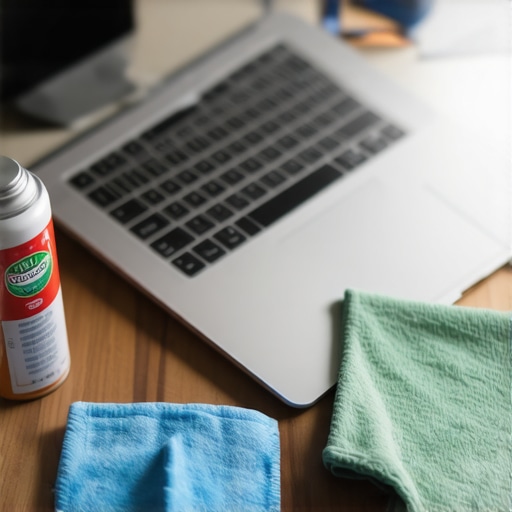
The single most effective tool in my maintenance kit is not a fancy cleaning fluid or a designer cover. It is a simple, high-quality grounding strap and a can of compressed air. Every six months, I perform a non-invasive clean. Dust accumulation acts like an insulating blanket over your motherboard, forcing your internal fans to spin faster and fail sooner. I highly recommend learning how to check your laptop fan for dust without opening it to prevent unnecessary thermal wear. Additionally, keeping your system software clean is just as vital. For my daily writing and research work, I strictly use 16:10 screens for writing and code, paired with minimalist software habits. I run a script weekly to clear temp files and disable unnecessary startup programs, which reduces the background CPU load, keeps system temperatures low, and extends the physical lifespan of the silicon.
Looking ahead, I predict we will see a major shift toward modular, self-repairing chassis designs. Manufacturers are starting to face immense regulatory pressure regarding the right to repair. In the next few years, the best way to protect your investment won’t be wrapping it in plastic; it will be buying from brands that let you easily swap out degraded batteries, ports, and keyboards yourself. Until that future arrives, the best thing you can do today is upgrade your power setup. Poor-quality chargers degrade your motherboard’s voltage regulators over time. According to hardware analysis by standard certification bodies like UL (Underwriters Laboratories), inconsistent power delivery from cheap third-party bricks is a leading cause of premature capacitor failure. If you want to keep your internal electronics safe, make sure you know how to tell if your laptop charger is actually safe to use before plugging it into your expensive machine.
My challenge to you this week is simple: do not wait for your machine to start stuttering or running hot. Take ten minutes tonight to configure your power settings so your machine hibernates immediately when closed, and clear out your chassis vents. Your hardware—and your wallet—will thank you down the road.
What Experts Won’t Tell You About Real World Laptop Longevity
After years of repairing devices and testing hardware in high-pressure environments, I have realized that true protection goes far beyond slap-on accessories. The industry wants you to believe that a cosmetic barrier solves everything, but real-world survival comes down to systemic habits. First, mechanical stress is cumulative. Every time you lift your device by the corner of the screen rather than the base, you micro-flex the display panel. Over time, this leads to structural failures that no sleeve can prevent.
Second, heat is the silent killer of internal silicon. While a gorgeous protective case might keep your device looking pristine, it acts as a thermal trap that bakes your battery. To keep your system running cool and efficient without trapping heat, it is much wiser to transition to active maintenance habits rather than relying on passive plastic armor.
My Essential Toolkit for Keeping Hardware Alive
You do not need an expensive service contract to keep your machine performing like new. Over the years, I have narrowed my physical protection and maintenance kit down to just a few highly effective, trusted resources:
- Premium Corner-Reinforced Sleeves: Skip the generic paper-thin pouches. I highly recommend investing in the best laptop sleeve for maximum drop protection, which offers dedicated rubber bumpers to absorb corner impacts.
- Air Dusting Equipment: A simple, high-quality static-free brush paired with canned air is essential. Keeping your exhaust ports clear is the easiest way to prevent thermal throttling.
- OEM Certified Power bricks: Never cut corners on your power supply. Ensure you know how to tell if your laptop charger is actually safe to use to protect your delicate motherboard components from unexpected voltage spikes.
- Minimalist Desktop Setups: When working from home, utilizing high-quality external peripherals from our list of must-have laptop accessories for a seamless setup takes the physical strain off your built-in keyboard and trackpad.
Make Your Technology Last Through Every Challenge
Taking care of your investment does not have to be a full-time job, but a few smart adjustments can easily double the lifespan of your machine. By choosing protective strategies that focus on heat dissipation and structural support rather than cosmetic vanity, you safeguard both your files and your budget. Whether you are hunting for the latest top laptop deals in 2025 or keeping your current trusty machine alive, proactive care is always the most cost-effective choice.
Have you ever had a laptop fail prematurely due to overheating or a minor drop? Let me know what protective gear you swear by in the comments below!