
The thud. That sickening, hollow sound of high-grade aluminum meeting ceramic tile at terminal velocity. I will never forget the morning my sleek, stylish sleeve—the one I bought purely because it looked great in a coffee shop—offered exactly zero resistance against gravity. One slip, and my brand new machine was a paperweight. I have been there, staring at a cracked screen and a bent chassis, realizing that most tech protection is just marketing fluff. Whether you are hauling game-changing gaming laptops or a lightweight machine for class, that thin layer of neoprene isn’t doing much. Today, I am going to show you how to find a sleeve that actually survives the “oops” moments of life. [image1]
Why Your Current Sleeve Is Probably Useless
Most people buy a sleeve to prevent scratches, not to survive a fall. I made that exact mistake. I thought a slim profile was more important than corner reinforcement. But here is the reality: most damage happens at the corners. According to data from SquareTrade, drops and spills account for nearly 50% of all accidental laptop damage. If your sleeve does not have a rigid internal frame or specialized foam, you are basically just carrying your tech in a fancy sock. When you are looking for must-have laptop accessories, the sleeve should be your first line of defense, especially if you have invested in business laptops for professionals where downtime means lost money.
Is military-grade protection actually worth the extra bulk?
You might think these rugged cases are only for construction sites or messy dorm rooms. I used to think they were overkill—until I saw the hidden costs of repairing modern thin and light laptops. One drop can cost $600 in parts alone. A slightly bulkier sleeve is a cheap insurance policy. Have you ever had that “heart in your throat” moment after a drop? Tell me about your closest call in the comments. We are going to dive into the specific materials that absorb kinetic energy and why “water-resistant” does not always mean “safe.” If you are hunting for unbeatable laptop deals, do not forget to budget for the armor that keeps that deal alive.
Forget Padding and Focus on the Corners
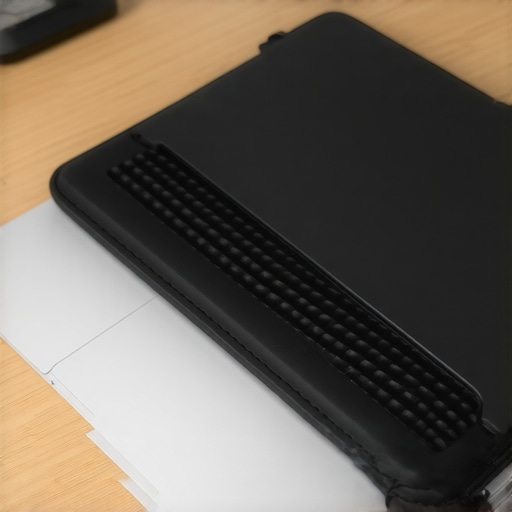
If you take nothing else from this, remember that corners are the Achilles’ heel of any mobile device. Most standard sleeves are basically two sheets of foam stitched together. The problem? The stitching is exactly where the impact happens. I learned this the hard way in a Berlin subway station. I was rushing to catch the U-Bahn with a high-end machine tucked under my arm in a generic $15 sleeve. It slipped. Even though the sleeve was thick, the impact point was the soft fabric seam on the corner. The result was a permanent dent that made the screen hinge squeak for the rest of its life. To avoid this, you need a sleeve with 360-degree bumper protection—think of it like a roll cage for your tech. Look for brands that use molded EVA foam or hard plastic ribs along the inner perimeter.

Why Your Sleeve Must Fit Like a Scuba Suit
A loose laptop is a vulnerable laptop. If your machine can slide even half an inch inside the sleeve, it gathers momentum during a fall. That slop translates into more force when it finally hits the ground. When you are looking for student laptops that boost productivity and learning, you often prioritize portability, but don’t compromise on the fit of the case. The sleeve should require a slight bit of effort to zip up; it should hug the chassis perfectly. This is especially true for game-changing gaming laptops which are heavier and generate significantly more kinetic energy upon impact. If you buy a generic 15-inch sleeve for a modern ultra-slim 15-inch laptop, you are likely leaving too much room for disaster.
The Material Matters More Than the Brand
Stop looking at the logo and start looking at the spec sheet of the fabric. Most water-resistant sleeves use a simple DWR (Durable Water Repellent) coating on cheap polyester. This wears off after six months of being pulled in and out of a backpack. If you actually care about spills and long-term durability, you want a sleeve made of Cordura or Ballistic Nylon. These aren’t just for military gear; they provide the essential abrasion resistance needed when you’re stuffing your gear into a crowded bag alongside must-have laptop accessories for a seamless setup. If your current sleeve is looking a bit dingy, knowing the best way to clean a fabric laptop cover can extend its life, but it won’t fix a cheap, low-denier weave that is already fraying at the edges.
Interior Lining is for More Than Just Scratches
I used to think microfiber lining was just a luxury to keep the lid shiny. In reality, a high-pile fleece or bubble lining creates a tiny air gap that acts as a final shock absorber. When I’m traveling light and optimizing the hidden power settings for maximum portability, I often ditch the heavy backpack and just carry the sleeve alone. In those moments, that inner lining is the only thing standing between a minor bump and a scratched-off finish or a cracked display. Always avoid any sleeve that has an exposed metal zipper on the inside; I’ve seen those metal teeth chew through a premium metal laptop lid faster than a three-foot drop would. Look for a protective guard or a fabric lip that sits between the zipper and your machine.
But even if you have the perfect zipper, there is a nuance most people miss: material density over sheer thickness. Everyone says you need the thickest padding possible, but in my experience, density works better than bulk every single time. A three-inch puffy sleeve might feel safe, but if the foam is low-quality, it compresses instantly on impact, offering zero deceleration for your hardware. I always look for high-density EVA (Ethylene-vinyl acetate). It is the same material used in professional protective sports equipment. According to a study in the Journal of Cellular Plastics, the energy absorption of closed-cell foams is exponentially higher when the density is optimized for the weight of the specific object it is protecting. This is a critical factor for game-changing gaming laptops which, due to their internal cooling systems and GPUs, are heavier and will cut through cheap sponge padding like a hot knife through butter during a drop.
Can your laptop sleeve actually cause hardware failure?
It sounds paranoid, but I have seen it happen more than once. Many users tuck their machine away while it is still finishing a system update or while ‘modern standby’ is keeping the CPU active. In a sealed, insulated sleeve, heat has nowhere to go. This creates a thermal trap that can lead to significant battery degradation or even component failure over time. I have discussed why your laptop is getting hot while the lid is closed before, and a high-insulation sleeve only compounds the problem. If you are using business laptops for professionals, the last thing you want is to pull a scorching-hot machine out of your bag that has already drained half its battery because it could not breathe.
Stop Falling for the Universal Fit Trap
The ‘Universal Fit’ is another trap that frequently catches people hunting for unbeatable laptop deals. You see a sleeve on sale that says it fits ‘most 14-to-16 inch laptops’ and you think you are saving money. Avoid it. If your laptop can slide even a centimeter inside the case, the impact force during a fall is significantly higher than if it were snug. For student laptops that boost productivity and learning, which are constantly tossed into lockers or under desks, a custom-fit sleeve is the only way to ensure the ‘roll cage’ effect actually works. Have you ever bought a ‘universal’ accessory that ended up being a disaster? Let me know in the comments.
The Danger of Overpacking Your Protection
Finally, do not overlook the impact of must-have laptop accessories for a seamless setup. If you are stuffing a heavy power brick and a wireless mouse into the thin front pocket of a sleeve, you are creating a dangerous pressure point directly against the laptop lid. One hard bump against a doorframe and that mouse becomes a wedge that can crack your LCD from the outside in. It is one of the hidden costs of repairing modern thin and light laptops that people never account for until they are staring at a $400 repair bill. If you must carry extras, ensure your sleeve has a rigid internal divider or a hard-shell exterior to distribute that external pressure away from the screen.
My Go-To Tool for Thermal Monitoring
Once you have secured the physical exterior, the real battle moves inside the chassis. Most people wait until their fans sound like a jet engine before they worry about maintenance, but I take a more proactive approach. I personally keep HWInfo64 running in my system tray at all times. It is not just for tech geeks; it is the only way to see if your game-changing gaming laptops are actually hitting their thermal limits. I’ve seen brand-new machines throttle their performance by 30% right out of the box because of a poor factory thermal paste application. If you are noticing a dip in speed, you need to learn how to undervolt your gaming laptop for better temps and performance. This simple software tweak can lower your temperatures by 10 degrees without losing a single frame, extending the life of your motherboard significantly.
How do I maintain my hardware’s speed over several years?
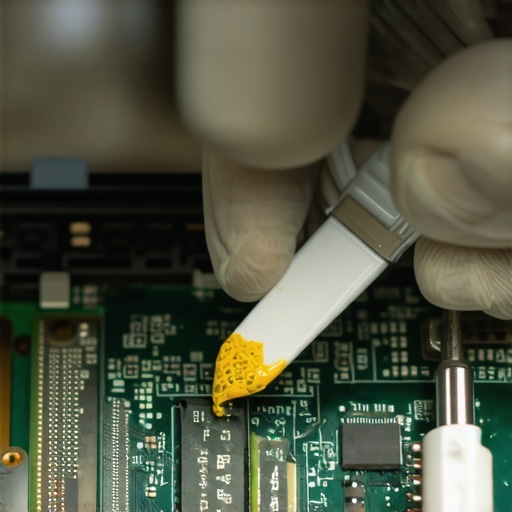
Maintenance is not a one-time event; it is a ritual. Every six months, I perform a deep clean. I’m not talking about just wiping the screen. I use a can of compressed air to blow out the heatsinks, but here is the pro tip: always hold the fan blades still with a toothpick or a plastic probe while you spray. If you let the air spin the fans freely, they can act as small generators and send a voltage spike back into the motherboard, potentially frying a circuit. While you’re at it, how to check your laptop fan for dust without opening it is a great skill for quick checks, but for business laptops for professionals, I eventually recommend a full repaste. According to technical documentation from Arctic Silver, the thermal interface material can ‘pump out’ or dry up over 24 months of heavy thermal cycling. Learning how to replace your laptop thermal paste without breaking anything is the single best way to ensure your $2,000 investment doesn’t become a sluggish paperweight by year three.
The Invisible Threat Hiding in Your Battery
We all love the convenience of modern USB-C charging, but I have a strict rule: I never leave my laptop plugged in at 100% for weeks at a time. This is the fastest way to cause battery swelling, which can literally warp your trackpad or crack your chassis from the inside out. For my student laptops that boost productivity and learning, I always set a battery charge limit to 80% in the BIOS or the manufacturer’s software. If you’re buying unbeatable laptop deals on used gear, the first thing you should do is how to calibrate your laptop battery for better accuracy. It ensures your percentage indicator isn’t lying to you during a final exam or a big presentation.
The Future of Predictive Maintenance
Looking ahead, I predict we are going to see AI-driven ‘health sensors’ integrated directly into the BIOS. Instead of waiting for a crash, your laptop will likely alert you that a fan bearing is starting to vibrate at a frequency suggesting imminent failure, or that your SSD’s write-cycles are nearing a critical threshold. Until that becomes standard, I recommend you take charge of your own gear. Don’t just be a user; be a curator. My challenge to you: download a hardware monitor today and check your idle temperatures. If they are over 50°C, it’s time to start looking at must-have laptop accessories like a high-quality cooling pad or planning that first internal cleaning session.
The Brutal Truth About Tech Protection Only a Decade of Repairs Taught Me
After years of tearing down machines, I’ve realized that good protection isn’t just about the thickest foam; it’s about understanding the specific vulnerabilities of your hardware. One of the most common issues I see isn’t just screen cracks, but structural failure from weak points. For instance, knowing the secret to finding heavy-duty laptop hinges can save you more frustration than any sleeve ever will. I’ve also learned that longevity starts the moment you buy; I almost always advise that we never buy laptops with soldered RAM for longevity because being able to upgrade and repair is the ultimate form of protection. Most users overlook the stress placed on internal components by simple daily transport, but a curated approach to care changes everything.
The Exact Toolkit I Trust for Total System Health
If you want to move beyond being a passive user, you need the right resources in your corner. I personally rely on a few key pillars to keep my gear running. For thermal monitoring, I stick with HWInfo64, but when it comes to physical maintenance, I always refer back to a few specific guides. Knowing how to replace your laptop thermal paste without breaking anything is a skill that pays for itself in avoided repair bills. Furthermore, when I’m looking to expand my gear, I keep a close eye on top laptop deals in 2025 to find high-quality enterprise-grade gear that is built to last. I trust these methods because they focus on the physical reality of the hardware, not just the marketing promises on the box.
Start Thinking Like a Tech Curator Today
Your laptop is more than just a tool; it’s your gateway to productivity, creativity, and connection. Whether you are rocking high-end gaming laptops, sleek business laptops, or reliable student laptops, treating your gear with a little extra respect goes a long way. Investing in the right laptop accessories and staying proactive with maintenance ensures that your machine stays fast and reliable for years to come. You don’t need to be a professional engineer to keep your tech in peak condition—you just need to be a little more intentional. Have you ever experienced a hardware failure that could have been prevented with a better sleeve or a simple internal cleaning? Let me know your story in the comments below.