
I was hunched over a tiny table at a crowded airport, trying to finish a 3,000-word technical report before my flight. My screen was a standard 16:9 “widescreen” panel. Every time I wanted to reference a previous paragraph, I had to scroll. When I opened my IDE to check a snippet of code, I could only see about eight lines at a time because the menu bars at the top and bottom ate the rest of the space. It felt like trying to read a novel through a mail slot. My neck was cramping, and I was making silly typos because I couldn’t see the context of my sentences. That was the day I swore off the “movie” ratio for good.
The moment I realized 16:9 was killing my flow
Most of us buy laptops based on the diagonal size without looking at the aspect ratio. I made that exact mistake early on, snagging one of those unbeatable laptop deals thinking a bigger number meant more room for my work. It doesn’t. If you spend your day in Google Docs, VS Code, or even just long-form emails, you aren’t consuming “wide” content; you are consuming “tall” content. Those student laptops that boost productivity and learning aren’t just about CPU speed; they are about how much of your essay you can actually see at once. We’ve been sold a lie that wider is better. Sure, it is great for Netflix, but it’s a productivity killer. Switching to a 16:10 ratio—that slightly taller screen—is the single most underrated upgrade you can make. It is not just about aesthetics; it is about reducing the cognitive load of constant scrolling. Have you ever felt like you’re losing your train of thought just because you had to scroll up to find a variable name?
Is this extra sliver of screen actually worth the hype?
You might be skeptical. We are talking about a fraction of an inch here, right? But in the world of business laptops for professionals, those extra vertical pixels mean roughly 11% more content on screen. In coding, that is another 3 to 4 lines of logic. In writing, that’s an entire extra paragraph. When I first transitioned, I felt like my brain could finally breathe. It is remarkably similar to why we prefer 16:10 aspect ratios for spreadsheet work—you suddenly see the totals at the bottom of the sheet without losing the headers at the top. I have seen people spend hundreds on must-have laptop accessories to boost your work setup, but no external gadget can fix the claustrophobia of a cramped built-in display. Research from the Nielsen Norman Group shows that users read in an F-shaped pattern, and the more content you can see within that initial vertical scan, the higher your comprehension and speed remain. [image: Comparison of 16:9 and 16:10 screen real estate showing more text on the 16:10 panel] I want to hear from you—are you currently struggling with a screen that feels too short, or have you already made the jump to a taller display? Let me know, because once you see the difference, there is no going back.To start, you need to know exactly what you’re looking at on the spec sheet. Most unbeatable laptop deals will scream about 4K or OLED, but they often bury the aspect ratio in the fine print. If the resolution ends in 1080 or 1440, you’re stuck in the widescreen past. You want to see 1200 or 1600 as the second number. That’s the vertical gold. I remember snagging a cheap notebook for a freelance gig thinking I’d scored, but the bottom bezel was two inches thick. It was a 16:9 panel disguised in a larger chassis. It felt like buying a house and finding out one room was just a painted wall. Now, I only look for top business laptops for productivity in 2025 that utilize every millimeter of the lid.
How to spot the right panel before you click buy
Don’t let marketing terms fool you. ‘InfinityEdge’ or ‘NanoEdge’ sounds great, but it doesn’t always mean a taller ratio. You need to do a quick division: divide the horizontal pixel count by the vertical. If it equals 1.77, it’s 16:9. If it’s 1.6, you’ve found the sweet spot. When browsing student laptops that boost productivity and learning, this math is more important than the brand name on the box.
Read the resolution like a pro
A standard Full HD screen is 1920×1080. Its taller cousin is 1920×1200. That extra 120 pixels might sound like a rounding error, but it’s exactly the height of a browser tab bar and a bookmark row combined. It effectively gives you back the space the software steals. I once spent six hours trying to debug a CSS grid on a 16:9 laptop. I had to keep toggling the developer tools because they took up half the screen. Switching to a taller display let me keep the console open and still see my code.
Ditch the plastic chin for more glass
Look at the bottom of the screen. We often avoid plastic screen bezels on student laptops because they are a dead giveaway of an outdated design. A 16:10 screen usually pushes closer to the hinge, giving you more usable space for your browser. 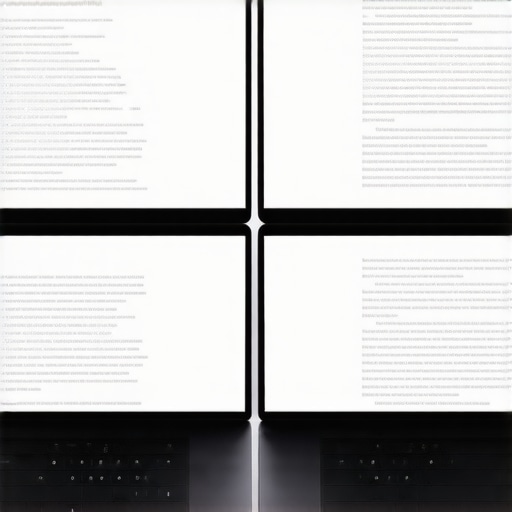
Stop wasting vertical space on your current setup
If you aren’t ready to buy a new machine, you can still reclaim some of that ‘tallness.’ I always move my taskbar to the left or right side of the screen. On a 16:9 panel, the taskbar at the bottom is a tax you can’t afford to pay. It’s the same logic behind the truth about matte vs glossy screens for office productivity—it’s all about reducing distractions. If you’re doing heavy data entry, you’ll realize why we prefer 16:10 aspect ratios for spreadsheet work the moment you can see three more rows of your budget without hiding your ribbon menu. I once tried to edit a massive Excel file on a flight using a 16:9 laptop, and I spent more time scrolling between the header and the total than actually typing. It was a nightmare that ended in a ‘VLOOKUP’ error I simply didn’t see until I landed.Beyond the aspect ratio, I see people fall into the resolution trap constantly. You see unbeatable laptop deals touting 4K screens on 13-inch frames. It sounds like luxury, but it is often a productivity poison. Your eyes literally cannot distinguish those extra pixels at that size, but your battery certainly feels them. I once bought a high-res ultrabook thinking it would be crisp for my design work, but I had to scale Windows to 250% just to read the menus. It made everything slightly blurry and defeated the purpose.
Don’t fall for the 4K resolution myth
Most top business laptops for productivity in 2025 are moving toward 1600p (QHD+) instead of 4K for a reason. It is the perfect balance of sharpness and efficiency. According to display expert Dr. Raymond Soneira of DisplayMate, once you pass the ‘Retina’ threshold for your viewing distance, higher pixel density only serves to drain your battery 20% to 30% faster without adding perceived detail.
The embarrassing reality of powerful gaming rigs in meetings
Another common ‘oops’ I see is the professional who buys game-changing gaming laptops for serious players in 2025 thinking the extra horsepower will make their spreadsheets fly. Then they realize why most gaming laptops fail the coffee shop noise test. I was once in a quiet board meeting where a colleague’s laptop fans sounded like a jet taking off just because he opened a few heavy Chrome tabs. It is not just the noise; it is the weight and the aggressive aesthetic that can feel out of place in a corporate setting. You might think you are getting a deal on performance, but you are trading away portability and professional poise. 
Is a high refresh rate worth the battery drain for office work?
You might wonder if that 120Hz or 144Hz screen is just for gamers. This is where the nuance lies. While it consumes more power, a higher refresh rate actually reduces eye strain during long reading sessions because the text remains sharp while scrolling. However, it is a trap if the laptop lacks an adaptive sync feature to clock down when you are just looking at a static page. If you are hunting for budget gaming screens with motion blur, you are often better off sticking to a high-quality 60Hz IPS panel with better color accuracy. And for heaven’s sake, stop buying base models with 8GB of RAM just because the price is low. We have proven that 8GB of RAM is no longer enough for modern browsing with dozens of tabs open. Have you ever fallen into the ‘high specs, low usability’ trap? Let me know in the comments below, because I have definitely been there.The real secret to laptop longevity isn’t just buying the right specs; it’s what you do after the unboxing. I’ve seen high-end top business laptops for productivity in 2025 turn into sluggish paperweights in eighteen months because the owners treated them like disposable appliances.
The $20 toolkit that saves you thousands
I never travel without the specific screwdriver kit you need to open 90% of modern laptops. Every six months, I pop the back cover and use a can of compressed air to clear the cooling fins. If you ignore this, your fan works double time, which leads to the real reason your laptop power brick is getting extremely hot—the system is fighting its own heat. I recently performed a deep clean on a friend’s old machine and found enough cat hair to build a second cat. Once we finished, his ‘slow’ computer felt brand new. 
How do I maintain my laptop’s peak performance over three years?
Beyond physical dust, you need to manage your silicon’s health. I’m a huge advocate for learning how to replace your laptop thermal paste without breaking anything. Factory paste is often applied poorly in mass-production facilities. By switching to a high-grade compound, I’ve seen idle temperatures drop by nearly 10 degrees Celsius. According to iFixit’s 2025 Laptop Repairability Index, machines like the Framework or the latest business-tier Latitudes are designed for this kind of intervention, while others use glue to keep you out. If you’re hunting for top laptop deals in 2025, check the repairability scores first.
Software hygiene is the ultimate battery saver
We often blame hardware for poor runtime, but it’s usually background processes. I always take thirty minutes to how to disable Windows features that eat your battery life, specifically targeting telemetry and indexing. For those with game-changing gaming laptops for 2025 adventures, this is vital to prevent the dedicated GPU from waking up unnecessarily. I predict that within the next two years, we’ll see ‘AI-driven maintenance’ that automatically manages these states, but for now, the manual touch is superior. To really level up, invest in must-have laptop accessories for a seamless setup, like a GaN charger that provides steady power without the bulk. My advice for today: Go into your task manager and disable everything in the ‘Startup’ tab that isn’t essential. It’s the easiest way to feel an immediate speed boost without spending a dime.
The Hard Truth About My Most Expensive Mistakes
Looking back at years of tech reviews and personal upgrades, I realized I wasted thousands of dollars chasing the wrong numbers. I used to think a GPU benchmark was the most important metric, but it means nothing if the screen makes you squint. [image: A workspace featuring a 16:10 laptop and a mechanical keyboard]
- Vertical pixels are the only ‘productivity hack’ that actually works. Whether you are hunting for student laptops that boost productivity and learning or a high-end workstation, prioritizing a 16:10 or 3:2 ratio will save your neck and your patience.
- Noise is a dealbreaker you only notice when it is too late. This is why most gaming laptops fail the coffee shop noise test and why I now lean toward efficiency-focused chips for any work done in public.
- Soldered parts are a ticking time bomb. I have learned the hard way why we never buy laptops with soldered ram for longevity—it is better to have a slightly thicker machine you can actually fix.
- A clean fan is worth more than a software ‘booster’ app. Maintaining airflow is the most underrated way to keep your machine fast.
Gear I Actually Pack in My Bag Every Morning
To keep my workflow seamless, I have narrowed my toolkit down to a few essentials that never leave my side. First, I always carry the specific screwdriver kit you need to open 90% of modern laptops because you never know when a loose hinge or a dusty fan will strike. For power, I have ditched bulky bricks for a more streamlined setup; why we only use 100w pd chargers for our workstations comes down to portability and universal compatibility. When I am doing heavy research, I rely on why we chose this specific mouse for large scale data entry to avoid wrist fatigue. Finally, I protect everything in one of these 7 backpacks that keep your laptop safe during a rainy commute, because a single rainstorm shouldn’t end your career.
Stop Settling for a Cramped Digital Life
You spend a significant portion of your life looking at a screen; don’t let that screen be a source of frustration. Whether you are browsing top business laptops for productivity in 2025 or looking for unbeatable laptop deals, remember that you are buying a tool for your brain. Choose a display that lets you see your thoughts clearly and a machine that is built to last. Your future self, with less eye strain and a faster workflow, will thank you for making the switch to a better ratio today. Have you ever felt like your current laptop screen is literally holding back your work? Let me know what your ‘dream’ aspect ratio is in the comments below.