
I was staring at the little green light next to my screen, sweating. I’d just finished a pitch that I thought was brilliant, but the silence on the other end was deafening. Later, a mentor told me the truth: ‘Your ideas were great, but you looked like you were calling from a basement in 2004.’ That hurt. I had spent a fortune on one of those top business laptops for productivity in 2025, assuming the camera would be just as premium as the processor. I was wrong. The reality is that even the most expensive rigs often ship with mediocre webcams. Today, I’m going to show you exactly how to break free from that grainy trap and which external webcams actually deliver a professional image without costing a month’s rent.
The Day I Realized My Built-in Camera Was Sabotaging My Career
[image_placeholder_1] For the longest time, I fell for the ‘good enough’ trap. I figured if the clients could see me nodding, that was plenty. I even made the rookie mistake of thinking a $10 ring light from a discount bin would solve everything—it just made my forehead shiny and my background even noisier. It turns out that physics is a stubborn thing; a tiny sensor squeezed into a laptop lid simply can’t compete with a dedicated lens. This is why I now consider a high-quality webcam one of the must-have laptop accessories to boost your work setup. According to researchers at the University of British Columbia, video quality significantly impacts the degree to which a speaker is perceived as persuasive and competent. When your video lags or looks muddy, your message loses its punch. I’ve spent way too much time squinting at spec sheets so you don’t have to. You know how it is—you see a ‘4K’ label and think you’ve struck gold, only to find out the frame rate is so low you look like a stop-motion character. I’ve made that mistake so you won’t have to.
Is Spending Extra Money on a Camera Actually Worth the Hype?
You might be wondering if you really need another gadget cluttering your desk. I get it. I used to be a minimalist who hated extra wires. But once you see the difference between 720p mush and a crisp, color-corrected 1080p or 4K feed, there is no going back. It’s about more than just ‘looking pretty.’ It’s about removing the friction between you and your audience. If you are tired of your laptop fan sounding like a jet engine while you try to stream—something you can learn about in my guide on why most laptop cooling pads are a waste of money—you’ll appreciate how a dedicated webcam offloads some of that processing strain. I remember one particularly painful Tuesday when I tried to use my phone as a backup. While it’s possible to learn how to use your phone as a high-quality laptop webcam, trying to prop it up on a stack of books mid-meeting was a disaster. It fell over twice. That was the moment I realized that professional gear exists for a reason. In this guide, I’m going to break down the webcams that I’ve personally tested—the ones that handle weird office lighting like a champ and those that offer built-in privacy features. If you are used to shopping for student laptops that boost productivity and learning, you know that finding the right balance of price and performance is everything. Have you ever felt like your video quality was holding you back in a big meeting? Let’s dive into the gear that actually changes the game. Before we get into the specific models, remember that even the best camera needs a solid connection. I always suggest learning how to use a single usb-c cable to connect your entire desk so you don’t end up with a tangled mess during your presentation.
Stop Falling for the Megapixel Marketing Trap
I learned a expensive lesson three years ago when I bought a flashy 4K webcam that cost more than my first monitor. I expected to look like a movie star, but instead, I looked like a blurry mess whenever the sun went down. It turns out that marketing departments love to scream ‘4K’ because it sounds impressive, but without a decent sensor, those extra pixels are just capturing more digital noise. Think of the sensor as a window; it doesn’t matter how high-resolution your eyes are if the window is tiny and covered in grime. If you are browsing for unbeatable laptop deals to pair with a new camera, focus on the sensor size (measured in fractions of an inch, like 1/2.8″) rather than just the resolution count. A high-quality 1080p sensor will almost always outperform a cheap 4K one in real-world office lighting. This is a nuance I often see people overlook when they are setting up business laptops for professionals.
Why 60fps is Better Than 4K for Your Meetings
Most people prioritize sharpness, but fluidity is actually what makes you look ‘present’ in a call. I remember a presentation where I used a 4K camera capped at 30 frames per second. Every time I moved my hands to emphasize a point, it looked like a strobe light effect. It was distracting and made me look unprofessional. I switched to a camera that supports 1080p at 60fps, and the difference was night and day. Higher frame rates reduce motion blur, which makes your movements feel natural to the person on the other end. This is especially true if you are using student laptops that boost productivity and learning, where the internal hardware might already be working hard to manage video encoding. 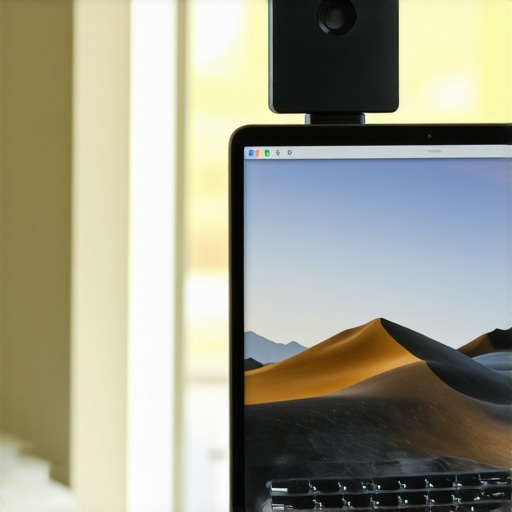
Check Your Ports to Avoid the Dreaded Lag
You can buy the best camera in the world, but if you plug it into a cheap, unpowered USB hub, you are going to have a bad time. High-resolution video requires a significant amount of bandwidth. I once spent two hours troubleshooting a ‘flickering’ camera only to realize I was using a USB 2.0 cable for a USB 3.0 device. If you want a clean setup, I highly recommend learning how to use a single usb-c cable to connect your entire desk. This ensures your data transfer rates are fast enough to keep your video feed from stuttering.
Physical Privacy Shutters are a Non-Negotiable
We have all heard the horror stories of cameras being remotely accessed. While software toggles are fine, nothing beats a piece of plastic physically blocking the lens. When I help friends pick out must-have laptop accessories to boost your work setup, I always insist on a model with a built-in slider. There is a deep psychological peace of mind that comes with knowing the lens is covered when you aren’t using it. It’s why we recommend physical privacy shutters over digital ones every single time.
Stop Positioning Your Camera at Your Chin
This isn’t a tech spec, but it is the most common execution failure I see. Most people clip their webcam to their laptop lid and call it a day. But because most laptop screens are tilted back, the camera ends up looking right up your nose. It’s a perspective that screams ‘amateur.’ I finally bought a small dedicated stand that brought the lens to eye level. The result? Suddenly, I looked like I was actually talking *to* my clients rather than hovering over them. If you are already looking for student laptops that balance power and portability perfectly, don’t let a bad camera angle ruin the professional image you’re trying to build.Let’s dig deeper into the features that actually matter versus the ones that just look good on a box. A massive trap I see high-level professionals fall into is ‘AI Auto-Framing.’ It sounds futuristic—the camera following you as you lean in or reach for a coffee. In reality, unless you are investing in a dedicated PTZ unit, that ‘following’ is just software cropping into your digital image. This process effectively destroys your resolution. I’ve seen crystal-clear 4K feeds downgraded to grainy 480p mush because the AI zoomed in too far. It is a similar logic to why we skip the 4k upgrade on 14-inch screens; at a certain point, the hardware simply cannot keep up with the marketing department’s promises. If you want to look sharp, turn the tracking off and frame yourself manually.
The Ring Light Myth and the Science of Better Lighting
Everyone tells you to buy a ring light, but I am going to challenge that common belief. In my experience, ring lights are often the worst choice for anyone wearing glasses or wanting a natural look. They create that distracting, circular reflection in your pupils that makes you look like a character in a sci-fi movie rather than a trusted advisor. Instead of more light, you need better diffusion. I have found that bouncing a simple desk lamp off a white wall behind your monitor provides a much softer, more executive glow. This focus on nuance is what separates a home-office amateur from a leader.
Can Software-Based Background Blur Actually Hurt Your Brand?
In short: Absolutely. We have all seen the ‘halo’ effect where a speaker’s ear disappears or their hair looks like a pixelated smudge against a digital forest. This is the ultimate ‘oops’ factor that subtly tells your audience you are hiding something—usually a messy room. Researchers at the University of Southern California found that video and audio quality significantly influence a listener’s willingness to believe complex information. When your background is glitching, your message feels less reliable. I always recommend a physical backdrop or a lens with a wide aperture to create natural bokeh rather than relying on a CPU-heavy software filter. 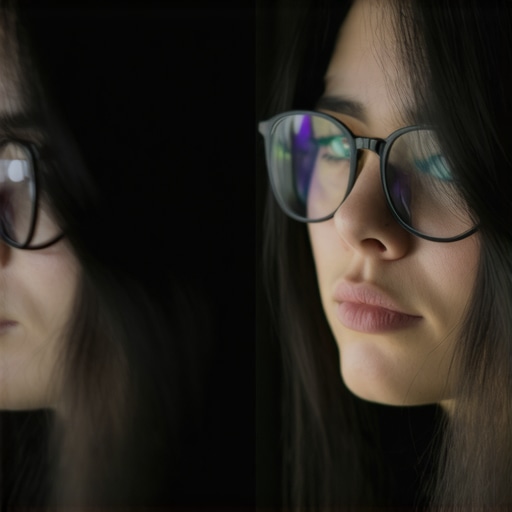
Don’t Let Your Accessories Undermine Your Hardware
You can spend hundreds on top business laptops for productivity in 2025, but if you connect your peripherals through a generic hub, you are creating a bottleneck. High-quality video data is incredibly demanding. I’ve personally dealt with flickering frames and desynced audio for months before realizing the culprit was a low-quality bridge. Understanding why most cheap usb-c cables fail within three months saved me from a total system failure during a live presentation. Furthermore, audio is the silent partner of video. If your voice sounds like it is coming from a tin can, no 4K sensor will save your reputation. This is why I always prioritize checking how to find a laptop with a decent microphone for zoom before I even look at the webcam’s megapixel count. Have you ever fallen into this trap where a ‘smart’ feature actually made your video look worse? Let me know in the comments.
Don’t Let Dust Destroy Your Professional Image
I’ve seen $300 4K webcams produce images that look like they were filmed through a layer of vaseline. The culprit? Fingerprints. We often adjust our camera tilt by grabbing the lens housing, and the natural oils on our skin eventually bake into the glass coating under the heat of the sensor. I make it a habit to use a pre-moistened Zeiss lens wipe every Monday morning. If you are using top business laptops for productivity in 2025, your internal components are already running at peak efficiency—don’t let a smudge on your external gear be the weak link. I also keep a small can of compressed air tucked away to blast the USB-C ports. Since these cameras pull significant power, any debris in the port can cause the camera to disconnect mid-meeting. 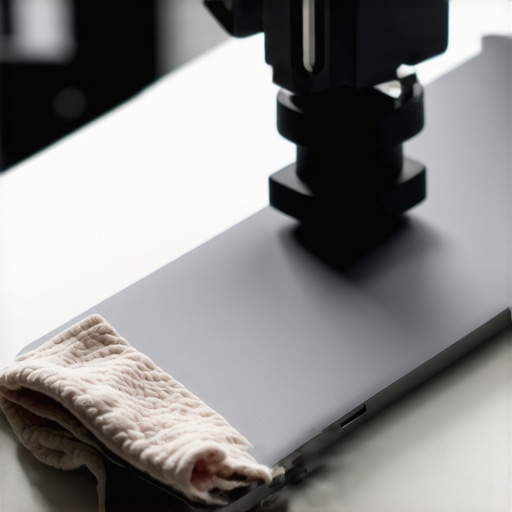
How do I keep my video setup performing like new?
Beyond the physical cleaning, you need to manage your driver ecosystem. Windows often tries to install a generic ‘UVC Camera’ driver that ignores the high-end features you paid for. I personally check the manufacturer’s site once a quarter for firmware updates. This isn’t just about bug fixes; newer firmware often optimizes how the sensor handles low-light noise. This kind of attention to detail is just as important as knowing how to keep your white laptop from turning yellow over time. If you neglect the software side, you’re essentially running a Ferrari with the speed limiter on.
The One Software Tool That Solves Everything
I’ve stopped relying on Zoom or Teams to manage my camera settings. Instead, I use OBS (Open Broadcaster Software) as a middleman. By running my feed through OBS and using the ‘Virtual Camera’ output, I can lock in my exposure and white balance manually. According to technical documentation from the USB-IF (USB Implementers Forum) regarding the UVC 1.5 specification, many consumer webcams use an ‘aggressive hunting’ algorithm for auto-focus and exposure. This is why your video constantly flickers or shifts colors when you move your hands. OBS overrides this, giving you that rock-solid, professional look that lasts for hours. This is an essential move if you are working with student laptops that boost productivity and learning, where the built-in webcam controls are usually non-existent.
What the Future of Professional Video Looks Like
I predict we are moving toward ‘Edge-AI’ sensors where the background blur and lighting corrections are processed inside the camera housing itself, rather than taxing your laptop’s CPU. This will be a game-changer for those who find unbeatable laptop deals on thinner, less powerful machines. For now, focus on your infrastructure. I’ve seen more meetings ruined by a bad cable than a bad camera. Learning why most cheap usb-c cables fail within three months will save you the embarrassment of your video cutting out during a pitch. This is why a high-quality, shielded cable is one of the most underrated must-have laptop accessories to boost your work setup. My advanced tip for you today: open your camera settings and disable ‘Auto-White Balance’ immediately. Set it to a fixed Kelvin value that matches your room’s lights, and watch your professional presence instantly stabilize.
Three Hard Truths About Your Video Stream That I Learned the Hard Way
Default ‘Auto’ settings are actually your enemy. Your camera doesn’t know you have a window behind you; it just sees light and panics. Locking your exposure is the single biggest pro move you can make. Audio quality is the silent driver of video perception. If your voice is crisp, people forgive a slightly grainy image. If your voice is tinny, they’ll stop listening to your ideas entirely. Finally, the best camera in the world cannot fix a dark room. Think of light as the ‘fuel’ for your sensor; without it, you are just asking the hardware to fail.
My Non-Negotiable Toolkit for a Crystal-Clear Office Setup
[image_placeholder_final]
I don’t leave my video quality to chance anymore. I rely on OBS Studio to manage my exposure and white balance before I ever open a meeting app. To keep the hardware running smoothly, I avoid generic connectors because most cheap usb-c cables fail within three months. I also swear by a physical privacy slider to ensure I’m only ‘live’ when I want to be; it’s why we recommend physical privacy shutters over digital ones in every professional setup. Lastly, a simple pack of Zeiss lens wipes is essential. A single smudge on the lens can make a $300 camera look like a $10 toy.
Ready to Stop Hiding Behind the Digital Fog?
Investing in your virtual presence is an investment in your career. When you look clear and professional, people focus on your words rather than your pixels. Whether you are hunting for unbeatable laptop deals or upgrading one of the top business laptops for productivity in 2025, remember that the goal is to remove the friction between you and your audience. You’ve got the knowledge, now it’s time to flip the switch and let them see the real you.
Have you ever had a tech fail right in the middle of a high-stakes presentation? Let me know in the comments below!