
I’ll never forget that Tuesday morning when the skies over the city didn’t just open; they collapsed. I was midway through my four-mile commute, pedaling hard against a headwind, feeling smug because I’d remembered my own rain jacket. I assumed my laptop was just as safe. But when I reached my desk and unzipped my supposedly “tough” bag, I didn’t find dry notes and a ready-to-go machine. I found a damp, expensive brick. The “water-resistant” fabric had completely saturated, and the zippers had acted like little silver gutters, funneling rainwater directly into my USB-C ports. It was a $2,000 mistake that I don’t want you to repeat. [IMAGE_PLACEHOLDER]
The Morning My Career Almost Short-Circuited
We often treat our tech like it’s invincible until the moment it isn’t. If you’re a bike commuter, your laptop bag isn’t just a fashion choice; it’s a life-support system for your livelihood. I used to think a standard backpack was fine as long as I rode fast enough. I was wrong. The reality is that backpacks that keep your laptop safe during a rainy commute need to do more than just repel a few drops; they need to create a literal fortress against the elements. My biggest blunder was trusting those “water-resistant” sprays. They wear off. They fail at the seams. And they certainly don’t protect you when a semi-truck splashes a gallon of dirty puddle water directly onto your back. I spent weeks researching must-have laptop accessories to boost your work setup, but I neglected the most basic one: a shell that actually keeps things dry. According to the International Electrotechnical Commission (IEC), water resistance is measured on a strict IP scale, and most “commuter” bags fail to reach the level of protection needed for sustained heavy rain at biking speeds.
Is a truly waterproof bag actually worth the investment?
I get the skepticism. High-end roll-top bags can be pricey, and they aren’t always the most stylish things in the world. You might be wondering if you can just get away with a rain cover. In my experience? Rain covers are like cheap umbrellas—they blow away or leak at the most inconvenient times. If you are carrying top business laptops for productivity, the insurance of a welded-seam bag is worth every penny. I’ve tested everything from the most durable backpacks for students to high-end messenger bags designed for professional couriers. Have you ever opened your bag after a storm and held your breath, praying for a dry screen? Tell me your “soaked bag” horror stories—I’m convinced we’ve all been there once. Today, I’m going to show you exactly what to look for so you never have to feel that “sinking laptop” dread again.
Look for Welded Seams Instead of Stitched Threads
Most people think a thick fabric is enough, but water is a relentless invader that looks for the path of least resistance. On a standard bag, that path is the thousands of tiny needle holes created during the stitching process. To truly protect your gear, you need to hunt for ‘welded seams.’ This is a process where the fabric—usually a TPU or PVC-coated nylon—is fused together using high-frequency ultrasonic waves. It creates a molecular bond that is literally airtight. I remember snagging one of the top laptop deals in 2025 and feeling like a king, only to realize the bag I bought used traditional sewing. During a light drizzle, moisture wicked through the thread and left a damp patch right on my battery housing. Now, I only look for the only 4 brands we trust for rugged build quality because they prioritize these heat-bonded junctions over aesthetic stitching. 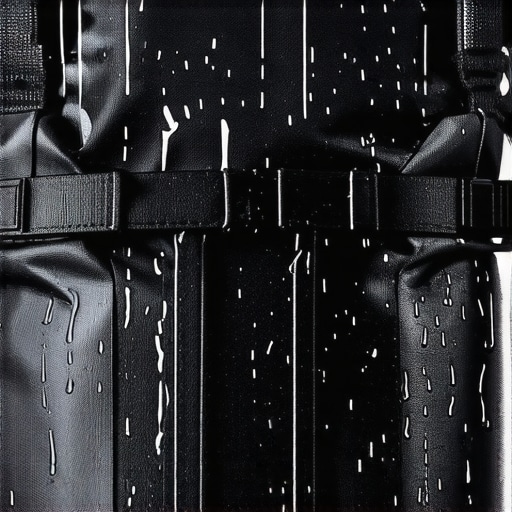
Ditch the Zippers for a Roll-Top Closure
Zippers are essentially mechanical sieves. Even ‘water-resistant’ zippers with rubberized coatings eventually peel or gap at the corners. If you want a mobile fortress, you need a roll-top. Think of it like a dry bag used by kayakers. By folding the top of the bag over itself three times and clipping it down, you create a physical barrier that gravity and wind cannot overcome. This is especially vital if you are carrying only student laptops that actually survive a backpack drop, as these bags often feature the heavy-duty reinforcements needed for daily abuse. I once took a corner too fast in a downpour and slid into a gutter; my roll-top bag was submerged for five seconds, but the interior stayed bone-dry.
The Double-Layer Strategy That Saved My Career
Even with a great bag, I never trust a single layer of defense. I treat my laptop like a sensitive medical instrument. I always use a secondary, waterproof sleeve inside the main compartment. This is one of those must-have laptop accessories to boost your work setup that people often skip to save twenty bucks. During a particularly nasty commute through a flash flood, a small puncture from a loose hex key in my bag let a trickle of water in. Because my laptop was in its own dedicated, sealed sleeve, the water pooled at the bottom of the bag without ever touching the motherboard. It’s the difference between a minor inconvenience and a total loss of data.
Position Your Gear Above the Splash Zone
Most commuters toss their laptop into the bottom-most slot of their bag. This is a mistake. When you set your bag down on a wet subway floor or a damp office carpet, moisture can seep through the base. I always recommend using bags that ‘suspend’ the laptop compartment an inch or two above the bottom panel. If your bag doesn’t have this, use a piece of closed-cell foam at the bottom. This acts as both a shock absorber and a moisture buffer. Whether you are hauling the most durable backpacks for students or a high-end leather messenger, keeping that tech ‘floating’ is the smartest move you can make for longevity.People often fall into the trap of thinking a high price tag equals environmental invincibility. I’ve seen folks shell out for unbeatable laptop deals on flagship models, assuming the sleek aluminum chassis acts as a shield. It doesn’t. In fact, many game-changing gaming laptops for serious players in 2025 have massive cooling vents that are essentially open windows for moisture. The contrarian truth? A mid-range machine in a $150 professional dry-bag is significantly safer than a $4,000 workstation in a fashion-focused backpack. We spend hours researching student laptops that balance power and portability perfectly, but we often ignore the integrity of the ports themselves. If you use a heavy, dangling dongle, you are micro-stretching the physical seal around the USB-C housing. This is where why cheap usb-c hubs might be killing your ports becomes a literal physical threat; that tiny gap is all a humid morning needs to start the corrosion process on the logic board. 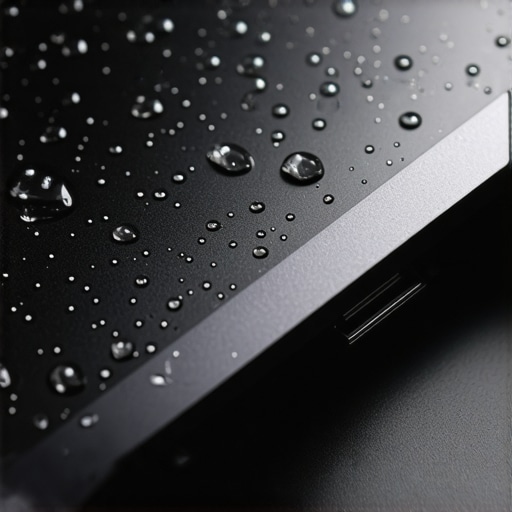
Don’t Fall for the Rugged Marketing Myth
Many manufacturers boast about MIL-STD-810H certification to imply their gear is ‘waterproof.’ While this sounds impressive, the U.S. Department of Defense (DoD) notes in its official test methods that this is not a ‘pass/fail’ certification handed out by a central body; manufacturers often cherry-pick which tests to run. A laptop might survive a drop but fail miserably in high humidity. I’ve learned that the hidden costs of choosing an ultra-thin business laptop often include fragile internal gaskets that dry out and crack over time.
Does a MIL-STD-810H rating actually mean your laptop is waterproof?
In short: No. It usually just means it survived a very specific laboratory condition that likely doesn’t mimic your rainy commute. If you aren’t careful, you’ll end up wondering about the reason your laptop battery won’t charge past eighty percent, unaware that micro-corrosion from ambient moisture is the culprit. Another massive ‘Oops’ factor is the dry rice myth. If your gear gets wet, rice does nothing for the internal oxidation. It’s a placebo that wastes precious time when you should be disconnecting the power. This is getting harder because the only 3 brands that still make easily repairable laptops are a dying breed. If you can’t pull the battery, you’re just watching a slow-motion short circuit happen in real-time. You should also how to spot a fake charger before it fries your motherboard, as non-OEM chargers often lack the surge protection needed when moisture causes resistance spikes. Have you ever fallen into the trap of trusting a ‘water-resistant’ label only to be burned? Let me know in the comments—I’m curious if I’m the only one who learned this through an expensive repair bill.
I’ve realized that the secret to longevity isn’t just buying the right gear; it’s what you do on Sunday mornings. I call it the ‘Hardware Reset.’ While most people are focused on software updates, I’m looking at the grime in my USB ports. If you want your tech to last, you need to understand that static electricity and dust are your silent killers. For instance, I’ve seen people destroy their motherboards because they didn’t know why you should never use a vacuum on your keyboard—the static buildup from the plastic nozzle can literally fry a circuit before you even realize what’s happened. I’ve refined a routine that keeps my workstation pristine, often using the sunday morning strategy for finding hidden amazon coupons to stock up on high-quality isopropyl alcohol and specialized cleaning swabs.
Build a Ritual That Protects Your Investment
I personally swear by a specific set of tools. You shouldn’t be using a kitchen knife or a generic hardware store driver on these tiny screws. Using the specific screwdriver kit you need to open 90% of modern laptops prevents stripped heads, which is often the point of no return for most DIY repairs. I even went as far as why we swapped the thermal paste on our brand new laptop because factory-applied paste is notoriously inconsistent and can lead to thermal throttling within the first year. Maintenance is about being proactive, not reactive. If you wait for the fan to start grinding, you’ve already let the heat damage your internal components. #IMAGE_PLACE_HOLDER_D#
Ditch the Vacuum and Use Real Compressed Air
According to the iFixit 2024 Laptop Repairability Index, the increase in adhesive use and soldered-in components has made user-level maintenance more difficult than ever. This technical reality means that keeping the dust out is the only way to avoid a professional repair shop. This is why I lean toward the only 3 brands that still make easily repairable laptops. When you have a machine that actually wants to be fixed, you treat it differently. I predict that in the next few years, we will see a resurgence in modular port designs as consumers get tired of ‘disposable’ laptops. Until then, you need to be your own tech support by mastering how to clean the dust out of your laptop without opening it to keep those vents clear.
How do I keep my machine running fast for five years?
The answer is a mix of physical care and hardware choices. You need to understand how to pick a student laptop that lasts all four years by looking at hinge strength and chassis material, but you also need to manage your battery health. I highly suggest you go check your laptop vents right now. If you see even a hint of gray fuzz, use a can of compressed air to clear those airways immediately. It’s the single most effective thing you can do to prevent your CPU from aging prematurely. If you aren’t sure where to start, looking into must-have laptop accessories to boost your work setup can provide you with the right cleaning kits and stands to improve airflow today.
The 3 Hard Truths About Water Resistance Most Tech Reviews Skip
After years of commuting through torrential downpours and humid mornings, I’ve realized that standard marketing labels are almost always misleading. First, water-resistant is not waterproof; if there is a zipper, there is a vulnerability. Second, the best defense is always a multi-layered approach, combining a solid outer shell with an internal dry bag. Finally, moisture doesn’t just come from rain—it comes from humidity and temperature shifts that cause internal condensation. I used to hunt for unbeatable laptop deals without considering the environmental cost of a poorly sealed chassis, but now I prioritize integrity over a low price tag.
The Only Resources I Trust to Save My Tech
If you’re serious about protecting your investment, you need a curated kit. I always start with 7 backpacks that keep your laptop safe during a rainy commute to ensure the first line of defense is impenetrable. For those who prefer to do their own maintenance, I recommend picking up the specific screwdriver kit you need to open 90% of modern laptops; being able to open your machine to dry it out properly can be a lifesaver. I also rely on the only 4 brands we trust for rugged build quality because they don’t cut corners on gaskets and seals. And if you’re looking to stock up on cleaning supplies or replacement parts, utilizing the sunday morning strategy for finding hidden amazon coupons is the smartest way to keep your maintenance costs low.
Take Control of Your Hardware’s Future
Your laptop is more than just a piece of silicon and plastic; it is the gateway to your work, your studies, and your creative life. Whether you are using student laptops that last all four years or a high-end professional workstation, the responsibility of care rests with you. Don’t wait for a ‘damp brick’ moment to start taking protection seriously. Investing in must-have laptop accessories to boost your work setup today will save you thousands of dollars and endless headaches tomorrow. Have you ever been caught in a sudden storm with your tech? Let me know your survival stories or your favorite waterproof gear in the comments below!