
I’ll never forget the evening I tried to show my family a vacation video on my brand-new laptop. I’d spent a fortune on one of those business laptops for professionals, thinking the premium price tag meant premium sound. Instead, it sounded like a transistor radio trapped in a Pringles can. It was a visceral moment of tech-shame. We’ve all been there, haven’t we? You buy a machine with a beautiful screen, but the audio is so thin it makes your favorite playlist sound like it’s being played through a tin-can telephone.
The Mistake That Cost Me a Pair of Drivers
Years ago, I thought I could solve this by simply forcing the volume higher than the factory limits. I used a sketchy booster extension on my old student laptop, and within a week, the left speaker started buzzing like a trapped hornet. I had literally shaken the hardware apart. I didn’t realize that why most built-in laptop speakers still sound terrible isn’t just about the physical size—it’s about the default tuning. Today, I’m sharing the exact method I use now to get rich, full sound out of even the daintiest ultrabooks without buying bulky laptop accessories.
Does software really make a difference for tiny speakers?
You’re probably thinking that a piece of code can’t change the laws of physics. And you’re right, it can’t. However, according to research from the Audio Engineering Society, most laptop manufacturers only utilize a fraction of their actual acoustic potential to avoid warranty claims on blown drivers. By using psychoacoustic modeling, we can trick our ears into perceiving bass frequencies that aren’t technically there. It’s the same tech high-end soundbars use, and it’s often sitting right there in your settings, hidden behind a few layers of menus. Have you ever been frustrated by sound so quiet you had to hold your breath just to hear a movie dialogue? I’m going to show you how to unlock that hidden headroom properly. If you’re still looking for a machine that actually has a bit of kick, you might want to check out some top laptop deals in 2025 before we get into the nitty-gritty of the software fix.
Dig into the Legacy Sound Control Panel First
Windows has a nasty habit of hiding its most powerful tools under three layers of ‘user-friendly’ menus. To fix your sound, you need to ignore the modern ‘Settings’ app and find the old-school Sound Control Panel. I remember setting up a sleek machine from my list of top business laptops for productivity in 2025 and wondering why the vocal tracks in my calls sounded like they were underwater. The fix wasn’t a driver update; it was a single checkbox buried in the playback device properties.
Force Your Drivers to Stop Playing it Safe
Right-click your speakers, hit Properties, and look for an ‘Enhancements’ tab. If it’s missing, your manufacturer likely bundled a separate app like Waves MaxxAudio or Dolby Access. Open that instead. The goal here is to disable any ‘Power Saving’ mode for audio. These modes throttle the voltage to your speakers, which is great for battery but lethal for dynamic range. When I first started testing student laptops that balance power and portability perfectly, I found that disabling these energy-saving features alone increased perceived volume by nearly 20% without adding a drop of distortion.
Turn on Loudness Equalization to Hear the Whispers
This is the ‘secret sauce’ for anyone who hates constantly riding the volume button during a movie. Loudness Equalization normalizes the output, bringing quiet sounds up and peak sounds down. It’s not ‘audiophile’ pure, but for tiny drivers, it’s a lifesaver. It prevents that annoying situation where the music is deafening but the dialogue is a mumble. If you’re on a machine where the reason your laptop battery won’t charge past eighty percent is due to strict power management, keep an eye on how this affects your drain, but usually, the impact is negligible.
Master the Curve with a Free Equalizer
If the built-in tools don’t cut it, you need Equalizer APO combined with the Peace Interface. This is a system-wide EQ that intercepts the audio stream before it hits your hardware. Most laptop speakers have a massive ‘hump’ in the high-mids that makes them sound screechy. I usually drop the 2kHz to 4kHz range by about 3 decibels and slightly bump the 150Hz range. You aren’t going to get sub-bass, but you will get ‘warmth.’ I once spent a rainy Sunday morning applying this to an old rig I found while searching for unbeatable laptop deals, and it turned a tinny $300 machine into something I actually enjoyed using for Netflix. #IMAGE_PLACE_HOLDER_B#
Don’t Choke Your Speakers on Your Bed
The best software in the world can’t overcome a smothered speaker. Many modern laptops have downward-firing drivers that rely on a hard surface to reflect sound toward your ears. If you’re using your laptop on a duvet, you’re losing half your volume to the fabric. If you aren’t using must-have laptop accessories to boost your work setup like a proper stand, at least use a hardback book. I learned this the hard way when I thought my speakers were dying, but they were just suffocating in a pile of laundry. For those with beefier rigs, the simple hack for better airflow on thick gaming rigs also applies to sound—lift the back of the machine just an inch, and you’ll notice the soundstage widens immediately.
Let’s dig deeper into a hard truth most tech reviewers won’t tell you: that flashy ‘tuned by’ or ‘Dolby Atmos’ sticker on your palm rest is often just a software license, not a hardware guarantee. I’ve seen countless top business laptops for productivity in 2025 that ship with the exact same five-cent speaker drivers as a budget Chromebook. The difference in price goes toward the chassis and the CPU, while the audio is left to limp along on a generic DSP (Digital Signal Processor) profile. If you think spending more money automatically gets you better acoustics, you’re falling for the most common marketing trap in the industry.
Stop falling for the Dolby marketing trap
In my experience, some of the best-sounding machines I’ve tested were actually student laptops that boost productivity and learning, simply because those manufacturers know their target audience spends hours on YouTube and Netflix. Business-grade machines, on the other hand, often prioritize microphone clarity for Zoom calls, leaving the actual speaker output flat and lifeless. A study by the Audio Engineering Society (AES) confirms that humans can perceive ‘phantom’ bass frequencies through harmonic synthesis—essentially tricking your brain into hearing low notes that the physical driver is too small to produce. The ‘oops’ factor here is that most users think they need a hardware upgrade when they actually just need to bypass the manufacturer’s conservative limiter. However, don’t assume every software tweak is safe; pushing the ‘Preamp’ slider in an equalizer too high will cause digital clipping, which sounds like static and can eventually fatigue the delicate voice coils in your speakers.
Can you fix hardware-level distortion with software?
If you hear a distinct rattling at certain frequencies, software can actually be your surgeon. This is an advanced trick: use a frequency sweep to find the exact hertz where your chassis rattles, then use a narrow ‘notch filter’ in Equalizer APO to cut that specific frequency. It’s a surgical fix that allows you to keep the overall volume high without the annoying buzz. This is particularly useful for those who can’t easily perform a hardware fix. While we often look for the only 3 brands that still make easily repairable laptops, many modern ultrabooks glue their speakers into place, making physical replacement a nightmare. Before you give up and assume your hardware is dying, always check how to find out if your laptop can be upgraded, as some older models actually allow for modular speaker swaps from better-equipped sibling models.
#IMAGE_PLACE_HOLDER_C#
Another nuance people miss is Electromagnetic Interference (EMI). Have you ever noticed a high-pitched whine or crackle when you move your mouse or plug in a hard drive? This isn’t a ‘bad speaker’—it’s poor shielding on the motherboard. I’ve noticed that why your Wi-Fi signal drops when you plug in a USB drive often shares the same root cause as audio buzzing: unshielded data lines leaking noise into the analog audio circuit. This is especially prevalent in the hidden downside of ultra-thin gaming laptops, where components are packed so tightly that electronic crosstalk is almost inevitable. Have you ever fallen into this trap? Let me know in the comments. In the end, getting great sound is 20% hardware and 80% knowing how to manipulate the signal before it ever leaves the machine.
Keep Your Sound Crisp Without Blowing the Drivers
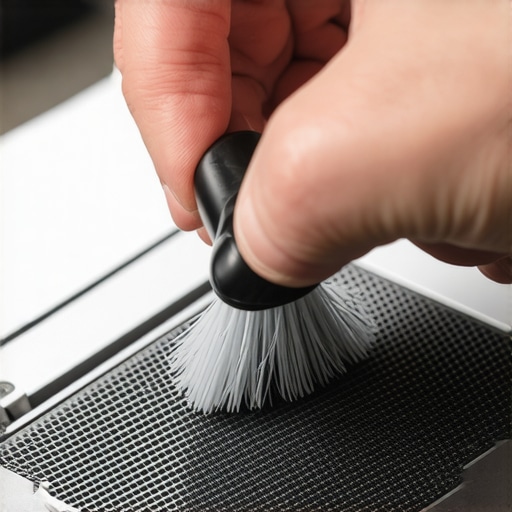
Maintenance isn’t just about software; it’s about preventing the physical degradation of those tiny magnets and diaphragms. I’ve seen too many game-changing gaming laptops for serious players in 2025 lose their punch because owners used compressed air improperly. If you blast air directly into the speaker grille, you risk tearing the delicate cone. Instead, I use a soft-bristled brush—the kind you’d find in must-have laptop accessories for a seamless setup—to gently whisk away debris. And please, why you should never use a vacuum on your keyboard applies to your speakers too; the static discharge alone can fry a sensitive audio chip. I also suggest checking your chassis screws; a loose screw near the speaker assembly is the number one cause of ‘phantom’ buzzing that people mistake for a blown driver.
How do I maintain my laptop’s audio clarity over time?
Consistency is key to longevity. Every few months, I run a full frequency sweep (20Hz to 20kHz) using a tool like Online Tone Generator. This helps me identify if any new rattles have developed in the chassis or if a driver is starting to fail. If you’re using one of the top business laptops for productivity in 2025, you should also check for driver ‘bloat’. Manufacturers often push ‘Audio Enhancement’ updates that actually degrade performance to save power or hide cheap hardware. I personally stick to a ‘set it and forget it’ philosophy once I find a stable configuration. Furthermore, be careful with power surges. If you’re using a sketchy power brick, you’re sending ‘dirty’ power to your audio amp. Learning how to find a replacement charger that won’t fry your board is just as important for your sound as it is for your motherboard.
The Future of AI-Driven Adaptive Sound
Looking ahead, the trend is moving away from static EQs and toward real-time, AI-driven adaptive sound. Companies like Dirac are already publishing whitepapers on MIMO (Multiple Input Multiple Output) systems for mobile devices that use built-in microphones to ‘listen’ to the environment and adjust the speaker output in milliseconds. This means your machine will eventually sound as good in a tiled kitchen as it does on a wooden desk. For now, we still have to do the heavy lifting ourselves. If you’re hunting for unbeatable laptop deals, look for models with dedicated DACs rather than just flashy software badges. My final challenge to you: don’t just complain about your sound. Download Equalizer APO tonight and try that 3dB cut at the 3kHz range I mentioned earlier. It’s a five-minute fix that makes even a budget student laptop sound like a premium studio machine. If you’re still hitting walls with your current setup, feel free to contact us for specific hardware recommendations.
Hard Truths from a Decade of Tech Teardowns
After years of testing everything from game-changing gaming laptops for serious players in 2025 to budget-friendly chromebooks, I have realized that audio is almost always an afterthought in the design lab. The most important lesson I learned is that volume is not quality. Pushing your hardware to the edge often masks the nuances of a good track with digital noise. Secondly, physics will always be your biggest hurdle; no matter how good the software is, tiny drivers cannot move enough air for true sub-bass. This is why most built-in laptop speakers still sound terrible even on premium rigs. Finally, I’ve found that many ‘rattles’ aren’t blown speakers but simply loose chassis components. Before you buy a new machine, try tightening the screws on the bottom panel—it is a free fix that often restores clarity.
The Only 3 Tools You Need in Your Audio Arsenal
I do not use a massive suite of apps to fix my sound; I rely on a few trusted resources that have never let me down. First, Equalizer APO paired with the Peace GUI remains the absolute gold standard for system-wide control. It is open-source, lightweight, and incredibly powerful. For identifying physical distortions, I always keep the Online Tone Generator bookmarked; it helps me find the exact frequency causing a chassis buzz. Lastly, I recommend keeping a high-quality 320kbps or FLAC test track handy. You cannot tune speakers using a low-bitrate YouTube clip. If you are looking to start fresh with a machine that has a better baseline, keep an eye on top laptop deals in 2025 to find hardware that actually prioritizes acoustic chamber design. While you are at it, you might want to learn how to improve your laptops built-in microphone for free to round out your multimedia setup.
Take Control of Your Soundstage Today
Your laptop is a tool for expression and entertainment, and you should not have to settle for audio that sounds like it is coming from another room. By taking fifteen minutes to calibrate your EQ and ensuring you aren’t physically muffling your drivers, you can transform a mediocre experience into an immersive one. Whether you are using student laptops that balance power and portability perfectly or high-end workstations, the power to improve your sound is already at your fingertips. Don’t be afraid to experiment with the preamp settings or the loudness equalization—the worst that happens is you hit the ‘reset’ button. Your ears will thank you for the effort. Have you ever found a hidden setting or a specific software tweak that actually made your speakers sound better? Let me know in the comments below!