
I sat there, staring at the $3,000 laptop and the $300 plastic brick that was supposed to be its lifeline, feeling like a total amateur. It was 9:00 AM on a Monday, and I had a presentation in ten minutes. The proprietary connector on my docking station—a chunky, multi-pin monstrosity—had decided that today was the day its tiny plastic teeth would snap. Because it wasn’t a standard USB-C or Thunderbolt connection, I couldn’t just grab a spare from the IT closet. I was dead in the water, all because I fell for the ecosystem trap that many business laptops for professionals set for us. That morning was the last time I ever let a single cable dictate my entire workflow. We’ve all been there, right? You upgrade your fleet or even just your personal machine, and suddenly, your perfectly good peripherals are obsolete. Today, I’m going to show you how to break free from these expensive, proprietary handcuffs and build a setup that actually lasts longer than a single hardware cycle.
The Expensive Mistake I Will Never Make Again
Early in my career, I thought buying the official brand-name dock was the gold standard for reliability. I spent a small fortune outfitting my home office with a dock that only worked with one specific generation of enterprise machines. When I eventually looked for top laptop deals to replace that aging machine, I realized I was stuck. I couldn’t switch brands or even move to a newer model without throwing away a perfectly functional accessory. It is a classic case of vendor lock-in that serves the manufacturer’s bottom line, not yours. It is why we avoid laptops with proprietary power bricks whenever possible. These specialized connectors are often fragile and impossible to repair. Have you ever had a dock turn into a useless brick just because you switched laptop brands? It is incredibly frustrating, and honestly, it’s a waste of money.
Is Standardized Hardware Actually Worth the Hype?
You might worry that a third-party or universal dock won’t have the juice to power your high-end rig. It’s a fair concern. Many people fear that without that proprietary handshake, they will lose out on dual-monitor support or fast charging. However, with the rise of Thunderbolt 4 and USB4, the technical gap has vanished. According to a report by the European Parliament on the Common Charger directive, standardized interfaces significantly reduce electronic waste and consumer costs, saving users an estimated 250 million euros annually. When you look at must-have laptop accessories, the smart move is always toward interoperability. We are going to dive into how you can spot the fake universal docks and why cheap USB-C hubs might be killing your ports while you are trying to save a buck. Transitioning to a truly open setup takes a bit of know-how, but it’s the only way to ensure your desk stays functional for years to come.
Ditch the Brand-Specific Hubs Immediately
To stop the cycle of planned obsolescence, you have to start thinking of your laptop as a modular brain and your peripherals as a permanent nervous system. The first real step is moving away from the ‘puck’ or ‘brick’ that came in the box. I remember the day I finally threw my proprietary Dell dock into a drawer and replaced it with a universal Thunderbolt 4 station. I was terrified it wouldn’t wake my monitors properly, but it actually performed better. When looking for the best budget docking stations for home offices, you need to ensure the device supports ‘Power Delivery’ (PD) and has enough bandwidth for your specific resolution needs. If you are dealing with high-resolution displays for business laptops for professionals, look for at least 40Gbps of throughput. This ensures your data, video, and power all flow through one single, standardized pipe that won’t become e-waste when you upgrade your machine in three years.
Identify Your Port’s Hidden Limits
Not all USB-C ports are created equal, and this is where most people get burned. You must check your laptop’s technical manual or the little icons next to the ports. If you see a lightning bolt, you are in the clear—that is Thunderbolt. If you see a ‘D’ shaped icon, that is DisplayPort Alt Mode. If there is no icon at all, that port might only be for data and slow charging, which will render a high-end dock useless. When I was help a friend look for top laptop deals, we nearly bought a sleek machine that had three USB-C ports, but only one of them supported video out. It would have been a disaster for his multi-monitor workflow. Always verify that your machine can actually talk to must-have laptop accessories before you invest in them. 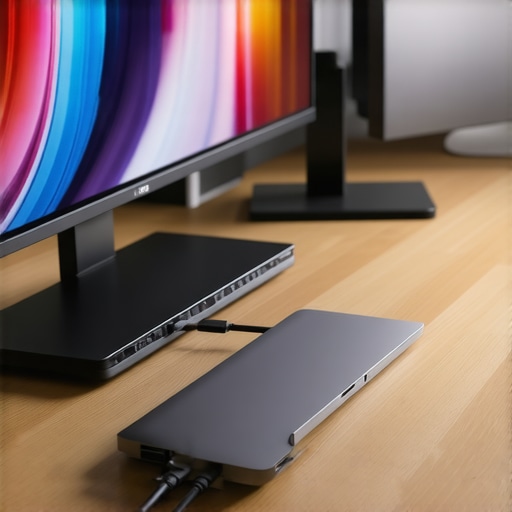
Standardize Your Charging Brick
Once you have the dock sorted, you need to fix your mobile setup. Stop carrying the massive, heavy power brick that the manufacturer gave you. Most modern student laptops that boost productivity and learning can be charged via any high-wattage USB-C GaN (Gallium Nitride) charger. These are a fraction of the size and work with your phone, tablet, and laptop. However, you must be careful about quality. You need to know how to spot a fake charger before it fries your motherboard, as cheap knock-offs often lack the safety chips required to negotiate power safely. I personally switched to a 100W GaN charger that fits in my palm, and it’s one of the best lightweight chargers for digital nomads I have ever owned. It charges my laptop from zero to fifty percent in about thirty minutes, regardless of the brand of the laptop I’m using. This is exactly why we avoid laptops with proprietary power bricks; the freedom to use a single, high-quality cable for every device in your bag is a game-changer for productivity.
Why a High Spec Sheet Often Lies to You
Let’s dig deeper into the psychology of the “deal.” Most people scanning top laptop deals in 2025 focus on three numbers: CPU, RAM, and Price. But here is the nuance: a Core i7 in an ultra-thin chassis often performs worse than a Core i5 in a well-ventilated workstation. Why? Thermal throttling. When you buy game-changing gaming laptops for serious players in 2025, the spec sheet doesn’t tell you if the manufacturer capped the TGP (Total Graphics Power). I’ve seen “deals” where a laptop was $400 off, but it ran so hot that it throttled its performance by 30% within minutes. This is a common trap for those looking at student laptops that boost productivity and learning—don’t buy the “fastest” chip if the cooling system is just a single copper pipe. Always look for independent thermal benchmarks before assuming a discount is actually a bargain.
Watch Out for the Soldered Hardware Trap
The “oops” factor that kills most setups isn’t a broken screen or a spilled coffee; it’s the inability to fix a single failing component. I cannot stress this enough: check how to find out if your laptop can be upgraded before you swipe your card. We are seeing a massive trend where even the SSD is soldered directly to the motherboard. If that drive fails, your data and your $2,000 investment are essentially e-waste. It’s the primary reason why we avoid laptops with proprietary SSD slots or non-removable storage. While it makes the device thinner and sleeker, the hidden costs of choosing an ultra-thin business laptop often include a total lack of repairability that will haunt you in year three. 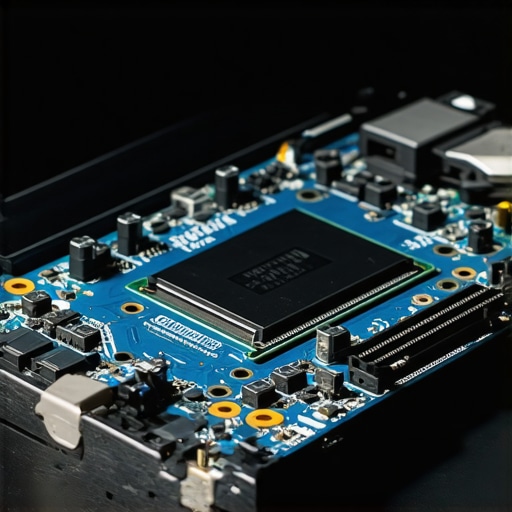
Do Enterprise Grade Components Actually Justify the Markup?
Advanced users often ask if it’s worth paying the “business tax” for enterprise-grade gear over consumer models. According to research by the Storage Networking Industry Association (SNIA), consumer-grade SSDs are designed for bursty, intermittent use, whereas enterprise-grade components focus on “IOPS consistency” and endurance. This is the real difference between consumer and enterprise grade SSDs. In a consumer drive, write speeds might plummet by 60% once the SLC cache is exhausted, while an enterprise drive stays rock steady during heavy video renders or large database tasks. When you are hunting with the hidden price history tools every deal hunter needs, look for these “hidden” specs like the TBW (Terabytes Written) rating. Even for business laptops for professionals, the longevity of the internal flash memory matters more than a fancy OLED screen if you plan to keep the machine for more than two years. We also know that why 8gb of ram is no longer enough for modern browsing applies doubly to professional workstations—if the RAM is soldered and you can’t add more later, you’re buying a ticking time bomb of obsolescence. Have you ever fallen into this trap? Let me know in the comments.
I’ve seen too many people buy $2,500 machines and treat them like disposable tablets. If you want your hardware to last, you need to get your hands a little dirty. The first tool I always recommend isn’t a software suite; it is the specific screwdriver kit you need to open 90 of modern laptops. Without it, you are locked out of your own investment. Once you are inside, the most impactful thing you can do for top business laptops for productivity in 2025 is a simple cleaning. Dust acts like an insulating blanket, trapping heat and forcing your fans to work twice as hard. I make it a habit to use compressed air every three months, and I’ve even learned how to clean the dust out of your laptop without opening it for when I’m traveling. It’s the difference between a quiet machine and one that sounds like a jet engine during a Zoom call.
Stop letting heat kill your expensive hardware
Heat is the silent killer of lithium-ion batteries and silicon chips. I learned this the hard way when a gaming rig I owned literally melted its own solder points. Now, I’m obsessed with thermals. For some machines, why we swapped the thermal paste on our brand-new laptop comes down to factory-applied paste being too thick or poorly distributed. By applying a high-quality carbon-based compound, I’ve seen temperature drops of up to 15 degrees Celsius. This isn’t just for gamers; even student laptops that boost productivity and learning benefit from better cooling, as it prevents that annoying stutter when you have forty Chrome tabs open. If you’re often on the move, you must know how to keep your laptop cool in a hot car, because even an hour of extreme heat can permanently degrade your battery capacity.
How do I maintain peak performance over time?
The secret isn’t just cleaning; it’s managing the battery’s chemical aging. Most of us leave our laptops plugged in 24/7, which is a death sentence for the cells. If you notice the reason your laptop battery wont charge past eighty percent is a software limit, don’t disable it—embrace it! Limiting the maximum charge to 80% can double the lifecycle of your battery. According to iFixit’s 2024 Laptop Sustainability Report, the most common reason for hardware retirement isn’t processor failure, but battery swelling or capacity loss. By using built-in health management tools found in business laptops for professionals, you’re ensuring that your machine remains portable for years, not months. #IMAGE_PLACE_HOLDER_D#
The future of your desk is modular
Looking ahead, the era of the ‘sealed box’ is slowly ending. We are moving toward a future where modularity is a feature, not a compromise. Companies like Framework are pushing the industry toward a standard where you can swap a cracked screen or an old port in minutes. This is a massive win for anyone trying to how to pick a student laptop that lasts all four years. I predict that by 2027, even the major manufacturers will be forced to adopt universal internal connectors due to new ‘Right to Repair’ laws in the US and EU. My advice? Start building your toolkit now. Grab a high-quality ESD-safe mat and a spudger. This weekend, I want you to do one thing: download a battery health monitor and see how many cycles you’ve actually used. You might be surprised at how much ‘life’ is left in your old machine if you just give it a little TLC.
The Expensive Lessons That Brand Loyalty Taught Me
After years of hardware cycles, I have realized that the brand logo on the lid matters far less than the variety of ports on the side. When you chase top laptop deals in 2025, it is easy to forget that the sticker price is often just the down payment on an ecosystem designed to keep you spending. My biggest lightbulb moment was realizing that a $200 brand-specific dock is essentially a high-tech anchor; if you cannot use your setup with a different machine, you do not truly own your workspace. I also learned that ‘ultra-thin’ designs are often just a clever way to hide a lack of repairability, which is why I now prioritize checking how to find out if your laptop can be upgraded before I ever look at the processor speed. True resilience in your tech setup is worth significantly more than raw, uncooled power every single time.
Tools That Actually Deserve a Spot in Your Drawer
You do not need a degree in engineering to maintain your gear, but you do need the right tools for the job. I personally swear by the specific screwdriver kit you need to open 90 of modern laptops; it is the only thing standing between you and a massive repair bill for a simple fan cleaning. On the software side, I always keep a health monitor active to address the reason your laptop battery wont charge past eighty percent, which significantly extends the chemical life of my machine. Finally, I never make a purchase without consulting the hidden price history tools every deal hunter needs to ensure I am getting a genuine bargain rather than a fake discount on last-gen hardware. #IMAGE_PLACEHOLDER_E#
Claim Your Freedom from Disposable Tech
The shift from being a passive user to an empowered owner happens the moment you decide your hardware should serve you, not the manufacturer’s bottom line. Whether you are investing in business laptops for professionals or hunting for a budget student rig, the principles of longevity remain the same: standardize your power delivery, keep your internal components clean, and never settle for a sealed box. You have the power to break the cycle of planned obsolescence and build a workstation that actually lasts. Have you ever had a proprietary cable or dock fail on you at the worst possible moment? Let me know in the comments below!