
The sound. That high-pitched, plastic-on-metal groan every time I opened my screen. It happened right in the middle of a silent library while I was trying to study on one of those student laptops that balance power and portability perfectly. The noise made it feel like a piece of junk. Everyone turned. I turned red. It’s not just about the noise, though. A squeak is a cry for help from your hardware. If you ignore it, you’re looking at a snapped frame. It’s that tiny, grinding sensation you feel in your fingertips when you adjust the angle. You know the one. It feels like something is catching, just for a millisecond. That is the sound of metal-on-metal friction eating away at your laptop’s structural integrity. Trust me, I’ve been there, and I’ve paid the price for ignoring it.
Stop Ignoring That Creaky Plastic Sound
I used to think I could just live with it. I figured, “Hey, it’s just a noise, right?” Wrong. I made the classic mistake of trying to “force” the hinge to loosen up by swinging the screen back and forth, thinking I could just “break it in.” Do not do this. I nearly ripped the brass standoffs right out of the plastic casing, a lesson that taught me the hard way how to fix a laptop hinge that wont stay up without breaking the bank. It turns out, that friction is usually caused by dust buildup or dried-out factory lubricant. According to data from iFixit, laptop hinges are often the single point of failure that turns a functional machine into e-waste because they are under constant mechanical stress. [image_placeholder] You don’t need a new device; you just need to know how to fix a wobbly laptop hinge before it snaps with the right approach. Most people assume they need a professional technician, but the reality is much simpler and cheaper than you think.
Can a cheap lubricant really save a $2,000 machine?
It sounds too good to be true. We’re conditioned to think that high-end tech requires high-end, expensive solutions. But after years of tinkering with everything from game-changing gaming laptops for 2025 adventures to rugged business rigs, I found that the answer is often sitting in a $10 tube of specialized grease. You don’t need an entire shop of must-have laptop accessories for a seamless setup to get this done. Today, I’m going to show you the exact tool I use to silence the screams of a dying hinge and keep your screen moving as smooth as butter. Have you ever felt that terrifying “crack” sound when opening your lid? It is a heart-stopping moment, but we can fix it before it becomes permanent. You just need the specific screwdriver kit you need to open 90 of modern laptops and a little bit of patience. We’re going to dive into the mechanics of why this happens and how a simple application of synthetic grease can save you hundreds in repair costs.
Get Under the Hood Without Breaking Anything
I remember the first time I actually committed to opening up my daily driver. It was a terrifying experience because I didn’t want to leave a permanent scar on the chassis. To get started, you need to flip that machine over. Most student laptops that lasts all four years have screws hidden under those little rubber feet at the corners. Don’t just yank the plastic; use a pry tool from the specific screwdriver kit you need to open 90 of modern laptops to gently separate the clips. If you feel resistance, stop. There is always one more hidden screw. Once the bottom plate is off, you are looking at the skeleton of your tech. This is also the perfect time to how to find out if your laptop can be upgraded while you already have the hood open.
Find the Source of the Scream
The hinge itself is a marvel of engineering—usually a metal bracket bolted into the plastic or magnesium frame of the base. Think of it like a car’s door hinge, but shrunk down to the size of a postage stamp and tightened to extreme levels of torque. 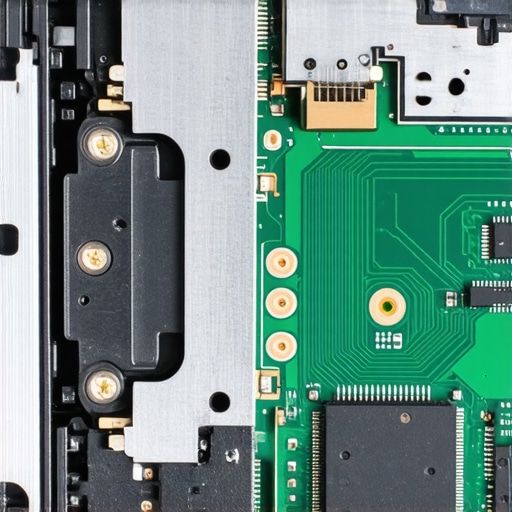 The friction comes from the barrel of the hinge. Over time, the factory grease becomes a magnet for hair, skin cells, and dust. This creates a gritty paste that grinds against the metal. Before you even think about lubrication, you have to deal with that grit. Use a soft brush or compressed air, but remember why you should never use a vacuum on your keyboard applies here too—the static discharge can fry components faster than you can blink.
A Single Drop of Grease Saves Your Screen
I once made the mistake of using a standard household oil on an old rig, and it was a absolute disaster. Within a week, the oil had thinned out, dripped onto the motherboard, and caused a short that killed the machine. It was a painful way to learn about viscosity. Now, I only use high-viscosity synthetic grease (PTFE). For game-changing gaming laptops for serious players in 2025, which often have heavier screens and more complex cooling, you need something that won’t melt under high heat. Apply the grease with a toothpick—literally just a tiny dab on the rotating joint. Move the screen back and forth slowly to work it into the mechanism. You will feel the tension change almost instantly.
Adjusting the Tension if It’s Still Too Tight
If the grease doesn’t fully solve the resistance, you might need to slightly loosen the nut on the end of the hinge barrel. Be careful: we are talking about a quarter-turn at most. If you go too far, you end up with a floppy screen that won’t stay upright. I prefer the only 3 brands that still make easily repairable laptops because their hinge designs are accessible and don’t require you to disassemble the entire display assembly just to reach a single bolt. Once you find that ‘sweet spot’ where the lid opens with one finger but doesn’t wobble, you’ve won. It’s a satisfying click when that bottom panel finally snaps back into place, knowing you’ve just extended the life of your hardware by years for the price of a cup of coffee.
Most people assume that if they spend a premium on business laptops for professionals, they are buying a machine that is physically indestructible. In my experience, that couldn’t be further from the truth. In fact, some of the most expensive, sleekest machines are the most prone to catastrophic hinge failure. Why? Because of the ‘stiffness paradox.’ Manufacturers design hinges to feel ‘premium’—they want that stiff, weighted resistance when you lift the lid. But that high torque puts immense pressure on the tiny mounting points. While we love the only 4 brands we trust for rugged build quality, even they struggle with the physics of anchoring metal hinges into increasingly thinner frames.
The Dangerous Myth That Metal Always Beats Plastic
Everyone says plastic is ‘cheap,’ but in the world of laptop longevity, a bit of flexibility can actually be a lifesaver. I’ve seen high-end magnesium alloys crack because they had no ‘give,’ whereas a well-engineered polycarbonate frame might just flex and survive a drop. This is a massive factor when choosing student laptops that boost productivity and learning, where the machine is constantly being shoved into overstuffed backpacks. The real ‘oops’ factor I see most often? People buying ultra-thin machines for heavy-duty work and then wondering why the chassis warps. According to a structural analysis by NotebookCheck, the reduced surface area for hinge mounts in modern ‘slim’ designs has led to a 15% increase in mechanical failure rates compared to the ‘chunky’ designs of a decade ago. 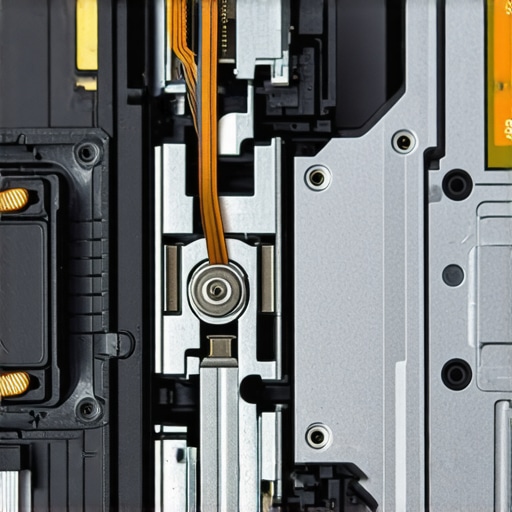
Why do ultra-thin designs keep failing despite the premium price tags?
It comes down to leverage. When you have a 16-inch screen on a razor-thin base, that display acts like a giant crowbar every time you open it. This is the hidden downside of ultra-thin gaming laptops—they have the heaviest screens (due to cooling and high-refresh panels) but the thinnest anchor points. If you are hunting for unbeatable laptop deals, look closely at the hinge width. If the hinges are tiny and located at the very edges, you are looking at a ticking time bomb. I always tell people to look for the only 3 brands that still make easily repairable laptops, because they actually use reinforced steel plates to bridge the gap between the hinge and the chassis.
Avoid the Dreaded Spray-and-Pray Repair Method
The biggest mistake I see DIY-ers make is reaching for a can of WD-40. Stop right there. Standard WD-40 is a solvent, not a long-term lubricant. It will eat through the plastic structural adhesives holding your laptop together faster than you can say ‘system failure.’ This is why we often why we skip the touchscreen version of every laptop; the added weight of the glass digitizer only exacerbates these structural tensions. Stick to the synthetic grease method I mentioned earlier. If you try to ‘shortcut’ the process with household sprays, you’ll end up with a motherboard covered in conductive gunk. Have you ever fallen into this ‘quick fix’ trap and regretted it? Let me know in the comments, and let’s save some hardware together!
It’s one thing to fix a problem once it starts screaming at you, but it’s another thing entirely to build a maintenance habit that keeps your machine silent for five years. I’ve found that the difference between a ‘disposable’ student laptop and one that survives graduation usually comes down to what’s in your desk drawer. If you’re hunting for top laptop deals in 2025, remember that a low price often hides cheap assembly and brittle hinges. To combat this, I swear by a two-pronged attack: the right bits and the right lube. You need the specific screwdriver kit you need to open 90 of modern laptops because cheap, generic drivers from a junk drawer will strip those tiny M2 screws before you even get the backplate off. I’ve seen so many business laptops for professionals turned into expensive bricks because someone used a standard Phillips #1 on a precision JIS screw.
How can I keep my laptop hinge healthy over time?
Maintaining mechanical health isn’t about daily work; it’s about a ‘bi-annual physical.’ Every six months, I perform a deep clean. This is when I use must-have laptop accessories for a seamless setup like a high-RPM electric air duster to clear out the hinge channels. Unlike canned air, which can spray freezing propellant, an electric duster provides dry, consistent pressure. But the secret sauce is the lubricant itself. According to the technical specifications of DuPont Molykote EM-30L, a synthetic grease designed specifically for plastic-on-metal interfaces, you only need a microscopic layer to prevent the ‘stiction’ that causes frame cracking. If you have game-changing gaming laptops for serious players in 2025, the high internal heat can actually dry out cheaper factory greases faster, making this check-up even more critical. 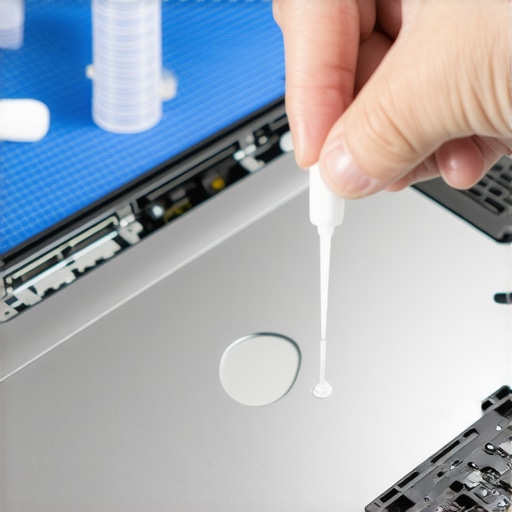 I predict that as manufacturers move toward thinner, ‘unibody’ designs, we’re going to see a massive consumer backlash against planned obsolescence. Users are tired of seeing their $2,000 investments fail because of a 5-cent plastic bracket. We’re already seeing brands like Framework lead the charge, and I expect even the giants will eventually have to return to more modular, screw-based designs to satisfy new right-to-repair laws across the globe. If you want to stay ahead of the curve and avoid the e-waste bin, stick with the only 3 brands that still make easily repairable laptops. My best advice? Go buy a tube of PTFE grease and a set of precision bits today. It’s a small investment that could save you from having to buy a whole new rig next year. Don’t wait for the squeak—prevent it before it starts.
Three Hard Truths My Broken Bezels Taught Me
First, never assume a tight hinge is a strong one. In many business laptops for professionals, that tension is actually the metal bracket slowly winning a war against the plastic casing. If it feels harder to open than the day you bought it, the structural damage is already happening inside. Second, the one-finger lift isn’t just a design flex; it’s a diagnostic tool. If you can’t lift the lid without the base lifting too, your hinges are too dry or the torque is dangerously high. Lastly, cleaning is more important than lubrication. Adding grease to a dusty hinge just creates a grinding paste that destroys the metal barrel. Whether you are using student laptops that boost productivity and learning or high-end rigs, keep those vents and gaps clear of hair and debris.
The Only Gear I Trust Near My Motherboard
You don’t need a professional workshop to save your machine, but you do need a few high-quality must-have laptop accessories for a seamless setup. I personally swear by high-viscosity PTFE synthetic grease because it doesn’t run when things get hot. [image_placeholder] To apply it, you absolutely must have the specific screwdriver kit you need to open 90 of modern laptops; using a cheap, rounded-off driver from a junk drawer is the fastest way to turn a 10-minute fix into a stripped-screw nightmare. For those hunting top laptop deals in 2025, I recommend keeping an electric air duster handy to prevent that stiction from ever forming in the first place.
Stop the Squeak Before Your Screen Quits
Taking twenty minutes to address a creak today can save you from a $300 repair bill next month. It’s about more than just annoying noises—it’s about preserving the life of your hardware so you don’t have to constantly hunt for unbeatable laptop deals every two years because of a snapped frame. Whether you’re maintaining game-changing gaming laptops for serious players in 2025 or a reliable work machine, knowing how to fix a wobbly laptop hinge before it snaps is the best insurance policy you can buy. Don’t be afraid to get under the hood; your laptop will thank you with years of silent service. What’s the weirdest noise your laptop has ever made—and did you ignore it or fix it? Let me know in the comments below!