
It was sitting right there, buried under a stack of old mail and a half-functional USB hub. My old work laptop. You know the one—the fan whines like a jet engine and the battery barely lasts twenty minutes. The silver finish was peeling at the corners, a battle scar from three years of being shoved into airport security bins and coffee shop tables. I was about to toss it in the e-waste bin until I realized I was paying nearly thirty dollars a month for three different streaming services that didn’t even have my favorite 90s sitcoms. It felt like a punch in the gut. I had a perfectly capable machine with an i5 processor and a decent SSD just sitting in the dark, doing absolutely nothing while I bled money to big tech. It was the classic ‘click-wait-sigh’ cycle. Clicking an icon on that old machine, waiting ten seconds, and sighing. I had replaced it with one of those shiny new top business laptops for productivity and just assumed the old guy was useless. I was wrong. [image_placeholder_1]
Give Your Retired Laptop a Second Life
I realized that while that machine might be too heavy for student laptops that balance power and portability, it was more than enough to handle a massive media library. Today, I’m showing you exactly how to stop the waste. We aren’t just ‘recycling’; we’re creating a dedicated media powerhouse that can stream 4K video to every device in your house simultaneously. We’re going to solve the storage bottleneck and the heat issues that usually kill these projects. If you’ve been searching for unbeatable laptop deals just to find a server, stop right there. You likely already own the hardware you need, even if it feels a bit dated compared to modern business laptops for professionals.
Is My Old Laptop Actually Safe to Run 24/7?
This is the first thing everyone asks me. People worry about the house burning down or the CPU melting into a puddle of silicon. I’ll be honest: I almost killed my first server because I left the lid closed and stuffed it behind a sofa in a desperate attempt to hide the cables. Bad idea. It throttled so hard the video looked like a slideshow, and the chassis was hot enough to fry an egg. I learned the hard way that you need the simple hack for better airflow even for modest machines that aren’t heavy-duty gaming rigs. According to data from the International Energy Agency (IEA), consumer electronics in ‘active standby’ modes are becoming significantly more efficient, often pulling less power than a standard incandescent light bulb. Have you ever felt that twinge of guilt looking at an old device you paid a fortune for, just knowing its potential is rotting away? If you’ve got an old machine that feels sluggish, there are really only 3 ways to genuinely speed up a slow laptop, and turning it into a specialized server is by far the most satisfying one. If you want the technical deep-dive immediately, check my guide on how to turn an old work laptop into a high-speed home server before we continue. Before we dive into the software, we need to make sure the hardware isn’t going to fail on day two. You might need to clean the dust out of your laptop or check the fan’s health. Let’s get that old workhorse ready for its new career.
Prep the Hardware for the Long Haul
Before you even think about installing software, you have to realize that a laptop is not designed to be a server. Most top business laptops for productivity are built for bursts of work, not 24/7 uptime. I remember my first attempt at this back in 2018. I took a battered old machine, plugged it in, and started a 40GB file transfer. Within twenty minutes, the fan sounded like a dying bird trapped in a blender. It turned out the heatsink was so clogged with dust it was effectively a thermal blanket. If you want this to last, you need to strip away the physical obstacles. 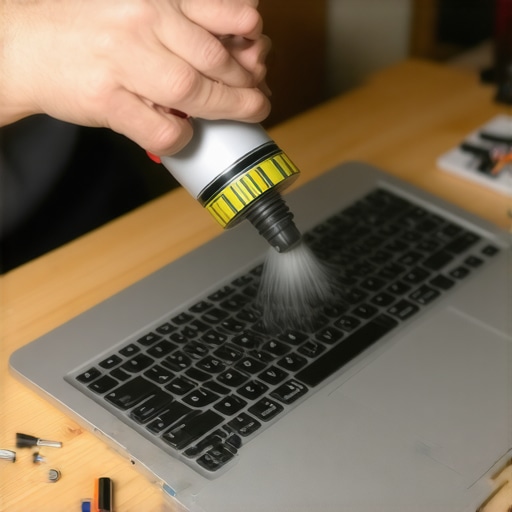
Clean the Gunk Out Before You Boot
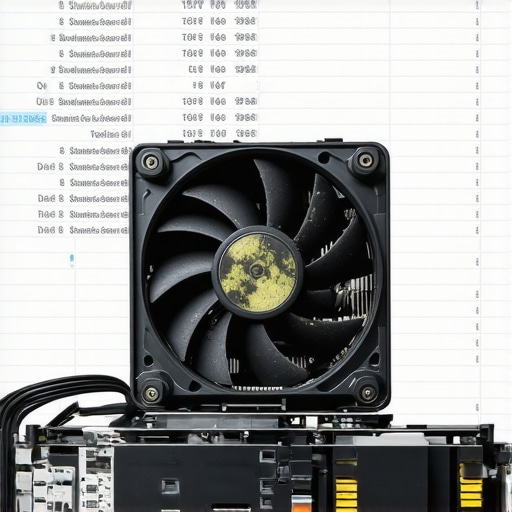
You wouldn’t run a marathon with a mask on, so don’t expect your laptop to transcode video while choked with dust. You should clean the dust out of your laptop using compressed air or a soft brush. If your fan is already making grinding noises, it’s a ticking time bomb. Knowing how to replace a dead laptop fan is a skill that will save your hardware from an early grave. I once spent three hours trying to troubleshoot a software crash, only to realize the CPU was emergency-throttling to 400MHz because the fan had simply stopped spinning.
Replace the Bottleneck with a Cheap SSD
If your old machine still has a spinning hard drive (HDD), throw it away. No, seriously. An HDD is the single biggest point of failure in an old machine. Swapping it for a cheap SATA SSD is one of the only 3 ways to genuinely speed up a slow laptop. It transforms the boot time from minutes to seconds and ensures your media metadata loads instantly when you’re scrolling through movies on your TV.
Stop Using Windows if You Want Real Stability
I know, I know—you’re comfortable with Windows. But for a server, Windows is a nightmare of forced updates and background telemetry. My first server used to restart itself at 3 AM for an update, and I’d wake up to a ‘Server Offline’ error on my TV. If you’re serious, you need a headless Linux distribution like Ubuntu Server or a dedicated OS like Unraid. Even if you’re used to business laptops for professionals, the leap to a server-specific OS is what separates a hobby project from a professional-grade home theater.
RAM Matters More Than You Think
While your processor handles the heavy lifting of transcoding, your RAM keeps the system responsive. I found that why 8gb of ram is no longer enough applies even to servers once you start adding plugins for subtitles, posters, and automated downloads. If you can, pop an extra stick in there.
Don’t Let Your WiFi Kill the Stream
Never, ever run a server over WiFi. It doesn’t matter how fast your router is; interference is inevitable. Use an Ethernet cable. If your laptop doesn’t have a port, you’ll need to look into must-have laptop accessories for a seamless setup, specifically a USB-to-Ethernet adapter. This ensures that when you’re pushing a high-bitrate 4K stream to your living room, the signal remains rock solid without those annoying buffering circles that ruin movie night.
You’ve cleaned the dust, swapped the drive, and maybe even added some RAM. But here is where most people stumble into the ‘expert trap.’ They assume that because a machine was designed for a desk, it will behave like a server the moment you install Linux. It won’t. In fact, I’ve seen more people fry their hardware in the first month of ‘server life’ than in three years of office work. Let’s talk about the nuances that the typical YouTube tutorial misses.
The Truth About Using Gaming Laptops as Servers
Everyone tells you to avoid using old gaming rigs because they are ‘power hungry’ and loud. I’m here to tell you they are actually some of the best candidates for a home media powerhouse. While you might be looking for game-changing gaming laptops for serious players in 2025 to play the latest titles, your retired 2021 model has something your work ultrabook doesn’t: massive copper heat pipes. The hidden downside of ultra-thin gaming laptops is usually the weight, but in a server closet, weight is a benefit. That thermal mass allows the machine to handle heavy 4K transcoding without the CPU immediately hitting 100 degrees Celsius.
Can I actually trust my laptop’s built-in cooling system for a month of uptime?
The short answer is: not if you leave the settings on ‘Auto.’ A common mistake is trusting the default fan curve. Laptops are programmed to stay quiet as long as possible, which leads to ‘heat soak’—where the internal components stay hot for hours. According to data from hardware reliability experts like Backblaze, it isn’t necessarily the raw temperature that kills hardware, but the constant thermal cycling. For a server, you actually want the fans running at a constant, low speed rather than stopping and starting. This is why I always recommend finding the only 3 brands that still make easily-repairable laptops, as you might need to manually lubricate or replace those fans after a year of constant spinning.
The Oops Factor: The Power Brick Trap
Here is the ‘trap’ I fell into early on: ignoring the charger. We focus so much on the laptop that we forget the AC adapter is working just as hard. If you notice the real reason your laptop power brick is getting extremely hot, it’s likely because it’s tucked away in a corner with zero airflow. I once melted a carpet because a power brick was buried under a pile of cables while the server was under heavy load. Treat your charger like a component that needs to breathe.
Why Ultra-Thin Business Machines Often Fail This Test
We love top business laptops for productivity in 2025 for our backpacks, but as servers, they are often a nightmare. The hidden costs of choosing an ultra-thin business laptop include soldered components and extremely limited thermal headroom. If you try to run a Plex server on a machine that’s thinner than a notepad, the chassis will eventually warp from the heat. If you’re hunting for unbeatable laptop deals specifically for a server project, look for the ‘chunky’ models from five years ago rather than the sleekest ones.
Lastly, pay attention to how you manage the battery. Keeping a laptop plugged in 24/7 at 100% charge is the fastest way to cause ‘battery bloat,’ which can literally crack your trackpad from the inside out. Use a BIOS limit or software tool to cap the charge at 50-60%. It’s a small nuance, but it’s the difference between a server that lasts five years and one that becomes a fire hazard in six months. Have you ever fallen into this ‘always-on’ battery trap or had a power brick overheat on you? Let me know in the comments or contact us to share your setup!
Once the server is tucked away in a closet or under a desk, the last thing you want is to drag it out every time you need to change a setting. I personally use Tailscale. It creates a private mesh VPN that lets me access my old laptop from my phone while I’m at the grocery store. It’s significantly easier than messing with port forwarding, which is often a security risk for home networks. If you are using one of those top business laptops for productivity in 2025 as your main machine, you can remote into your server laptop seamlessly as if it were sitting on your lap.
The Logistics of 24/7 Management
Remote access is only half the battle; the other half is knowing when things go wrong before they crash. I recommend setting up Uptime Kuma. It’s a simple, self-hosted monitoring tool that sends a ping to your phone the second your laptop server loses power or internet. According to the technical documentation from the WireGuard Project, modern kernel-based VPN protocols provide significantly higher throughput and lower CPU overhead on older i5 and i7 processors, which is exactly why your retired work machine is still such a beast for this task. You aren’t just saving money on subscriptions; you’re building a system that rivals pro-grade enterprise gear.
How can I keep this setup running for years?
Maintenance isn’t just about software updates; it’s about the physical reality of a machine that never sleeps. Every six months, I perform a physical health check. I use the specific screwdriver kit you need to open 90 of modern laptops to pop the bottom panel and check for any signs of battery swelling. This is especially vital if you’ve had to how to fix your laptop battery if it only lasts one hour in the past. If you don’t keep the dust out, even the most expensive game-changing gaming laptops for serious players in 2025 will eventually throttle under the weight of a high-bitrate 4K transcode.
Smart Scaling on a Budget
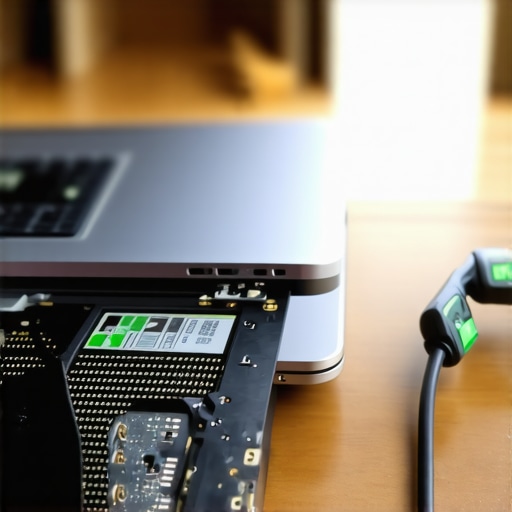
When you eventually run out of space for your media library, don’t just buy a whole new server. Look for unbeatable laptop deals that feature expandable storage or multiple USB 3.0 ports. While many business laptops for professionals are moving toward soldered parts, older models from 2019 to 2022 often let you swap in a massive NVMe drive. This is where I use the sunday morning strategy for finding hidden amazon coupons to snag a 4TB drive for half the price of a dedicated NAS unit. I also suggest looking into must-have laptop accessories for a seamless setup, like a powered USB hub, to ensure your external drives don’t draw too much power from the laptop’s motherboard.
The Future of the Personal Cloud
Looking ahead, I expect the ‘always-on’ laptop server to become the standard for privacy-conscious users. With the rise of AI-powered local indexing, having a dedicated machine with a decent GPU—even an old one—will be essential for searching through your personal documents and photos without sending your private data to a giant tech corporation. If you have an old machine gathering dust, I challenge you today to install a simple Linux distribution and just try to host one single file. It’s the first step toward digital independence.
What I Wish I Knew Before Plugging It In Forever
I’ve learned that the biggest enemy of a DIY server isn’t a slow CPU; it’s the environment. I used to think that because I had some of the best business laptops for professionals, they were invincible. I was wrong. Here are the three ‘lightbulb moments’ that saved my hardware:
- The Silence Trap: If your laptop is too quiet, it’s probably dying. I found that forcing the fans to a constant 20% speed via software prevented the thermal spikes that usually lead to hardware failure.
- Windows is Not Your Friend: I spent weeks fighting automatic restarts before I realized that 5 key differences between enterprise and home windows make a huge difference in server stability.
- The Battery Bloat Reality: You cannot leave a battery at 100% forever. If your BIOS doesn’t allow a 60% cap, you might actually be safer removing it entirely to prevent physical damage.
The Gear and Software That Kept My Server Alive
You don’t need a massive budget, but you do need the right tools. To get the job done, I rely on a few specific items. First, I always keep the specific screwdriver kit you need to open 90 of modern laptops handy for those bi-annual dust cleanings. Without it, you’re just stripping screws and getting frustrated. For connectivity, I recommend looking into must-have laptop accessories for a seamless setup, particularly a high-quality cooling pad if you’re repurposing older gaming laptops. Even retired student laptops that barely survived a degree can find new life as a dedicated file backup node with the right OS. Lastly, use Tailscale for remote access—it’s free and significantly more secure than opening ports on your router.
[image_placeholder_final]
Stop Hoarding E-Waste and Start Building
There is a profound satisfaction in taking a machine that society deemed ‘obsolete’ and turning it into something that outperforms a commercial NAS. Whether you are hunting for unbeatable laptop deals to start a new project or just trying to save your old college machine, the goal is digital independence. Your old laptop is a 4K streaming powerhouse and a testament to clever engineering. Don’t let it rot in a drawer—get it back on the network today. Have you ever had a DIY project like this save you from a monthly subscription fee? Let me know in the comments below!