
I was staring at my monthly subscription bill for Google One and Dropbox when I realized I was being a bit of a hypocrite. There I was, paying ten dollars a month for the privilege of using someone else’s hard drive, while a perfectly good ThinkPad sat in my closet gathering dust bunnies and regret. I had retired it two years ago because the ‘E’ key was a bit sticky and it felt just a little too heavy for my daily commute. It felt like a betrayal to just let it sit there. Many of those old business laptops for professionals have components that are actually way more durable than the cheap consumer plastic we see on shelves today. That was my lightbulb moment: why not build my own cloud? I didn’t need a fancy five-hundred-dollar NAS. I already had the CPU, the RAM, and the storage right under a pile of old charging cables. It was time to stop being a consumer and start being a host. Today, we are going to stop letting that hardware rot. I am going to show you how that retired machine can become a high-speed media server, a private cloud, or even a dedicated game server. We are turning e-waste into infrastructure. Have you ever felt that pang of guilt looking at a drawer full of old tech? [image]
Your Old Office Laptop is Secretly a Powerhouse
If you have been looking at the top business laptops lately, you know they come with serious specs, but even a machine from five years ago likely sports an i5 or i7 processor that can chew through server tasks without breaking a sweat. When I first started this journey, I made a massive rookie mistake. I tried to use a low-power netbook I found at a yard sale. It was a total disaster. The thing could not even stream a basic 1080p video without the fans sounding like a jet engine taking off. I learned the hard way that you need to know how to find out if your laptop can be upgraded before you commit to the project. A simple RAM boost or a cheap SSD can speed up a slow laptop enough to make it a world-class file server. Plus, laptops have a secret weapon that dedicated rack servers do not: a built-in battery. That is an automatic Uninterruptible Power Supply (UPS) that keeps your server alive during a power flicker, protecting your data from corruption.
Is This Actually Worth the Effort or Just a Tech Headache?
You might be thinking that you are not a Linux wizard and wondering if this is really for you. I get it. The idea of hosting a server sounds like something for people who spend their weekends in dark basements. But here is the reality: modern software has made this incredibly accessible, often involving nothing more than a USB stick and a few clicks. According to a report by the United Nations, global e-waste is growing five times faster than documented recycling. Repurposing your gear is not just about saving twenty bucks a month on cloud fees; it is a legitimate rebellion against the throwaway culture of the tech industry. It is about taking control of your data and giving a second life to a machine that still has plenty of fight left in it. We are going to strip away the bloat and make this machine fly.First thing is first: you need to ensure the hardware can handle being always on. Laptops are not usually designed for 24/7 uptime, but business-grade machines are built with much higher tolerances. I remember the first time I tried this; I tucked my old Latitude behind a stack of books and forgot about it. Within three hours, the bottom was hot enough to fry an egg and the system throttled so hard it was useless. That is why you need to know how to clean the dust out of your laptop without opening it before you start your server journey. If you are feeling brave, the logic behind why we swapped the thermal paste on our brand new laptop applies here too—old paste dries out over years and turns into a thermal insulator rather than a conductor.
Get the Hardware Ready for 24/7 Duty
To turn that machine into a reliable vault, you have to look at the storage. Most old student laptops or office machines came with spinning hard drives. These are slow, noisy, and prone to mechanical failure. Swapping to even one of the best budget SSDs for reviving older student laptops is the single most impactful thing you can do. It is like giving a marathon runner a new pair of lungs. Once you have swapped the drive, check the battery health. You do not want a fire hazard, so it is vital to learn how to tell if your laptop battery is swelling before it bursts. 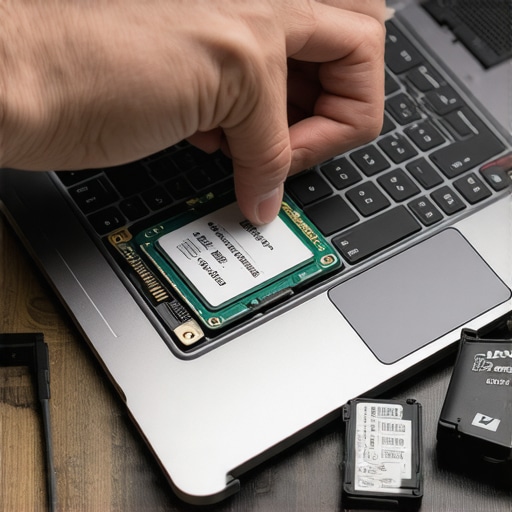
Stop the Operating System From Getting in Your Way
Now for the software. If you leave Windows on there, it will try to update and reboot at 3 AM right when you are in the middle of a remote backup. You need a lightweight Linux distribution like Ubuntu Server or Debian. These operating systems do not have a desktop environment—no icons, no wallpaper—which saves massive amounts of RAM and CPU cycles. Think of it like stripping a car down to the frame and engine to make it faster. If you are nervous about the command line, look into CasaOS; it gives you a beautiful dashboard that looks just like an iPad home screen. While you are at it, grab some must-have laptop accessories to boost your work setup, specifically a cheap USB-to-Ethernet adapter if your laptop lacks a dedicated port. Wi-Fi is fine for a phone, but for a server, you want a hardwired connection for stability. You also need to apply the simple tweak that stops your laptop from sleeping during presentations at the OS level so the lid closing does not kill the power.
Give Your Server a Permanent Digital Address
Your server needs a permanent address in your house. In the networking world, this is a Static IP. Without it, your router might change your server address every time it reboots, and you will not be able to find your files. It is the digital equivalent of your house moving to a different street every Tuesday. Go into your router settings and reserve an IP for your laptop’s MAC address. This ensures that every time you type in that address, your server is there waiting for you. It is a small step that prevents hours of troubleshooting later when you cannot figure out why your media library suddenly disappeared.Let’s dig deeper into what separates a hobbyist project from a resilient home infrastructure. Everyone will tell you to just grab the most bottom-barrel unbeatable laptop deals you can find to save money, but in my experience, that is a recipe for a house fire—or at least a very annoying weekend. The real secret isn’t just finding a cheap machine; it is understanding the engineering differences between consumer and professional gear. While many people think game-changing gaming laptops for 2025 adventures are the pinnacle of tech, their thin chassis and aggressive fan curves make them nightmare server candidates. Instead, I always look at how to find the best deals on refurbished ThinkPads. These machines use magnesium alloy frames and cooling systems designed for literal years of constant operation, whereas a budget student laptop might use plastic clips that become brittle and snap under constant heat.
The Invisible Killer of DIY Home Servers
One massive trap I see people fall into is the ‘Proprietary Power’ pitfall. I once spent weeks setting up a perfect Plex server on an ultra-slim machine, only for the unique charging port to fail. Because I didn’t heed the warning that we avoid buying laptops with proprietary power bricks, I was stuck with a bricked server and a $100 replacement bill for a $50 laptop. If your server is going to be tucked in a corner, you need standardized parts. Furthermore, don’t ever make the mistake of cleaning your ‘new’ old server with a vacuum. I know it’s tempting to suck out the dust, but you should never use a vacuum on your keyboard or internal components because the static discharge can fry the motherboard in a heartbeat. Use compressed air and a steady hand instead.
Why Does Your Network Connection Drop Whenever You Plug in a Drive?
This is the ultimate nuance that separates the pros from the amateurs. You might notice your server disappears from the network the moment you plug in a high-speed USB 3.0 external drive. This isn’t a software glitch; it is physical interference. There is a documented phenomenon where your Wi-Fi signal drops when you plug in a USB drive because the 2.4GHz frequency of the USB 3.0 data spectrum creates radio-frequency noise that drowns out your router. For a server, this is catastrophic. Always use shielded cables or, better yet, follow my previous advice and use a wired Ethernet connection. 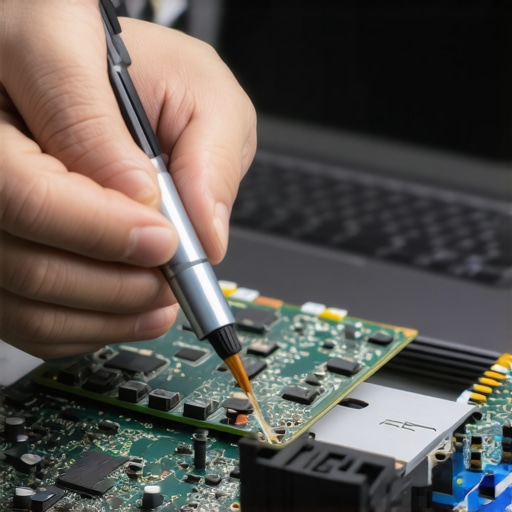
Manage Your Storage Like a Data Center
We need to talk about the ‘Oops’ factor regarding SSDs. People assume that because an SSD has no moving parts, it lasts forever. This is a dangerous myth. Every SSD has a ‘Terabytes Written’ (TBW) rating, and once you hit that limit, the drive becomes a paperweight. A study by the storage experts at Backblaze suggests that while SSDs are generally reliable, their failure mode is ‘all or nothing,’ unlike the slow mechanical death of an HDD. To protect your data, you must learn how to spot a dying SSD before your files vanish. Check the S.M.A.R.T. data regularly. If you decide to replace the battery while you’re in there to ensure your ‘built-in UPS’ works, watch out for the most common errors when replacing a laptop battery, like stripping the tiny screws or piercing the lithium cells. A little caution today prevents a total data meltdown tomorrow. Have you ever fallen into this trap or lost a server to a simple hardware oversight? Let me know in the comments.Once you have the operating system installed and your IP address locked down, you might think the job is done. It isn’t. If you just shove that laptop in a cupboard and forget it, you’ll be digging it out in three months because the internal fan has seized or the storage has hit capacity. To avoid being that person, I rely on a tool called Uptime Kuma. It is a self-hosted monitoring service that pings your server and its services, sending an alert to your phone the second something goes offline. It’s significantly more reliable than just checking your files every few days. I also recommend checking out must-have laptop accessories to boost your work setup, specifically external cooling pads. Even if you aren’t using the laptop for work, these pads provide the active airflow necessary for a machine that never sleeps.
Ditch the Command Line for a Real Dashboard
I’m a huge fan of using Cockpit or Portainer to manage my server. Cockpit gives you a beautiful web interface to check CPU usage, temperatures, and logs without having to remember obscure Terminal commands. According to the Prometheus monitoring documentation, ‘white-box monitoring’—which involves looking at the internal state of the system—is the only way to catch performance regressions before they crash the host. If your server starts running hot, you might need to invest in 5 quiet fans that wont annoy your coworkers to help move air around your server nook. If you find your setup is growing and you need more ports for backup drives, stick to the only 3 usb-c docks that dont overheat during transfers. Cheap hubs will throttle your data speeds and potentially disconnect during large file transfers, which is the last thing you want when backing up a lifetime of photos. 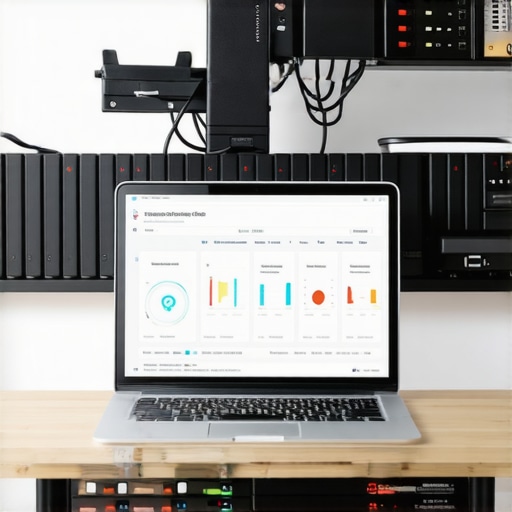
How do I keep my home server from dying a slow death?
Maintaining a 24/7 machine requires a ‘Sunday Morning Strategy.’ Once a month, I perform a physical and digital check-up. I use a can of compressed air to blow out the vents and check the OS for pending security updates. Digital maintenance is just as important; I prune old Docker containers and temporary log files that can eat up your SSD’s life span. If you start seeing weird performance dips, remember the only 3 ways to genuinely speed up a slow laptop: more RAM, a faster drive, or a cleaner OS. If you’ve reached the limit of what your current machine can do, keep an eye out for unbeatable laptop deals to find a secondary ‘node’ for your home lab.
The Future of Home Hosting is Already Here
Looking ahead, I suspect we are moving toward a world where every household has a local AI server. With the rise of Small Language Models (SLMs), your old laptop won’t just be hosting files; it will be running your own private, offline version of ChatGPT. This is why repurposing tech today is so vital—it builds the skills you’ll need for the next decade of personal computing. My challenge to you: set up a ‘health check’ notification tonight using Uptime Kuma or a similar tool. It takes ten minutes but saves hours of frustration when you’re away from home and need your data.
Lessons I Learned the Hard Way About Business Laptops as Servers
I used to think more power always meant a better server, but I quickly realized that noise and heat are the real enemies of a home setup. My biggest lightbulb moment came when I stopped trying to host everything on a single high-end machine and started valuing stability over raw speed. If you are just starting, remember that a stable, low-power machine is worth ten times more than a high-end rig that crashes once a week because it was never meant to be on 24/7. I have found that even though game-changing gaming laptops for serious players are flashy, their fan noise often makes them poor long-term server candidates for a quiet home. Stick to used enterprise gear for the best results.
- Prioritize silence over specs: If the fans are screaming in your closet, you will eventually get annoyed and turn it off.
- Redundancy is not a backup: Even if you have two drives in a RAID mirror, always keep an off-site copy of your most precious data.
- Heat is the silent killer: Keep that laptop elevated or use 5 quiet fans that wont annoy your coworkers to ensure your hardware does not throttle during heavy file transfers.
The Essential Toolkit for Your DIY Cloud
Building this infrastructure does not have to be a solo mission. I personally trust a few specific tools to keep things running smoothly while I sleep. First, I always check how to find the best deals on refurbished ThinkPads because their magnesium-alloy build quality is legendary for home servers. For software management, I recommend CasaOS for its user-friendly interface and Uptime Kuma for instant phone notifications if a service drops. [image] If you find yourself needing more connectivity, pick up must-have laptop accessories to boost your work setup, specifically a high-quality Gigabit Ethernet adapter. I also keep a close eye on hardware health because I have learned how to spot a dying SSD before your files vanish, which has saved my personal photo library from a total meltdown on more than one occasion.
Your Journey Toward Digital Independence Starts Today
There is a unique kind of satisfaction that comes from knowing you own your data. You are not just saving money on a monthly Google or Dropbox subscription; you are gaining a new skill and actively opting out of the disposable tech cycle. Whether you are hunting for unbeatable laptop deals to build a multi-node cluster or just dusting off an old machine from your college days, the best time to start is right now. Do not let that perfectly good hardware sit in a drawer when it could be the backbone of your private digital world. Your retired business laptops and old student machines are ready for their second act. What is the first service you plan to host on your new home server—is it a media library, a private cloud, or something else? Let me know in the comments below!