
I still remember the sinking feeling in my gut when I sat down at a high-security client site, ready to impress, only to realize I couldn’t even log into the network. I had this gorgeous, paper-thin consumer laptop, but the project required a physical security token—a smart card. I spent the next hour fumbling with a cheap, external USB reader that felt like it was made of recycled soda bottles. It dangled off my port, lost connection every time I moved, and eventually snapped in half inside my briefcase before the week was out. That was the moment I stopped looking for “sleek” and started looking for “capable.”
Why That Little Slot is a Total Game Changer
If you’re looking at business laptops for professionals, you’ve probably seen that narrow horizontal slit on the side of some machines. It is easy to dismiss it as an old-school feature for government bureaucrats, but let me tell you, it is a lifesaver. My biggest mistake early on was thinking I could just “dongle my way” through security requirements. It is a mess. When you have a built-in reader, you get instant, hardware-level authentication without the clutter of extra laptop accessories taking up your ports. Today, we are going to dive into why this specific feature separates the toys from the tools and how it can actually save your bacon during a security audit.
Does Anyone Actually Use These Things Anymore?
I get the skepticism. In a world of face ID and fingerprint sensors, a physical card feels a bit “90s spy movie.” But here is the reality: passwords are failing us. According to the 2023 Verizon Data Breach Investigations Report, over 74% of breaches involve a human element, including the use of stolen credentials. A smart card provides true multi-factor authentication that is incredibly hard to spoof remotely. Unlike a text message code that can be intercepted, someone has to physically have your card and your PIN to get into your machine. Have you ever felt like your digital life was just one “forgot password” link away from being hijacked? That is exactly what we are trying to prevent here.
When you browse top business laptops for productivity, you will notice the best ones do not compromise on these “boring” features. I have learned the hard way that missing out on integrated security isn’t just an inconvenience—it is a liability. Whether you are a freelancer or a corporate veteran, having that reader built-in means you are always ready for high-security environments without carrying a bag full of plastic junk. It is about that peace of mind when you close your lid at the end of the day. Have you ever been denied access to a project because your hardware wasn’t up to snuff? Let me know, because it is a frustration I wouldn’t wish on anyone.
First, you need to understand that the reader is just a door; you still need to set the lock. On Windows machines, the most effective way to do this is through BitLocker. I remember setting up my first workstation and being terrified that the encryption would slow me down. It did not. When you learn how to secure your laptop SSD with Bitlocker without losing speed, the smart card becomes the physical key that authorizes the decryption at boot. Without that card in the slot, the SSD is essentially a paperweight to anyone who steals it. It is like having a car that will not even show the dashboard unless the fob is in the ignition.
Make the Hardware Work for Your Workflow
Don’t just use it for the initial login. The real power comes from setting your security policy to lock the machine the second the card is removed. I was working at a busy airport terminal last year, squeezed into one of those tiny charging stations. I stood up to grab my coffee, and my sleeve caught the edge of the card, pulling it out. My screen went black instantly. A guy sitting next to me actually asked if my computer had died. No, it just did its job. If someone had grabbed my laptop and ran, they would have had a locked brick. When you are looking at business laptops for professionals, ensure the reader is placed where it will not be easily bumped but remains accessible enough for this quick-draw security.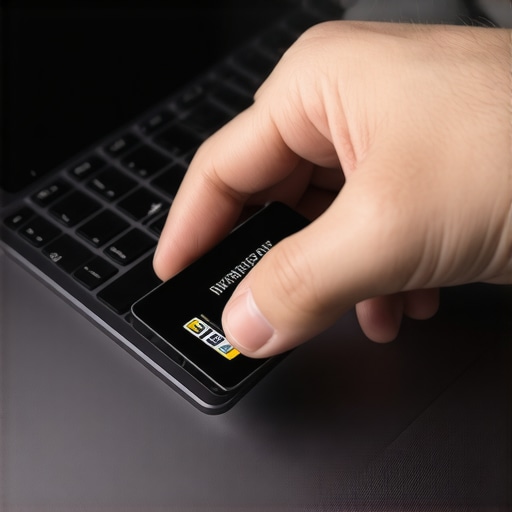
Don’t Ignore the Physical Build Quality
A cheap reader is worse than no reader. If the slot feels flimsy or the card wobbles, you are looking at a future point of failure. I have seen budget enterprise machines where the reader pins bent after only three months of daily use. It is the same principle as checking the secret to finding heavy duty laptop hinges; you want components that can handle the friction of thousands of cycles. A reader should have a satisfying click or at least a firm resistance when the card is seated. If you are building a mobile office, you might be tempted to add extra laptop accessories to fill the gaps, but a solid, built-in reader eliminates one more thing that can break in your bag.
Software Handshakes and Drivers
The hidden gotcha with these readers is the driver stack. Many times, Windows will install a generic driver that works okay, but to get the advanced features—like pre-boot authentication—you need the manufacturer-specific firmware. I spent a whole afternoon once wondering why my card was not being recognized during the BIOS boot phase. It turned out I had missed a small toggle in the UEFI settings. Always check your BIOS or UEFI to ensure the smart card reader is enabled as a trusted device before you start your encryption process. It is a one-time headache that prevents a lifetime of security prompts and potential bypasses.
The common wisdom today is that Windows Hello—using your face or a fingerprint—is the peak of mobile security. I am here to tell you that is a half-truth that could cost you your data. While biometrics are convenient, they are essentially ‘user-level’ security. In my experience, relying solely on a fingerprint sensor is a mistake because those sensors are often the first component to fail after a year of heavy use. If you are browsing top business laptops for productivity, you need to understand the difference between convenience and compliance. A physical smart card reader provides a hardware-based root of trust that biometrics simply cannot match. According to the Cybersecurity & Infrastructure Security Agency (CISA), phishing-resistant Multi-Factor Authentication (MFA), which includes physical hardware tokens like smart cards, is the gold standard for preventing unauthorized access. Biometrics can be spoofed; a physical card in a secure slot cannot be replicated via a high-resolution photo.
The Thinness Trap That Ruins Reliability
Here is the ‘oops’ factor most people miss: the obsession with ultra-thin chassis has forced manufacturers to use sub-par, flimsy internal components. I have seen countless ‘enterprise’ machines where the smart card reader is mounted on a tiny ribbon cable that snaps if you exert too much pressure while inserting the card. This leads directly to the hidden costs of repairing modern thin and light laptops because these readers are often integrated into the mainboard or a proprietary daughterboard. When it breaks, you aren’t just out a reader; you are looking at a full board replacement. This is why I always prioritize build quality over weight. It is the same logic I use when I explain why we never buy laptops with soldered ram for longevity; if you can’t service the part, the laptop has a built-in expiration date.
What Happens If Your Internal Reader Actually Fails?
This is the advanced question I get all the time: ‘If the reader dies, am I locked out of my own encrypted drive?’ The answer depends on your recovery key management. If you have properly set up your environment, you should have a secondary recovery password stored in a secure location (like a physical safe or a corporate vault). The trap is relying on the smart card as your *only* gateway without testing the recovery process first. I once saw a consultant lose three weeks of work because their internal reader failed and they hadn’t backed up their BitLocker recovery key. Don’t let that be you. When you are looking for business laptops for professionals, treat the smart card as your primary key, but always have a ‘spare’ in the form of a verified recovery code. Have you ever been locked out of your own machine because a small hardware component failed? Let me know in the comments, because I’ve seen some absolute horror stories.
Ultimately, the nuance lies in the friction. Most people think more security means more work, but a well-configured reader actually speeds up my workflow. I don’t have to worry about sweaty fingers not registering on a scanner or the webcam not seeing me in a dark room. I just slide the card in, and I’m at my desktop. To get this level of stability, you might even consider the case for buying a used office workstation instead of a new budget pc, as older flagship ThinkPads or Latitudes often have much more robust, metal-shielded readers than today’s plastic-heavy consumer models. Just like finding the secret to finding heavy duty laptop hinges, the quality of your security hardware is something you’ll only appreciate when it *doesn’t* break during a high-stakes meeting.
It is one thing to buy the right hardware, but it is another thing entirely to keep it functioning when you are five years into your career and that laptop is your primary breadwinner. I have seen too many people treat their professional machines like disposable tablets. If you want that integrated security and performance to last, you have to treat the machine with a level of respect that matches its price tag. In my experience, the difference between a laptop that lasts three years and one that lasts seven is almost entirely down to how you handle the internals and the ports.
How do I keep my smart card reader and ports working like new?
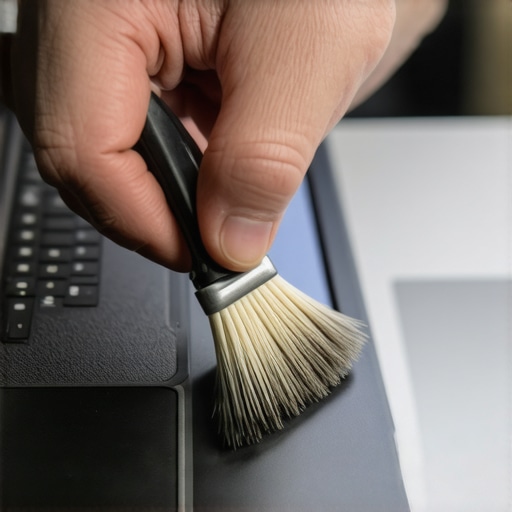
The biggest enemy of a smart card reader is actually pocket lint and environmental dust. Because it is a physical slot with open pins, it acts like a tiny vacuum. I make it a habit to use a can of compressed air on that slot once a month. Never, ever stick a damp cloth inside. If the pins get corroded or bent, the whole security chain breaks. While you are at it, you should learn the best ways to clean a greasy laptop keyboard because the oils from your hands can actually seep into the chassis and affect the internal connections over time. I have seen machines where the ‘E’ key and the smart card reader both failed because of a spilled latte that was only ‘mostly’ cleaned up. If you do have a mishap, knowing how to clean a spilled drink out of your laptop keyboard is the difference between a $50 fix and a $1,000 replacement.
Beyond the physical cleaning, you need to think about the thermal health of the machine. Business laptops often run hot because they are packed with powerful CPUs in tight spaces. I have found that after about two years, the factory thermal paste starts to dry out, causing the fans to ramp up and the performance to throttle. If you are brave enough, you should learn how to replace your laptop thermal paste without breaking anything. It sounds intimidating, but it is the single best way to restore that ‘out of the box’ speed. For those of us who travel, I also highly recommend moving away from bulky proprietary bricks. We have shifted our entire office to standardized power; there is a reason why we only use 100w pd chargers for our workstations now. It reduces the strain on the charging port and means carrying fewer cables in the best minimalist backpacks for carrying two laptops at once.
The future of physical hardware security
I predict that while we are seeing a rise in ‘Passkeys’ and cloud-based authentication, the physical smart card slot isn’t going anywhere for high-compliance industries. The National Institute of Standards and Technology (NIST), in their Special Publication 800-63B, still highlights the importance of ‘AAL3’—the highest level of authenticator assurance—which almost always requires a hardware-based cryptographic key that is separate from the primary device’s OS. As we move into 2025 and beyond, expect these readers to become more integrated with NFC technology, allowing you to just tap your badge against the palm rest. However, for now, that physical slot remains the most reliable ‘handshake’ you can have with your data. If you are currently hunting for a machine that supports these protocols, keep an eye on unbeatable laptop deals that specifically feature enterprise-grade Latitudes or ThinkPads. My parting advice? Go into your BIOS tonight and ensure your security chip (TPM) and smart card reader are fully updated. It is a ten-minute task that secures your digital life for years.
The Hardest Lessons I Learned About Trusting Professional Hardware
After a decade of securing mobile workstations, I’ve realized that the physical slot is only as strong as your habits. First, don’t let the convenience of a fingerprint sensor make you lazy; I’ve had three high-end sensors fail on me in the middle of a client project, but a smart card reader has never once “forgotten” who I am. Second, always remember that the reader is part of a chain. If your BIOS isn’t locked down with a supervisor password, a thief could still theoretically bypass your hardware checks. Finally, I’ve learned that “business class” is a spectrum. You might consider the case for buying a used office workstation instead of a new budget pc just to get a higher quality reader housing that won’t snap under pressure.
#IMAGE_PLACE_HOLDER_E#
Where I Turn for Genuine Hardware Advice
If you are looking to dig deeper into the world of professional-grade security, there are a few resources I swear by. I always cross-reference my hardware choices with the NIST Digital Identity Guidelines; it explains exactly why physical tokens are superior to SMS codes. For finding reliable hardware, I frequently check the unbeatable laptop deals specifically on corporate lease returns, as these often come fully loaded with the security features consumer models skip. I also highly recommend the Arch Wiki for smart card setup; even for Windows users, their documentation on PC/SC drivers is unparalleled. To keep everything powered during long audits, I ensure my kit is compatible with standardized power, which is why we only use 100w pd chargers for our workstations now to maintain reliability.
Your Data Deserves a Physical Key
At the end of the day, security isn’t about being paranoid; it is about being prepared. When you finally stop relying on easily-phished passwords and start using a physical root of trust, you gain a level of confidence that no software update can provide. It changes the way you work in public spaces and how you view your digital footprint. As you browse for your next business laptops for professionals, look past the thinness and the marketing fluff. Look for the tools that keep your livelihood safe. Have you ever been forced to carry a clunky external USB reader because your laptop didn’t have an integrated slot? Let me know your horror stories in the comments below!