
I still remember the exact afternoon I ruined my favorite client pitch. Armed with one of my brand new business laptops, I confidently walked out to my back patio to work under the glorious spring sunshine. Within ten minutes, I was squinting so hard I had a headache starting right behind my eyes. I cranked my screen brightness to maximum, but it still looked like a dark, glossy mirror reflecting my own frustrated face. Halfway through my Zoom presentation, my laptop screen went black. No, it didn’t die from a low battery; the system had simply overheated from running at full blast under direct sunlight while trying to fight off the glare. It was embarrassing, painful, and entirely avoidable. After years of testing mobile setups, I finally learned that choosing the right screen brightness for outdoor work isn’t just about dragging a slider to 100%. Today, we are going to fix this exact struggle so you can work comfortably from any park bench or cafe patio without frying your hardware or straining your eyes.
The Invisible Spec That Makes or Breaks Your Outdoor Office
When we shop for laptop deals, we look at RAM, storage, and processors. But almost nobody checks the ‘nits’ rating. A ‘nit’ is a unit of measurement for screen luminance, and it is the absolute make-or-break metric for anyone trying to work outside. Most budget or middle-of-the-road machines only pump out about 250 to 300 nits of brightness. Indoors, that looks fantastic. Outdoors? It is practically invisible. To comfortably fight off indirect sunlight, you need a minimum of 400 nits, though 500 nits or more is the sweet spot if you want to avoid constant squinting. According to display measurement standards from organizations like the Society for Information Display, screen readability outdoors depends entirely on high contrast ratios and ambient light reflection management, not just sheer light output. I made the painful mistake of buying an ultra-glossy screen with low brightness early on, and it was virtually unusable outside. If you want to keep your sanity, you either need a high-nit display or you have to learn how to adapt your environment using clever laptop accessories like anti-glare hoods. Also, choosing a matte display can save you a massive amount of battery power because you won’t have to fight reflections constantly, which is why matte screens are much better for working near windows or outdoors.
Is working outdoors actually a realistic option for you?
Many people believe that outdoor remote work is a myth reserved only for carefully staged Instagram photos. They think the heat, glare, and battery drain make it impossible to be productive. But with the correct screen specifications and a few simple adjustments, you can easily get four to five hours of highly focused work done in the fresh air. Have you ever tried to work on your patio only to give up and retreat indoors because your screen felt like a giant mirror? Tell me about your outdoor work struggles in the comments below! Next, we will dive into how to calculate exactly how many nits your current laptop actually has and how to optimize your power settings for the bright outdoors.
How to Benchmark and Hack Your Screen for Outdoor Success
To successfully take your workspace outside, you need a quick diagnostic plan and a few physical adjustments. I used to think my premium ultrabook could handle anything until I tried to edit spreadsheets on a bright concrete patio. The screen was so washed out I could barely find my cursor. The secret lies in matching your screen’s output to the ambient environment. If you are shopping for laptop deals, your first step is checking the technical specifications sheet for the ‘nits’ rating. For those who already own a machine, you can search your specific model number online alongside the word ‘display specifications’ to find its maximum brightness. If you are stuck with a standard 250-nit panel, do not despair. You can drastically improve your view by attaching a magnetic anti-glare screen protector or by positioning your back directly against a solid wall to block the light from hitting your screen.
Manage your system power settings for maximum brightness
When you take your machine off the wall charger, your operating system automatically throttles performance and screen brightness to preserve battery life. For those using powerful gaming laptops or heavy-duty workstations, this throttling is even more aggressive. You must dig into your system’s power plan settings and manually set your display brightness to 100% while on battery power. However, be prepared for a fight, as this causes your battery to drain twice as fast. To understand why your machine behaves this way, it helps to read about the real reason your gaming laptop feels sluggish on battery. Balancing your brightness with your power plan is the only way to maintain a usable screen under the open sky.
Why cheap student laptop screens suffer outdoors
If you are working on budget hardware or setting up student laptops that boost productivity, you will likely encounter cheap glossy displays. These screens act like mirrors because they lack anti-reflective chemical coatings. When I tried helping my younger cousin set up his homework station on our deck, his budget laptop screen was completely unreadable, even in the shade. We quickly realized we had to apply some budget-friendly hacks. You can significantly reduce eye strain on these lower-end panels by switching your operating system and your major work applications to ‘Light Mode’. While Dark Mode is incredibly popular for indoor offices, it actually increases reflections outdoors because the dark pixels turn your screen into a black mirror. Switching to a bright, light-colored background helps drown out those distracting reflections. For more tips on managing budget displays, check out our guide on how to reduce eye strain on cheap student laptop screens.
Keep your hardware cool while running at maximum brightness
Running your screen at maximum brightness while sitting in the sun is a recipe for thermal throttling. Your laptop will generate massive internal heat, and the ambient outdoor temperature will prevent it from cooling down properly. To avoid sudden system shutdowns, never place your machine on a soft surface like a towel, outdoor cushion, or blanket. These materials block the bottom intake vents, trapping heat inside. Always use a flat, hard surface, or invest in highly portable laptop accessories like a folding aluminum laptop stand to elevate your machine and maximize airflow underneath.
The Myth of Maxing Out Your Screen Brightness
Everyone will tell you that the secret to working outdoors is simply scrolling through the best laptop deals and choosing the machine with the highest number of nits. But in my experience, chasing raw screen brightness without considering surface treatment is a massive mistake. If you buy glossy business laptops with 500 nits of power, you will still struggle to read your emails on a sunny deck because that glossy glass layer reflects up to 10% of ambient light directly into your eyes. You are essentially trying to read text layered underneath a mirror. In contrast, a matte panel with only 350 nits will often perform significantly better because it scatters the incoming light, allowing the lower luminance to actually break through to your retinas. A study by the Society for Information Display confirms that perceived readability in outdoor conditions depends more on the reflection ratio of the glass than on absolute peak luminance. Do not fall into the trap of overpaying for raw nits when a matte screen or a high-quality anti-glare film is what you actually need.
Why are you still getting a headache even with a matte screen?
If you have already switched to a matte screen and still find yourself squinting, you are likely falling victim to the ‘contrast trap.’ Many remote workers do not realize that our eyes do not just strain from low light; they strain from the lack of contrast between the text and the background. When you work outside, the ambient light dilutes the contrast ratio of your screen. If you are using premium gaming laptops or creative workstations, you might have an OLED panel. While OLED looks stunning indoors, we actually recommend that you avoid matte screen protectors on them because they can ruin the clarity. In fact, we stopped buying matte screen protectors for OLED laptops altogether because they introduce a frustrating graininess that makes text harder to read in bright environments. Instead, use a physical sun hood or adjust your angles.
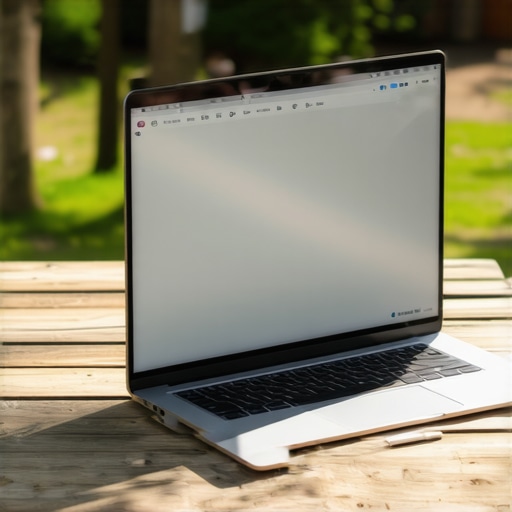
The biggest trap to avoid when optimizing your outdoor workflow is relying on cheap, third-party screen filters that claim to do it all. Many generic plastic films dramatically reduce your viewing angles and warp the color accuracy of your screen, turning a premium display into a muddy mess. Instead of cheap adhesive solutions, invest your money in smart laptop accessories like a folding sun shade or a premium magnetic privacy filter that also cuts down on glare. If you are setting up student laptops that boost productivity for outdoor study sessions, remember that keeping the screen clean is half the battle. Dust, oil, and fingerprints on the glass capture external light and amplify reflections tenfold. Have you ever fallen into this trap of buying a high-nit screen only to realize you still could not see a thing? Let me know in the comments below!
How do I maintain my outdoor setup over time?
Working under the open sky is incredibly freeing, but it exposes your premium gear to harsh elements like pollen, microscopic dust, and extreme heat cycles. To ensure your investment survives the season, you need a proactive maintenance routine. Personally, I never head outdoors without keeping a dedicated cleaning kit in my bag. If you do not actively clean your machine, accumulated grime will trap heat inside the chassis. I always recommend learning how to clean laptop screen smudges without leaving streaks because clean glass dramatically reduces the amount of ambient light reflections you have to battle. Additionally, outdoor dust quickly clogs your internal cooling system. I regularly perform a quick health check to clear out debris, and you can easily learn how to check your laptop fan for dust without opening it to keep your airflow optimal. For those using powerful hardware, neglecting this maintenance leads directly to aggressive thermal throttling, especially when your system is already struggling under the warm sun.
Smart Tools and Strategic Accessories for the Mobile Professional
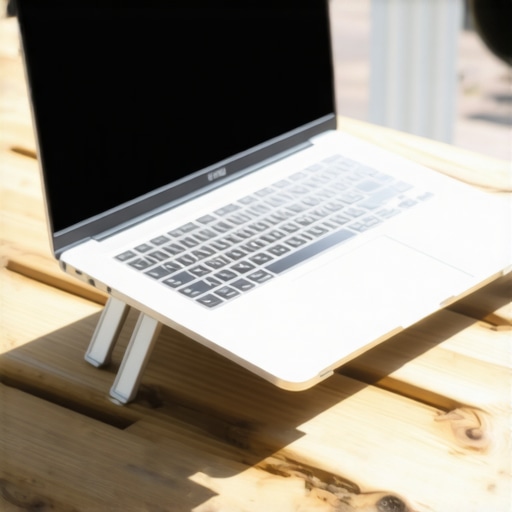
Over years of trial and error on my patio, I have learned that relying solely on your built-in hardware is a recipe for frustration. You need to curate a specialized kit of laptop accessories designed to withstand the outdoors. I personally rely on a high-quality, heavy-duty aluminum laptop stand to raise my machine off hot wooden tables. This physical elevation is critical because keeping your laptop flat on a hot outdoor surface restricts airflow. According to the engineering guidelines published by thermal management specialists at Noctua, maintaining unrestricted passive airflow around the base of a high-performance device is just as critical as active fan cooling. If you are struggling with poor posture or bad screen angles, finding the right elevation is simple when you learn how to find the best viewing angle for your laptop stand. Additionally, I always carry a rugged power bank capable of delivering at least 65W Power Delivery. This ensures my screen can stay locked at maximum brightness without draining my internal battery to zero within ninety minutes.
The Future of High-Brightness Outdoor Displays
Looking ahead, we are on the verge of a major revolution in display technology. While we currently hunt for the best laptop deals hoping to find a decent 400-nit panel, the next generation of mobile devices will make this struggle a thing of the past. I predict that tandem OLED displays and advanced micro-LED panels will soon become standard on premium business laptops, pushing peak outdoor brightness levels past 1,000 nits without destroying your battery life. These upcoming screens will use specialized reflective layers that actually harness ambient sunlight to illuminate the pixels, meaning the brighter it is outside, the clearer your screen becomes. Until those futuristic panels become affordable for everyone, we must work smart with the hardware we have today. I strongly encourage you to try my favorite advanced tip right now: switch your operating system to light mode, adjust your outdoor angle, and feel the immediate relief on your eyes.
The Hardest Lessons I Learned Fighting the Sun with Portable Tech
After years of trying to force my mobile office to work in parks, cafes, and backyards, I have accumulated some scars—and some serious lightbulb moments. Here is the insider wisdom that spec sheets simply will not tell you about taking your screen outdoors:
- Matte always beats raw power: I would choose a 350-nit matte screen over a glossy 500-nit screen any day of the week. Glossy glass is essentially a mirror, and no amount of backlighting can fully drown out your own high-contrast reflection.
- Your color profile is lying to you: High ambient light washes out color accuracy completely. If you are doing color-critical work, even on premium business laptops, wait until you are back indoors. Outdoors is for writing, organizing, and coding.
- The keyboard trap is real: Working under the sun makes your entire chassis hot. If you do not use physical elevation, your hands will sweat, transferring skin oils directly to your keys and subsequently to your screen, which makes glare significantly worse.
- Power bank delivery matters: If you plan to max out your screen brightness, your standard charger won’t cut it on the go. If you don’t use a powerful backup, you will see why your gaming laptop performance drops when unplugged as the system aggressively throttles to save battery.
My Essential Toolkit for Perfect Outdoor Productivity
You do not need to spend thousands to make your outdoor office highly functional. Over the seasons, I have refined my mobile pack to a few trustworthy tools that make all the difference:
- The Folding Aluminum Stand: Never leave home without one. Elevating your machine keeps air flowing underneath to prevent thermal throttling. If you struggle to see, finding the sweet spot is incredibly simple once you learn how to find the best viewing angle for your laptop stand.
- Premium Screen Cleaner: Fingerprint grease acts like a magnifying glass for sun glare. I always pack a dedicated micro-fiber cloth and a streak-free spray. To get the best results, learn how to clean laptop screen smudges without leaving streaks before you sit down in the sun.
- A 65W+ Power Delivery Bank: To keep your screen locked at peak brightness, you must feed it consistent power. Make sure you know how to pick a power bank that won’t fry your motherboard so you can charge safely on the move.
Step Outside and Reclaim Your Freedom
Working outdoors shouldn’t feel like a constant battle against a dark, reflective mirror. Armed with the right display knowledge, a high-quality matte surface, and smart thermal habits, you can comfortably take your work anywhere. Do not let the fear of glare or battery drain keep you locked inside. Grab your favorite laptop deals, adjust your system power plans, step out into the fresh air, and experience how liberating a truly mobile office can be.
Have you ever struggled with screen glare while trying to work on your patio or at a local cafe? Let me know your experiences and your favorite hacks in the comments below!