
I still remember the smell of ozone in that crowded airport terminal three years ago. I had just snagged one of the most promising laptop deals of the season and was feeling pretty smug about my mobile office setup. My battery hit 10%, so I reached into my bag and plugged in a generic power bank I’d found for twenty bucks. Three minutes later, my screen flickered, a tiny puff of smoke drifted from the USB-C port, and my brand-new investment became a very expensive paperweight. I had committed the ultimate tech sin: I ignored the specs and focused on the price tag. It turns out, your motherboard is a sensitive piece of hardware, and feeding it ‘dirty’ power or the wrong voltage is like trying to fuel a high-performance engine with swamp water. Today, I want to make sure you never have to feel that gut-punch of a dead motherboard. We are going to dive into how to choose must-have laptop accessories that actually protect your gear while keeping you powered up.
Stop Risking Your Motherboard with Cheap Portable Batteries
Early in my career, I thought all USB-C ports were created equal. They aren’t. If you are using business laptops for professionals, you are likely drawing significant wattage that a cheap cell phone charger simply cannot handle safely. When a power bank lacks proper Power Delivery (PD) negotiation, it might try to force a voltage your laptop isn’t prepared to receive. According to technical documentation from the USB Implementers Forum (USB-IF), non-certified chargers can bypass safety protocols, delivering erratic current that permanently damages the Power Management Integrated Circuit (PMIC). I learned this the hard way by ignoring the real reason your laptop power brick is getting extremely hot and assuming heat was just part of the process. Now, I am obsessive about checking for PD 3.0 or 3.1 certification before I even think about plugging in. Have you ever felt your laptop get alarmingly hot while charging from a portable pack? If so, you might be closer to a fried board than you think.
Is it actually possible for a battery to kill my laptop?
The short answer is a resounding yes. While modern student laptops have more safety features than they used to, they still rely on a ‘handshake’ between the charger and the device. If that handshake fails because the battery pack is sending the wrong signal, the motherboard’s first line of defense can be overwhelmed. This is why I now only trust 100W PD chargers and reputable external battery packs that have dedicated safety chips to prevent over-voltage. It isn’t just about the juice; it is about the communication between the two devices.
Find the Exact Wattage Your Laptop Craves
The first step in protecting your motherboard is understanding that power isn’t a one-size-fits-all commodity. You need to look at the bottom of your machine or the original power brick and find the ‘Input’ rating. This is usually expressed in Volts (V) and Amps (A). Multiplying these two numbers gives you the total wattage. If your laptop requires 65W and you try to juice it with a 30W pack while running heavy software, you aren’t just charging slowly; you are stressing the battery cells and the internal charging circuitry. Think of it like trying to tow a massive boat with a moped. It might move at first, but something is going to snap. When hunting for top laptop deals in 2025, always verify if the device supports standard USB-C Power Delivery, as proprietary ports make finding a safe external battery much harder.
Check Your Port Labels or Face the Consequences
Not every USB-C port on your laptop is designed for power input. I once spent twenty minutes wondering why my battery was still draining while plugged into a high-end pack, only to realize I had plugged into a data-only port. On many business laptops for professionals, a small lightning bolt or a plug icon indicates which port is designed for charging. Plugging a high-wattage battery into a port meant only for a mouse or a thumb drive can, in some rare but catastrophic cases, overwhelm the data traces on the board. Always prioritize ports specifically labeled for PD.
Invest in Cables with E-Marker Intelligence
Your cable is not just a tube for electricity; it is a gatekeeper. High-wattage charging requires an ‘E-Marker’ chip inside the cable itself to tell the laptop and the battery that it is safe to ramp up the power. I remember testing a sleek-looking braided cable I found at a gas station. I hooked it up to my wattage meter and watched in horror as the power delivery fluctuated wildly between 15W and 90W every few seconds. That erratic behavior is what kills the delicate capacitors on your motherboard. If you are using gaming laptops for serious players, you absolutely cannot skimp here. A cheap cable will act as a bottleneck, heating up until the plastic melts or, worse, sending a spike that turns your GPU into a paperweight.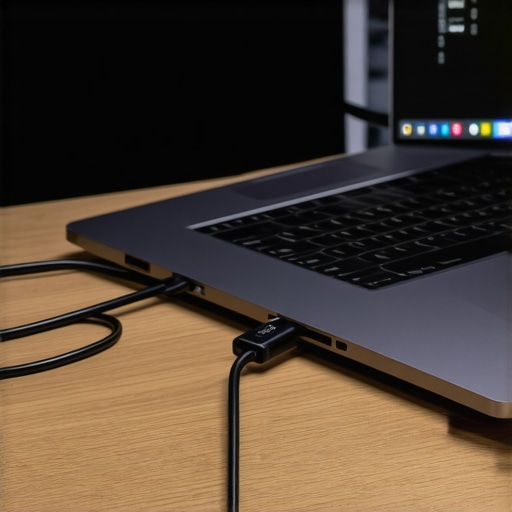
Why the 100W Standard is the Safest Bet
Even if your laptop only needs 45W or 65W, I always recommend buying external battery packs that support 100W output. Having that extra overhead means the battery isn’t running at its absolute limit, which reduces heat and increases the lifespan of the external cells. This is part of the truth about high wattage chargers and battery longevity: running a charger at 60% capacity is significantly safer than pushing a budget 45W charger to 100% for hours. When I switched to a dedicated 100W setup for my mobile workstation, my internal fans stopped ramping up to full speed every time I plugged in, which told me the power management system was much ‘happier’ with the steady, clean stream of energy. It is also worth learning how to find a replacement battery that wont explode for your specific model so you can maintain that same level of safety when your internal unit eventually wears out.
I see it in every tech forum: people arguing that a higher wattage automatically means a better charging experience. It is a classic trap. While we all hunt for unbeatable laptop deals, we often overlook the quality of the power being delivered. In my years of testing gear, I have found that ‘clean power’—or power with low ripple voltage—is far more important for the longevity of business laptops for professionals than a high number on the side of the brick. If your charger produces a noisy electrical signal, it forces the internal voltage regulators to work overtime, generating heat that eventually degrades the silicon. Researchers at the Power Sources Conference have highlighted that even small fluctuations in DC output can significantly reduce the lifespan of motherboard capacitors over time.
Why High Wattage Alone Can Still Fry Your System
Most users assume that if they buy a 100W charger, they are safe. But here is the contrarian truth: a cheap 100W charger is often more dangerous than a high-quality 45W one. Cheap units often skip the EMI filtering required to keep the current steady. I have seen budget must-have laptop accessories that claim PD compliance but actually skip the crucial ‘Cold Socket’ safety feature, meaning the cable is live with electricity before the handshake even happens. This can cause a tiny spark the moment you plug in, which is a one-way ticket to a dead port. When you are looking at student laptops that need to last four years of college, this ‘dirty’ power delivery is the silent killer you never see coming.
Does Your Hardware Actually Talk to the Power Brick?
Modern laptops don’t just ‘take’ power; they negotiate for it. This is a sophisticated dance involving the CC (Configuration Channel) pins in your USB-C port. If you use a subpar dock or a cheap travel hub, that communication can get garbled. I once saw a workstation-class machine try to pull 20V from a hub that was only rated for 5V because the controller chip in the hub glitched. This is why the real reason your gaming laptop feels sluggish on battery isn’t just power saving—it’s often the power management system protecting the CPU from unstable input. To avoid this, I always tell people to check the truth about high wattage chargers and battery longevity before they commit to a third-party power solution.
The Hidden Danger in Travel Hubs and Docks
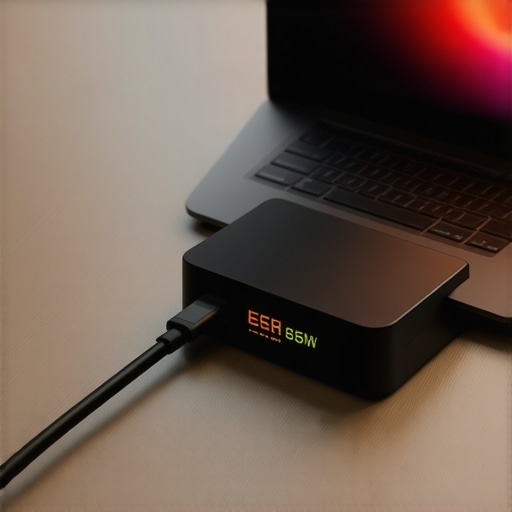
Here is an ‘oops’ factor I see way too often: ‘Pass-through’ charging. You plug your 65W charger into a USB-C hub, and then the hub into your laptop. Most people don’t realize that the hub itself consumes 10W to 15W to power its own HDMI and USB ports. If your laptop requires exactly 65W to charge, it is now only receiving 50W. This puts your laptop in a state of ‘discharge under load,’ where it cycles the battery even while plugged in. This is a fast track to wearing out your internal cells. For gaming laptops for serious players, this can even cause thermal throttling because the system is struggling to balance the power deficit. If you want a reliable mobile office, you should invest in external battery packs that explicitly support high-wattage pass-through or bypass the hub entirely for power. Have you ever fallen into this trap and wondered why your laptop was still losing charge while plugged into a dock? Let me know in the comments below!
Once you have secured your power delivery, the next battle for your hardware is heat. I’ve seen some of the best business laptops for professionals die early because the owner never bothered to look at their internal temperatures. I personally rely on a tool called HWiNFO64 to monitor my system’s health. It provides a granular look at the ‘hotspot’ temperatures of your CPU and GPU. If you see your hotspot hitting 100°C while your average temp is 75°C, your thermal paste is failing. This is often the real reason your laptop feels sluggish after three months or more; the system is thermal throttling to save itself from a meltdown.
My Ritual for Deep Cleaning and Re-pasting
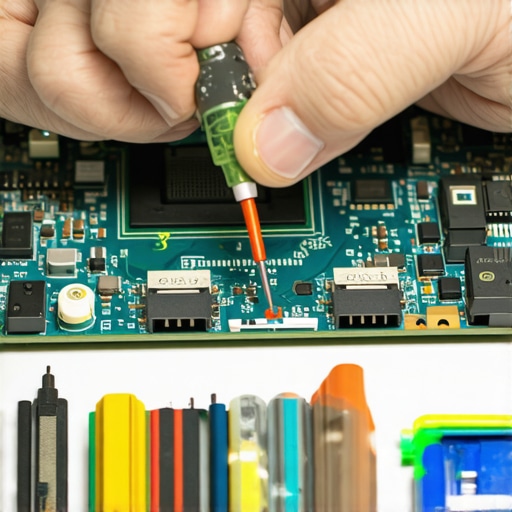
About once a year, I perform what I call the ‘Deep Refresh.’ I use compressed air to blast out the cooling fins—you should learn how to check your laptop fan for dust without opening it first to see if you even need a full teardown. If the temps are still high, I replace the factory thermal paste with a high-performance compound like Thermal Grizzly Kryonaut. According to technical testing by Igor’s Lab, many factory thermal pads suffer from a ‘pump-out’ effect, where the material literally squeezes out from between the chip and the heatsink over time due to thermal expansion. If you are running gaming laptops for serious players, this maintenance isn’t optional; it is the difference between a three-year lifespan and a six-year one. I’ve personally revived two ‘dead’ machines just by knowing how to replace your laptop thermal paste without breaking anything.
How do I maintain my laptop performance over the long haul?
Maintaining performance requires a dual-pronged approach: physical cleanliness and software optimization. Beyond the hardware, I always recommend a quarterly battery calibration. You can follow our guide on how to calibrate your laptop battery for better accuracy to ensure your Windows battery percentage isn’t lying to you. Additionally, take ten minutes to audit your background processes; knowing how to disable windows features that eat your battery life can extend your runtime by an hour or more. I find that keeping the OS lean is just as important as keeping the fans clear of cat hair.
Expect More Repairability in the Coming Years
The trend in the laptop industry is finally shifting back toward the consumer. While we’ve dealt with the hidden costs of repairing modern thin and light laptops for a decade, brands like Framework and even Dell are starting to prioritize modularity. In the near future, the ‘laptop deal’ you hunt for won’t just be about the lowest price, but about which chassis allows you to swap out the motherboard in five years. If you want to take your maintenance to the next level right now, I highly recommend you learn how to undervolt your gaming laptop for better temps and performance. It’s a free way to reduce heat without losing a single frame of performance, and it’s the single best tip I can give to any power user.
Lessons from the Day I Fried My Favorite Rig
Reflecting on that smoke-filled airport moment, I realized that technical specs are not just suggestions; they are the survival manual for your silicon. The biggest lightbulb moment for me was discovering that a cable can look premium but act like a fire hazard. Always remember that certification matters more than aesthetics. Another hard lesson: if your laptop feels hot, it is already suffering. I used to ignore the fans, but now I treat fan noise as a cry for help. Finally, never assume a ‘universal’ charger is truly universal; the handshake between devices is a fragile conversation that can end in a short circuit if the grammar isn’t perfect.
#IMAGE_PLACEHOLDER_E#
My Personal Shield Against Hardware Failure
To keep my machines running, I don’t just hope for the best—I use specific tools that have earned my trust over years of testing. I always keep a high-quality GaN charger in my bag, specifically looking for the best small chargers for travel heavy business trips to ensure I have clean power anywhere. For monitoring, HWiNFO64 is my go-to for catching thermal spikes before they become permanent damage. I also stopped buying into the hype of bulky fans because I realized why most laptop cooling pads are a waste of money compared to a simple re-pasting. If you find how to fix your laptop battery if it only lasts one hour, you realize that software health is just as vital as hardware hygiene.
Secure Your Tech Future Today
You don’t need a degree in electrical engineering to keep your gear safe, but you do need a bit of vigilance. Whether you are hunting for top laptop deals in 2025 or trying to stretch the life of your current workstation, the power is in your hands. Taking the time to verify your wattage and clean your vents isn’t just maintenance—it’s an investment in your own productivity. Treat your business laptops with the respect they deserve, and they will power your career for years to come. Have you ever experienced a sudden hardware failure from a cheap charger? Share your story in the comments below!