
I sat there staring at a blue screen of death just three days after I thought I’d scored the deal of a century on a pro-grade workstation. I’d spent weeks hunting for the perfect business laptops for professionals, and I finally found one that supposedly had a top-tier 2TB NVMe drive. But when I tried to load my video projects, the whole thing collapsed. I eventually realized I’d bought a 128GB SD card soldered into a plastic shell that looked like a Samsung drive. It was a gut punch. I felt like an amateur, despite years of tinkering with hardware. Today, I want to make sure you never feel that sinking feeling in your stomach. We are going to strip back the curtain on how scammers spoof firmware and exactly what you need to look for before you hand over your hard-earned cash. Have you ever bought a piece of tech that felt too good to be true only to have it fail immediately? [image_placeholder_1]
Why These Fake Drives are Flooding the Used Market
When you are looking for top laptop deals in 2025, it is incredibly easy to get blinded by big numbers. Scammers know that 2TB SSD sounds a lot better than 128GB budget drive, and the profit margin on that lie is huge. They aren’t just lying in the description; they are actually modifying the firmware so that Windows or macOS reports a capacity that isn’t physically there. This isn’t just a niche problem anymore. According to reports from hardware analysts at Tom’s Hardware, the market for counterfeit storage has exploded, with Frankenstein drives appearing in everything from high-end gaming laptops to used office gear.
Is it really that easy to fake hardware specs?
It is actually terrifyingly simple. Most people assume that if the About This PC section says 1TB, then it must be 1TB. Unfortunately, firmware can be easily flashed to lie to the operating system. I made the mistake of trusting the software reports instead of checking the physical hardware or running a stress test. If you are trying to buy a used workstation without getting burned, you have to look past the screen. You need to know the real difference between consumer and enterprise-grade SSDs so you can spot when a drive looks out of place in a specific machine. In the next few minutes, I am going to show you the specific tools and visual cues that will help you verify any drive in seconds.I started by grabbing the specific screwdriver kit you need to open 90 of modern laptops and popping the back panel off a ‘deal’ I found on Facebook. The first thing you should do is look at the sticker on the drive itself. Counterfeiters are lazy. On my fake drive, the logo was slightly blurry—like a photocopy of a photocopy. Real manufacturers use high-resolution thermal printing that doesn’t smudge. If the text looks jagged or the sticker isn’t perfectly aligned, you’re likely looking at a shell. Think of it like a luxury watch; the crispness of the dial tells you more than the ticking hands ever will.
Trust the Controller Over the Software Report
Most people stop at the Windows Device Manager, but that’s exactly what the scammers want. You need to go deeper to see the actual hardware ID. I remember helping a friend set up some top business laptops for productivity in 2025 they bought from a third-party seller. One machine felt strangely sluggish. When I checked the low-level hardware ID, the controller reported back as a generic chip instead of the proprietary high-end controller listed on the label.
Download the Manufacturer SSD Toolbox
If you think you have a Samsung or Western Digital drive, download their specific management software. If the software says ‘Genuine: No’ or fails to recognize the serial number, you’ve found your smoking gun. This is a crucial step when you buy a used workstation without getting burned. 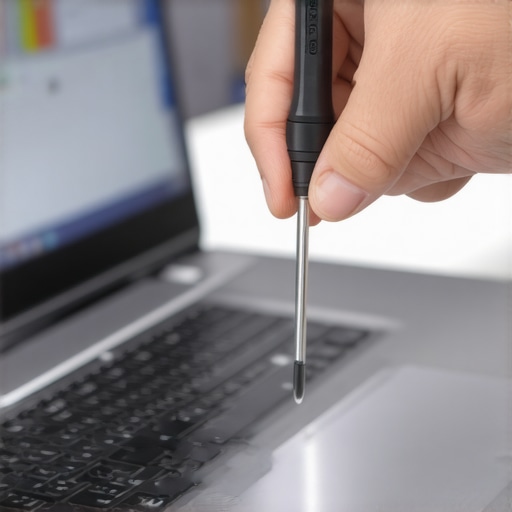
Force the Drive to Prove Its Capacity
This is the most important part of the process because scammers spoof the ‘Table of Contents’ of the drive. The operating system thinks there are 2TB of blank pages, but after the first 128GB, the drive just starts overwriting the beginning or throwing the data into a black hole. You need a tool like H2testw or FakeFlashTest. These programs write actual data to every single sector to verify it actually exists.
Don’t Settle for a Quick Scan
I once ran a quick scan on a drive for one of my game-changing gaming laptops, and it passed initially. It wasn’t until I did a full write/verify test that the drive errored out at exactly 119GB. It took four hours to finish, but it saved me from losing a 500GB game library later. If the write speed suddenly drops from 2000MB/s to 10MB/s during the test, the drive has run out of real high-speed NAND and is struggling to manage the firmware lie. Knowing the real difference between consumer and enterprise-grade SSDs helps here too, as enterprise drives almost never exhibit this behavior unless they are catastrophic failures.Most people think that as long as they buy a ‘factory sealed’ box, they are safe from the scams I just described. In my experience, that is exactly where the most sophisticated traps lie. Scammers have become experts at using high-quality shrink-wrap machines and counterfeit holographic seals to make a Frankenstein drive look like it just rolled off the assembly line. I’ve seen people looking for unbeatable laptop deals get burned by ‘New in Box’ listings more often than those buying used gear from reputable refurbishers. Why? Because we lower our guard when we see a plastic seal. Always remember: a seal is just a piece of plastic, not a guarantee of authenticity.
Why ‘Factory Sealed’ is Often a Red Flag
When you are scouring the web for top laptop deals in 2025, a price that is 40% lower than the MSRP on a sealed item is a massive warning sign. I once consulted for a small business that bought a batch of business laptops for professionals from an unverified liquidator. Every single ‘sealed’ 2TB drive inside was actually a 256GB drive with a spoofed controller. This is why I always suggest checking how to spot a scam laptop listing on social media before you even send a message to a seller. 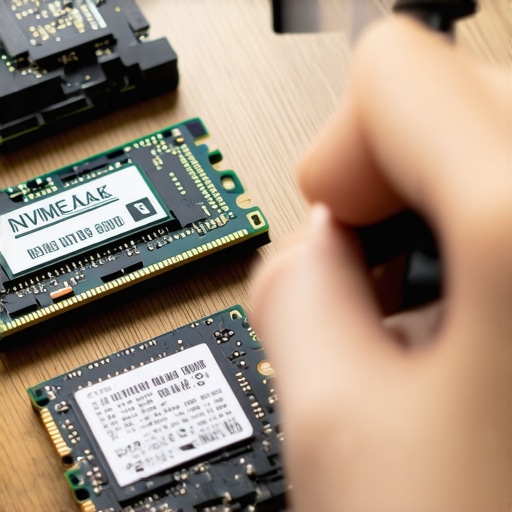
The Deadly Mistake of Ignoring Drive Temperature
Here is the ‘oops’ factor that most beginners miss: even if the drive actually has the capacity it claims, the build quality can literally fry your hardware. Fake or ‘ghost’ brand drives often use sub-par voltage regulators. According to a technical analysis by the experts at StorageReview, counterfeit NAND chips often lack the sophisticated thermal throttling found in genuine units. This causes the drive to pull inconsistent power, which is often the real reason your laptop power brick is getting extremely hot. If you feel a concentrated ‘hot spot’ under your keyboard that wasn’t there before, stop everything and check that drive.
Can a Fake Drive Actually Kill Your Motherboard?
Absolutely. I’ve seen poorly soldered controllers on fake NVMe sticks short out the M.2 slot entirely. This turns a simple storage upgrade into a $500 motherboard replacement. It’s a bitter irony for those trying to save a few bucks on student laptops. If you want to avoid this, stick to the only 3 brands that still make easily-repairable laptops where you can easily swap parts if things go south. I also recommend checking how to check your laptop screen for dead pixels like a pro while you’re at it, as sellers who lie about storage often lie about the panel quality too. Have you ever fallen into this trap? Let me know in the comments.
If you want to avoid these traps long-term, you need a proactive maintenance routine that goes beyond basic software checks. Personally, I don’t just rely on what Windows tells me; I use Smartmontools, a professional-grade utility that reads the raw S.M.A.R.T. data directly from the drive’s controller. According to the official NVMe Management Interface (NVMe-MI) 1.2 specification, authentic drives must provide standardized health reporting that is significantly harder for scammers to spoof than a simple OS ‘Properties’ window. I use this every time I set up top business laptops for productivity in 2025 because it reveals the real temperature and the actual ‘percentage used’ of the NAND flash chips. 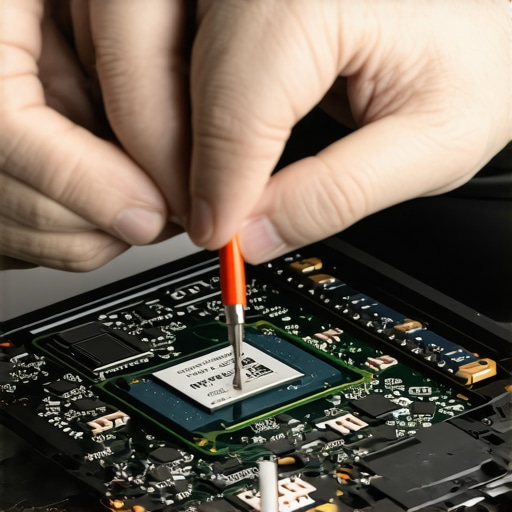
How do I keep my workstation running like new for the long haul?
True maintenance is a physical game. If you’ve managed to avoid a fake drive, you still have to deal with the intense heat those high-speed NVMe sticks generate during heavy workloads. I’ve found that even on game-changing gaming laptops, the factory thermal pads are often mediocre at best. That is exactly why we swapped the thermal paste on our brand new laptop and added tiny copper heatsinks to the SSDs. This simple hardware tweak can extend the life of your storage by years and prevent performance dips. When you are evaluating student laptops that boost productivity and learning, remember that a cooler drive is always a faster, more reliable drive. Looking ahead, I predict we will see manufacturers moving toward blockchain-verified serial numbers embedded directly in the silicon to kill the counterfeit market once and for all. For now, your best defense is a good offense. Start by making sure you have the specific screwdriver kit you need to open 90 of modern laptops so you can verify the physical authenticity of your hardware. I also highly recommend investing in must-have laptop accessories to boost your work setup, specifically external drive enclosures that let you stress-test new SSDs before they ever touch your internal motherboard. Don’t wait for a blue screen to tell you something is wrong. Take ten minutes this weekend to run a full health check on your storage using CrystalDiskInfo—if your ‘Health Status’ is anything less than ‘Good 100%,’ it is time to start asking the seller some very tough questions.
Lessons from the Blue Screen Graveyard
Over the years, I’ve realized that the most expensive laptop isn’t the one with the highest price tag—it’s the one that hides a cheap, failing drive. One thing I’ve learned is that scammers rely on your haste. They know you want to get those business laptops for professionals up and running immediately. But the five minutes you spend opening the chassis with the specific screwdriver kit you need to open 90 of modern laptops is the difference between a productive year and a data disaster. I also stopped trusting ‘pristine’ labels. If a deal for game-changing gaming laptops looks like a steal, it’s usually because someone is stealing from you via spoofed firmware.
#IMAGE_PLACEHOLDER_E#
My Go-To Hardware Verification Arsenal
I never consider a drive ‘safe’ until it survives my three-step gauntlet. First, I use CrystalDiskInfo to check the power-on hours; if a ‘new’ drive has 500 hours, it’s a lie. Second, I rely on H2testw for capacity verification—no exceptions. Finally, I always keep a few must-have laptop accessories to boost your work setup handy, specifically high-quality external NVMe enclosures. These allow me to test a drive on a separate, ‘sandboxed’ machine so I don’t risk my main motherboard. I trust these tools because they don’t look at the label; they look at the silicon.
Build Your Perfect Setup with Confidence
Buying tech shouldn’t feel like a gamble. When you know how to look past the spoofed software reports and the shiny stickers, you regain the upper hand. Whether you are hunting for top laptop deals in 2025 or upgrading your current workstation, remember that you are the final line of defense. Don’t be afraid to walk away from a seller who won’t let you run a quick benchmark. Taking these steps ensures that your game-changing gaming laptops for 2025 adventures stay fast, reliable, and authentic. Have you ever found a component that looked perfect on the outside but was a total disaster once you plugged it in? Let me know in the comments below!