
It was 2:15 PM on a Tuesday, and my stomach was doing slow, painful flips. I was sitting in the back row of a lecture hall, frantically watching my fancy $1,800 flagship laptop bleed its last 4% of battery life. I didn’t bring my charger because, well, the slick marketing promised ‘all-day battery.’ It lied. The screen went black right as the professor started explaining what would be on the midterm. I sat there with a useless piece of expensive glass and metal, utterly defeated. Meanwhile, the guy next to me was typing away on a scuffed, plastic $300 machine, completely unbothered. That was the moment I realized we have all been sold a massive lie about what makes a great computer for school. We are told that spending more money buys you better performance on the go, but in reality, you are often just buying a power-hungry screen that dies before lunch.
Today, we are going to expose why the most expensive devices fail the ultimate campus test and how you can find a budget-friendly powerhouse that actually goes the distance. If you want to avoid my expensive mistake, you need to understand that the best student laptops are not the ones with the flashiest badges. They are the highly optimized, humble workhorses that keep running when everyone else is hunting for an open wall outlet.
The Secret Math of Cheap Processors and Battery Dominance
I used to think that buying a cheaper laptop meant sacrificing everything, especially battery life. I made the classic rookie mistake of assuming a premium price tag guaranteed a longer runtime. It makes sense on paper, right? Better engineering should mean better efficiency. However, after years of testing and eventually setting up a small fleet of machines, I learned that high-end flagships are packed with power-hungry components like 4K displays and heavy-duty processors that drain cells at an alarming rate. According to real-world battery tests conducted by independent tech analysts, many budget-focused processors consume a fraction of the wattage required by their high-end Intel Core i7 or i9 counterparts. When you strip away those unnecessary, power-sucking features, a modest battery suddenly lasts forever. If you are tired of carrying heavy power bricks, you might want to look into the best compact chargers or, better yet, choose a machine that simply doesn’t need to be plugged in every four hours. Let’s be honest: do you really need a screen that can render 3D graphics in real-time just to write a history paper and stream some music?
Is a cheap laptop actually going to survive a full semester?
The biggest worry I hear from people is that a budget device will fall apart or slow down to a crawl within six months. It is a completely valid fear. We have all seen those cheap, plastic-laden machines that feel like toys. But there is a massive difference between a cheap piece of e-waste and a smart, budget-friendly purchase. By focusing your budget on a solid processor and avoiding unnecessary screen upgrades, you get a machine that easily handles daily research, writing, and streaming without breaking a sweat. In fact, many of these modest machines are highly durable because they do not run hot, saving internal components from heat degradation over time. Have you ever had your expensive laptop die on you in the middle of a crucial study session or class? How did you handle it?
How to Benchmark Your Potential School Machine Like a Pro
Finding a cheap machine that actually lasts involves treating the spec sheet like a menu where you aggressively cut the bloat. Think of your laptop battery like a fuel tank. If you buy a massive V8 engine represented by high-end gaming laptops or 4K screens, you will drain that tank in minutes, no matter how carefully you drive. By opting for a highly efficient processor, you essentially swap that thirsty engine for a hybrid. When I was prepping for my junior year, I bought a refurbished enterprise notebook instead of a flashy retail model. That machine cost me less than a weekend trip, yet it easily cruised through an eight-hour day of note-taking and coding because it wasn’t pushing millions of unnecessary pixels. If you want to replicate this success, you should target optimized models by hunting down top laptop deals in 2025 that feature mid-range chips.
Step 1: Downgrade your screen resolution on purpose
The easiest way to double your battery life is to actively avoid ultra-high-definition displays. We have a strict rule where we skip the 4k upgrade on 14 inch screens because the human eye can barely tell the difference at that size, but your battery certainly feels the strain. A standard 1080p display uses up to 40% less power than a 4K panel. This simple choice keeps your machine running cool and quiet throughout back-to-back lectures.
Step 2: Prioritize older enterprise models over cheap consumer plastic
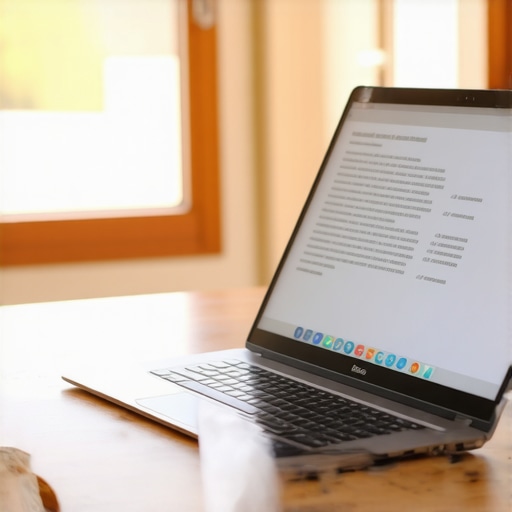
When shopping on a budget, your instinct might be to grab the cheapest new laptop on the shelf. That is usually a mistake. Instead, look for refurbished corporate machines. We highly explain why we prefer used enterprise laptops over cheap new consumer models because they are built with premium, durable materials and offer much better keyboard switches for typing long essays. They are designed to be easily repaired and upgraded, meaning you can swap out a degraded battery yourself for very little money.
Step 3: Dial in your power plan for maximum runtime
Once you have the machine, you need to configure the software to protect your battery. Most operating systems are set to a balanced mode that constantly boosts the processor speed for minor background tasks. You can easily stop this behavior. Learning how to adjust your laptops power plan for silence and efficiency will keep the fan from spinning up and prevent sudden battery drops when you are just reading a PDF document.
Step 4: Protect your laptop inside your backpack
A student laptop lives a hard life bouncing around in a backpack full of heavy textbooks. Pressure on the outer lid can actually damage the LCD panel over time, causing permanent bright spots. Because of this, why most student laptops need a protective shell or a dedicated sleeve is a critical consideration before you throw your device into a bag. Taking care of the hardware ensures your budget investment easily survives until graduation.
Let’s dig deeper into the actual mechanics of what happens when you buy into the standard campus tech advice. Most tech influencers and retail sales representatives will tell you that you absolutely need the latest hardware configuration to survive college. They pitch you on massive processing power, high-performance graphics, and sleek, ultra-thin profiles. But in my years of testing hardware in real-world environments, I have found that this advice is not just slightly off—it is fundamentally wrong. When you buy a machine packed with high-power components, you are actively paying extra for features that will actively degrade your daily productivity by anchoring you to a wall outlet.
The Performance Myth That Drains Your Battery and Your Wallet
Everyone says you need a high-end processor to future-proof your college career, but in my experience, a modest, highly optimized chip works significantly better. The marketing hype suggests that a faster processor makes your computer last longer because it finishes tasks quicker. In reality, these processors have incredibly high peak power draws. Even when you are just typing a document or reading a PDF, background processes cause the CPU to spike its clock speed, draining your battery in a fraction of the advertised time. This is particularly true if you make the mistake of buying power-hungry gaming laptops for a non-gaming major. If you do not need to render complex 3D models during your lectures, that extra silicon is literally just turning battery power into useless waste heat inside your backpack.
Why do so many premium student laptops die during simple lectures?
The primary culprit is a phenomenon known as transient power spikes, paired with poorly optimized background software. A study by the International Energy Agency on digital device efficiency highlights how standby and low-load power consumption often dwarfs active-use efficiency in poorly configured systems. When a manufacturer designs a premium consumer laptop, they prioritize synthetic benchmark scores over real-world, low-power optimization. This means that even a minor task, like an auto-saving cloud document or an open browser tab, can trigger the system to draw maximum wattage. If you want a machine that is actually engineered for continuous, reliable workloads without these sudden power drops, you are almost always better off looking at certified business laptops which prioritize stable, sustained thermal performance over flashy peak speeds.
The USB-C Charging Trap Most Students Fall Into
If you think you can easily solve the battery dilemma by just carrying a portable battery pack, you need to tread very carefully. One of the most common mistakes I see on campus is students buying cheap, unbranded accessories to keep their expensive gear alive. It is incredibly easy to buy a power bank that looks great on paper but lacks the sophisticated voltage regulation hardware required to safely negotiate power delivery. Before you plug anything into your expensive machine, you must learn how to pick a power bank that wont fry your motherboard. A single cheap controller chip inside a bargain-bin accessory can send an incorrect voltage spike directly through your USB-C port, permanently bricking your laptop’s charging circuitry in less than a second.
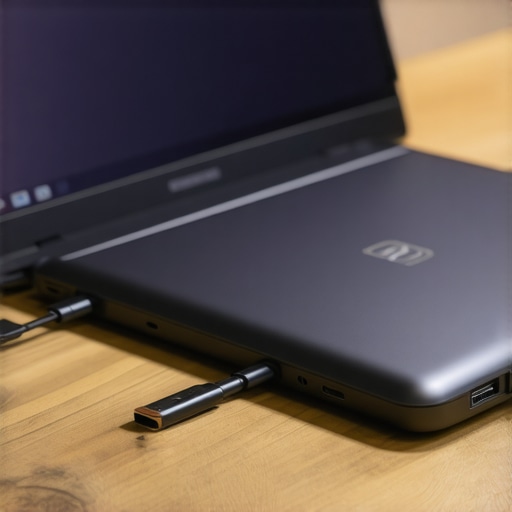
Beyond the risk of frying your board, using mismatched chargers also introduces massive thermal stress. If your power brick is struggling to supply the correct amperage, it will run incredibly hot, which can degrade your internal battery health over time. Investigating why some laptop chargers get dangerously hot is a crucial step in protecting your investment. By pairing a highly efficient refurbished machine with verified, high-quality must-have laptop accessories, you create a reliable, long-lasting setup that easily outlasts the flashiest new models on the market. Have you ever fallen into this trap or had a cheap accessory ruin your device? Let me know in the comments.
Now that we have demystified the hardware, we need to focus on what happens after you make your purchase. It is one thing to find great top laptop deals in 2025, but it is another thing entirely to keep that hardware performing like new three years down the road. Most students assume that computer performance naturally degrades over time like a pair of running shoes. It doesn’t have to. The slowdowns, high fan noise, and sudden battery drops we associate with old machines are usually just the results of neglect and bad habits.
The Critical Software and Hardware Routine I Use Myself
I don’t rely on automated cleanup utility programs to keep my systems speedy. Most of those applications are glorified bloatware that drain your resources. Instead, I perform a physical and digital checkup on the first Saturday of every month. First, I address the cooling system. Dust acts like an insulating blanket inside your machine, forcing your fans to run faster and louder, which directly drains your battery. You can learn how to check your laptop fan for dust without opening it to prevent this thermal buildup before it throttles your CPU performance.
On the software side, the single most effective action you can take is managing what launch processes run when you boot up. If you are using Windows, open your Task Manager and look at the Startup Apps tab. Disable everything that isn’t absolutely critical. Letting communication apps, game launchers, and cloud sync services run in the background is the fastest way to turn a snappy machine into a sluggish brick.

How do I maintain my student laptop battery over a long period of time?
To maximize the lifespan of your lithium-ion battery, you must avoid extreme state-of-charge states. Leaving your machine plugged into the wall 24/7 or letting it drain completely to 0% before charging are both highly damaging. In fact, battery scientists at Battery University (published by Cadex Electronics) have demonstrated that keeping a lithium-ion battery cycling between 20% and 80% charge can actually triple its overall lifespan compared to cycling it from 0% to 100%. If your laptop manufacturer provides battery health management software, use it to limit the maximum charge to 80% when you know you will be working near an outlet for a few days.
The Long-Term Trend of Modular Right-to-Repair Tech
Looking ahead, I predict a massive shift away from ultra-thin, completely sealed machines. The tech industry is facing growing pushback against planned obsolescence, and we are starting to see the return of highly modular, repairable student machines. Within the next few years, buying a laptop with soldered storage and non-replaceable batteries will feel like a massive mistake. Savvy buyers are already realizing that choosing highly repairable business laptops is much smarter than buying disposable consumer models that cannot be upgraded.
My advice is simple: take control of your hardware today. Do not wait for your laptop to start thermal throttling or dying mid-lecture. Take five minutes tonight to learn how to adjust your laptops power plan for silence and efficiency. It is a tiny software tweak that yields immediate, noticeable improvements in both acoustics and battery life.
3 Myths About Student Laptops That Kept Me Tethered to the Wall
Looking back at my college years, I fell for the standard tech industry trap more times than I care to admit. First, I believed that a higher price tag guaranteed a trouble-free day on campus. It actually did the opposite, trading battery runtime for raw power I never utilized. Second, I thought buying a heavy-duty system meant I wouldn’t need a backup plan. In reality, the most reliable setups are built on simplicity, not excessive specs. Finally, I assumed that a consumer retail warranty would save me when things went sideways, failing to realize that enterprise-grade support is what actually keeps a busy student up and running. If you want a machine that survives the daily grind, prioritize practical efficiency over marketing hype by choosing smart student laptops designed for longevity.
My Essential Toolkit for Ultimate Campus Portability
To keep your setup light, resilient, and ready for back-to-back lectures, you do not need to spend a fortune. Instead, focus on a few highly curated accessories that protect and enhance your workflow. First, ditch the bulky factory brick and switch to the best compact chargers to keep your backpack organized. Next, secure your investment against drops and scratches inside a packed bag by understanding why most student laptops need a protective shell. Finally, if you find yourself working from cramped library carrels, utilize the best vertical docks to save space on a tiny student desk so you can easily connect to external displays when you study.
The Future of Smart Student Tech Starts in Your Backpack
Choosing the right campus companion doesn’t mean you have to compromise on performance or drain your savings. By choosing highly efficient hardware, opting for durable business designs, and adjusting simple system settings, you can easily build a workspace that outlasts any expensive retail machine. Take control of your daily productivity and enjoy the freedom of a laptop that stays alive when you need it most. Your ideal budget setup is waiting—you just have to know which unnecessary features to skip. Have you ever struggled with your laptop battery dying in the middle of an important lecture or study session? Let me know in the comments below!