
I was sitting in a dimly lit coffee shop, trying to finish a massive spreadsheet for a client on what I thought was one of the best business laptops for professionals. My fingers were flying, or so I thought. Then it happened. I reached for the ‘down’ arrow to check a cell, but because the keys were those tiny, squashed slivers, I hit ‘Enter’ and ‘Shift’ instead. My cursor jumped, I accidentally deleted a formula, and suddenly my Friday night was ruined. It sounds dramatic, but if you spend eight hours a day on a machine, these “minor” design choices are actually huge. Today, I’m going to show you why full-size arrow keys aren’t just a “nice to have”—they are a productivity necessity that separates a toy from a tool.
Those Tiny Keys Are a Recipe for Frustration
Early in my career, I made the classic mistake of chasing the thinnest possible profile. I bought a gorgeous ultra-portable, thinking it was the peak of student laptops that balance power and portability. It was light as a feather, but the arrow keys were tucked away like an afterthought. I spent more time looking down at my hands than at my screen. It’s a common pitfall when hunting for laptop deals. We look at the RAM, we look at the CPU, but we ignore the primary way we interact with the OS. Research into keyboard ergonomics often points to the importance of spatial awareness; according to studies on motor control, like those discussed by the Nielsen Norman Group, inconsistent key sizes lead to significantly higher error rates because our muscle memory expects a uniform grid.
Is a slightly larger keyboard actually worth the hype?
You might think I’m being a bit of a keyboard snob. “It’s just four keys, right?” Wrong. Whether you are navigating code, jumping between cells in Excel, or even just trying to correct a typo in a long email, those four keys are your primary navigation tools. When they are full-sized, you don’t have to think. Your pinky and ring finger find them instinctively. When they’re shrunken, your brain has to pause for a micro-second to aim. Those micro-seconds add up to real fatigue by the end of the day. Have you ever found yourself accidentally triggering the ‘Page Up’ key when you just wanted to move the cursor? Let me know in the comments if you’ve also faced the “arrow key rage” on a cramped laptop. While many gaming laptops have finally moved back to sensible layouts, many work machines are still stuck in the past.
Look for the Inverted T Layout Before You Buy
To avoid the frustration I described earlier, the first thing you need to look for is the “Inverted T” layout. This is where the up arrow is centered above the left and right arrows, with a clear gap often separating them from the main keyboard block. Many manufacturers of business laptops for professionals are moving away from this to save space, but it is a massive mistake for anyone who works with data. When the arrow keys are tucked into a rectangular block, your finger loses its orientation. 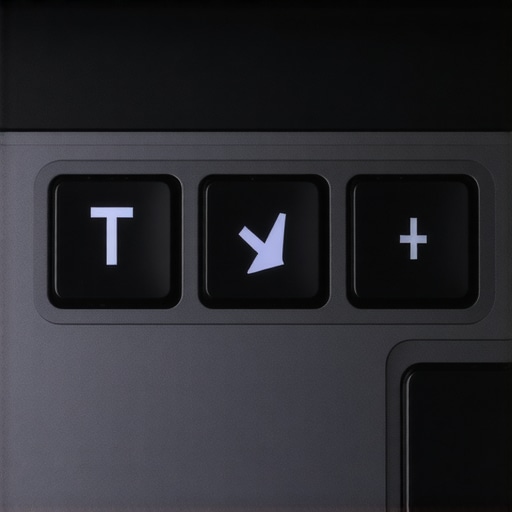
The Five-Second Blind Navigation Test
When you are looking at student laptops that boost productivity and learning, perform this quick test: Close your eyes, place your hand on the home row, and try to find the down arrow. If your finger lands on a ‘Shift’ or ‘Control’ key instead, the layout is flawed. I remember a specific 48-hour crunch session where I was auditing a site on a budget ultra-portable. Every time I tried to scroll through source code, I accidentally hit the ‘Page Up’ key, throwing my cursor fifty lines away. It was maddening. I eventually had to look into how to find a used ThinkPad that actually lasts just to get a keyboard with a sensible layout.
Prioritize Physical Separation Over Aesthetic
We often get distracted by how sleek a laptop looks. However, a sleek keyboard often means a flat, lifeless typing experience. You want to how to find a lightweight laptop that doesn’t flex when you type, as deck flex can make even full-sized keys feel mushy and unresponsive. Look for models where the arrow cluster is slightly dropped below the bottom row of the keyboard. This physical offset acts as a tactile landmark, allowing your brain to confirm your finger’s position without a visual check. If you’re already stuck with a machine that has tiny keys, you might want to explore must-have laptop accessories for a seamless setup, specifically an external mechanical keyboard for your desk. I started carrying a small 60% keyboard in my bag because the productivity boost far outweighed the extra pound of weight. It sounds like overkill until you realize you’re finishing your reports 20% faster because you aren’t constantly backspacing over errors caused by squashed navigation keys. Whether you are hunting for top laptop deals in 2025 or browsing high-end workstations, the keyboard layout should be in your top three considerations right alongside the processor and RAM. It is the one part of the machine you cannot simply ‘upgrade’ later with a software patch.Most people assume that finding top laptop deals in 2025 is strictly a game of comparing CPUs and GPU clock speeds. I will go out on a limb here: for the vast majority of users, the chassis design and tactile interface will impact your daily output far more than a 10% bump in processor speed. We have been conditioned to believe that ‘ultra-thin’ is the gold standard of modern engineering, but the hidden costs of choosing an ultra-thin business laptop often include a shallow, 1mm key travel that feels like typing on a hard tablet screen. It is a classic trap where aesthetics win over ergonomic utility.
Why Thin and Light Is Often a Performance Trap
There is a specific ‘oops’ factor I see constantly in the tech world: the shared chassis myth. You might read a glowing review of a flagship model within a lineup of game-changing gaming laptops for serious players in 2025 and assume the entry-level version shares the same build. It rarely does. Manufacturers often switch from a magnesium alloy to a cheaper plastic deck on lower-tier models. This leads to ‘deck flex,’ where the entire keyboard sinks when you press a key. If the body bends, your fingers lose the stable platform they need for fast navigation, making those full-sized arrow keys feel mushy and imprecise. 
Does Keyboard Flex Really Kill Productivity?
The answer is a resounding yes. It is not just about the ‘feel’ of the keys; it is about muscle fatigue. Research published in the Journal of Physical Therapy Science regarding typing-related musculoskeletal strain suggests that inconsistent tactile resistance—common in poorly supported student laptops that balance power and portability—causes the intrinsic muscles of the hand to overcompensate. This is why you feel that ‘claw hand’ ache after a long session. It is not necessarily the layout that is hurting you, but the lack of structural integrity beneath the keys.
Stop Chasing High Specs While Ignoring Your Hands
If you have already purchased a machine and realized the keyboard is a nightmare, you do not have to sell it at a loss. One of the must-have laptop accessories for a seamless setup is a low-profile mechanical keyboard that fits in your bag. It sounds like an extra chore to carry, but the trade-off is a massive reduction in error rates. Before you buy anything else, learn how to find a lightweight laptop that doesn’t flex when you type by checking for reinforced metal plates under the keyboard assembly. Also, remember that sometimes a ‘broken’ feel is just maintenance. Regularly using the best way to clean your laptop keyboard from crumbs and oil can restore the clicky response time that grit often dampens. Have you ever fallen into this trap—buying a laptop for its raw power only to realize the keyboard makes it nearly unusable? Let me know in the comments.Maintaining a high-end machine isn’t just about deleting old files; it is a physical battle against the environment. I have seen too many $3,000 workstations die in two years because the owner treated it like a closed appliance. If you want business laptops for professionals to actually last until their 2025 retirement, you have to treat them like a high-performance vehicle. You wouldn’t drive 50,000 miles without an oil change, right? Heat is the friction of the digital world, and while we have spent time discussing the exterior ergonomics of keyboards, the interior health of your machine is what keeps those keys responsive and the system stable. When you look at data from Puget Systems, a specialized workstation builder, they have highlighted how thermal cycling—the constant heating up and cooling down—is what eventually stresses internal solder joints and leads to failure. This is especially true for game-changing gaming laptops for 2025 adventures that often run near their thermal limits for hours on end. I make it a point to perform a deep clean twice a year. I do not use generic tools; I use the specific screwdriver kit you need to open 90% of modern laptops because stripped screws are the fastest way to turn a routine check into a nightmare.
Stop letting internal heat throttle your workflow
Most people let dust bunnies turn into felt blankets inside their heat sinks without even realizing it. If you are not comfortable opening the chassis, you should at least learn how to clean the dust out of your laptop without opening it using compressed air in short, controlled bursts. For the truly brave, reading about why we swapped the thermal paste on our brand new laptop is a great resource on how factory-applied paste is often mediocre. Replacing it with a high-grade compound can drop your temperatures by 10 degrees instantly, preventing the dreaded thermal throttling that kills your productivity during heavy renders or gaming sessions.
How can I keep my laptop running like new for years?
Beyond the internal cleaning, you have to watch the battery health religiously. As you hunt for top laptop deals in 2025, prioritize machines that allow for easy battery access rather than those with glued-in cells. If your current battery is already showing signs of age, do not panic just yet. You can often learn how to fix your laptop battery if it only lasts one hour by recalibrating the internal sensor and adjusting your Windows power states before shelling out for an expensive replacement. 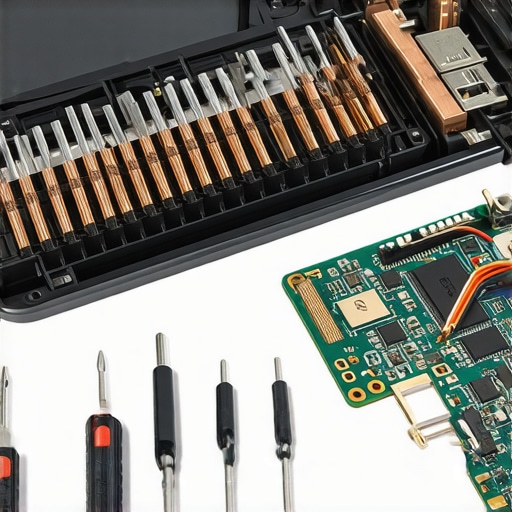
The $20 investment that outlasts your hardware
I predict that the industry is going to split into two distinct camps: the disposable ultra-thins that are impossible to service and the modular powerhouses designed for the long haul. We are already seeing the only 3 brands that still make easily repairable laptops gaining massive traction because users are tired of planned obsolescence. Whether you are trying to learn how to pick a student laptop that lasts all four years or keeping a fleet of office machines alive, modularity is the ultimate hedge against your hardware becoming a paperweight. Software bloat is the final silent killer. I suggest performing a clean OS install once a year to clear out the registry junk and background processes that accumulate. My challenge to you this week: Download a tool like HWMonitor and run a heavy task to see if your CPU hits 95°C. If it does, you are leaving performance on the table and shortening your hardware’s life. It is time to get your hands a little dirty and save your tech.
The Costly Mistakes I Made Before Prioritizing My Hands
Over the last decade of testing high-end hardware, I have realized that the flashy specs on the box are often a distraction from the features that actually keep you working. I used to be the guy who would brag about my benchmarks while wearing a wrist brace because my keyboard layout was so cramped. If I could go back, I would tell myself these three things: First, a laptop that is 2mm thinner is never worth the loss of an inverted-T arrow cluster. Second, don’t let a ‘great deal’ on a machine with a mushy keyboard deck fool you; the frustration costs more than the savings. Finally, trust your hands over the marketing copy. If you are browsing top business laptops for productivity in 2025, look for reviews that specifically mention key travel and layout spacing, because your muscle memory is much harder to upgrade than your storage.
My Essential Toolkit for Lasting Productivity
Keeping a machine in peak condition requires more than just careful handling; it requires the right tools to bridge the gap between ‘consumer electronics’ and ‘professional workstation.’ I personally never travel without a high-quality external mouse, and why we chose this specific mouse for large-scale data entry comes down to the ergonomic relief it provides for my index finger during 10-hour spreadsheet sessions. Additionally, I only invest in hardware from the only 3 brands that still make easily repairable laptops. Knowing I can swap a fan or a battery in twenty minutes gives me the confidence to use my laptop as a true mobile office. If you are a student, I highly recommend checking out the only student laptops that actually survive a backpack drop to ensure your investment doesn’t end in a cracked chassis after the first semester.
Protecting Your Workflow for the Next Decade
The relationship you have with your technology shouldn’t be one of constant frustration and planned obsolescence. By choosing a machine with a layout that respects human ergonomics and committing to a basic maintenance schedule, you aren’t just buying a computer—you are securing your ability to create and produce without physical limits. Whether you are hunting for the latest business laptops for professionals or a reliable daily driver, remember that the best tool is the one that disappears and lets you focus on the work itself. Take care of your hardware, and it will take care of your career. Have you ever had a laptop keyboard that was so bad it actually made you want to stop working? Let me know your ‘keyboard horror stories’ in the comments below!