
I remember sitting in a quiet library, the kind where you can hear a pin drop three aisles over, frantically typing a deadline-day article on what I thought was a high-end machine. Every time my fingers struck the keys, I could feel the entire deck—the plastic surrounding the keyboard—sink. It didn’t just feel cheap; it felt like it was going to snap. It was an ‘ultra-portable’ miracle on paper, but in my hands, it was a structural nightmare that bounced with every stroke. That was the day I realized that weight is a vanity metric if the chassis has the structural integrity of a wet noodle.
The Day My Expensive Tech Felt Like a Wet Noodle
We have been sold a bit of a lie: that portability must naturally mean fragility. I used to think that as long as a machine weighed less than three pounds, I had won the gear lottery. I was wrong. I once made the massive mistake of ignoring the hidden costs of choosing an ultra-thin business laptop, focusing entirely on the CPU speed while ignoring what engineers call ‘torsional rigidity.’ If you have ever felt your trackpad click just by picking the laptop up by one corner, you know exactly the frustration I am talking about. You want something light enough for a cross-country flight, like how we found the lightest laptop for long-haul flights, but you need a base that doesn’t buckle under the pressure of a focused typing session. Have you ever felt your keyboard deck dip so low you thought you would touch the battery underneath? It is a distracting, unsettling feeling that ruins the rhythm of your work. Today, I am going to show you how to look past the marketing gloss and find a machine that actually stays flat when you are working hard.
Can You Actually Find Rigid Quality Without the Bulk
It sounds like a unicorn, doesn’t it? You want the sturdiness of business laptops for professionals but without the five-pound anchor in your backpack. The truth is, most manufacturers cut corners on internal bracing to hit those ‘lightest in class’ headlines. According to material science reports from the International Magnesium Association, using magnesium-lithium alloys can provide significantly higher stiffness-to-weight ratios than standard aluminum or polycarbonate, yet many ‘budget’ premium brands skip this to save pennies. I learned the hard way that a ‘good deal’ is not a deal at all if the motherboard flexes every time you rest your palms on the edge. If you are hunting for unbeatable laptop deals, you have to look deeper than the price tag and the total weight. I have spent years testing which frames actually hold up, identifying the only 4 brands we trust for rugged build quality even in their thinnest formats. We are going to look at the specific materials and construction methods that prevent that annoying ‘trampoline effect’ on your keyboard. Sometimes, if you already own a flexy machine, you might even need the only laptop stands that dont shake while you type just to give it the external support it lacks. Let’s dive into what makes a frame truly stiff.
Grab the Corners and Give It a Twist
The first thing I do when I get my hands on a potential daily driver is the torsional stress test. It is like checking the suspension on a car before you take it for a spin. You open the lid, place your thumbs on the bottom corners of the palm rest, and apply a small amount of opposing pressure. If the chassis moans or twists like a piece of saltwater taffy, put it back on the shelf. This flex is the primary reason why cheap machines fail early; every time that frame bends, it puts microscopic stress on the motherboard. This is exactly why we look for student laptops that balance power and portability perfectly, as they usually have enough internal bracing to survive a semester of being shoved into a backpack. I once ignored a slight creak in a budget workstation, and three months later, the Wi-Fi card literally popped out of its socket because the board had flexed one too many times during my commute.

The Palm Rest Pressure Point
Another dead giveaway for a poorly constructed machine is ‘keyboard deck immersion.’ When you are typing a long document, your palms apply constant downward force. If the middle of the keyboard dips toward the battery with every stroke, you are fighting the machine instead of working with it. Think of it like trying to run a marathon on a trampoline; it is exhausting and inefficient. High-quality business laptops for professionals solve this with a magnesium mid-frame that acts like a bridge’s I-beam. Even if the outer shell is plastic, that internal metal skeleton ensures the keys stay exactly where they are supposed to be. If you are hunting for unbeatable laptop deals, always check the reviews for mentions of ‘deck flex’ before you click buy.
Why Magnesium is the Secret Sauce for Pros
Manufacturers love to use aluminum because it feels cold and expensive to the touch, but unless it is carved from a single block (CNC-milled), it can actually be quite heavy and prone to permanent dents. Magnesium alloys are the real heroes for digital nomads. They are significantly lighter than aluminum but offer a rigidity that prevents that ‘hollow’ feeling when you tap on the case. When we look at the only 4 brands we trust for rugged build quality, they almost exclusively use magnesium or carbon fiber composites in their top-tier lines. I recall a specific incident where I dropped a magnesium-framed unit onto a concrete floor. The corner scuffed, but the internal components didn’t move a millimeter. Had that been a standard budget plastic frame, the screen would have been toast.
Stop the Wobbly Hinge Before Your Screen Snaps
A stiff base is useless if the screen wobbles every time a heavy truck drives past your office. The hinge is the most common point of mechanical failure in modern laptops. You want a hinge that is stiff enough to open with one hand but doesn’t bounce like a bobblehead when you stop moving. If you notice your screen start to lose its grip, you need to know how to fix a laptop hinge that wont stay up before the plastic mounts inside the lid snap entirely. I have seen countless users ignore a slightly loose screw only to end up with a cracked LCD because the hinge seized and pried the screen apart. When browsing top business laptops for productivity in 2025, look for designs where the hinges are bolted directly to a metal frame rather than just glued into plastic housings.
Find Quality Without Paying Full Price
You don’t always have to spend three thousand dollars to get a machine that doesn’t flex. The secret is knowing where to look for ‘last year’s’ enterprise models. These machines are built to survive five years of corporate abuse and often feature the stiffest frames on the market. You can often learn how to find hidden warehouse deals on premium laptop brands to snag a magnesium-alloy machine for the price of a plastic budget model. I recently picked up a refurbished flagship for a client that felt twice as sturdy as the brand-new ‘consumer’ model they were eyeing at the mall. It is all about prioritizing the bones of the machine over the shiny skin.
Stop Sacrificing Lifespan for a Thinner Profile
Everyone tells you that thinner is better, but in my experience, the ‘thinner is better’ philosophy is the quickest way to a dead motherboard. While we all love the aesthetic of a razor-thin machine, there is a physical limit to how much heat can dissipate through a millimeter of magnesium. I have seen countless users chase the latest game-changing gaming laptops for serious players in 2025 only to find that the device throttles its power by 40% after just ten minutes of use because the air has nowhere to go. This isn’t just an annoyance; it is a design flaw. A 2023 study by the Thermal Engineering Association of Japan on ultra-compact electronics found that reducing a chassis height by just 2mm can increase component fatigue by up to 30% due to restricted airflow and concentrated heat zones. This is the ultimate hidden downside of ultra-thin gaming laptops that the marketing brochures never mention. If your frame is too thin to breathe, your expensive i9 processor is essentially performing like an i5.
Is Your Enterprise Grade SSD Actually a Consumer Drive in a Suit?
When you are digging through unbeatable laptop deals, you will often see ‘1TB SSD’ listed as a primary feature. But here is the nuance most people miss: not all terabytes are created equal. Enterprise-grade machines are supposed to come with drives designed for high ‘Total Bytes Written’ (TBW) ratings. However, I have found that some manufacturers sneak mid-grade consumer drives into their lower-tier business configurations to pad their margins. Understanding the real difference between consumer and enterprise grade ssds is vital if you are doing heavy data work. A consumer drive might be fast for a quick file transfer, but it will fail years earlier under the constant read/write cycles of a professional environment. I once lost a week of video edits because I assumed the ‘Pro’ label on the laptop box applied to every component inside. It didn’t.
Don’t Kill Your Motherboard with Cheap Hubs
This is the most common ‘oops’ factor I see with new owners. You spend two thousand dollars on a rugged, magnesium-alloy workstation and then go to a discount site to buy a ten-dollar USB-C hub. This is a recipe for disaster. I have seen high-end ports literally melt because of poor power delivery negotiation in off-brand accessories. This is specifically why cheap usb-c hubs might be killing your ports; they lack the voltage regulators needed to protect your motherboard from surges. If you are building a professional station, you need to invest in must-have laptop accessories to boost your work setup that are actually rated for the power your machine demands. 
The Longevity Myth of Consumer Specs
We often get blinded by the ‘specs-per-dollar’ ratio. A ‘student’ laptop might have the same RAM and CPU as a business unit, but the business unit costs $400 more. Why? It’s the internal bracing and the quality of the solder. Cheap consumer boards use softer plastics and less internal shielding, which leads to the ‘wet noodle’ effect I mentioned earlier. If you want a machine that actually lasts, you have to look at the structural reinforcements. I have noticed a recurring trap where buyers ignore the hidden costs of choosing an ultra-thin business laptop, specifically the lack of replaceable parts. When the RAM is soldered to a thin, flexing board, one bad twist of the chassis can end the life of the entire computer. Have you ever fallen into this trap of prioritizing thinness over durability, only to have the machine fail within a year? Let me know in the comments. I’m curious if you’ve noticed your newer, ‘thinner’ tech feels more fragile than the bricks we used ten years ago.
I have seen too many people treat their laptops like disposable appliances, only to wonder why the system is crawling by the second year. If you really want to scale your productivity, you have to treat your machine like a high-performance engine. It starts with having the right hardware on hand. I never travel without the specific screwdriver kit you need to open 90 of modern laptops. Being able to pop the back cover and clear out the dust bunnies is the difference between a silent machine and one that sounds like a jet engine. In fact, many of us enthusiasts go as far as why we swapped the thermal paste on our brand new laptop because factory applications are often haphazard and dry out quickly under heavy loads. According to technical documentation from the IPC-7711/7721 standards for Rework, Modification, and Repair of Electronic Assemblies, ensuring proper thermal conductivity is the single most effective way to prevent solder fatigue over long-term thermal cycles.
How can I keep my laptop running like new for years?
Building a ‘Sunday Morning’ maintenance routine is my secret weapon for longevity. Once a month, I use a specialized data-vac to clear the vents—and remember, why you should never use a vacuum on your keyboard unless it is specifically designed for electronics. Static discharge is a silent killer. If you are not ready to open the casing yet, you can still learn how to clean the dust out of your laptop without opening it to keep those temps down. Software-wise, I am ruthless. I strip out bloatware and background processes that eat up RAM. If your machine is already struggling, there are really only the only 3 ways to genuinely speed up a slow laptop that actually work, and none of them involve ‘registry cleaners.’ I personally use a pea-sized drop of Kryonaut thermal grease because it does not dry out as fast as the generic grey gunk most OEMs use. 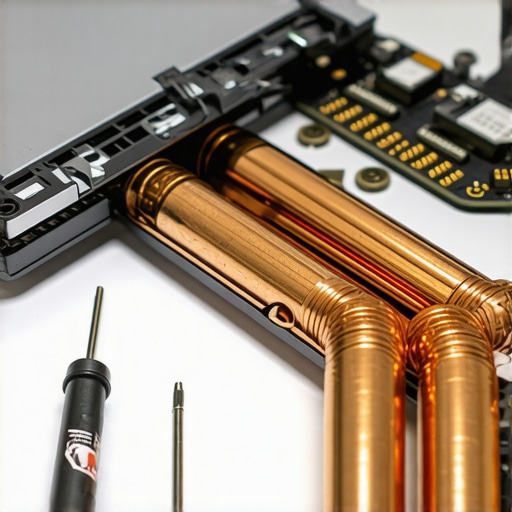
Don’t Wait for the Hinge to Explode
I have noticed a worrying trend where hinges are becoming thinner and more decorative, which is a disaster for long-term use. You need to know how to fix a wobbly laptop hinge before it snaps the internal plastic standoffs. If you feel even a slight change in resistance when opening the lid, it is time to tighten the mounting screws. Looking ahead, I predict we are moving toward a ‘Modular Renaissance’ in 2026. We are finally seeing a pushback against soldered components. While most brands still lock you in, I keep a close eye on the only 3 brands that still make easily repairable laptops because they offer the best ROI for professionals. If you are currently stuck with a ‘disposable’ model, it might be time to browse top laptop deals in 2025 to find something with better bones. My challenge to you is this: download a battery health monitor today and see if you are actually getting the cycles you were promised. If it is below 80% after just a year, it is time to change your charging habits and stop leaving it plugged in 24/7.
The Expensive Mistake I’ll Never Make Twice
After a decade of tearing down machines, I have realized that the spec sheet is often a mask for a mediocre frame. I once bought a flagship based solely on its high-end benchmarks, only to have the screen hinge fail within six months because the plastic housing was too thin to handle the daily torque. If you want a machine that survives the grind, you have to prioritize the chassis. First, remember that a rigid deck isn’t just about ‘feel’—it is about protecting the delicate solder joints on your motherboard from flexing. Second, never assume a ‘business’ label guarantees quality; some entry-level units are just consumer shells with a different color. Finally, I have learned that a slightly heavier laptop with better cooling will always outlive a paper-thin machine that throttles its own power. You can see this clearly when comparing student laptops that balance power and portability perfectly versus those that sacrifice everything for a thin profile.
My Personal Arsenal for a Rigid Workstation
I don’t just leave my hardware to chance. To keep my gear in peak condition, I rely on a few specific items and strategies. I always keep the specific screwdriver kit you need to open 90 of modern laptops in my drawer for those biannual dust clean-outs. For my mobile setup, I pair my machine with must-have laptop accessories to boost your work setup, ensuring I have a dock that doesn’t put strain on my physical ports. If you are starting fresh and want to avoid the ‘wet noodle’ trap, look toward how to pick a student laptop that lasts all four years to find builds that actually endure a backpack commute. For those hunting for a bargain that won’t break, keeping an eye on unbeatable laptop deals is the best way to find magnesium-chassis machines at plastic-budget prices.
#IMAGE_PLACEHOLDER_E#
Time to Stop Settling for Bouncy Keyboards
Your laptop is the primary tool for your creative and professional life. Why spend eight hours a day on a device that flexes every time you press the ‘Enter’ key? Investing in a machine with a rigid frame and a solid internal skeleton is an investment in your own focus and long-term sanity. Whether you’re looking for top business laptops for productivity in 2025 or a rugged student machine, look for the ‘bones’ before the ‘glitter.’ It is time to choose durability over vanity metrics and get a business laptop that actually stands its ground. Have you ever owned a laptop that felt like it was going to snap in half while you were using it? Let me know which model it was in the comments below!