
I was sitting in my living room, hair a mess, wearing a t-shirt I’d probably owned since high school, when I realized my ‘secure’ laptop was staring at me. I had just finished a call on my business laptop and used the dedicated function key to ‘kill’ the camera. But there it was—a faint, rhythmic pulse from the indicator light. My heart dropped. I didn’t know if it was a driver glitch or something more sinister, but the feeling of being watched in my own home was visceral. I grabbed a piece of chewing gum wrapper and stuck it over the lens. It was ugly, it left a sticky mess, and it was the best security I’d had all day. That moment of panic taught me a hard lesson: software is a suggestion, but physical barriers are a fact. In this post, I want to share why I now demand a physical shutter on every device I own and how you can fix a laptop that’s missing one with the right laptop accessories.
Why I Stopped Trusting the Software Kill Switch
Early in my career, I made the classic mistake of assuming that because a manufacturer built a ‘privacy button,’ I was safe. I relied on those digital toggles for years. But software lives in a world of ‘ifs’ and ‘maybes.’ If the driver is bugged, if the OS update hangs, or if a piece of malware finds a backdoor, that digital lock just disappears. I’ve seen firsthand how a simple Windows update can reset your privacy permissions without warning. Physical shutters don’t have updates. They don’t have drivers. They either block the light, or they don’t. When you’re shopping for student laptops, it’s easy to get distracted by RAM or screen resolution, but this tiny piece of plastic is what actually protects your peace of mind.
Is a piece of plastic really safer than a digital lock?
It sounds almost too simple to be true. How can a 50-cent piece of sliding plastic outperform millions of lines of code? The answer lies in how modern threats work. According to a report by the security experts at Kaspersky, sophisticated Remote Access Trojans (RATs) can actually hijack your camera’s firmware to keep the ‘active’ LED turned off while the sensor captures video. This means you could be recorded without any visual cue at all. A physical shutter doesn’t care about your firmware or your LED; it physically stops photons from hitting the sensor. Have you ever caught your webcam light flickering when it shouldn’t have been, or do you still use a piece of tape to cover your lens?
The Reality of Modern Laptop Bezels
The trend toward ‘infinity displays’ has made it harder for manufacturers to squeeze in a physical slider. When you look at game-changing gaming laptops for serious players in 2025, you will notice the bezels are razor-thin. While this looks incredible for immersion, it often means the physical shutter is the first thing to get cut from the design. It is a trade-off: do you want a sleek look or guaranteed privacy? For me, the answer is always both, but you have to be intentional about it. If you are shopping top business laptops for productivity in 2025, you will find more built-in options, but for everything else, we have to get creative. Soft locks are like digital curtains that a hacker can remotely open; a physical shutter is a brick wall.
Choose the Right Aftermarket Cover
If your device is missing a shutter, do not just reach for the electrical tape. I spent three months using a privacy sticker on my old MacBook, and by the end of the semester, the heat from the screen had turned the adhesive into a gooey mess that required a deep dive into the best ways to clean a greasy laptop keyboard and chassis. Instead, look for ultra-thin metal or plastic sliders. These are must-have laptop accessories for a seamless setup because they are thin enough to allow the laptop to close fully without cracking the screen. Most modern screens have a clearance of less than 1mm, so anything thicker than a credit card is a danger to your hardware.
Avoid the Trap of Bulky Sliders
I once bought a heavy-duty plastic slider for a budget rig. It was so thick that the lid would not shut, which meant the screen stayed on, draining the battery. If you have ever wondered about the reason your laptop battery drains even when it is off, a lid that cannot fully engage the sleep sensor is a prime suspect. On student laptops that balance power and portability perfectly, every millimeter counts. Aim for a slider that is less than 0.7mm thick to ensure your magnetic sleep sensor still functions correctly.
The Installation Process Done Right
First, clean the area around the camera with a tiny drop of isopropyl alcohol on a microfiber cloth. This removes the oils from your fingers that cause sliders to fall off after a week. Once it is dry, align the slider while it is in the open position. This ensures that the camera’s field of view is not clipped when you actually want to use it. I learned this the hard way during a job interview where I looked like I was peering through a cardboard tube because I misaligned my ‘fix’ by just a fraction of an inch.
What to Do If Your Bezel Is Too Narrow
On some unbeatable laptop deals, the bezel is so small that a slider will actually sit on top of the LCD panel itself. In this specific case, mechanical sliders might be too risky. Instead, look for static cling privacy dots. They do not use adhesive, so they will not leave a residue on your expensive glass. This is especially important for business laptops for professionals where keeping the equipment in pristine condition helps with resale value when you decide to trade your laptop every two years to save money. When you are dealing with student laptops that boost productivity and learning, focus on the frictionless aspect. If the shutter is hard to move or prone to falling off, you will eventually stop using it, leaving you vulnerable to the very software exploits we are trying to avoid.Let’s dig deeper because there is a common myth I see repeated in every tech forum: the idea that if you’ve covered your camera, your privacy is absolute. This is a dangerous oversimplification. While a physical shutter stops the ‘eyes’ of your device, it does nothing to stop the ‘ears.’ In my experience, users spend hours researching the best physical shutters for game-changing gaming laptops for 2025 adventures, but they completely ignore the microphone array sitting right next to it.
Stop Obsessing Over the Camera Lens
Everyone tells you to put a sticker over the lens, but few talk about the acoustic vulnerability. A covered camera doesn’t prevent a malicious script from recording your surroundings through the high-gain microphones standard on business laptops for professionals. In fact, many people mistakenly believe that the ‘Mute’ key on their keyboard is a hardware disconnect. It rarely is. Most of the time, it is just a software command that tells the OS to ignore the input. A sophisticated enough piece of malware can simply ‘unmute’ the software layer without the indicator light ever turning on.
Can a Hacker Listen Even if the Camera is Covered?
The short answer is a terrifying yes. Modern laptops often use ‘always-on’ voice recognition for assistants like Cortana or Siri. According to security experts at the Electronic Frontier Foundation (EFF), software-based microphone mutes are just as vulnerable to driver exploits as cameras. If you really want to be secure, you need a device with a hardware-level microphone disconnect—a feature where closing the lid or flipping a dedicated switch physically breaks the circuit. If your laptop doesn’t have this, you might need to look into how to increase your laptop mic quality for professional calls while also learning how to disable the hardware at the OS level as a secondary precaution.
The Expensive Mistake of Metal Privacy Covers
Here is the ‘oops’ factor most people ignore until it costs them hundreds of dollars in repairs. We see these sleek, ultra-thin metal privacy sliders on top laptop deals in 2025 and think they look premium. But these are a trap for modern high-resolution screens. Because the tolerances on student laptops that boost productivity and learning are so tight, a metal slider creates a pressure point when the lid is closed. 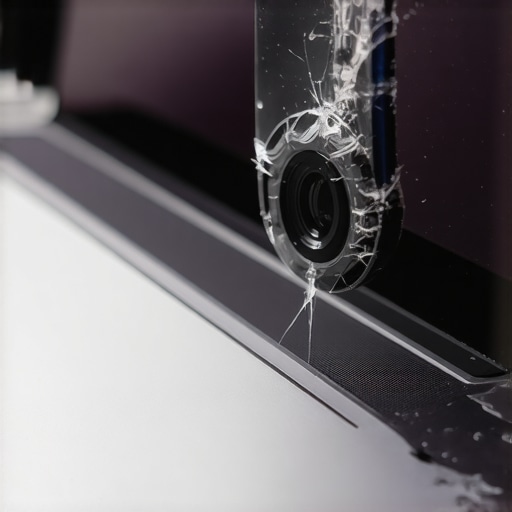 I’ve seen dozens of users end up facing the hidden costs of repairing modern thin and light laptops because their ‘privacy’ accessory literally crushed their LCD from the inside out. Glass doesn’t bend, and when you sandwich a piece of aluminum between a keyboard and a 4K panel, the glass is what gives way first.
Look Beyond the Marketing Gimmicks
If you’re chasing unbeatable laptop deals, you have to be smarter than the marketing. We prioritize repairability and actual security over aesthetics, which is why we never buy laptops with soldered RAM for longevity, and we apply that same logic to privacy. A stick-on shutter is a bandage; a hardware kill-switch is the cure. Have you ever fallen into this trap of buying a ‘cool’ accessory that actually damaged your gear? Let me know in the comments.
Software Shields for Your Hardware Kill Switches
Even if you have the physical shutter sorted, you still need to know when your OS is trying to bypass your preferences. I personally use the ‘Privacy’ dashboard in Windows 11 combined with disabling web results in your windows start menu to cut down on background telemetry and unwanted data pings. If you are using student laptops that boost productivity and learning, you likely have a dozen apps fighting for your microphone. I rely on the built-in Windows 11 tray icon that glows when the mic is active, but I also use a utility called ‘Process Hacker’ to see exactly which executable is pulling the stream. It is an extra layer of visibility that helps me catch rogue background processes that are often the reason your laptop feels sluggish after three months.
How do I maintain my privacy setup over time?
The biggest mistake is ‘set it and forget it.’ Every major OS update has a habit of reverting your settings or adding new ‘features’ that compromise your anonymity. I schedule a ‘Privacy Audit’ once a month. I check the physical integrity of my camera slider and re-verify app permissions. If you are using business laptops for professionals, check your BIOS settings; many high-end rigs allow you to disable the webcam or mic at the hardware level before the OS even boots. This is far more effective than any software toggle. Also, do not neglect the physical. Dust buildup in the mic ports can lead you to search for how to increase your laptop mic quality, when in reality, you just need a bit of compressed air and a steady hand to keep the hardware clear and responsive.
Biometrics and the Future of Your Digital Walls
I expect that by 2026, we will see a massive shift toward AI-detected privacy. Manufacturers are already testing software that dims your screen the moment it detects a pair of eyes looking over your shoulder that are not yours. This tech, combined with the top laptop deals in 2025 that feature hardware-based ‘kill’ switches for Wi-Fi and Bluetooth, will make the ‘tape-over-the-lens’ era look ancient. According to technical documentation by the National Institute of Standards and Technology (NIST), hardware-rooted security like TPM 2.0 is becoming the mandatory baseline for any device handling sensitive data. While you are tightening your digital security, do not forget that keeping your machine physically healthy is just as vital. If you want your hardware to last as long as your security habits, you should learn how to replace your laptop thermal paste without breaking anything. A cool laptop is a stable laptop, and stability is the foundation of a secure system. Go into your settings right now and look at the ‘Privacy and Security’ tab—if you see an app using your microphone that you did not authorize, delete it immediately.
The Hardest Lesson I Learned About Trusting Hardware Labels
After years of testing everything from business laptops for professionals to high-end rigs, I’ve realized that ‘Privacy’ is often a marketing buzzword rather than a guaranteed feature. My biggest lightbulb moment came when I realized that a $5 sticker was more reliable than a $200 security suite. However, I also learned that not all covers are created equal. I once ruined a gorgeous OLED panel because I used a metal slider that was a fraction of a millimeter too thick—a perfect example of the hidden costs of repairing modern thin and light laptops. I now only use plastic or static-cling covers that don’t put pressure on the glass.
- Software switches are convenient, but they are just lines of code that can be bypassed.
- Microphone vulnerability is the next frontier; always check if your laptop accessories include a physical mic block.
- Heat is the enemy of adhesive; cheap tape will eventually melt into your camera lens and ruin the clarity.
#IMAGE_PLACEHOLDER_E#
Where I Turn for Real Privacy Standards
When I’m not sure about a device’s security claims, I look at the technical benchmarks provided by the Electronic Frontier Foundation (EFF) and NIST. For anyone setting up student laptops that boost productivity and learning, I recommend checking the manufacturer’s whitepapers for ‘Hardware Root of Trust’ documentation. I also swear by a few specific tools, including ultra-thin webcam covers and USB-C data blockers. These tools provide a layer of physical protection that no OS update can accidentally disable.
Take Control of Your Digital Environment
Your privacy is not something you should have to ask for; it is something you must actively maintain. Whether you are using the latest high-performance rig or a budget-friendly machine from one of the top laptop deals in 2025, the responsibility to close the curtain lies with you. Don’t be afraid to add that extra layer of physical security even if your device claims to be ‘impenetrable.’ The peace of mind you gain by knowing your camera is physically blocked is worth the small investment. Have you ever found an app accessing your camera or microphone when you weren’t expecting it? Let me know your experience in the comments below!