
I was sitting at my kitchen table, hair a total mess and wearing a t-shirt I’d probably owned since high school, when that little green light on my laptop lid flickered for a split second. My heart hit my shoes. I wasn’t in a meeting. I hadn’t opened a browser. For a terrifying moment, I felt like a stranger was sitting right there with me, watching me eat my cereal. It turns out it was just a glitchy driver update, but that visceral fear changed how I look at my gear forever. We spend thousands on the best business laptops, but we often overlook the simplest security hole staring us right in the face. Today, I’m going to show you why a five-dollar piece of plastic is more reliable than a billion dollars’ worth of security code and why you should never trust a software toggle alone.
Your software isn’t as bulletproof as you think
I’ll be the first to admit I made a huge mistake early on. I used to think that because my laptop had a BIOS-level camera kill switch, I was untouchable. I felt smug about it. Then I learned the hard way that firmware can be exploited and software can be tricked into thinking the camera is ‘off’ while the sensor is still active. Even if you’ve invested in must-have laptop accessories, your privacy is only as strong as its weakest link. A physical cover provides an absolute, analog ‘no’ that no hacker can override. It’s why we still use tape or covers even on machines that claim to have built-in shutters.
Is a physical cover actually worth the hype?
You might think it looks ugly or that it’s unnecessary for a home user, but ‘camfecting’—where hackers take over your webcam—is a very real threat. According to reports from the FBI, covering your webcam is one of the simplest and most effective ways to maintain personal privacy. It’s not just about hackers, either. We’ve all had that moment where we joined a call before we were ready. A cover prevents those accidental ‘pajama reveals’ during important business calls. Whether you are using student laptops for class or high-end rigs, a cover is non-negotiable. Plus, let’s be honest: most integrated webcams still look like rubbish anyway, so you aren’t missing much by keeping it hidden until you actually need it. Have you ever had a moment where you realized your camera was on when it definitely shouldn’t have been? Tell me your story in the comments. Before we move into the best types of covers, you should also make sure you know how to detect a hidden keylogger to keep your data as safe as your image.
Pick the right shield for your specific lens
Picking a webcam cover is less about the brand and more about the clearance. Think of your laptop lid like a high-performance engine; the tolerances are measured in fractions of a millimeter. Most business laptops for professionals are designed with screens that sit almost flush against the keyboard deck when closed. If you choose a sliding cover that is too thick, it acts like a wedge. Instead of protecting your privacy, you are essentially placing a crowbar inside your hinge. If you are shopping for student laptops that balance power and portability perfectly, you need to look for ‘ultra-thin’ labels, usually 0.7mm or less. This is especially true for modern MacBooks and high-end ultrabooks where the gap is practically non-existent.
Does your laptop actually have room for a slider?
Before you buy anything, try the paper test. Fold a standard piece of printer paper twice and lay it over your camera, then gently close the lid. If the lid doesn’t close perfectly flat or if you feel any resistance, a plastic slider will likely cause damage. In these cases, we still use tape or covers made of thin vinyl. These ‘privacy stickers’ offer the same analog security without the physical bulk that threatens your hardware.
Stop your webcam cover from cracking your screen
I learned this the hard way with a brand new XPS. I bought a pack of ‘premium’ metal sliders because I wanted something that felt durable. I snapped one on, finished my work for the night, and closed the lid. The next morning, I opened it to find a hairline fracture running right through the camera module. The metal was too rigid and the adhesive was too thick. It was a $400 mistake that taught me that ‘stronger’ isn’t always better. This is the hidden downside of ultra-thin gaming laptops and premium workstations; they are beautiful but brittle. Now, I only use plastic sliders on machines with recessed bezels and stick to low-profile vinyl for everything else. 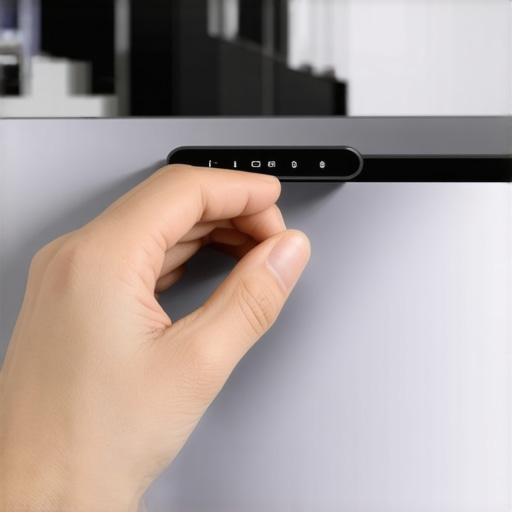
The right way to apply your physical privacy barrier
Clean the glass before you stick anything down
Most people just peel and stick, but that is why these covers fall off into your bag. Your fingers leave behind natural oils that eat away at the adhesive. Before application, take a microfiber cloth and a tiny drop of high-percentage isopropyl alcohol to prep the area. Let it dry completely. A clean surface ensures the cover stays put for years rather than days. While you are securing the top of your screen, consider if your business laptop needs a privacy filter as well. Securing the camera is great, but it doesn’t help if the person sitting next to you on the train can read your entire spreadsheet.
Align twice and press once
When you are ready to stick, slide the cover to the ‘open’ position first. This allows you to see the lens and ensure you aren’t obscuring the actual sensor. If you misalign it, you’ll end up with a permanent hazy vignette on your video calls. Once aligned, apply firm pressure for at least thirty seconds. Once the cover is secure, you can focus on other upgrades, like how to improve your laptop’s built-in microphone. Having a secure, high-functioning workspace is about layering these small wins. Integrating a cover into your must-have laptop accessories for a seamless setup is the simplest way to gain peace of mind without touching a single line of code.The biggest lie in the tech world isn’t about battery life—it’s the comfortable myth that the little green LED next to your lens is a physical gatekeeper. Most people assume that if the light is off, the sensor is dead. I used to believe that too, until I read research from Johns Hopkins University showing how hackers could reprogram the microcontrollers on certain cameras to capture video without ever triggering the ‘on’ light. This is why even when we look for the top business laptops for productivity in 2025, we have to look past the marketing fluff. Software is fallible, and firmware is even worse because it hides in the shadows of your operating system.
Why a built-in shutter might still be failing you
You see these sliding doors on business laptops for professionals and think the job is done. But here is the nuanced trap: many of these ‘shutters’ are just internal plastic layers that do not actually cut the electrical circuit. If a hacker has high-level access, they might still be listening. We often forget that while we’ve blinded the voyeur, we’ve left the ears wide open. This is a classic mistake when setting up must-have laptop accessories for a seamless setup; people obsess over the lens and completely ignore the microphone. It’s significantly easier to record audio without a trace than it is to stream video.
Is your screen too thin for a physical protector?
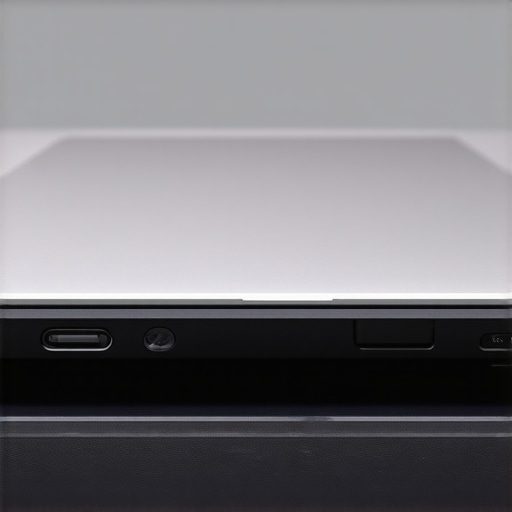 This is where the ‘experts’ often steer you wrong. They tell you to buy a pack of plastic sliders for every device you own. But if you are using the hidden downside of ultra-thin gaming laptops—which is their incredibly tight screen tolerances—you are playing a dangerous game. Modern display panels are laminated, meaning any pressure from a 0.8mm plastic slide can cause the glass to delaminate or the backlight to bleed. I’ve seen enthusiasts hunt for unbeatable laptop deals only to ruin their new machine within forty-eight hours because they didn’t account for the hinge gap. If you feel even a tiny bit of resistance when closing the lid, take that cover off immediately. You’re better off with a piece of thin vinyl or electrical tape than a cracked liquid crystal display. Have you ever fallen into this trap where a ‘security’ accessory actually caused more damage than the threat it was stopping? Let me know in the comments. We should also talk about the mechanical side of things; if you’ve already caused some strain, you might need to know how to fix a laptop hinge that won’t stay up before the damage spreads. Ultimately, true privacy is a layers game. You need the physical barrier, sure, but you also need to know how to detect a hidden keylogger and how to improve your laptop’s built-in microphone while keeping it secure from eavesdroppers. Don’t let a five-dollar accessory become a five-hundred-dollar repair bill.
Keep your privacy shield from becoming a sticky mess
If you’ve committed to the physical cover route, you’ve probably noticed that after six months of heat from the processor, the adhesive starts to ‘creep.’ It’s a gross, gummy residue that can actually seep into the lens housing if you aren’t careful. I’ve found that the only way to prevent this is a quick monthly detail. I use a corner of the same microfiber cloth I use for my screen to gently buff the edges of the slider. If you see buildup, don’t pick at it with a fingernail; you’ll just scratch the anti-reflective coating on your glass. Instead, use a tiny amount of specialized electronic cleaning gel. It’s similar to the best keyboard cleaning slime we actually tested, which is great for lifting dust without leaving moisture behind. This isn’t just about aesthetics; it’s about ensuring that when you finally do need to open that camera for a high-stakes interview, you aren’t looking through a haze of old glue.
How do I keep my privacy setup working for years?
Consistency is more important than expensive tools. Beyond the physical cover, you need to maintain the software side of the house. I personally use the Electronic Frontier Foundation’s (EFF) Surveillance Self-Defense guide as my bible for this. They suggest that while physical covers are great, you should also be auditing your app permissions every quarter. On business laptops for professionals, it is shockingly easy for a random background utility to ‘borrow’ camera access. I make it a habit to go into my privacy settings and revoke access for everything except my primary meeting app. While you are in there, you should also learn the best way to configure a new business laptop to ensure that ‘Always On’ features aren’t bypassing your manual overrides.
The future of privacy is moving inside the glass
We are entering an era where the physical slider might actually become obsolete—but not because we’ve started trusting software. Companies are starting to experiment with ‘electronic’ shutters that physically disconnect the sensor’s power rail at the motherboard level. We are seeing this more in game-changing gaming laptops for serious players in 2025, where bezel space is too thin for a plastic door. However, until that becomes a standardized, open-source hardware feature, I’m sticking to my analog solutions. 
Don’t let your maintenance routine stop at the lens
A truly secure machine is one that actually turns on when you need it. If you are obsessive about your camera but ignore the fact that your storage is failing, you’re missing the forest for the trees. I always pair my privacy checks with a quick health scan. Learning how to spot a dying SSD before your files vanish is just as critical for your peace of mind as covering your webcam. If you are using student laptops that balance power and portability perfectly, your hardware is likely being shoved into backpacks and subjected to more vibration than a desktop. Check your hinges, clean your ports, and for the love of your hardware, learn why you should never use a vacuum on your keyboard. My challenge to you this week: grab your laptop, find a bright light, and inspect your camera cover for adhesive creep. If it’s messy, clean it today before it ruins your lens.
Lessons from a $400 Screen Repair
After years of testing different setups on everything from high-end workstations to student laptops that balance power and portability perfectly, I’ve had a few painful lightbulb moments. The most important lesson? Thinness is your enemy. I once thought a metal slider looked more professional, but the lack of flexibility caused a pressure point that eventually killed my display. If you are using thin profile gaming machines, stick to vinyl stickers. Another realization was that adhesive creep is inevitable if you leave your laptop in a hot car. It’s not a ‘set it and forget it’ accessory; it requires a quick monthly wipe-down to prevent your lens from getting cloudy. Finally, never assume that a built-in shutter is a physical disconnect. Always check the manufacturer’s spec sheet to see if it actually cuts the circuit or just blocks the view.
Tools I Use to Stay Anonymous
Maintaining your privacy doesn’t require a massive budget, but it does require the right kit. Here are the three resources I personally rely on to keep my essential add-ons for your desk working perfectly. First, I always keep a clean cloth nearby to manage fingerprint oils before they ruin the cover’s adhesive. Second, I highly recommend the EFF Surveillance Self-Defense guide; it’s the gold standard for understanding how hackers bypass software toggles. Third, for those with older machines, a simple roll of matte black electrical tape is often safer and more reliable than a cheap plastic slider that might cause you to need to save a loose hinge due to added thickness.
Start Securing Your Lens Right Now
At the end of the day, your privacy is worth more than the five minutes it takes to apply a physical barrier. While we wait for more manufacturers to include hardware-level kill switches in the top business laptops for productivity in 2025, the responsibility sits with us. Don’t wait for a flickering green light to remind you that you’re being watched. Grab a cover, apply it carefully, and enjoy the peace of mind that comes with knowing no line of code can peek into your private life. Integrating these must-have laptop accessories into your daily routine is the smartest move you can make for your digital safety.
Have you ever had a webcam cover fall off or, worse, damage your screen? Share your horror stories or favorite brands in the comments below.