
I’ll never forget that Tuesday afternoon in June. I had my iced coffee, the perfect spot on the porch, and a deadline that was breathing down my neck. I opened my brand-new, top-of-the-line laptop—the kind you see in expert recommendations for 2025—and I saw… absolutely nothing. Just a very clear reflection of my own frustrated face squinting back at me. It was like trying to read a novel printed on a mirror. I spent three hours moving my chair every ten minutes, chasing shadows like a madman, only to give up and retreat into my dark, stuffy office. That was the day I realized that ‘high resolution’ doesn’t mean a thing if you can’t actually see the pixels.
The Expensive Mistake I Made So You Don’t Have To
When I first started hunting for a machine that could handle the great outdoors, I fell for the marketing trap. I went for the glossiest, most vibrant 4K OLED I could find. It looked incredible in the store, but I quickly learned why we avoid laptops with glare-prone glossy screens for real-world mobility. Glossy screens act as a magnet for every stray photon of light. Today, I’m going to help you skip that expensive heartbreak and show you exactly what to look for—from nit counts to panel types—so you can actually work from the park or your favorite caf01 patio without the headache. Before we dive in, tell me: have you ever bought a laptop thinking it was ‘the one,’ only to find it’s basically a glorified mirror once you step outside? Drop a comment and let’s commiserate.
Does a Matte Screen Actually Kill the Color Quality?
A lot of people worry that switching to a matte finish means losing that ‘pop’ we all love. While it’s true that matte diffuses light, modern technology has come a long way. If you check out the best laptop screen brightness for working in direct sunlight, you’ll see it’s more about the backlight power than the finish alone. In fact, according to the VESA DisplayHDR standards, a screen needs a significant boost in luminosity to combat the sun, often requiring at least 500-600 nits to remain readable. My early mistake was ignoring the ‘nit’ count and focusing on the brand name. Now, I won’t even look at business laptops for professionals unless they explicitly state their peak brightness levels. We’re going to break down how to bypass the annoying glare on your screen once and for all, ensuring your next upgrade is truly sun-proof.
How to Outsmart the Sun Without Squinting
When you’re shopping for your next machine, you need to look past the fancy marketing names like ‘Retina’ or ‘Infinite Edge.’ The only spec that truly matters for outdoor survival is the nit count. Think of nits like the number of candles burning behind your screen. If you have 250 nits, it’s like a single flickering tea light trying to outshine a flamethrower. I once tried to finish a report on one of those student laptops that balance power and portability perfectly while sitting at a sidewalk cafe, and I honestly thought the screen had died. It hadn’t; the sun was just winning the brightness war. To actually win, you need to target a higher threshold of luminance that most consumer-grade laptops simply don’t offer.
The Magic Number is Five Hundred Nits
Contrast is the name of the game. The sun provides about 10,000 nits of ambient light on a clear day, so while you don’t need to match it, you need enough power to create a visible delta between the black text and the white background. When you’re hunting through unbeatable laptop deals, always dig into the technical specifications for ‘peak brightness.’ If it’s not listed, it’s usually because it’s low. 
Matte Over Glossy Every Single Time
A glossy screen is effectively a polished mirror. Every time you wear a white shirt, you’ll see your own reflection instead of your work. Matte screens use an anti-glare coating that scatters light, which is why they are the gold standard for top business laptops for productivity in 2025. I learned this the hard way during a trip where I spent more time looking at the reflection of nearby palm trees than my actual code.
Transform Your Current Rig Into an Outdoor Beast
If you aren’t ready to drop two grand on a new machine, you can still improve your situation with a few must-have laptop accessories for a seamless setup. An anti-glare screen protector is the cheapest ‘upgrade’ you’ll ever buy. Applying a protector is like putting a tempered glass shield on your phone, but on a massive scale. I suggest doing it in a bathroom after a hot shower; the steam knocks the dust out of the air. If you don’t, even the tiniest speck of dust will create a permanent bubble that will drive you crazy. I once went through three sheets before I got it right, but the reduction in glare was worth the frustration.
Stop Shaking and Start Seeing with the Right Stand
Sometimes the glare isn’t just about the screen surface; it’s about the angle of incidence. Using one of the only laptop stands that dont shake while you type allows you to tilt the panel precisely away from the sky or bright white walls. This is especially vital for game-changing gaming laptops for 2025 adventures, which often run hot and need that extra airflow anyway. If your display still looks off after adjusting the angle, double-check if your laptop screen looks yellow because of a ‘night shift’ or ‘blue light’ setting. These filters are great for sleep but they kill contrast in high-light environments. You need cool, blue-heavy light to cut through the sun’s warmth and keep your text crisp.Most people think that to get the best work done, they need the sleekest, thinnest machine on the market. I used to be one of them. But there is a massive lie in the marketing of ultra-portables. When you look at the hidden costs of choosing an ultra-thin business laptop, you realize you’re often trading performance for aesthetics. These machines look great at the park, but the moment you start a heavy spreadsheet, the processor throttles because there is zero room for airflow. You end up with a five-thousand-dollar paperweight that is slower than a chunky three-year-old workstation. If you are scanning unbeatable laptop deals, do not just look at the processor name. Look at the chassis depth. A bit of extra heft usually means the laptop can actually run at full speed for more than ten minutes.
Stop Buying the Thinnest Laptop You Can Find
Another common mistake is the RAM trap. Manufacturers love to sell base models with 8GB, claiming their OS is optimized. It is not. In 2025, why 8gb of ram is no longer enough for modern browsing is simple: web browsers and communication tools like Slack are absolute resource hogs. I have seen students buy pro gear that stutters the moment they open a third Chrome tab. If you cannot upgrade the memory later, you are buying a device with a very short expiration date.
The Hidden Trap Hiding in Your USB-C Hub
Here is the oops factor that almost cost me my entire motherboard: the cheap generic hub. We all want to save money on accessories, but why cheap usb-c hubs might be killing your ports is a technical nightmare involving back-feeding power and poor voltage regulation. A deal on a fifteen-dollar hub can result in a static discharge that fries your mainboard controller. I now only use hubs with independent power delivery or from brands that explicitly list their safety certifications. #IMAGE_PLACE_HOLDER_C#
Why Does Your 1080p Webcam Still Look Like Garbage?
This is the question I get most from advanced users who have plenty of bandwidth but still look like a blurry mess on Zoom calls. Most people assume 1080p means quality, but resolution is secondary to sensor size. According to a technical deep-dive by the imaging experts at DXOMARK, the physical size of the sensor determines how much light and information is actually captured. Because why most integrated webcams still look like rubbish is tied to the tiny bezel space, no amount of software AI can fix a lack of physical data. If you want to look professional, stop buying higher-resolution internal cams and focus on lighting or how to improve your laptops built-in microphone for free to at least sound like you are in the room. Have you ever fallen into the thinness trap or fried a port with a cheap accessory? Let me know in the comments and let us save someone else the headache.Speaking of longevity, let’s talk about the grime that most people ignore until it’s too late. I’ve seen some trackpads that look like they’ve been used as a butter dish. It’s not just gross; the oils and sweat from your hands can actually seep into the edges and cause ghost-clicking or erratic behavior over time. I learned the hard way that you can’t just spray any household cleaner on your tech. You need to know how to clean a greasy trackpad without causing damage, specifically by using 70% isopropyl alcohol on a micro-fiber cloth—never directly on the hardware surface. And for the love of your motherboard, why you should never use a vacuum on your keyboard is a lesson in static electricity. A vacuum nozzle can generate a massive amount of static that can fry a delicate SMD capacitor in a heartbeat. Use compressed air or a specialized electronic brush instead.
Why Modular Parts are the Only Way to Future-Proof Your Tech
If you want a machine that survives the next four years of heavy use, you have to prioritize repairability. I’m currently following the technical standards set by the iFixit Laptop Repairability Index, which highlights how manufacturers are increasingly soldering RAM and SSDs to the board to force you into early upgrades. This is why I only look at the only 3 brands that still make easily repairable laptops. Before you commit to a purchase, you should always how to find out if your laptop can be upgraded. If the RAM is labeled as ‘integrated,’ you’re stuck with whatever you bought on day one, which is a death sentence for performance as software gets heavier. I once spent an entire weekend learning how to replace a dead laptop fan without voiding the warranty, and it saved me a four-hundred-dollar repair bill at the local shop. 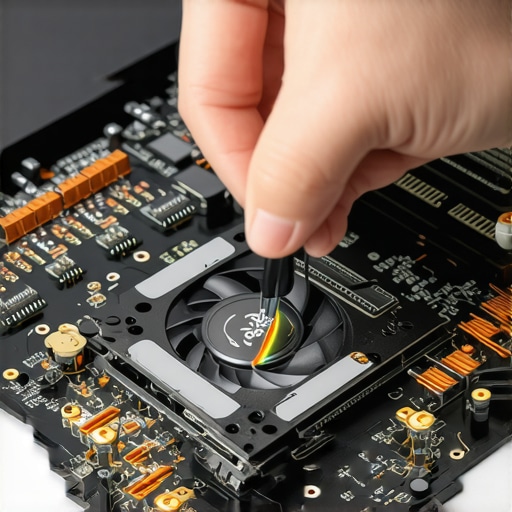
How do I keep my laptop running like day one for years?
The secret isn’t a magic software fix; it’s heat management and battery cycles. Heat is the silent killer of lithium-ion batteries. If you’re constantly pushing your machine to its limits, you need to master tactics to stop your laptop from overheating on your bed. More importantly, you should understand the reason your laptop battery wont charge past eighty percent. Most high-end business laptops for professionals now have a BIOS setting that limits the charge to 80% to prevent chemical aging. It’s a complete game-changer for someone like me who keeps their machine plugged in at a desk for 90% of the day. In the next few years, I predict we’re going to see a massive shift toward ‘Modular First’ designs, where even the ports themselves can be swapped out like LEGO bricks. We’re already seeing the start of this trend, and I suspect the big players will have to follow suit as consumer laws tighten around the ‘right to repair.’ If you want to extend your device’s life today, go into your power settings right now and enable ‘Battery Health Mode’ or ‘Conservation Mode.’ It’s the single easiest way to ensure your battery doesn’t swell into a ‘spicy pillow’ three years from now. Tell me, have you ever actually opened your laptop to clean the fans, or does the thought of a screwdriver near your tech give you hives?
The Hardest Lessons I Learned Managing My Own Laptop Fleet
After years of testing everything from game-changing gaming laptops for serious players in 2025 to budget notebooks, I’ve realized that the spec sheet only tells half the story. The biggest lightbulb moment for me was realizing that ‘peak brightness’ is often just a temporary burst; if your cooling isn’t up to par, the system will dim that screen to protect the internals from heat. I also learned that saving twenty dollars on a generic power brick is the fastest way to a dead mainboard, which is why I now show everyone how to spot a fake charger before it fries your motherboard. Finally, remember that port layout matters—there is nothing more frustrating than a high-end hub that physically blocks your only other available charging port because of poor chassis design. These small details are what separate a workhorse from a headache.
The Specific Gear I Rely on for Maximum Longevity
I don’t just buy random gadgets; I look for tools that solve specific longevity problems. For power on the go, I have switched entirely to the best lightweight chargers for digital nomads which use GaN technology to stay cool and compact. I also keep the repair manuals from the only 3 brands that still make easily repairable laptops bookmarked. If you are a student, your best friend isn’t just the hardware itself, but knowing why your student id is the best tool for laptop discounts so you can afford a higher nit-count screen on a budget. I trust these resources because they focus on real-world durability and the right to repair rather than just the initial unboxing aesthetic.
#IMAGE_PLACEHOLDER_E#
Your Path to a Sun-Proof and Sustainable Setup
Technology should serve you, not the other way around. Whether you are hunting for top laptop deals in 2025 or trying to breathe new life into a machine you already own, the focus should always be on visibility, thermal health, and modularity. Don’t let a glossy marketing campaign trick you into a mirror-like screen or a chassis that is soldered shut. You now have the technical toolkit to identify business laptops for professionals that actually perform when you step outside the office. If you ever feel stuck or have a specific hardware question that wasn’t covered here, please feel free to contact us. What is the one thing you wish you had checked on the spec sheet before you bought your current laptop? Let me know in the comments below!