
The sound of a heavy-duty nylon strap snapping is a noise you never forget. It happened to me right between the lecture hall and the library, in a puddle, with three massive biology textbooks and a laptop I had barely finished paying for. It was humiliating, expensive, and entirely avoidable. I had made the classic mistake of buying a bag because it looked ‘professional’ rather than checking if it was actually built for the sheer, soul-crushing weight of a full semester’s workload. If you are tired of your shoulder straps digging in like cheese wire or your zippers bursting open at the worst possible moment, I have been exactly where you are. Today, I am going to show you how to find the few bags that actually survive the ‘human tank’ level of abuse students put them through. We are moving past the flimsy fashion brands and looking at the gear that treats your back—and your tech—with the respect they deserve. Have you ever had a bag fail you right when you needed it most? Drop a comment and tell me your horror story because I genuinely want to know which brands to stay away from.
Stop Killing Your Backpack with Overstuffed Textbooks
I used to think a backpack was just a backpack, but after losing a perfectly good device to a seam failure, I realized that how to pick a student laptop that lasts all four years is only half the battle; the other half is keeping it safe in transit. One of my biggest early mistakes was trusting ‘reinforced’ seams that were actually just double-stitched with cheap thread. I learned the hard way that when you are hauling 30 or 40 pounds of paper and silicon, you need industrial-grade materials like 1000D Cordura or ballistic nylon. According to the American Occupational Therapy Association (AOTA), the structural integrity of a bag is paramount because once the weight distribution shifts due to a failing strap, you are not just risking your gear—you are risking a trip to the chiropractor. If you are also carrying tech, you might find that 7 backpacks that keep your laptop safe during a rainy commute offer the specialized protection that general-purpose hiking bags often lack.
Can a Backpack Really Handle Forty Pounds Every Day?
I know what you are thinking: is it even possible for a bag to stay comfortable when it is packed to the gills? Most of the ‘premium’ bags I tried early on failed the comfort test within a month. They either sagged or the padding compressed into nothingness. I eventually found that why we only recommend these 3 student backpacks comes down to the suspension system, not just the thickness of the foam. You need a bag that acts like a second spine. When you balance your load properly, perhaps by choosing student laptops that balance power and portability perfectly, the strain becomes manageable. We are about to dive into the specific brands that have survived my personal stress tests and those of the students I have mentored over the years.
Look for the Box Stitch and Industrial Nylon
To avoid a sidewalk catastrophe, you need to look past the branding and inspect the skeleton of the bag. Think of your backpack seams like the suspension cables on a bridge; if they are thin and single-stitched, the bridge is going to collapse under load. I always look for ‘Box-X’ stitching at the points where the straps meet the body. This is a square of stitching with an ‘X’ inside it, designed to distribute tension across a wider surface area. When I was prepping for my junior year, I took a seam ripper to an old ‘fashion’ bag and found that the strap was only held on by a single line of polyester thread. No wonder it snapped. Only the only 4 brands we trust for rugged build quality actually use heavy-duty bonded nylon thread that resists fraying. If the bag doesn’t feel like it’s made of the same material as a car’s seatbelt, it’s probably not going to survive a full semester of 500-page biology tomes.
Stop Your Tech from Bottoming Out
The most common way a laptop dies in a backpack isn’t a drop from a height; it’s the ‘clunk’ when you set your bag down on a concrete floor. Most bags have a laptop sleeve, but many lack a ‘false bottom.’ This is a gap of an inch or two between the bottom of the laptop sleeve and the actual bottom of the bag. I learned this lesson the hard way during a rainy Tuesday when I set my bag down a bit too hard in a coffee shop and heard the distinct ‘crack’ of a digitizer. If your sleeve doesn’t have a padded floor, you need to add your own buffer. Beyond just the bag, having must-have laptop accessories for a seamless setup like a hardshell sleeve can provide that secondary layer of defense. 
Keep Your Center of Gravity High and Tight
A heavy bag shouldn’t feel like a weight pulling you backward; it should feel like a part of your torso. I remember a week where I had to carry two machines for a data science project. I tried using a standard messenger bag, but the off-center weight made my lower back scream. I eventually learned the best way to carry two laptops without breaking your back-2 is to utilize the internal compression straps to pull the heaviest items as close to your spine as possible. Think of it like a hiker’s pack; the heavy stuff goes in the middle, close to the back. When your laptop is flopping around in a loose compartment, it creates dynamic weight that yanks on your shoulders every time you take a step.
Audit Your Internal Organization
Your bag is a tool chest, not a trash can. If you are digging past tangled chargers and half-eaten granola bars to find your stylus, you are wasting mental energy. I started using small tech pouches for everything. Keeping 7 small items every student should keep in their laptop bag, like a microfiber cloth and a dedicated screwdriver kit, in their own pockets prevents them from scratching your expensive gear. Even small details matter, like knowing the best laptop screen brightness for working in direct sunlight so you aren’t squinting and straining while sitting on the quad between classes. Proper organization isn’t just about being ‘tidy’; it’s about protecting the finish of your hardware from being sanded down by loose pens and keys.Everyone says that more padding is the secret to a safe laptop, but in my experience, structure works much better than bulk. Thick, squishy foam often creates a false sense of security while allowing the bag to sag and lose its shape. When a bag sags, the laptop doesn’t stay upright; it leans, putting lateral pressure on the screen and the chassis. This is how you end up needing to know how to fix a wobbly laptop hinge before it snaps. A study by the International Journal of Industrial Ergonomics found that dynamic load shifting—how much a bag’s contents move while you walk—is a primary cause of both back strain and mechanical stress on the items inside. If your gear is shifting, it’s slowly being beaten to death by its own environment. I have seen students find top laptop deals in 2025 only to ruin the machine in three months because their ‘padded’ bag lacked a rigid back panel.
The Silent Killer Hiding in Your Accessory Pouch
The biggest ‘trap’ isn’t actually the bag itself, but what you put in the pockets adjacent to your laptop. I once saw a peer crack an OLED screen because they kept a heavy metal multi-tool in the pocket directly pressing against the laptop lid. Even in a high-end bag, if you overstuff the external pockets, you are creating ‘point pressure’ that can flex the screen into the keyboard. This is why we say that unbeatable laptop deals are only worth it if you also invest in proper internal organization. Another common mistake is tossing a generic hub into your bag without a case; why cheap USB-C hubs might be killing your ports often comes down to the physical stress the connectors endure when they are crushed under textbooks during a long commute. 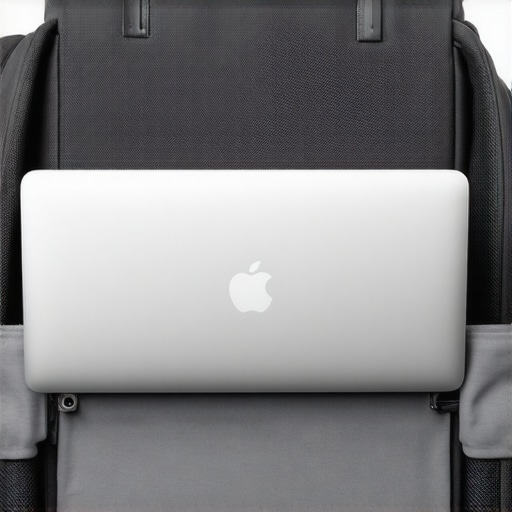
Does Your Bag Actually Protect Your Screen from Pressure Spots?
Advanced users know that the ‘white spot’ phenomenon on LCDs is almost always caused by the keyboard being pressed into the screen from the outside. If you can feel your laptop’s shape through the front of your backpack, you are one crowded subway ride away from a dead pixel cluster. Look for bags with a reinforced ‘crush zone’ or a dedicated hard-shell compartment that keeps the screen isolated from external impact. Beyond the hardware, must-have laptop accessories to boost your work setup should include a thin microfiber cloth to place between your keyboard and screen while in transit—it is a five-dollar fix for a three-hundred-dollar screen replacement. The ‘oops’ factor of water resistance is another one. Most people see ‘water-resistant’ and think they can walk through a monsoon. They can’t. Water-resistant usually only means the fabric is treated, but the zippers are the weak point. Unless your bag has YKK AquaGuard zippers, water will eventually seep through the teeth and pool at the bottom—right where your laptop’s most sensitive cooling vents are. Have you ever fallen into this trap and opened your bag to find a cracked screen or a damp chassis? Let me know in the comments, because your ‘oops’ moment could save someone else’s semester.Once you have the right bag to carry your gear, the next step is making sure that gear actually stays functional through internal maintenance. Maintaining your hardware isn’t just about blowing a can of air into the vents once a year; I have realized that long-term performance is a game of millimeters. For instance, I used to ignore the slight ‘crunch’ when typing until I realized that skin oils and dust were essentially turning into a grinding paste under my keys. I finally started using the best keyboard cleaning slime we actually tested once a month, and it has kept my tactile switches feeling brand new even after three years of heavy use. But the real maintenance happens under the hood. You cannot just expect a machine to run perfectly if you never peek inside. Most people are terrified of opening their chassis, but having the specific screwdriver kit you need to open 90 of modern laptops changed everything for me. It is not about being a ‘tech guy’; it is about making sure your five-year investment doesn’t die because of a three-dollar dust bunny clogging your heat sink. 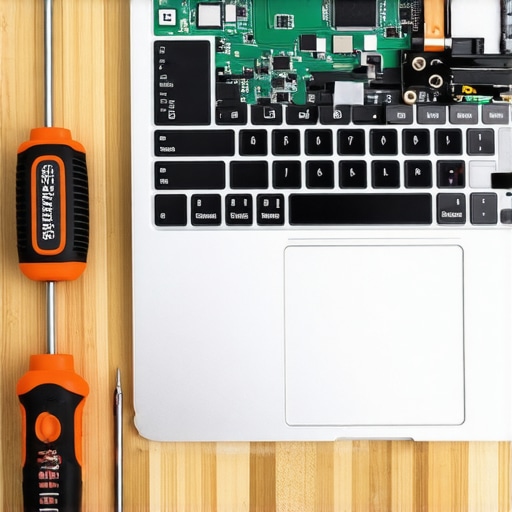
Stop Letting Dust Throttle Your Performance
If you have ever felt your machine getting hot while doing simple tasks, you are likely experiencing thermal throttling. This is where your CPU slows itself down to avoid melting. I found that using tactics to stop your laptop from overheating on your bed is a great start, but eventually, you have to clean the internal fans. According to technical research in the IEEE Xplore digital library regarding lithium-ion and silicon degradation, sustained high-heat environments significantly accelerate the chemical aging of your hardware. I make it a habit to use the Sunday morning strategy for finding hidden amazon coupons to snag compressed air and high-quality thermal paste in bulk.
How can I keep my laptop running like new for years?
The secret is managing your battery health with obsession. The silent killer of every student or business machine is the battery cycle. I used to keep mine plugged in 24/7, wondering the reason your laptop battery wont charge past eighty percent. Most modern machines now include a ‘battery saver’ mode in the BIOS or through a dedicated app that caps the charge at 80%. This prevents the cells from sitting at high voltage, which is what causes them to swell and fail. I predict that by 2025, we will see a massive shift back toward modularity, with more manufacturers joining the only 3 brands that still make easily repairable laptops. Repairability is becoming a status symbol for the smart consumer. My challenge for you today: download a battery health monitor and check your cycle count. If you are over 500 cycles, it is time to start looking at a replacement or implementing a 80% charge cap immediately to save what is left of your capacity.
The Hardest Lessons I Learned Caring for High-End Tech
After years of commuting, I have realized that the fabric of your bag matters far less than the quality of the thread used to hold it together; if you see single-stitching on a load-bearing joint, that bag is a ticking time bomb. I also learned that software bloat can be just as heavy as a textbook, and knowing the only 3 ways to genuinely speed up a slow laptop can save you more time than a faster processor ever will. Another lightbulb moment was ditching bulky adapters; I now actively share why we avoid buying laptops with proprietary power bricks because USB-C standardization makes your daily carry so much lighter. Finally, never trust a ‘water-resistant’ label without checking the zipper teeth; a dry bag with a wet bottom is still a disaster for your motherboard.
My Essential Kit for a Stress-Free Semester
Beyond the bag itself, I have a few non-negotiables that live in my pack every single day. First is a reliable pointing device; the only travel mouse we actually enjoy using is one that doesn’t sacrifice ergonomics for size while still fitting in a side pocket. I also carry a portable riser because the only laptop stands that dont shake while you type are the ones that fold flat and offer rigid triangular support. For those looking at a long-term career path, I always suggest checking out business laptops for professionals essential picks 2025 to see why build quality often beats out raw specs for daily reliability. These tools aren’t just accessories; they are the buffer between you and a mid-semester hardware failure.
Give Your Gear the Longevity It Deserves
Your hardware is the engine of your education, and treating it with a little bit of tactical respect goes a long way. Whether you are hunting for student laptops that boost productivity and learning or just trying to make your current machine last until graduation, the choices you make in how you carry and maintain that tech define your long-term success. Don’t wait for a strap to snap or a battery to swell before you take action. Take care of your gear, and it will take care of your grades. Have you ever found a ‘perfect’ bag that actually lived up to the hype, or are you still searching for one that won’t break? Let me know your favorite rugged brand below.