
It’s 2:15 AM. The house is so quiet I can hear the refrigerator humming three rooms away. I’m deep into a tense match, my pulse is racing, and I’m one flick-shot away from a legendary win. Then, it happens. Click-click-click. The sound of my mechanical mouse echoes like a gunshot in the hallway. My partner groans, turns over, and gives me that sleepy, frustrated sigh we all know too well. That’s the moment I realized my hobby was becoming a household nuisance. I’ve spent years hunting for the perfect balance between high-performance gaming and total stealth, and today, I’m going to show you exactly how to stay in the game without getting kicked out of the bedroom.
Why Quiet Clicks Save More Than Just Your K/D Ratio
The struggle is real. We want the responsiveness of a high-end sensor, but we don’t want our desk to sound like a 1940s typewriter factory. For a long time, I thought silent meant mushy. I once bought a generic silent mouse from a bargain bin, and it was a total disaster. The sensor lagged so badly I couldn’t even hit a stationary target, and most budget mice fail after six months anyway. It was a waste of twenty bucks and a whole lot of frustration. If you’ve ever had a family member or roommate tell you to pipe down during a late-night session, you know that tension is the ultimate buzzkill for your focus.
Can a Silent Mouse Really Keep Up With Pro Gaming?
This is the big fear, right? You worry that by removing that satisfying click, you’re losing the tactile feedback needed for rapid-fire inputs. I’m here to tell you that modern switch technology has finally caught up. You can have a mouse that feels snappy and tactile without the high-pitched snap that pierces through walls. According to research cited by technology reviewers at The New York Times Wirecutter, high-quality silent switches can reduce decibel output significantly while maintaining the same actuation force as standard mechanical switches. You get the same performance found in high-end gaming setups, just without the noise complaints.
The Secret Sauce of Stealthy Gaming Gear
When I first started looking for essential laptop accessories, I ignored the mouse. I focused on the GPU and the screen, but my peripherals were what actually limited when I could play. Just like how gaming laptops often fail the noise test in quiet environments, a loud mouse makes you feel like an intruder in your own home. Have you ever felt like you had to hold back your playstyle—clicking slower or softer—just to keep the peace? If so, you’re exactly why I put this guide together. We’re going to look at the specific models that offer the polling rates and DPI you need, while staying as quiet as a mouse—literally. This isn’t just about picking quiet mice for study zones; it’s about reclaiming your late-night freedom. Let’s dive into the gear that actually works without compromising your speed.
Choose the Right Switch Technology First
The heart of any silent mouse is the switch beneath the plastic shell. Most standard gaming mice use mechanical switches that rely on a metal leaf spring hitting a contact point, which creates that sharp ‘clack.’ Silent mice use dampened switches—think of them like high-end shock absorbers for your fingers. When shopping, look specifically for omron silent switches or proprietary optical-silent hybrids. I learned the hard way that if a brand doesn’t specify the switch type, it’s probably a mushy membrane disaster. I once spent an entire weekend trying to mod a standard mouse by wedging tiny bits of foam inside the casing to dampen the sound. I thought I was a genius until the foam shifted during a boss fight, jamming the right click and causing my character to walk off a cliff. It was a mess, and it’s why I now insist on native silent hardware. If you are building a professional environment, you might recognize this need from why we chose this specific mouse for large-scale data entry, where repetitive clicking can drive an entire office crazy. 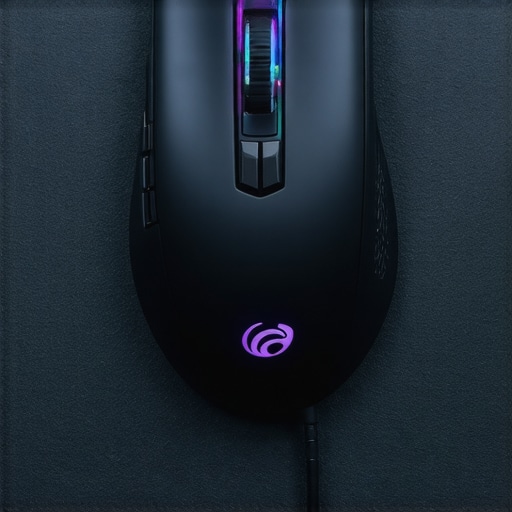
Verify the Sensor Performance
Don’t let the silent label distract you from the guts of the mouse. A quiet click is useless if the cursor skips across the screen like a flat stone on a pond. You need a sensor that can handle at least 10,000 DPI and a polling rate of 1,000Hz. This ensures that every micro-movement is registered by your machine. This is especially critical when you force your laptop to use the dedicated GPU in every app to get maximum frame rates; your peripherals need to keep up with that raw power. A high-quality sensor in a silent mouse is like having a suppressed sniper rifle—it’s just as deadly, just much harder to hear. Without a top-tier sensor, you’re just playing with a toy.
Tactile Feedback Without the Acoustic Flare
The biggest hurdle for most gamers is the loss of ‘feel.’ We crave that tactile bump that tells our brain the shot has been fired. The best silent mice use a clever internal geometry to provide a physical ‘thump’ that you can feel in your fingertip, even if the room remains silent. This is a similar philosophy to why we prefer physical click buttons over haptic trackpads; the physical connection to the action is what builds muscle memory.
Manage Your Surface Noise
You can have the quietest switches in the world, but if you’re sliding a plastic mouse across a bare wooden desk, it will sound like a sandpaper factory. To achieve true stealth, you need to pair your mouse with a thick, stitched-edge cloth pad. Avoid those hard plastic ‘speed’ pads. They might be fast, but they amplify every vibration from the mouse’s feet. Much like why most laptop cooling pads are just loud paperweights that add more noise than actual utility, a bad mousepad choice can negate all the money you spent on a silent mouse. A 4mm or 5mm thick cloth pad acts as a muffler, absorbing the sound of the mouse feet gliding and the impact of the mouse being lifted and reset during frantic gameplay. This completes the stealth loop, making your setup as quiet as a top business laptop for productivity in a library.It’s easy to get tunnel vision when you’re hunting for stealth. Most people assume that any mouse labeled ‘silent’ is just a quieter version of a standard peripheral, but that’s a dangerous simplification. In my experience, the biggest mistake is choosing a silent mouse that lacks a high polling rate. You might have one of the latest game-changing gaming laptops for serious players in 2025, but if your mouse is only reporting its position 125 times per second instead of 1,000, you’ll feel a ‘floaty’ sensation that ruins your aim. It’s a classic ‘oops’ factor: you solve the noise problem but introduce an input lag problem that makes your high-end rig feel sluggish. I’ve seen this happen even with student laptops that balance power and portability perfectly; the user blames the laptop for ‘stuttering’ when it’s actually just a low-tier silent mouse.
Why ‘Silent’ Labels Can Be Deceptive
Don’t fall for the generic ‘office silent’ trap. These mice are often designed for spreadsheets, not flick-shots. They usually come with sensors that lose tracking if you move the mouse too fast—a phenomenon called ‘spin out.’ If you’re snagging top laptop deals in 2025, make sure you don’t negate those savings by buying a mouse that can’t handle a fast-paced environment. Even business laptops for professionals benefit from gaming-grade silent mice because the accuracy reduces fatigue during long shifts. 
Can a High Polling Rate Actually Tax Your Laptop?
This is a nuance most beginners miss. While a 1,000Hz or 8,000Hz polling rate makes the cursor feel butter-smooth, it actually consumes more CPU cycles. On some ultra-portable machines, especially where gaming laptops still struggle with thermal throttling, a super-high polling rate can lead to micro-stutters in the game itself. A study by NVIDIA’s Reflex research team suggests that while higher is generally better for latency, there is a point of diminishing returns where your hardware might struggle to keep up with the interrupt requests.
The Secret Logic of Professional Setups
Another common myth is that you need a different mouse for work and play. I’ve found that a high-end silent gaming mouse is actually the ultimate tool for productivity. The extra side buttons aren’t just for macros; they are lifesavers for navigating complex documents. This is similar to how 8GB of RAM is no longer enough for modern browsing—we keep demanding more from our tools, so why settle for a basic two-button mouse? If you’re currently using a loud mechanical mouse in a shared space, you’re essentially choosing to be the ‘loud neighbor’ of the digital world. Have you ever fallen into the trap of buying gear that was too loud or too slow for your needs? Let me know in the comments. By focusing on the switch quality, sensor accuracy, and surface choice, you can finally play at your peak without the acoustic tax. It’s about being a silent predator, not a loud target.It isn’t enough to buy the right gear; you have to stop it from turning into a paperweight after six months of heavy use. I’ve found that silent mice are particularly sensitive to gunk—that lovely mixture of skin oils and desk dust that finds its way into every crevice. If you’ve ever wondered the real reason your laptop feels sluggish after three months, it’s often the same principle of neglect applying to your peripherals. I personally use a toothpick and a quick blast of compressed air every Sunday morning. It sounds obsessive, but it keeps the travel of the silent switches consistent. When you are hunting for unbeatable laptop deals that save you big, remember that the longevity of your setup depends on these small habits. I also use a micro-dab of 99% isopropyl alcohol on a lint-free cloth to wipe the sensor lens. A tiny hair stuck in the sensor can cause your cursor to jump, which is frustrating when you’re in the middle of a high-stakes match. Use the best way to clean your laptop keyboard from crumbs and oil as a blueprint for your mouse maintenance; the same rules of precision and patience apply here. 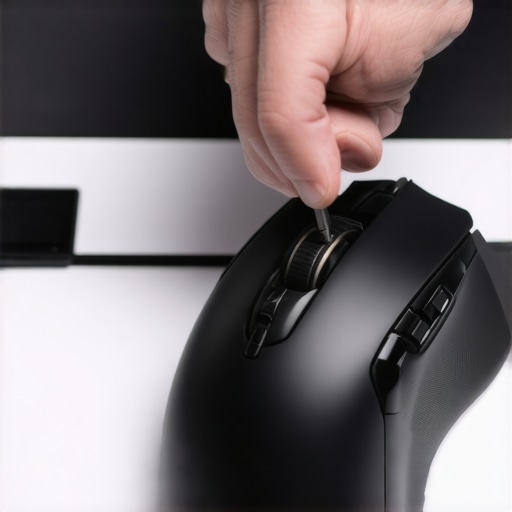
How Do I Keep My Silent Mouse Quiet for Years?
The biggest threat to your silence is switch fatigue. According to technical documentation from Omron Electronics regarding their D2LS series switches, silent components often have a lower Mean Time To Failure (MTTF) than standard mechanical ones—typically rated for 5 to 10 million clicks compared to the 50 million+ on loud models. To combat this, I avoid ‘heavy clicking.’ You don’t need to smash the button; a light touch is all these dampened switches require. If you do encounter a hardware failure, knowing how to replace a dead laptop fan without voiding the warranty gives you the confidence to look inside your mouse too. Many high-end silent mice actually allow you to swap the internal switches with a bit of soldering, extending the life of your must-have laptop accessories indefinitely.
The Shift Toward Magnetic Stealth
Looking ahead, I predict we are moving away from physical dampeners entirely. The future of quiet gaming lies in Mag-Lev (Magnetic Levitation) switches. Instead of a plastic part hitting a rubber stopper, the click will be registered by a hall-effect sensor that uses magnets to create resistance. This removes the friction and the sound almost entirely while offering a lifespan that could theoretically last for hundreds of millions of clicks. We are already seeing this technology creep into high-end keyboards, and I expect it to become standard for the next generation of stealth gear. I strongly recommend you try one advanced tip today: go into your mouse software and lower your lift-off distance (LOD). This prevents the sensor from tracking when you reposition the mouse, making your movements even more surgical and silent.
The Hard Truth About Going Full Stealth
After years of late-night sessions, I’ve realized that silence isn’t just about the hardware; it’s a mindset. One of the biggest ‘aha’ moments was discovering that side buttons are often the silent killer—many brands quiet the main clicks but leave the thumb buttons loud and clicky. Always test the full suite of inputs before committing to a ‘silent’ model. Also, don’t confuse silence with a lack of speed; if your rig feels sluggish, it might not be the mouse—check out the only 3 ways to genuinely speed up a slow laptop to ensure your software is as fast as your reflexes. Finally, remember that your grip style might change when you stop ‘smashing’ buttons and start ‘tapping’ them; give your muscle memory at least a week to adapt to the new tactile response.
Where I Turn for Better Gear Intel
If you’re looking to expand your setup beyond just a quiet mouse, I have a few go-to resources that haven’t steered me wrong. First, check the technical sheets on Omron or Kailh switch variants before you buy; that’s where the real truth about click life and decibel ratings lives. For pairing your mouse with the right machine, I always look at game-changing gaming laptops for 2025 adventures to see which chassis offer the best thermal management to match my silent peripherals. I also rely on high-quality must-have laptop accessories to boost your work setup to find desk mats that actually absorb sound rather than reflecting it back into the room. Finally, keep a simple maintenance kit—a specialized screwdriver and some canned air—to keep those dampened switches from getting gritty over time.
#IMAGE_PLACEHOLDER_E#
Time to Silence the Haters and Your Hardware
You no longer have to choose between being a good roommate and being a great gamer. By investing in the right switch tech, managing your desk surface, and maintaining your gear, you can dominate the leaderboards at 3 AM without waking a soul. Whether you are hunting for top laptop deals in 2025 or just trying to make your current student laptop setup more library-friendly, the power of stealth is now in your hands. Go ahead, take that final flick-shot with total confidence and zero noise. Have you ever had a specific ‘silent’ mouse fail on you right when you needed it most? Let me know in the comments below!