
I was sitting in a dimly lit corner of a crowded airport lounge last Tuesday, sweating through my shirt because a client needed the high-res RAW files from our shoot two hours ago. I reached into my bag, pulled out my sleek, ultra-thin laptop, and then the realization hit me like a physical blow. My USB-C hub—the one I paid sixty dollars for specifically to avoid this situation—was sitting on my kitchen counter. I had a camera full of data and no way to get it into the machine. It was a humiliating, amateur mistake that cost me a frantic two-hour delay and a very awkward apology. Since then, I’ve become that guy who refuses to compromise on built-in ports, and honestly, you should too.
The Dongle Life is a Lie We Have All Been Sold
We are constantly told that thin and light is the peak of engineering, but for anyone actually doing work on the move, it is often a productivity trap. Whether you are hunting for business laptops for professionals or checking out the latest gaming laptops, the trend of removing the SD slot is maddening. I remember the first time I bought a laptop with only two USB-C ports; I thought I was living in the future. Instead, I lived in a cable-cluttered hell. I spent more time troubleshooting my must-have laptop accessories than actually editing photos or finishing my reports. Relying on an external reader means you have one more thing to lose, one more thing to break, and one more thing to forget at home when it matters most.
Is an SD slot really worth the extra bulk?
You might think that the cloud has solved everything or that a small hub is a fair trade-off for a thinner chassis. I used to think that too. But let’s talk about reliability. Early in my career, I used a cheap multi-port adapter I found on a clearance rack. During a critical file transfer, the adapter overheated—a common issue with compact hubs—and corrupted a 128GB SanDisk card. The data was gone. A built-in reader is hardwired to the motherboard, offering a stable connection that does not dangle or disconnect if you accidentally nudge your laptop on a tray table. It also allows you to organize your external drives more effectively because you aren’t daisy-chaining hardware just to see your photos. According to technical specifications from the SD Association, the UHS-III interface can reach theoretical transfer speeds of up to 624MB/s, but those speeds are frequently throttled by the low-quality bridge chips found in many generic external dongles. Have you ever been stranded at a meeting or on a shoot without a way to offload your data? It is a specialized kind of stress that I wouldn’t wish on anyone, and it is entirely avoidable if you choose the right hardware from the start.
Identify the Real Workhorses Before You Buy
Finding a laptop that respects your time starts with the spec sheet, but you have to look closer than the glossy photos. Most manufacturers will hide the lack of ports by only showing the laptop from the front or at a ‘slim’ angle. When you are looking for top business laptops for productivity in 2025, specifically check the side profiles for a full-size SD slot. Micro-SD is a compromise for drones and GoPros, but if you are a professional, you need the full-size real estate. Do not just take the manufacturer’s word for it; look for the UHS-II rating in the fine print. A standard SD slot is fine, but a UHS-II slot is three times faster, which is the difference between a five-minute transfer and a twenty-minute wait.
Benchmark Your Transfer Speeds Immediately
Once you get your hands on a new machine, test the port’s actual throughput. I’ve seen plenty of student laptops that balance power and portability on paper but use a slow USB 2.0 interface for their internal card readers. Use a free tool like CrystalDiskMark with a high-speed card. If you aren’t seeing speeds above 150MB/s on a modern V60 or V90 card, that port is a bottleneck, and you might as well be back in 2015. This is why hunting for unbeatable laptop deals requires a keen eye for technical overhead rather than just a low price tag.

The Airplane Tray Table Test
I remember a specific flight from Seattle to New York where the passenger in front of me slammed their seat back the moment we hit ten thousand feet. My workspace was reduced to about six inches of plastic. Because I had chosen a laptop with a built-in SD slot, I could continue my edit without fear. My neighbor, however, was struggling with a massive hub that kept getting knocked loose every time he moved his mouse. He eventually gave up, frustrated that his expensive laptop accessories were actually preventing him from working. Having your ports integrated into the chassis isn’t just about speed; it is about the physical footprint of your productivity.
Build a One-Cable Desk Strategy
When you are back at home, you can still reap the benefits of a port-heavy machine. You can learn how to use a single USB-C cable to connect your entire desk, but keep your SD slot free for ‘hot’ data. I use my internal slot as a temporary buffer. I offload footage to the internal drive, then use the card slot as a secondary backup before the files ever hit my long-term storage. It creates a triple-redundancy system that fits in your pocket. If you travel often, combine this setup with the best small chargers for travel to ensure you never run out of juice while the high-speed reader is churning through gigabytes of data. This approach treats your laptop like a workstation rather than a fragile tablet with a keyboard attached.
Ditch the Micro-SD Compromise
Many modern gaming laptops include a Micro-SD slot as a way to expand storage for games, but this is a trap for creators. Using an adapter for a full-size SD card into a Micro-SD slot—or worse, a USB-C dongle—adds another layer of potential failure. Every contact point between your data and your CPU is a point where a static shock or a slight wiggle can kill a transfer. If you are serious about your media, your goal should be the shortest physical path possible from the silicon on the card to the silicon in your laptop.
Most people think they are saving space by choosing ultra-thin machines, but they are actually buying into a performance bottleneck. The common wisdom is that ‘USB-C can do everything,’ but that is a gross oversimplification. In my experience, even the most expensive must-have laptop accessories cannot replicate the electrical stability of a port soldered directly to the board. The ‘Oops’ factor here is signal degradation; every time you add an adapter, you introduce a point of failure and electrical noise. This often leads to the hidden costs of choosing an ultra-thin business laptop that go far beyond the initial price tag.

Can a single cable really handle your entire workflow?
While brands promise you can learn how to use a single USB-C cable to connect your entire desk, they often neglect to mention that high-speed data transfers like 4K video editing require immense bandwidth that can conflict with your display signal. A technical analysis by the signal integrity experts at Hardware Unboxed revealed that many multi-port hubs suffer from ‘thermal runaway,’ where the heat from the HDMI port actually slows down the SD card reader speeds by up to 40% after just ten minutes of use. This is why I advocate for business laptops for professionals that prioritize physical variety over aesthetic minimalism. If you are hunting for top laptop deals in 2025, do not get distracted by a sleek chassis if it forces you into a dongle-dependent nightmare. I have seen too many people buy student laptops that balance power and portability only to realize they cannot connect a mouse and a flash drive at the same time without an extra sixty-dollar brick. Have you ever fallen into this trap and realized your ‘thin’ laptop actually takes up more room in your bag because of all the extra gear? Let me know in the comments. We need to stop rewarding manufacturers who cut corners and start looking for top business laptops for productivity in 2025 that actually include the tools we use every day. Even gaming laptops, which usually have plenty of room, are starting to ditch these critical ports to chase a ‘pro’ look that actually hurts the pros.
I used to think that once I walked out of the store with the latest tech, my job was done. I was wrong. Buying the right machine is only the first step; keeping it from becoming a sluggish paperweight within eighteen months is where the real work happens. If you want to stop hunting for unbeatable laptop deals every two years, you need to shift your mindset from ‘consumer’ to ‘technician.’ I’ve seen gorgeous business laptops for professionals die early deaths simply because their owners were afraid to open the chassis or didn’t understand that heat is the silent killer of silicon.
Stop Babying Your Gear and Start Maintaining It
The biggest mistake I see is people treating their laptops like fragile glass ornaments. While you shouldn’t throw it across the room, you shouldn’t be afraid to perform basic surgery. Every six months, I perform a ‘deep clean’ that goes beyond just wiping the screen. I personally use the best way to clean your laptop keyboard from crumbs and oil to ensure my switches don’t get gunked up, but the real magic happens inside. Dust buildup in the fans is the primary reason for thermal throttling, which leads to the real reason your laptop feels sluggish after three months. If you can’t open the back, at least learn how to clean the dust out of your laptop without opening it using compressed air in short, controlled bursts.
How do I maintain my laptop’s performance over several years?
Consistency is the key to longevity. According to the technical experts at iFixit, a device’s repairability score is the single best predictor of its actual lifespan in a professional environment. I make it a point to check my battery health cycles every quarter. I’ve learned the truth about high-wattage chargers and battery longevity the hard way: fast charging is great for emergencies, but it cooks your cells if used exclusively. I also recommend checking your internal connections. I once had a ‘dead’ machine that just needed a Wi-Fi card reseated. This is why why we never buy laptops with soldered RAM for longevity—being able to swap a part yourself saves you a week of downtime at a repair shop. If a fan starts making a clicking noise, don’t wait for it to seize; learn how to replace a dead laptop fan without voiding the warranty early on.
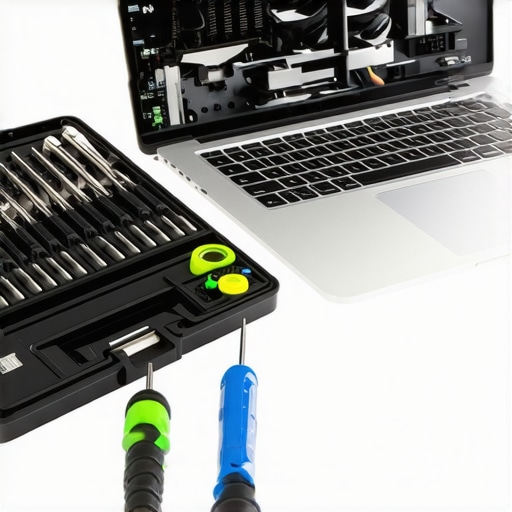
The Tool Kit That Actually Saved My Career
I don’t travel without a small, specialized toolkit anymore. You don’t need a full workbench, but having the specific screwdriver kit you need to open 90 of modern laptops is a game changer. I’ve used mine in hotel rooms to tighten a loose hinge and once to dry out a machine after a coffee mishap. Speaking of which, you should always have a plan for accidents; knowing how to clean a spilled drink out of your laptop keyboard can be the difference between a minor annoyance and a two-thousand-dollar loss. These aren’t just must-have laptop accessories; they are insurance policies for your productivity.
The Coming Shift in Port Design
Looking ahead, I predict a ‘Great Re-Porting.’ We are already seeing high-end manufacturers backtrack on the ‘USB-C only’ madness because professional users are demanding their workflows back. We are moving toward a future where modularity isn’t just for nerds; it’s a requirement for anyone buying top business laptops for productivity in 2025. Even gaming laptops are starting to embrace thinner profiles without sacrificing the SD slot, thanks to new stacking technologies in the chassis. My advice? Grab your screwdriver kit today and perform a thermal check on your current machine. If it’s running hot, clear those fans. You’ll thank me when your laptop lasts four years instead of two.
What the Glossy Brochures Never Mention About Longevity
After years of testing everything from business laptops for professionals to high-end gaming laptops, I have realized that the most expensive mistake isn’t buying the wrong brand—it’s buying a disposable design. One of the biggest lightbulb moments for me was discovering why we never buy laptops with soldered RAM for longevity. When your memory is trapped on the board, a single faulty chip can turn a three-thousand-dollar workstation into a paperweight. I have also learned that the best ‘upgrade’ is often just a thorough cleaning; I have seen student laptops that balance power and portability regain their peak speed just by clearing the vents. Lastly, always prioritize physical switches and ports over software ‘solutions’—a real SD slot will never need a driver update to keep your data safe during a deadline.
The Four Essentials in My Gear Bag
If you want to transition from a casual user to a pro who never faces downtime, you need a specific set of tools. First, stop using your fingernails to pry things open and grab the specific screwdriver kit you need to open 90 of modern laptops; it is the single best investment for any tech owner. I also swear by a high-quality microfiber and a dedicated solution; using the best way to clean your laptop keyboard from crumbs and oil keeps the aesthetics as sharp as the performance. For those who aren’t ready to go ‘under the hood’ yet, I recommend mastering how to clean the dust out of your laptop without opening it to prevent the real reason your laptop feels sluggish after three months. These aren’t just must-have laptop accessories—they are the foundation of a reliable mobile office.
#IMAGE_PLACEHOLDER_E#
Taking Control of Your Digital Workspace
The shift toward thinner, port-less machines was designed for the convenience of manufacturers, not for the efficiency of users. By choosing top business laptops for productivity in 2025 that respect your workflow, you are reclaiming your time and sanity. Don’t let a sleek marketing campaign trick you into a lifestyle of dongles and delays. Whether you are hunting for unbeatable laptop deals or the latest hardware, remember that the most powerful tool you own is the one that actually works when you need it most. You have the knowledge now—go find the machine that actually keeps up with you. Have you ever had a laptop fail on you right when a critical deadline was looming? Let me know in the comments below!