
I will never forget the morning I lost my dignity on the 8:15 AM commuter train. I was sitting wedged between two strangers, working on a highly sensitive client proposal using one of my favorite top business laptops. I paused to stretch, looked to my left, and realized the man next to me was shamelessly reading every single line of my screen. When our eyes met, he didn’t even look away; he just nodded as if approving my pricing strategy. My heart dropped. I felt completely exposed.
Your Screen is Everyone’s Business on a Crowded Train
That embarrassing train ride kicked off a months-long obsession for me. I realized that keeping our digital lives private while transit commuting is a massive hurdle. We buy these amazing portable machines, yet we are constantly forced to shield them with awkward body angles or dimmed displays that strain our eyes. Today, I am going to share the exact setup that finally solved this nightmare for me, ensuring your private work stays private.
Are privacy filters actually worth the hype?
I used to think they were a total gimmick. In fact, one of my biggest early mistakes was buying a cheap, generic five-dollar plastic sheet from an online auction site. It made my beautiful display look incredibly muddy, did absolutely nothing to block side-angle viewing, and eventually ruined the anti-reflective coating on my screen. I should have opted for high-quality laptop accessories designed specifically for active travel instead.
The truth is, modern high-end privacy shields use micro-louver technology to restrict the viewing angle to just 30 degrees. According to a study by the Ponemon Institute, visual hacking has a staggering 91% success rate in public spaces when screens are left unprotected. Have you ever caught someone staring directly at your laptop screen during your morning commute? It is a terrible feeling, but getting the right physical shield changes everything, especially if you secure your laptop with the same vigilance you use at your home office.
Build Your Shield Against Commuter Snooping
Securing your workspace on a packed train is like building a castle wall: you need both physical barriers and internal security protocols. Relying on a single line of defense is how private corporate data leaks out. The absolute first step in my daily routine is pairing a high-quality physical privacy filter with calculated digital habits. When I first tried this dual-system approach, I did it on a chaotic Thursday evening commute. I was sitting in the middle seat of a three-wide row, drafting a sensitive internal report. By combining a magnetic physical filter with a quick system tweak, the person next to me spent the entire trip looking at what appeared to be a completely blacked-out panel.
Mastering the physical placement for maximum privacy
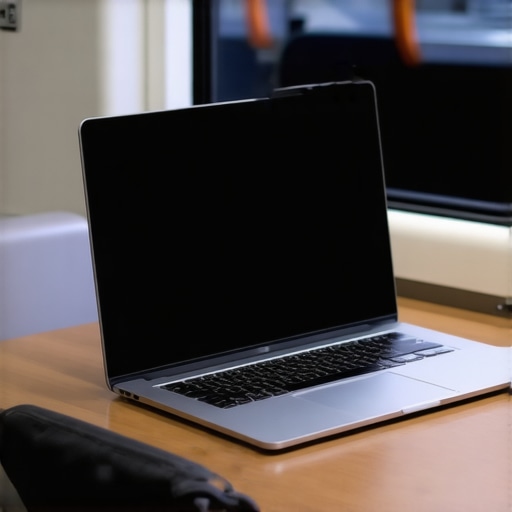
To make a physical filter work efficiently, you must position yourself and your machine correctly. Think of the filter as a set of tiny window blinds. If you do not how to find the best viewing angle for your laptop stand or screen, the micro-louvers will not align properly, and people sitting slightly behind you might still catch glimpses of your desktop. I always tilt my panel slightly downward so that the optimal 30-degree viewing cone is aimed directly at my eyes, not the head of the passenger standing behind me.
Why digital privacy shutters are only half the battle
Many users think that closing their webcam shutter means they are completely safe. In reality, modern shoulder surfers are looking at your screen, not your face. This is why you must combine physical shields with software lockdowns. I highly recommend learning the best ways to customize your laptop desktop for focus and safety, which includes hiding desktop icons, auto-hiding the taskbar, and setting your system to lock automatically after just one minute of inactivity. These small tweaks act as digital guardrails when you have to step away or close your lid quickly.
Adjusting your power and display settings for the road
You do not need your display running at maximum brightness when you are on a train. In fact, high brightness defeats the purpose of your privacy screen, washing out the polarization effect. I learned this the hard way when I ran my screen at 100% brightness and realized the passenger to my left could still read my spreadsheets. You should discover how to choose the right screen brightness for outdoor work and transit; keeping your screen around 40% to 50% brightness dramatically increases the effectiveness of any physical filter. Additionally, navigating the hidden power settings for maximum portability allows you to keep your laptop running cool and quiet, ensuring your fan does not draw unnecessary attention to your workstation in a silent, crowded carriage.
Keep your peripheral accessories secure and silent
Physical security does not stop at your screen. The accessories you use can also give away what you are doing. Using a loud, clicky mouse or a bright mechanical keyboard draws eyes directly to your hands and display. When traveling, I swap my loud gear for quiet, low-profile alternatives. Making sure your workspace is subtle and understated is the ultimate way to blend into the background and keep your valuable work entirely to yourself.
When we talk about taking our work on the road, most tech experts will tell you to simply buy a premium machine and slap on a filter. But after years of testing different hardware on early morning train routes, I have realized that the mainstream advice is completely backwards. Everyone says you just need a standard anti-glare screen and a generic privacy sheet to protect your sensitive data, but in my experience, that combination actually ruins your workflow and makes you a target.
Why do matte screens actually make your privacy filter less effective?
Here is the hidden nuance that almost nobody talks about: matte displays scatter light to reduce reflections, which sounds great in theory. However, when you overlay a polarized micro-louver privacy filter on top of a matte panel, that scattered light causes a severe moiré effect. It turns your screen into an unreadable, fuzzy mess. In contrast, why professional editors prefer glossy screens over matte is because of the perfect clarity they offer. A glossy screen allows the polarized light from your privacy filter to pass directly through to your eyes without distortion, maintaining crisp text while completely blacking out the view for shoulder surfers.
This brings me to the absolute biggest trap commuters fall into: buying ultra-thin machines with non-replaceable parts just for the aesthetic. I fell into this trap myself. I bought a beautifully slim machine, only to find that its low-power display couldn’t push enough nits to overcome the light-blocking properties of my privacy filter. If you are looking at top business laptops for productivity in 2025, you must prioritize raw screen brightness and panel compatibility over mere thinness. A study by the visual security firm 3M revealed that a standard privacy filter blocks roughly 30% to 40% of a screen’s light output. If your laptop starts with a weak backlight, adding a filter makes it completely unusable even in moderate daylight.
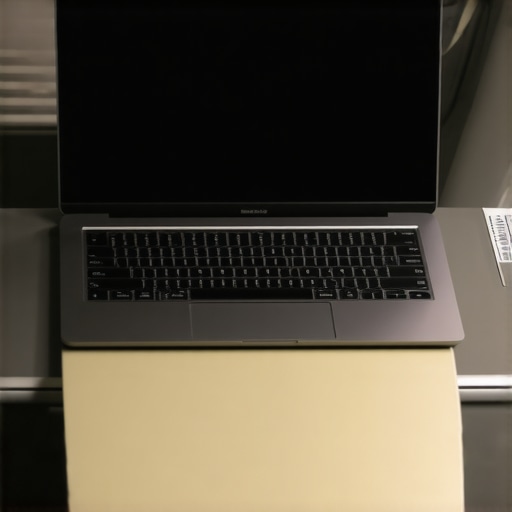
Another classic mistake is relying entirely on digital solutions. I always laugh when I see people boasting about software-level camera blockers while their actual screen is fully visible to three different rows of passengers. It is much safer to rely on physical, analog solutions. This is precisely why we recommend physical privacy shutters over digital ones for your webcam, and why physical, magnetic privacy filters are superior to software dimming tools. When you are on a crowded train, physical barriers are your only real guarantee of security.
If you are still struggling to find the right balance between security, portability, and performance on your daily commute, you are not alone. Have you ever fallen into this trap? Let me know in the comments. Keeping your data safe on the road requires a deliberate setup, but once you get the physical and digital elements aligned, you can work anywhere with complete peace of mind.
Maintaining this level of security and keeping your travel hardware running flawlessly is not a one-time setup. It is an ongoing practice. Over the years, I have established a strict maintenance routine that keeps my gear running like new, even when it is constantly shoved into commuter bags. If you do not actively care for your physical setup, your privacy filters will scratch, your ports will fill with pocket lint, and your machine’s performance will suffer when you need it most.
How do I maintain my privacy gear and laptop over time?
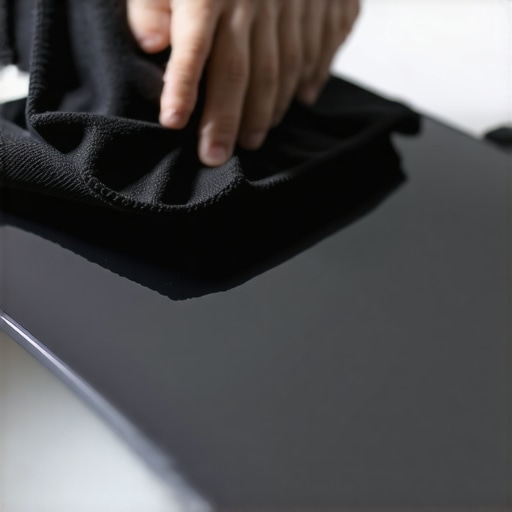
First, let’s talk about the physical screen. Those micro-louvers on your privacy filter are incredibly delicate. If you let dust and skin oils build up on them, you will find yourself constantly squinting, which defeats the purpose of having a high-end display. I never use harsh chemicals or paper towels on my screens. Instead, I learned how to clean laptop screen smudges without leaving streaks using a dry, high-density microfiber cloth and a tiny drop of distilled water. When the filter is not on my laptop, I store it flat inside a dedicated sleeve to prevent warping.
Second, your ports and internal fans take a beating on daily train rides. Dust from seat cushions and train ventilation systems gets sucked right into your chassis. This is why I recommend checking your hardware regularly. You should know how to check your laptop fan for dust without opening it to prevent thermal throttling on the go. If your fans are choked with dust, your system will run hot, forcing your battery to drain twice as fast. Additionally, carrying your machine in a protective casing is non-negotiable for commuters. I always slip my 14-inch machine into the best laptop sleeve for maximum drop protection before tossing it into my backpack.
Looking ahead, I predict that physical privacy filters will eventually be replaced by integrated, dynamic software-controlled polarizers built directly into our displays. We are already seeing early versions of this in enterprise-grade business laptops for professionals, where a single keystroke electronically narrows the viewing angle. But until that technology becomes mainstream and affordable across all consumer devices, a physical magnetic shield remains your absolute best defense.
If you want to take your mobile setup to the next level today, I urge you to try my favorite advanced tip: go into your operating system’s settings and customize your power button to instantly put the computer into deep sleep rather than just dimming the screen. If someone tries to hover over your shoulder, a single physical tap will instantly black out your entire session. Take control of your mobile privacy right now by testing out these quick adjustments on your next commute.
Over my years of commuting, I have realized that true privacy on a crowded train is not about buying one expensive gadget and calling it a day. It is an ongoing strategy of physical boundaries, customized hardware settings, and smart travel habits.
The Realities of Transit Security They Do Not Tell You
- Cheap filters are a waste of money: High-quality micro-louver technology is the only thing that actually blocks side-angle viewing. Budget sheets just blur your screen and ruin the panel’s anti-reflective coating.
- Glossy screens are your best ally: While we are conditioned to believe matte is always superior, a glossy screen prevents the fuzzy moiré effect when paired with a polarized privacy filter.
- Brightness is a dead giveaway: Keeping your display at 100% brightness completely washes out the polarization effect of any physical privacy shield.
- The ultimate panic button is analog: Setting your physical power button to trigger a deep sleep immediately is infinitely faster and safer than trying to minimize a window when a shoulder surfer approaches.
My Travel Security Toolkit
When preparing your setup for a daily commute, it pays to build a reliable ecosystem of tools. Start by identifying top business laptops for productivity in 2025 that feature bright, high-nit displays capable of cutting through the dimming effects of polarized filters. Pair your machine with premium must-have laptop accessories for a seamless setup, including quiet keyboards and a low-profile mouse. Finally, I highly recommend using a high-density microfiber cloth to clean smudges away regularly, and always packing your machine inside the best laptop sleeve for maximum drop protection to shield both your chassis and physical privacy filters from travel damage.
Take Back Your Peace of Mind on the Road
Working on the train does not have to feel like an extreme sport. By implementing a few deliberate physical changes and configuring your system settings for maximum safety, you can turn any cramped passenger seat into a completely secure, private office. Do not let the fear of shoulder surfers ruin your productivity; build your own portable shield and take control of your workspace today.
Have you ever caught someone staring directly at your screen during your morning commute, or have you found a specific setup that keeps your work completely hidden? Let me know in the comments below!