
I still remember the sinking feeling of watching my generic, budget-friendly retail laptop literally split at the plastic hinge during a crucial client presentation. It was embarrassing, loud, and entirely avoidable. That night, desperate for a rugged machine but operating on a threadbare budget, I fell down a rabbit hole looking for real business-grade hardware. I did what most people do initially: I looked at retail store shelves and gasped at the prices of new high-end machines. Then, I discovered the holy grail of hardware procurement, a hidden world where corporate lease returns and open-box gems gather dust. It changed how I buy computers forever. Today, I want to show you exactly how to bypass retail markups and tap into the semi-secret pipelines where legendary Lenovo machines are practically given away.
The Day I Realized Retail Stores Are Rigged Against You
I used to think that buying a new laptop meant visiting a local big-box electronics store and picking whatever was on sale. It was a costly mistake. My turning point came when I realized that we prefer used enterprise laptops over cheap new consumer models because they are built like tanks compared to consumer-grade plastic toys. Early in my tech journey, I wasted hundreds of dollars on a flashy consumer notebook that didn’t last a year. Enterprise machines, specifically ThinkPads, are built for corporate fleets with strict durability standards, but when those corporate leases end, thousands of pristine machines get liquidated. Finding where these go is the ultimate shortcut to owning premium hardware for the price of a cheap tablet.
Are these cheap refurbished machines actually worth the hype?
You might be highly skeptical about buying a computer that someone else used for three years in a corporate cubicle. Will the battery die in twenty minutes? Is the screen scratched to pieces? According to a market analysis by the International Data Corporation (IDC), enterprise-class PCs have a significantly lower failure rate over a five-year span compared to consumer models, making them the safest bet on the secondary market. If you know how to look, you can routinely find machines that look and perform as if they just rolled off the assembly line. We aren’t talking about outdated junk; we are talking about quad-core workhorses with solid-state drives and tactile keyboards that make modern consumer keyboards feel like mush.
How to Tap Into the Liquidator Pipeline
Finding these deals requires moving past standard retail search bars. Most people fail because they stick to standard consumer outlets. To get the real treasures, you need to learn the Friday afternoon trick for catching warehouse price drops, which is when massive corporate liquidators update their inventory databases to clear shelf space before the weekend. When you combine this timing with specialized wholesale outlets, the savings are staggering. Have you ever ended up buying a cheap retail laptop only to have it slow down to a crawl within six months? Let me know in the comments below, because I want to make sure you never have to waste your hard-earned money on fragile retail hardware again.
Skip the Retail Aisles and Target the Lease Returns
Finding a high-tier computer is like sourcing a dependable used car: you want the fleet vehicle that was serviced on a strict schedule, not the entry-level sedan owned by a teenager who skipped every oil change. Corporate IT departments buy business laptops in bulk, treat them with professional care under warranty, and then replace them every three years like clockwork. To find these gems, your first task is to skip standard consumer search phrases. Instead of looking for generic computer models, search specifically for manufacturers’ certified outlet portals or verified corporate liquidators on secondary marketplaces. Business laptops for productivity in 2025 are highly sought after, but the average consumer has no idea that the exact same machine used by a Fortune 500 executive is sitting in a warehouse, ready to be sold at a seventy-percent discount. Once you locate a warehouse liquidator, narrow your focus to models that still have active manufacturer warranties, which you can verify instantly online.
Verify the Vital Components Before You Buy
When you buy a used machine, you have to be your own quality control inspector. I once bought what looked like a immaculate notebook from an online liquidator, only to find out that the manufacturer had soldered the memory and storage directly to the motherboard, leaving me with no upgrade path. It was a messy lesson that cost me a couple hundred dollars in return shipping and restocking fees. Now, I always double-check the spec sheet. If you want to avoid my past headache, check the manual to ensure the memory isn’t permanent. We always prefer laptops with two RAM slots to make future upgrades cheap and simple. Additionally, look for physical features that indicate a premium corporate build. You want a built-in safety net for your hardware. If you value your privacy, your next laptop should probably have a physical webcam shutter rather than a flimsy digital switch that can be bypassed by software exploits.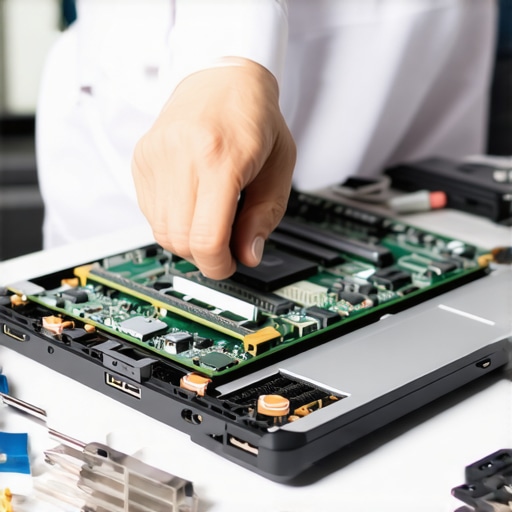
Secure Great Hardware Without Paying a Premium
Many buyers fall into the trap of purchasing a cheap new computer under the assumption that ‘new’ always equals ‘better’. This is how retailers trick you into buying low-grade plastic machines that flex when you type. For the same price as a budget consumer notebook, you can secure an enterprise machine built with a magnesium alloy roll cage. If you are shopping for a student, you want something that can survive being crammed into a heavy backpack. Many student laptops that balance power and portability perfectly are actually refurbished enterprise models because they offer premium keyboards and long-lasting batteries. To maximize your savings, look for cosmetic-grade ‘B’ listings. These devices often have minor scratches on the outer lid that you can easily cover up, but the internal components and screens are completely flawless. To make sure you do not get scammed by artificial pricing spikes during major shopping holidays, you must learn how to spot a fake sale during major holiday events so you can strike when prices are genuinely at their lowest.
Inspect the Machine the Moment It Arrives
Your work does not stop when the delivery driver drops the box at your door. You need to run a series of diagnostic tests immediately while you are still within the seller’s return window. Fill a USB flash drive with free utility software to test the hardware. Run a battery cycle report in the command prompt to check the health capacity. Next, boot up a monitor test utility. It is critical to test your laptop screen for light bleed issues in a dark room to ensure the backlight panel is not damaged. Finally, plug in all your peripheral devices. If you notice that you only have one working port, it might not be broken hardware; sometimes, your new laptop only has one working USB port enabled due to deep-level BIOS security settings left over from the previous corporate IT administrator. Check the BIOS menu, reset the settings to factory defaults, and you will unlock the full potential of your premium machine.
The Myth of the Flawless Premium Flagship
Most tech enthusiasts will tell you that spending top dollar on a factory-new flagship guarantees a seamless experience. In my experience, this is absolute nonsense. The tech industry loves to push the narrative that newer is always superior, but the reality of modern hardware engineering tells a completely different story. Many brand-new, ultra-thin premium machines suffer from severe thermal bottlenecking straight out of the box because designers prioritize aesthetics over airflow. On the other hand, robust enterprise models are engineered for sustained workloads. By looking past retail marketing, you can target top laptop deals in 2025 that feature proven thermal designs. Going for slightly older, high-end corporate hardware is almost always a smarter move than buying a fragile, thermal-throttled consumer novelty.
Why do so many buyers overpay for processing power they cannot use?
The biggest trap in laptop purchasing is prioritizing raw processor specs over the thermal capacity to run them. A study by the Institute of Electrical and Electronics Engineers (IEEE) highlights that modern high-performance silicon quickly throttles down to safe clock speeds when housed inside poorly ventilated chassis, making high-end chips perform no better than budget equivalents in cramped spaces. This means you might pay a massive premium for an elite processor only to have your system choke under load. To combat this, I recommend investing your budget into modular upgrades. For example, look for laptops with two RAM slots so you can scale up your memory manually rather than paying extortionate manufacturer upgrade fees upfront. Have you ever fallen into this trap and watched your expensive new machine lag during simple tasks? Let me know in the comments below.
The Sneaky Hidden Cost of Soldered Internal Components
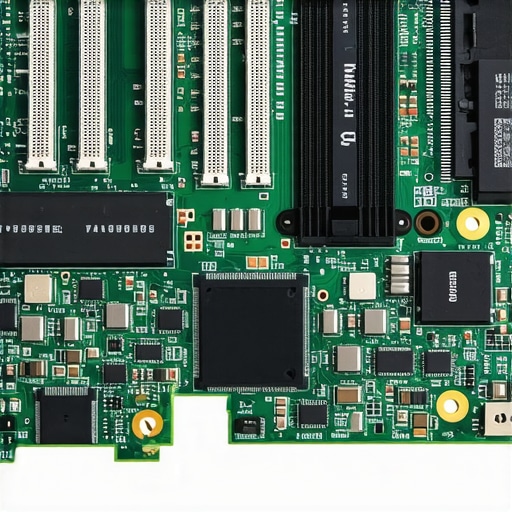
The most dangerous trend in laptop manufacturing today is the death of modularity. Major brands are systematically soldering memory, storage, and even wireless chips directly to the main system board. This is not a technical necessity; it is a calculated business decision designed to force you into buying an entirely new computer when a single cheap component fails. When shopping for business laptops for professionals, you must check the spec sheets to ensure the storage is not permanently fixed to the board. We actively advise our community to avoid this design choice because we prefer to protect our investments for years to come. In fact, we recommend you avoid laptops with soldered storage at all costs to prevent a single drive failure from bricking your entire workstation.
Upgrade Your Setup with Smarter Peripheral Choices
Securing the right machine is only half the battle; the peripheral environment you build around it dictates your daily productivity. Too many people spend thousands on a notebook only to use a cramped, mushy built-in keyboard and a generic mouse that causes wrist strain. If you want to transform your portable machine into an ergonomic desktop powerhouse, you should explore must-have laptop accessories to boost your work setup. Instead of cluttering your desk with individual charging bricks, seek out high-quality vertical docking stations that keep your workspace clean and efficient. If space is tight, utilizing the best vertical docks to save space on a student desk can dramatically improve your workflow while keeping your machine running cool in a vertical orientation. Real productivity is not just about raw processor speed; it is about building a sustainable, upgradeable ecosystem that works for you.
Why Most Refurbished Laptops Slow Down After a Few Months
I see it happen all the time in tech forums: a user secures an incredible deal on a corporate lease return, runs it for six months, and then complains that their system is suddenly sluggish. It is rarely a failure of the hardware itself. Instead, it is almost always due to simple thermal build-up and a lack of routine, proactive maintenance. When you buy from top laptop deals in 2025, you are getting a high-caliber engine, but even the best engines require regular oil changes. If you let dust clog the copper heatsink fins, the system BIOS will automatically drop the clock speeds to prevent catastrophic damage. This is why some users mistakenly believe their used machine is dying, when in reality, it is just choking on dust. To keep your workstation operating at its peak potential, you must integrate a few non-negotiable physical and software maintenance habits into your routine.
How do I maintain my enterprise laptop over time?
My personal maintenance protocol is straightforward but strict. Every six months, I use a can of compressed air to blow out the cooling vents. When doing this, I always use a plastic toothpick to gently lock the internal fan blades in place through the grille. If you let the fan spin freely from the high-pressure air, it can act as a miniature generator and send a dangerous electrical back-current straight into your motherboard. For software, I completely bypass standard consumer utility packages. Instead, I rely on clean command-line scripts to clear temporary caches and run official manufacturer diagnostic tools to monitor battery degradation. If you notice your system is starting to run warm even after a good cleaning, you can check out how we fixed our laptop thermal throttling with a 5-shim hack to rapidly restore optimal heat dissipation. Additionally, remember to clean the physical touch surfaces; knowing how to clean laptop screen smudges without leaving streaks keeps your workspace looking as sharp as a brand-new retail machine.
My Highly Specific Tool Kit for Hardware Longevity
You do not need an expensive electronics lab to keep your machine in pristine shape. In fact, my entire hardware toolkit fits inside a small zippered pouch. It contains a high-quality precision screwdriver set, a tube of non-conductive carbon-based thermal compound, and a couple of plastic pry tools. If you are using your machine on the go, always be careful with your power source. I have seen dozens of great motherboards fried by cheap hotel outlets, which is why we only use high-quality surge protectors for laptops when traveling. For those who enjoy occasional desk gaming on their business machines, you might also find that your fan profiles need tweaking under sustained loads; learning how to force your laptop to use the dedicated GPU can prevent your system from wasting system resources on integrated graphics while keeping your frames high.
The Future of Right-to-Repair and Refurbished Tech
As we look toward the future, the battle between planned obsolescence and user repairability is heating up. According to repair advocacy analyses by iFixit, European Union design regulations are beginning to force manufacturers to make batteries and wireless modules more accessible. I predict that over the next three to five years, we will see a massive resurgence in highly modular, easily repairable corporate hardware hitting the secondary markets. This means the skills you build today by maintaining your own equipment will become even more valuable. For your immediate next step, I challenge you to try one advanced tip right now: open your command prompt, generate a native battery health report, and verify your actual full charge capacity against its original design capacity so you can plan your next simple upgrade before any performance issues arise.
What Corporate IT Departments Won’t Tell You About Machine Lifespans
The single biggest revelation from my years sourcing hardware is that enterprise systems do not degrade the way consumer electronics do. Corporate workstations are designed for continuous, multi-year deployment cycles under heavy processing loads. When a corporate lease ends, the system has usually spent its life resting on a static desk in a climate-controlled office, protected by clean power grids. By bypassing standard consumer channels, you are essentially securing a premium workstation at a seventy-percent discount just because a corporate accounting department needed to write off the asset. The longevity of these platforms is unparalleled if you simply perform basic upkeep.
- Thermal designs are vastly superior: Unlike wafer-thin consumer notebooks that choke under simple multitasking, enterprise models feature robust heat sinks designed to run all day without thermal throttling.
- Enterprise parts remain available for a decade: Because corporations buy these units in the tens of thousands, replacement keys, screens, and internal cables are incredibly cheap and easy to source online.
- Software compatibility is guaranteed: Enterprise manufacturers keep drivers updated for many years, meaning you won’t struggle with broken OS updates.
My Personal Toolkit for Keeping Refurbished Hardware Alive
To maximize your return on investment and keep your hardware running like a brand-new machine, you do not need to be a certified technician. You just need a few highly reliable tools and resources. I personally recommend keeping these items on hand to maintain your system’s peak performance over time:
- A precision screwdriver set with Torx bits: Essential for opening the bottom casing of corporate hardware to blow out dust or swap out modular memory.
- High-quality thermal paste: Replacing the dried-out factory thermal compound every few years can drop your operating temperatures by ten degrees Celsius instantly.
- A dedicated surge protector: I always make sure we only use high-quality surge protectors for laptops when working from coffee shops or hotels to avoid devastating voltage spikes.
- The official hardware maintenance manual: Unlike consumer models, major enterprise manufacturers publish free, highly detailed PDF repair manuals showing you step-by-step how to replace every single internal component.
Step Into the World of Smarter Hardware Sourcing
It is time to take control of your technology budget and stop letting retail stores convince you that a fragile, plastic notebook is worth your hard-earned money. By choosing high-quality refurbished enterprise hardware, you are choosing durability, modularity, and incredible value. You can easily build a powerful, reliable workspace by targeting top laptop deals in 2025 and pairing your robust machine with a couple of smart, ergonomic accessories. The performance benefits and financial savings are waiting for you; all you have to do is take the leap and start looking beyond the retail shelves. Have you ever successfully upgraded a used business laptop yourself, or are you planning to source one for your next workstation? Let me know in the comments section below!