
I remember the sweat on my palms as I hovered my mouse over that ‘Buy Now’ button three years ago. It was Black Friday, and a gorgeous gaming laptop was screaming ‘50% OFF!’ at me in neon red text. I thought I’d won the lottery. I hit checkout so fast I nearly tripped over my own feet. Two weeks later, during a random Tuesday in December, I saw the exact same price. I hadn’t saved a dime; I’d just fallen for the oldest trick in the retail playbook. It’s a gut-wrenching feeling realizing you’ve been played by a marketing department, and I don’t want that for you. Every year, I see my neighbors and friends get swept up in the same frenzy, thinking they are grabbing unbeatable laptop deals when they are actually just paying the standard market rate.
Retailers Love the Original Price Mirage
We all want to believe we’re getting away with something big. Whether you’re hunting for student laptops that boost productivity or looking to upgrade your office with must-have laptop accessories, the excitement of a major holiday event can cloud your judgment. Retailers use a tactic called ‘price anchoring.’ They display a massive ‘List Price’ that hasn’t been real for years, making the current price look like a steal. In reality, many of these budget laptops for gaming are sold at these ‘sale’ prices for most of the year. I made the mistake of trusting the sticker instead of the market. I didn’t realize that some manufacturers inflate prices just weeks before a holiday just so they can ‘slash’ them back down. When I was looking for business laptops for professionals, I realized that the best deals aren’t always on the front page of a flyer. Sometimes, the real gems are tucked away in the ‘clearance’ or ‘lease return’ sections. My early failure was thinking that the louder the advertisement, the better the deal. It turns out, it’s usually the opposite.
Is that 70% Off sticker just a flat-out lie?
It’s a fair question to ask because, quite often, the answer is a resounding yes. According to a study by the consumer advocacy group Consumers’ Checkbook, many major retailers offer ‘sales’ that are actually the same price they charge nearly year-round. This isn’t just a hunch; it’s a documented strategy to create a false sense of urgency. Don’t let the ticking clock icons scare you into a bad purchase. Those countdown timers are often as fake as the discounts themselves. Today, I’m going to share the Friday afternoon trick for catching warehouse price drops that actually matter. We’ll learn how to separate the genuine bargains from the marketing fluff so you can walk away with a machine that actually serves your needs without draining your wallet. Have you ever rushed to buy a ‘limited time’ deal only to see it even cheaper a week later? It’s a frustrating cycle, but one we are going to break together.
Stop Trusting the Sticker and Start Tracking the Data
That Friday afternoon trick isn’t magic; it’s about timing the logistics cycle. Most big-box retailers update their internal inventory systems for clearance items just before the weekend rush. I once sat in a local electronics store at 2:00 PM on a Friday, watching a floor manager swap out price tags on three ‘open-box’ units. The price dropped by $200 in the time it took me to drink a coffee. If you aren’t using a price tracker like CamelCamelCamel or Keepa, you are flying blind. These tools show you the ‘Price Floor’—the lowest price an item has ever hit. If the current ‘sale’ is still $50 above that floor, walk away. You aren’t getting unbeatable laptop deals; you’re just paying for the convenience of not waiting.
Peek Behind the Original Price Curtain
When you see a ‘List Price’ of $1,200 slashed to $600, ask yourself if that laptop was ever actually sold for $1,200. Usually, the answer is no. Retailers often use a proprietary SKU (Stock Keeping Unit) for specific holidays, making it impossible to price-match elsewhere. I learned this the hard way when I tried to compare a ‘doorbuster’ model and realized the manufacturer had swapped the high-quality screen for a dim, washed-out panel just to hit that low price point. This is why the hidden trap of budget gaming screens is so effective; you see the ‘i7 processor’ but you don’t see the 250-nit screen that’s impossible to use near a window.
Spotting the Hardware That Slows You Down
It’s tempting to grab a machine because it’s under a certain price bracket, but why most $300 laptops are just e-waste in a box comes down to the internals. Think of a laptop like a kitchen: the processor is the chef, but the RAM is the counter space. If you have a world-class chef (a fast CPU) but only a tiny cutting board (4GB of RAM), dinner is going to take forever. If you are looking for student laptops that boost productivity, you must insist on at least 16GB of RAM or, at the very least, a machine where the RAM isn’t soldered to the motherboard.
The Longevity Hack Most People Skip
I stopped buying ‘consumer-grade’ laptops from big-box stores entirely. Instead, I look for the secret to buying laptops directly from lease returns. These are machines built for corporations—think ThinkPads or Latitudes—that were used in an office for two years and then sold in bulk. They are built to be dropped, spilled on, and repaired. While your neighbor is buying a shiny plastic laptop that will flex and creak within six months, you can snag a professional-grade machine for half the cost. You can even check if your used laptop still has a manufacturer warranty, often giving you better protection than a new budget model.
Hack the System with Education and Lease Returns
You don’t need to be a freshman to save like one. There is a specific way to find the secret to snagging education discounts without a current id by shopping through specific manufacturer ‘outlet’ stores that offer the same discounts to the general public. Last year, I helped a friend pick out one of the top business laptops for productivity by simply checking the ‘Refurbished’ section of a major brand’s site at 8:00 AM on a Tuesday. We found a unit that was literally just a ‘buyer’s remorse’ return—perfect condition, full warranty, and 30% cheaper than the unit sitting on the shelf at the mall.But even when you find that perfect bargain, there’s a trap most buyers fall into: the cult of the spec sheet. We’ve been conditioned to believe that more is always better—more cores, more gigahertz, and more RAM. However, the biggest mistake I see is ignoring ‘Thermal Headroom.’ You can have the most powerful processor in the world, but if it’s crammed into a chassis thinner than a stack of pancakes, it’s going to throttle. I’ve seen i7-powered game-changing gaming laptops for 2025 adventures get outperformed by i5 models because the latter had better airflow. According to deep-dive testing by experts at NotebookCheck, thermal throttling can reduce a CPU’s clock speed by as much as 40% under sustained load. This is why your new gaming laptop feels slower than your old desktop; the desktop has the room to breathe that your laptop simply doesn’t.
The High-Spec Trap That Actually Slows You Down
It sounds contrarian, but sometimes the ‘lower’ spec is the smarter buy. When looking for top business laptops for productivity, people often pay a $300 premium for a slightly faster chip that they will never actually utilize because the laptop’s power management settings won’t let it reach those peak speeds. The hidden cost of buying an ultra thin gaming laptop or work machine isn’t just the price; it’s the noise. To keep those high-end components from melting, the fans have to spin at jet-engine decibels. I once bought a high-end dock thinking it would simplify my life, but it limited my laptop to 60W when the machine needed 130W. My render times tripled because the CPU couldn’t draw enough juice. It was a classic ‘oops’ moment that taught me to read the fine print on power delivery specs before trusting a glossy advertisement. #IMAGE_PLACE_HOLDER_C#
Is your charger secretly sabotaging your performance?
This is the advanced nuance that separates the pros from the amateurs. Many modern laptops use ‘smart’ power negotiation. If you use a travel adapter from your must-have laptop accessories for a seamless setup that doesn’t provide the exact wattage the manufacturer intended, the system might quietly enter a low-power state. You need to know how to tell if your laptop is being throttled by its charger. It’s a frustrating trap where you think your hardware is failing, but it’s actually just a power delivery mismatch. I always recommend that if you want to push your machine to its limits, you should look into how to undervolt your gaming laptop for better temps and performance. It sounds technical, but it’s essentially just telling your laptop to be more efficient with the electricity it’s given. Finally, think about the long game. This is why we never buy laptops with soldered RAM for longevity. A machine that is ‘fast enough’ today but can be upgraded tomorrow is a much better investment than a sealed box that becomes obsolete the moment a new software update drops. Have you ever fallen into this trap of buying for the label rather than the actual performance? Let me know in the comments.Once you’ve successfully navigated the marketing minefield and secured one of those top laptop deals in 2025, the real work begins. Ownership isn’t just about opening the lid; it’s about preventing the inevitable decline. My first move with any new machine—whether it’s a high-end workstation or one of the student laptops that balance power and portability perfectly—is a scorched-earth software policy. I never trust the factory Windows image. Manufacturers stuff these with ‘helper’ apps that do nothing but eat resources. If you skip a clean install, you’ll eventually realize the real reason your laptop feels sluggish after three months isn’t the hardware aging, but the ‘bloatware’ finally choking your RAM. I also highly recommend you learn how to disable web results in your Windows start menu; it’s a small tweak that makes searching your own files feel instant again.
The Physical Maintenance Kit Every Owner Needs
Software is only half the battle. Physical neglect kills more laptops than viruses ever will. I’ve seen game-changing gaming laptops for serious players in 2025 throttled to half their speed because a cat’s worth of fur was stuck in the intake. This is why you should never use your laptop on a soft blanket; the fabric acts like a vacuum filter, pulling lint directly into the copper fins. I keep a kit with a Giotto’s Rocket Blower and a set of iFixit precision drivers. You should know how to check your laptop fan for dust without opening it using a high-intensity flashlight through the exhaust ports. If it looks like a dryer lint trap, it’s time for a deep clean. For those who are brave enough, learning how to replace your laptop thermal paste without breaking anything can shave 10 degrees off your temps, effectively extending your CPU’s life by years.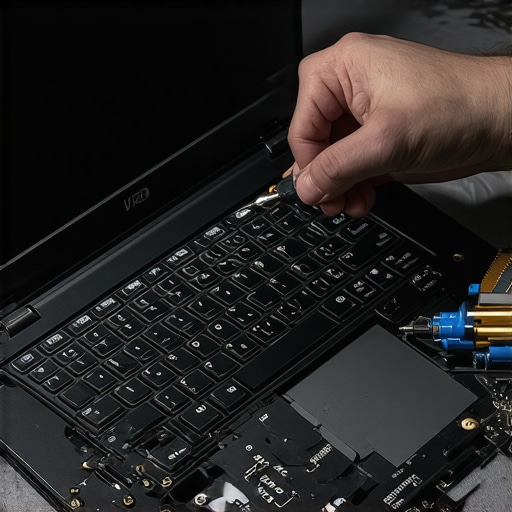
How do I maintain a gaming laptop battery life over several years?
The secret isn’t in how you use it, but how you charge it. According to technical studies by Battery University (a division of Cadex Electronics), keeping a lithium-ion battery at a constant 100% charge while exposed to high internal heat is the fastest way to trigger chemical degradation. To combat this, I use the manufacturer’s ‘Battery Conservation Mode’ to cap my charge at 60% or 80% when I’m plugged in at my desk. This simple habit can double the usable life of your cells. If your battery indicator starts acting erratic, you’ll need to know how to calibrate your laptop battery for better accuracy to ensure you don’t get a sudden black screen at 15%. I predict that by 2027, ‘Right to Repair’ laws will force all manufacturers back to modular designs, but until then, these manual habits are your only defense against planned obsolescence. My challenge for you today: download a tool like HWInfo, check your ‘Battery Wear Level,’ and if it’s already climbing, set that 80% charge limit immediately.
Why Future-Proofing Is Mostly a Marketing Myth
After years of testing everything from high-end workstations to budget student laptops that boost productivity, I’ve realized that ‘future-proofing’ is usually just a way to get you to spend $400 more than you need to. I used to buy the highest spec available, thinking it would last five years. Instead, I found that a mid-range machine, well-maintained and bought at the right time, offers a far better return on investment. The real value isn’t in the sticker price; it’s in the repairability and the physical longevity of the chassis. I’ve never once regretted having an extra USB-A port, but I have frequently regretted buying a laptop that required a bulky dock just to connect a thumb drive.
Another hard lesson? The screen is where you live. You can ignore a slightly slower processor, but you cannot ignore a dim, flickering display. If you are hunting for top laptop deals in 2025, prioritize the panel quality over the CPU generation. Your eyes will thank you during those midnight study sessions or long workdays.
My Survival Kit for Long-Term Laptop Health
To truly master your machine, you need more than just the laptop itself. I never travel without the best external battery packs that can actually charge a laptop. It’s a total lifesaver when you’re stuck in an airport with no outlets. I’ve also learned that not all chargers are equal, so I always double-check how to pick a power bank that won’t fry your motherboard before plugging in a third-party brick. For maintenance, I swear by a simple toolkit: a Giotto’s Rocket Blower for the vents and HWInfo64 for monitoring my internal temps in real-time. These aren’t just ‘accessories’; they are the front-line defense for your investment.
Stop Guessing and Start Buying With Confidence
Buying a laptop shouldn’t feel like a high-stakes gamble. When you stop looking at the neon ‘Sale’ signs and start looking at the actual data—the thermal performance, the RAM upgradability, and the historical price floors—you shift the power back to yourself. Whether you’re searching for unbeatable laptop deals or high-performance business laptops for professionals, remember that you are the expert on your own needs. Take your time, verify the specs, and don’t let a countdown timer dictate your financial decisions. Your perfect machine is out there, and now you have the tools to find it without being played by the retail mirage. What’s the one ‘deal’ you still regret buying because it didn’t live up to the hype? Let me know in the comments below!