
I was three slides into a high-stakes presentation when my ‘top-tier’ wireless mouse decided it was time for an unannounced nap. The red ‘low battery’ light started flashing like a distress signal on a sinking ship, and suddenly, my cursor was stuck in the corner of the screen while my client waited in awkward silence. I scrambled for a charging cable, knocked over my coffee, and realized that my obsession with a ‘clean, cable-free desk’ was actively sabotaging my productivity. It was a messy, embarrassing moment that forced me to rethink my entire office setup. We often chase the latest trends in must-have laptop accessories, but sometimes the old-school tech is actually the superior choice for getting real work done. Today, I am going to explain why that thin black cable is actually your best friend and how making the switch back to a wired connection can eliminate the micro-frustrations that plague your workday.
Why Your Wireless Mouse Is Quietly Ruining Your Workflow
Reliability is the only feature that actually matters when you are staring down a deadline on one of the top business laptops for productivity. Early in my career, I made the classic mistake of thinking that ‘expensive’ always meant ‘better.’ I spent a small fortune on a sleek, Bluetooth-enabled peripheral that looked like a piece of modern art but had the connection stability of a wet paper towel. I learned the hard way that in a crowded office or a home with multiple devices, signal interference is a very real enemy. Research from various tech performance labs indicates that the 2.4GHz wireless band is often incredibly congested, leading to frequent packet loss and ‘stuttering’ that you just don’t get with a physical connection. Even some of the gaming mice with silent clicks struggle with interference when you are surrounded by other electronics. When you are doing large-scale data entry, that tiny skip of the cursor can mean the difference between a perfect spreadsheet and a data disaster.
Is Staying Tethered Really Worth the Desk Clutter?
I know what you’re thinking: ‘But the wires look so messy!’ I used to feel the same way until I realized that a single cable is a small price to pay for zero latency and zero battery anxiety. Have you ever been betrayed by a dead battery right before an important deadline? It’s a level of stress nobody needs. A wired mouse is always ‘on,’ always ready, and never requires you to hunt through a junk drawer for a spare AA battery at 11:00 PM. According to a study by the Nielsen Norman Group, even small delays in system response time can break a user’s flow and lead to increased cognitive load. By removing the lag and the ‘wake-up’ time associated with wireless devices, you are literally making it easier for your brain to stay in the zone. We are going to dive into the ergonomics and the specific models that make the ‘tail’ feel invisible, but first, let’s admit that the simplest solution is often the most effective.
Find a Mouse That Actually Fits Your Hand and Your Workflow
Choosing a wired mouse isn’t just about picking the cheapest option available; it is about finding a sensor that matches your physical movements with pixel-perfect accuracy. Think of the sensor like the engine of a high-performance car—you want something that responds instantly the moment you hit the gas. Most premium wired mice utilize optical sensors that offer zero smoothing or hardware acceleration. This means when you move your hand exactly one inch, the cursor moves exactly the distance you expect, every single time. For professionals engaged in large-scale data entry, this level of precision is a non-negotiable requirement for maintaining speed without errors. I remember a specific 48-hour coding sprint where I was using a ‘silent’ wireless travel mouse. By hour six, my wrist was throbbing because the sensor was so imprecise that I was constantly overcompensating with my forearm muscles. I eventually swapped it for a wired gaming mouse I had in my bag, and the relief was instantaneous. It felt like I had finally stopped fighting my tools and started using them to their full potential.
Look Past the RGB for Real Performance Specs
Do not let the flashing neon lights of gaming gear scare you away from high-quality hardware. The internal components found in gaming-grade peripherals are often far superior to standard office equipment. Some of the only gaming mice with silent clicks are actually perfect for shared corporate offices or quiet home environments. They provide the rock-solid reliability of a physical connection while maintaining the professional silence required for a focused workspace. When you pair a high-quality wired mouse with the best keyboards for high-speed coding sessions on the go, you effectively transform your portable laptop into a stationary powerhouse that can handle any workload.
Stop the Cable Drag with Simple Routing Tools
The biggest complaint about wired devices is the ‘tug’ of the cable. This friction can actually be more distracting than wireless lag if you don’t manage it correctly. I once tried to manage a complex video editing project on a train using a wireless mouse that kept losing its pairing. I switched to a wired one, but the cable kept getting caught on the edge of the tray table, causing my cursor to jump. The solution was a simple mouse bungee—a small device that holds the cable aloft, giving it the weightless feel of a wireless mouse without the connection risks. If you are on a budget, a small piece of painter’s tape securing the cable to the back of your laptop stand works wonders. It ensures you have just enough slack to move freely without the ‘tail’ of the mouse dragging across your desk. 
Centralize Your Connections to Save Port Space
If your modern laptop lacks traditional USB-A ports, do not settle for a cheap, flimsy dongle that will disconnect if you sneeze. Instead, learn how to use a single USB-C cable to connect your entire desk. By using a powered hub or a docking station, your wired mouse stays permanently plugged in. When you arrive at your desk, you only have to plug in one single cable to activate your mouse, keyboard, and external monitor. This setup provides all the latency benefits of a wired connection while maintaining the clean, minimalist look of must-have laptop accessories for a seamless setup. It is the ultimate middle ground for those who value both aesthetic and performance.One of the biggest myths in the tech world right now is that wireless technology has completely caught up to its wired counterparts. While it is true that modern low-latency wireless protocols are impressive, they still suffer from what I call ‘the ghost in the machine’—micro-interruptions. Even on the game-changing gaming laptops for 2025 adventures, a wireless signal can be momentarily disrupted by a microwave, a rogue smartphone, or even a neighboring Wi-Fi router. Professionals often chase high DPI (Dots Per Inch) numbers, thinking more is better, but this is a classic trap. High sensitivity often leads to ‘pixel skipping’ if the sensor isn’t perfectly calibrated. I’ve seen users try to do high-precision work on student laptops that balance power and portability perfectly only to find their cursor jittering because they turned the DPI up to 16,000 on a cheap mousepad. In reality, most professional graphic designers and data scientists find that staying between 400 and 1,200 DPI offers the most consistent control.
Why does your high-performance mouse feel sluggish on a standard office PC?
The nuance that many advanced users miss is the relationship between ‘polling rate’ and CPU usage. If you use a mouse with an 8,000Hz polling rate on a machine with a weaker processor, you might actually experience system-wide lag. The computer has to process 8,000 signals every second, which can consume a significant amount of your CPU’s resources. This is particularly noticeable on top business laptops for productivity in 2025 that are optimized for battery life rather than raw processing power. Research by the Human Factors and Ergonomics Society suggests that consistent, predictable movement is far more important for task completion speed than raw hardware specs. If your system can’t handle the data stream from your mouse, your ‘premium’ experience will feel worse than a budget model. 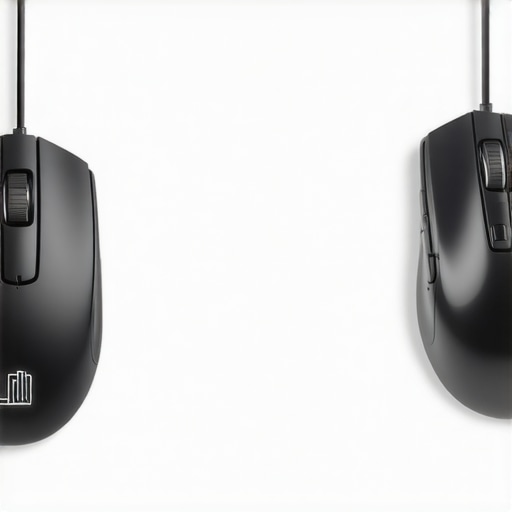 Another mistake is neglecting the ‘wake-up’ delay. Most wireless mice enter a sleep state after just a few minutes of inactivity to save battery. That split-second lag when you move it to wake the screen might seem minor, but over a 10-hour workday, it adds up to a fragmented flow state. By sticking with a wired connection, you ensure that every single micro-movement is registered the instant it happens. This is why we often suggest wired peripherals when helping users find unbeatable laptop deals; the money you save by not buying ‘top-tier’ wireless tech can be better spent on more RAM or a better screen. Have you ever fallen into the ‘high-spec’ trap and realized your gear was actually slowing you down? Let me know in the comments.
Keep Your Clicks Crisp and Your Sensors Clean
Maintaining a high-performance setup isn’t just about the initial purchase; it’s about preventing the slow degradation of your gear over years of heavy use. I’ve found that even the best quiet mice for students can start to feel sluggish or unresponsive if you ignore the microscopic build-up of dust around the optical sensor or the oils on the primary buttons. Every month, I perform a ‘desk deep clean’ to protect my investment. I use a can of compressed air and follow the guide for the best way to clean your laptop keyboard from crumbs and oil because that physical grime eventually migrates to your mousepad. A dirty mousepad significantly increases the friction coefficient—often measured in dynamic and static friction values—which forces your hand to work harder and ruins the precision we worked so hard to achieve.
How do I maintain my precision setup over time?
Longevity in tech comes down to two primary things: physical hygiene and internal component health. For the laptop itself, I always try to stop the ‘rattle’ before it starts. If you hear your fans beginning to whine or a high-pitched hum, it’s usually a sign of dust buildup or a failing bearing in the cooling assembly. I personally swear by the specific screwdriver kit you need to open 90% of modern laptops. Having the right Pentalobe or Torx bit prevents you from stripping screws on an expensive machine. Once you are inside, don’t be afraid to refresh your cooling system. Following a guide on how to replace your laptop thermal paste without breaking anything can drop your temperatures by 10-15 degrees Celsius. Technical analysis from outlets like Gamers Nexus has shown that factory-applied thermal interface materials often dry out and lose efficiency after 18-24 months, leading directly to the thermal throttling that plagues high-end machines. 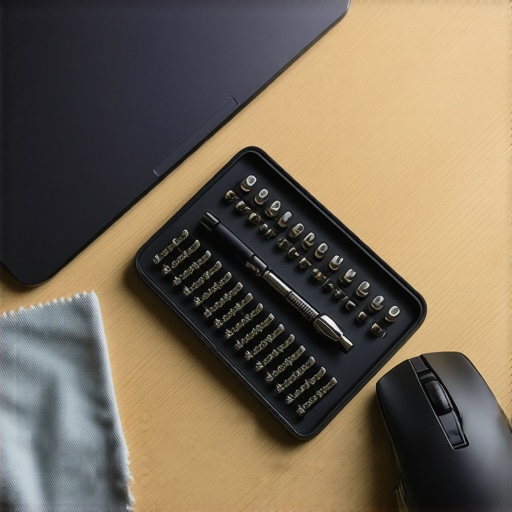
Invest in Tools That Save You from Future Repairs
We often get distracted by the flashiest top laptop deals in 2025, but we forget to budget for the tools needed to keep those deals running for three or four years. I’ve started a habit of replacing the PTFE (Teflon) feet on my mice every twelve months. You can buy third-party ‘skates’ that offer a much lower friction profile than the stock versions. This tiny $10 upgrade makes an older mouse feel like it is floating on air, which is essential when you are switching between business laptops for professionals and personal rigs. Looking ahead, I predict we will see a massive industry shift toward fully modular peripherals where ‘maintenance’ is a built-in feature rather than a chore, similar to the Framework laptop philosophy. For now, we have to be proactive. If you want to see a massive jump in your daily efficiency, my advanced tip is this: go into your Windows mouse settings and disable ‘Enhance Pointer Precision.’ It sounds like a helpful feature, but it is actually a software-based mouse acceleration that ruins your muscle memory. Combine that with a clean sensor and a fresh student laptop that boosts productivity, and you’ll finally have that pixel-perfect control you have been missing.
How Ten Years of Bluetooth Failures Changed My Mind
After a decade of testing every cutting-edge peripheral on the market, I’ve realized that the simplest solutions are often the most resilient. Wireless interference isn’t just a technical buzzword; it’s a tangible productivity killer that can happen when your neighbor’s router or even a nearby smartphone disrupts the 2.4GHz band. I once thought my computer was dying when in reality, it was just the real reason your laptop feels sluggish after three months—too many overlapping signals in a tiny home office.
Another hard truth: battery management is a cognitive tax you don’t need to pay. Even with fast charging features, the mental energy spent checking battery levels or worrying about a mid-meeting shutdown is better spent on your actual work. I’ve found that switching to a physical connection removed a layer of background anxiety I didn’t even realize I had. Finally, remember that software often masks hardware flaws. No amount of smooth scrolling drivers can fix a sensor that is physically losing its connection to the receiver.
The Simple Gear I Trust for a Lag-Free Desk
If you are ready to stop fighting your gear and start finishing your projects, here is the short list of what I actually use daily. First, a high-quality mouse bungee is a game-changer; it makes your wired mouse feel completely weightless by lifting the cable off the desk surface. Second, I highly recommend checking out the only 3 budget keyboards worth using for long essays if you want to match your mouse’s reliability with a great tactile typing experience. I trust these specific tools because they focus on mechanical durability rather than flashy marketing. For technical deep-dives into human performance, I often return to ergonomics research to ensure my hand health is protected during long hours on top business laptops for productivity in 2025.
#IMAGE_PLACEHOLDER_E#
Grab the Cable to Reclaim Your Focus
Modern work is already complicated enough without your tools adding to the chaos. By choosing a wired connection, you are making a conscious decision to prioritize stability over a clean desk aesthetic that only looks good in staged photos. There is a deep, quiet satisfaction in knowing that your equipment will respond exactly the same way every single time you sit down to work. It’s time to stop being a beta tester for unstable wireless protocols and start using must-have laptop accessories that actually support your flow state. Have you ever had a wireless device fail on you at the absolute worst possible moment during a presentation or deadline? Let me know in the comments below.