
I still remember the feeling of unboxing my first ‘premium’ gaming headset. It was matte black with neon-green accents, and the box promised ‘surround sound immersion’ that would make me a better player overnight. I spent nearly two hundred dollars on that thing—money I should have probably put toward one of those game-changing gaming laptops I had my eye on. But three months later, the plastic hinge groaned, gave up, and snapped. Worse than the build quality, though, was the realization that my sister’s old studio headphones made my games sound twice as detailed for half the price. It was a wake-up call: I hadn’t bought a piece of audio equipment; I’d bought a lifestyle accessory made of cheap, painted plastic.
The Day My Expensive Plastic Snapped in Half
My biggest mistake wasn’t just buying that specific pair; it was believing the marketing hype that ‘gaming’ audio is some specialized technology. Early in my journey, I thought that if a product didn’t have a boom mic and RGB lights, it wouldn’t work for Discord or competitive play. I was so wrong. Most of these headsets use the same bottom-shelf drivers found in budget earbuds, wrapped in a bulky chassis to justify a massive price hike. It’s a classic case of style over substance, much like the disappointing reality of budget 4K gaming monitors where the specs on the box don’t match the actual experience. Today, I want to pull back the curtain on this industry and show you how to avoid the ‘gamer tax’ while actually improving your setup.
Does the ‘Gaming’ Label Actually Mean Better Audio?
The short answer is no. In fact, many high-end ‘gaming’ brands prioritize bloated bass that drowns out the very footsteps you’re trying to hear. According to research from the Audio Engineering Society, high-fidelity sound reproduction requires a flat frequency response—something most gaming headsets actively avoid in favor of ‘theatrical’ booming. When you’re looking for must-have laptop accessories to boost your work setup or your play space, you deserve gear that lasts longer than a season. Have you ever had a headset snap on you right when a game got intense? It’s a frustrating rite of passage that we really should stop accepting as the norm. We’re going to look at why these builds fail and what professional-grade alternatives actually look like.
Build Your Own Pro Audio Setup Instead of Buying a Box
The secret to high-end audio isn’t found in a ‘gaming’ aisle; it’s found in the recording studio. Think of it like this: a gaming headset is often like a Swiss Army knife where every blade is slightly dull—it does everything passably but nothing exceptionally. A dedicated setup is more like a set of professional chef’s knives, each designed for a specific, perfect task. When I finally ditched my ‘Pro’ headset for a pair of entry-level studio monitors and a separate boom mic, the difference was staggering. I was playing Rainbow Six Siege, a game where sound cues are the difference between a win and a trip back to the lobby. Suddenly, I wasn’t just hearing a vague ‘thud’ somewhere to my left; I could hear the specific floorboard creak and the rustle of a gadget being deployed. It felt like I had upgraded from a blurry 720p screen to a crisp 4K display, but for my ears.
Stop Paying for Bloated Bass and Artificial ‘Surround’
Most gaming headsets use software tricks to mimic ‘7.1 Surround Sound’ by introducing echoes and delays. In reality, you only have two speakers, and this digital processing often introduces lag and muddies the audio frequencies. If you want real spatial awareness, look for ‘open-back’ headphones. These allow air and sound to pass through the ear cups, creating a wider ‘soundstage’ that feels like the sound is coming from the room around you, not just trapped inside your skull. It’s one of those must-have laptop accessories for a seamless setup that most people overlook because it doesn’t have a flashy ‘Gamer’ logo. You don’t need a software toggle to tell you where an enemy is if the driver is physically capable of reproducing the sound accurately without artificial distortion.

Separate Your Mic from Your Ears
The moment you buy a headset with a built-in mic, you’re accepting a massive compromise. Manufacturers usually spend 90% of the budget on the speakers and 10% on a tiny, tinny microphone that makes you sound like you’re talking through a tin can. If that tiny mic arm breaks, the whole three-hundred-dollar unit is effectively trash. By using a dedicated USB microphone or even a mod-mic, you ensure that your voice is crystal clear and your equipment is modular. If you’re currently struggling with poor input on your current gear, you might even want to learn how to improve your laptops built-in microphone for free using software filters before dropping more cash. Decoupling these components means if your headphones eventually die after years of use, you don’t lose your voice in the process.
Look for Metal Hinges and Replaceable Pads
Durability is where the ‘gamer tax’ hits the hardest, often hidden behind soft-touch plastic that degrades over time. Look for brands that offer a full catalog of replacement parts. If you can’t buy new ear pads or a replacement cable for under twenty bucks from the manufacturer’s site, you’re buying a disposable product. I’ve seen countless people spend three hundred dollars on a headset only to have a tiny plastic clip snap three days out of warranty. It’s a similar frustration to learning how to fix a wobbly laptop hinge before it snaps—it is always better to buy something robust from the start. We often talk about the only 4 brands we trust for rugged build quality because, in the long run, ‘boring’ professional gear outlasts ‘exciting’ gaming gear every single time. When you’re browsing for game-changing gaming laptops for 2025 adventures, don’t let the audio side of your budget go to waste on painted plastic that’s destined for a landfill in twelve months. Investing in gear with high-quality metal yokes and user-serviceable parts is the ultimate way to beat the cycle of planned obsolescence.
The obsession with ‘future-proofing’ is perhaps the biggest lie in the tech industry today. I’ve seen countless students and professionals drop three thousand dollars on a machine because they thought the highest specs would guarantee five years of performance. In reality, they often find that most gaming laptops fail right after the warranty expires, not because the CPU got slow, but because the thermal management was never designed to last. We are taught to look at the spec sheet like it’s a scoreboard, but the spec sheet doesn’t tell you about the quality of the solder or the thickness of the heat pipes.
Can You Actually Beat Thermal Throttling Without Voiding Your Warranty?
The common myth is that more power equals more speed. However, a study by Consumer Reports on laptop reliability highlights that heat is the primary killer of internal components. If you buy a laptop that is too thin for its high-end GPU, the system will ‘throttle’ or slow itself down to prevent melting. This means you’re paying for performance you can literally never use. I’ve found that the hidden downside of ultra-thin gaming laptops is exactly this: you pay a premium for a sleek chassis that actively sabotages your frame rates. Instead of chasing the thinnest frame, look for a bit of bulk that allows for actual airflow. 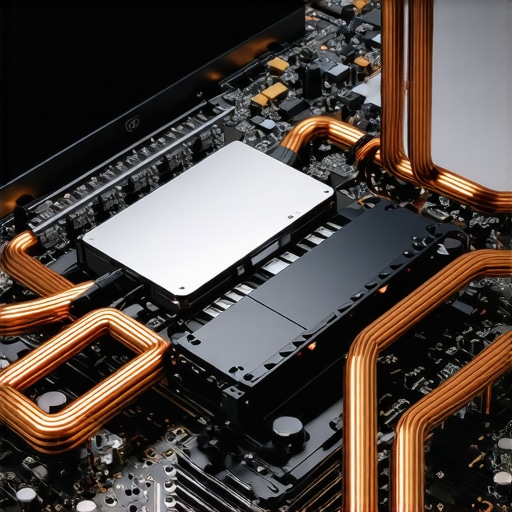
The Proprietary Parts Trap That Kills Great Machines
Here is the ‘oops’ factor most people miss: repairability. I used to think that as long as a laptop was fast, I could fix anything else later. Then I met the ‘soldered’ era. Many brands now solder the RAM and even the storage directly to the motherboard. If one tiny memory chip fails, your entire three-thousand-dollar investment is a paperweight. This is why we avoid laptops with proprietary SSD slots at all costs. For students, this is even more critical. When you’re looking for student laptops that boost productivity and learning, you need a machine that can be fixed in a dorm room with a screwdriver, not one that requires a specialized factory in another country. It’s the same logic we use when we say your next business laptop needs a user-replaceable battery; if the battery dies and it’s glued in, the laptop is effectively dead.
Why Mid-Range Deals Often Beat Flagship Rigs
Everyone says to wait for the ‘big’ sales, but in my experience, the top laptop deals in 2025 aren’t on the flashy flagship models. They are on the ‘boring’ business machines that corporations over-ordered. These machines often have better keyboards, more ports, and far superior durability compared to consumer-grade ‘gaming’ rigs. If you’re a professional, don’t get distracted by RGB lighting. Focus on expert recommendations for business laptops that prioritize build quality over benchmark scores. Have you ever fallen into the trap of buying a high-spec machine only to have a simple hinge or battery kill it? Let me know in the comments below.
Maintenance is the bridge between a machine that lasts three years and one that stays fast for seven. I’ve seen people abandon perfectly good workstations because they ‘felt slow,’ when in reality, the hardware was just choking on dust and bloated background processes. If you want to get the most out of those unbeatable laptop deals you hunted down, you have to treat the machine like a high-performance engine, not a disposable appliance. I’ve personally adopted a ‘Sunday Service’ routine where I check everything from hinge tension to drive health, and it has saved me thousands in premature replacements.
How do I maintain peak performance as my hardware ages?
The first rule of laptop longevity is keeping the airways clear. Most people reach for a can of compressed air, but I’ve moved away from that entirely. Canned air can actually freeze components if held at the wrong angle and often just pushes dust deeper into the fan bearings. Instead, I use a dedicated electric high-velocity duster. It’s one of those must-have laptop accessories to boost your work setup that pays for itself in months. You can effectively learn how to clean the dust out of your laptop without opening it by using short, controlled bursts of air to dislodge debris from the intake vents. Just remember: why you should never use a vacuum on your keyboard or vents is a lesson you don’t want to learn through a static discharge that kills your motherboard.

Beyond physical dust, we need to talk about the ‘hidden’ thermal killer: factory thermal paste. Manufacturers often use cheap, mass-produced compounds that dry out after eighteen months of heavy use. This is why we swapped the thermal paste on our brand new laptop during our last stress test. According to technical documentation from Thermal Grizzly, high-performance compounds like Kryonaut offer a thermal conductivity of 12.5 W/mk, which can be significantly higher than the generic gray goop found in budget-friendly rigs. Dropping your internal temperatures by even five degrees can drastically extend the life of your CPU and GPU.
The Software Hygiene Most People Ignore
Physical cleaning is only half the battle. If your OS is cluttered with ‘telemetry’ and ‘startup impact’ apps, even a liquid-nitrogen-cooled rig will feel sluggish. Every time I get a new machine, I follow a strict protocol for the best way to configure a new business laptop, which includes a totally clean install of Windows to remove manufacturer bloatware. You should also regularly monitor your storage health. I recommend everyone learn how to spot a dying SSD before your files vanish by checking the S.M.A.R.T. data once a month. If your ‘reallocated sectors’ count starts climbing, it doesn’t matter how fast your laptop is—your data is on a sinking ship.
Repairability is the Future of Tech
I predict that the next five years will see a massive shift away from the ‘sealed slab’ design philosophy. With the ‘Right to Repair’ movement gaining legal ground in the EU and US, we are finally seeing brands move back toward modular components. We always look for the only 3 brands that still make easily repairable laptops because being able to swap a keyboard or a battery yourself is the ultimate form of future-proofing. If you’re unsure about your current machine, you should how to find official repair guides for your exact model to see if you can handle basic maintenance yourself. My challenge to you: download a tool like HWiNFO64 today, look at your ‘Thermal Throttling’ flags while running a game or a heavy spreadsheet, and see if your laptop is crying out for a cleaning.
The Hardest Lesson I Learned While Chasing High-End Specs
After years of testing everything from budget-friendly rigs to thousand-dollar setups, I’ve realized that the ‘gaming’ tag is often just a fancy coat of paint on mediocre hardware. If I could go back, I’d tell my younger self to stop looking at the RGB lighting and start looking at the internal layout. Here are the lightbulb moments that changed my approach to technology:
- Modular beats integrated every time. Whether it’s your audio or your storage, separate components allow you to upgrade and repair without tossing the whole unit. This is why your next business laptop needs a user-replaceable battery—it’s the difference between a five-year lifespan and a two-year lifespan.
- Marketing buzzwords are usually camouflage. Terms like ‘7.1 Digital Surround’ or ‘Military Grade Plastic’ are often used to hide cheap drivers or brittle hinges. I’ve found much more value in looking for business laptops for professionals that use magnesium alloy frames rather than flashy plastic.
- Maintenance is your best financial investment. You don’t always need a new machine; you need a cleaning kit. Learning how to clean the dust out of your laptop without opening it will do more for your frame rates than any software ‘booster’ ever could.
My Essential Toolkit for Extending Your Gear’s Life
I don’t trust my hardware to luck. Over the years, I’ve curated a small list of resources and tools that help me avoid the ‘gamer tax’ and keep my systems running cool. If you are serious about your setup, these are the three things you should look into:
#IMAGE_PLACEHOLDER_E#
HWiNFO64: This is the gold standard for monitoring. It shows you exactly which component is getting too hot and if your system is throttling. It’s the first thing I install when evaluating expert recommendations for business laptops to ensure they can actually handle the workload they promise.
Open-Back Studio Headphones: Forget ‘gaming’ brands. Brands like Sennheiser or Audio-Technica offer a soundstage that makes spatial awareness in games feel natural rather than processed. Pair them with the only travel mouse we actually enjoy using for a setup that is both portable and professional.
Repair Manuals: Before you buy, check the manufacturer’s site for repairability. I personally use guides to learn how to pick a student laptop that lasts all four years because if you can’t open it, you don’t really own it.
Stop Chasing Trends and Start Building a Setup That Lasts
Building a great setup isn’t about having the biggest budget; it’s about making choices that respect your time and your wallet. Whether you are hunting for top laptop deals in 2025 or trying to breathe new life into an old machine, remember that quality is often found in the ‘boring’ details like hinge strength and thermal conductivity. You have the power to break the cycle of planned obsolescence by choosing gear that is built to be serviced, not replaced. Don’t be afraid to step away from the mainstream ‘gaming’ hype and look for how to buy a used workstation without getting burned. Your future self—and your bank account—will thank you for the extra research you do today. Have you ever had a piece of ‘gaming’ gear fail on you much sooner than you expected? Let me know in the comments below!