
It started with a clatter and ended with a splash. I was halfway through a deadline on one of my favorite business laptops when my elbow decided to betray me. A full mug of sweet tea didn’t just tip; it performed a perfect swan dive right onto the ‘Enter’ key. I watched in slow-motion horror as the liquid vanished into the crevices. If you’ve ever felt that cold pit in your stomach while watching your screen flicker, you know exactly why I’m writing this. We’ve all been told to ‘put it in rice’ (spoiler: don’t do that), but today, I’m going to show you how to actually save your gear based on the many, many times I’ve had to bail myself out of my own clumsiness. I remember sitting in my dorm room years ago, clutching a sticky machine like it was a dying pet. I had spilled a soda, and instead of taking it apart, I just used a hair dryer. The heat warped the thin plastic of the keys, and the soda just caramelized. It was a disaster. If you’re a student using one of the student laptops that boost productivity, you probably can’t afford a week of downtime. Even if you’ve recently scored one of those unbeatable laptop deals, the last thing you want is to spend more money replacing a machine that was fine five seconds ago.
Seconds Matter When Your Coffee Meets Your Motherboard
Speed is the only thing that saves you here. When I first started tinkering with tech, I made the classic rookie mistake of thinking I could just wipe the surface and keep working. I thought if the lights stayed on, I was in the clear. I was wrong. Corrosive sugar doesn’t sleep; it sits there eating away at your circuits until one morning, your ‘S’ key just stops responding. Whether you’re rocking one of those game-changing gaming laptops or a sturdy machine for school, the physics of a spill remain the same. You need to kill the power immediately. Every second that electricity flows through a wet circuit board increases the chance of a permanent short. In fact, a report by Rescuecom highlights that accidental damage, including liquid spills, remains one of the most frequent reasons for costly out-of-warranty repairs. [IMAGE_PLACEHOLDER_1]
Is Your Laptop Already a Total Loss?
I know what you’re thinking: ‘I spilled this an hour ago and it’s still working, surely I’m fine?’ That skepticism is what kills most devices. Liquid can migrate further into the chassis over time, often reaching the sensitive SSD or the display connectors long after the initial splash. Even if you have the must-have laptop accessories to protect your setup, a direct hit to the keyboard is an internal threat. Have you ever tried the ‘wait and see’ method only to have your laptop die three days later? Tell me your horror stories in the comments, because I’ve heard them all. To get things moving, you’ll want to grab the specific screwdriver kit you need to actually get under the hood, because a surface-level wipe just isn’t going to cut it when there’s syrup involved. We need to go deeper to ensure that the moisture hasn’t turned into a permanent science experiment inside your chassis. Let’s look at the immediate triage steps before the corrosion sets in.
Kill the Power Before the Sparks Fly
If your machine is still on, you are playing Russian roulette with a lithium-ion battery. The first thing you do—before you even grab a towel—is hold down that power button until the screen goes black. If you’re using one of the high-performance game-changing gaming laptops, you’re dealing with a lot of heat and power, making a short circuit even more violent. Unplug the AC adapter immediately. If your model has a removable battery, pop it out. We want zero electrons moving through that board. Think of it like a flooded engine; you don’t keep trying to turn the key, or you’ll snap a piston and ruin the internals forever.
Flip it Over and Let Gravity Do the Dirty Work
Once the power is dead, open the laptop as wide as it goes and flip it upside down like a tent. This stops the liquid from seeping deeper into the screen assembly or the motherboard. Place it on a microfiber cloth or a thick towel. I’ve seen students with student laptops that boost productivity panic and try to shake the liquid out. Don’t do that. Shaking just spreads the moisture into crevices and ports it hasn’t reached yet. Just let it sit in that inverted position. While it’s draining, you’re going to need to prepare for surgery because a simple dry-out rarely works for anything other than distilled water. 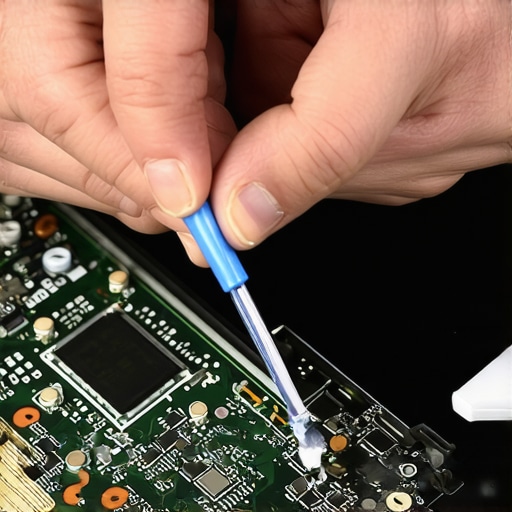
Dive Under the Hood Without Stripping the Screws
This is where most people get scared, but it is the only way to ensure survival. I remember the first time I tried to open a chassis to save a spilled latte. I didn’t have the right tools, so I tried to use a tiny flathead from a Christmas cracker. I stripped the screw head so badly that I had to drill it out later, nearly killing the motherboard in the process. Since then, I never start a repair without the specific screwdriver kit you need to open 90 of modern laptops. Most modern machines use Torx or Pentalobe screws specifically to keep you out. Once you’re in, disconnect the CMOS battery and the main battery cable if you haven’t already. This ensures the motherboard is completely ‘cold.’
Scrub Away the Sticky Residue with Isopropyl
If you spilled plain water, you might get lucky with just air-drying for 48 hours. However, if it was soda or coffee, you have a sticky, conductive mess that will corrode the metal traces over time. Use 99% isopropyl alcohol and a soft toothbrush. Gently scrub any area that looks discolored, sticky, or cloudy. This is a bit like how you would clean a greasy trackpad without causing damage, but much more delicate. Pay close attention to the RAM slots and the area around your storage, especially if you use enterprise-grade SSDs which can be sensitive to moisture near the controller. If you see white or green crusty spots, that’s corrosion starting—scrub it gently until the metal shines again. While you’re in there, it’s also a great time to learn how to clean the dust out of your laptop properly to ensure your fans aren’t obstructed by any leftover dried sugar or debris that could cause thermal throttling later.Once you have the physical gunk out, we need to talk about the ‘thinness’ trap that almost every professional falls into. Everyone tells you to buy the sleekest, most portable machine, but the hidden nuance is that the hidden costs of choosing an ultra-thin business laptop often include a total lack of internal space for heat dissipation. When you spill liquid into a machine with zero clearance between components, capillary action pulls that moisture across the entire board in seconds. I’ve seen people pass up top business laptops for productivity because they looked ‘too bulky,’ only to realize that the extra millimeter of space in a thicker chassis is what would have saved their motherboard from a short circuit. Have you ever sacrificed power for a slim profile and regretted it? Let me know in the comments.
Can High-Wattage Chargers Accelerate Damage After a Spill?
Many users think that once the laptop is dry, they should use the most powerful charger available to ‘jumpstart’ the system. This is a massive mistake. While the truth about high-wattage chargers and battery longevity is usually about heat management, in a post-spill scenario, high current can bridge microscopic traces of moisture you missed, causing an immediate blowout. Research from Battery University indicates that fast-charging cycles create significant thermal stress; adding that to a potentially compromised circuit is a recipe for a permanent brick. This is also why the real reason your laptop power brick is getting extremely hot is often due to internal resistance—if your brick is burning up after a spill, stop immediately. 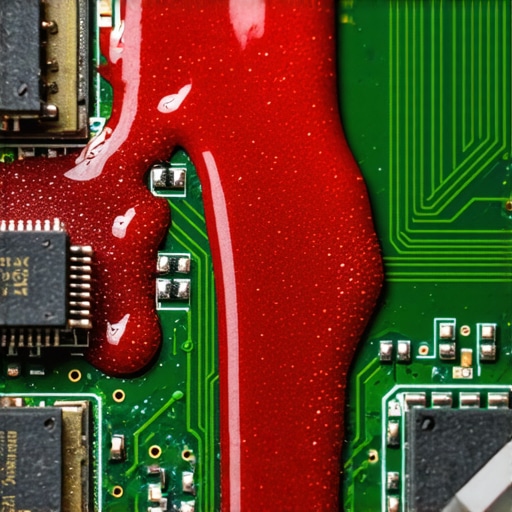
The Proprietary Parts Trap Most Buyers Ignore
Another ‘oops’ factor involves storage. If you’re hunting for unbeatable laptop deals, you must check the repairability. I always tell my readers why we avoid laptops with proprietary SSD slots. If you spill coffee on a machine with a soldered or proprietary drive, your data is effectively held hostage by the manufacturer. You can’t just pop the drive into an enclosure and move on with your life. Even when looking at game-changing gaming laptops, check if the components are modular. You’ll also find that gaming laptops still struggle with thermal throttling in small frames, which means even a tiny bit of dried residue on a fan can lead to a 30% drop in FPS. Finally, if you’re buying used to save money, learn how to spot a fake warranty on refurbished gear, because a liquid-damaged ‘refurb’ is the most common scam on the secondary market. Always pull the bottom panel and look for those telltale pink or red moisture indicators before the return window closes.I’ve seen too many people successfully clean up a spill only to have their laptop overheat six months later because they ignored the ‘silent killers’ inside the chassis. Once you’ve performed the initial surgery, you need a long-term maintenance plan that goes beyond just wiping the screen. I learned this the hard way after saving a high-end workstation from a water leak, only to have the motherboard fail a year later due to microscopic corrosion I missed. Today, I don’t just ‘hope’ it works; I use a systematic approach to ensure that even the most fragile business laptops for professionals survive the long haul.
Don’t Trust the Factory Thermal Paste
Most manufacturers use the cheapest ‘good enough’ thermal interface material they can find. If you’re pushing one of those game-changing gaming laptops for serious players in 2025, that factory gray goop is likely already drying out. This is exactly why we swapped the thermal paste on our brand new laptop immediately after the spill cleanup. According to a study published in the Journal of Thermal Analysis and Calorimetry, the effective thermal conductivity of standard silicone-based pastes can drop by up to 25% after just a few hundred thermal cycles. By applying a high-quality carbon-based or liquid metal compound, you aren’t just lowering temps; you’re preventing the constant expansion and contraction that eventually snaps solder joints.
The One Kit That Stops You from Stripping Screws
I cannot stress this enough: stop using those cheap, silver screwdrivers that come in free repair kits. They are made of soft metal and will round out your screws, turning a simple upgrade into a nightmare. I only use the specific screwdriver kit you need to open 90 of modern laptops because the bits are hardened steel. Whether you are checking how to find out if your laptop can be upgraded or just tightening a loose hinge, having the right Torx or Pentalobe bit makes the difference between a 5-minute fix and a $200 trip to a repair shop. 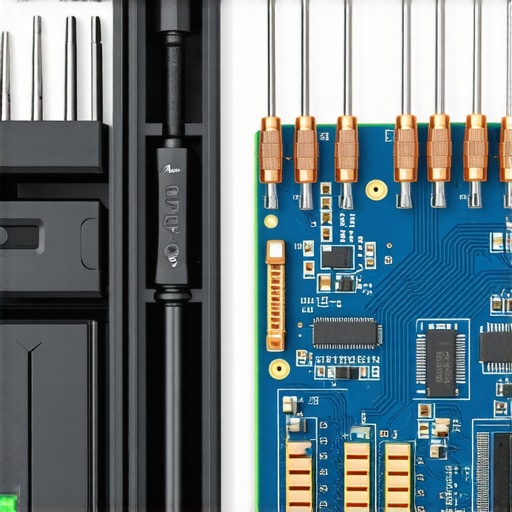
How do I keep my laptop performance from tanking over time?
Maintaining a machine is 80% airflow and 20% software hygiene. Every three months, I use a localized vacuum (not compressed air, which just pushes dust deeper) to clear the heatsink fins. If you’re a student, focus on the only student laptops that actually survive a backpack drop and pair them with must-have laptop accessories for a seamless setup like a vertical stand. This naturally improves convection. If your machine feels sluggish, remember the only 3 ways to genuinely speed up a slow laptop involve clearing the cache, checking for rogue background processes, and ensuring your boot drive isn’t more than 80% full. If you’ve noticed your runtime dropping, you should learn how to fix your laptop battery if it only lasts one hour by recalibrating the internal sensor—a trick most people overlook.
The Shift Toward Modular Laptops You Can Actually Fix
Looking forward, the industry is finally moving away from the ‘disposable’ era. I predict that by 2027, the most successful student laptops that balance power and portability perfectly will be almost entirely modular. We are seeing more brands move toward the standards set by the only 4 brands we trust for rugged build quality, where RAM and storage aren’t soldered to the board. This shift means that a spill or a dead fan won’t mean a trip to the landfill. If you want to be ahead of the curve, I highly recommend downloading a hardware monitor like HWiNFO64 today; check your CPU ‘Thermal Throttling’ flag—if it’s red even when you’re just browsing, it’s time to open that chassis and give it some love.
What Years of Spilled Coffee Taught Me About Motherboard Survival
If there is one thing I’ve learned from rescuing dozens of devices, it’s that patience is your only real friend during a tech crisis. First, the ‘rice trick’ is effectively an urban legend that does more harm than good by introducing dust and starch into your ports. I’ve seen more success with simple airflow and 99% isopropyl than any bag of grain. Second, you have to look for the only 3 brands that still make easily repairable laptps if you want a machine that can actually survive a major mishap. Third, never assume it is ‘fixed’ just because it boots up; the corrosion is a slow-moving fire that needs to be chemically neutralized before you can trust the machine with your data again.
The Repair Kit and Resources I Never Travel Without
I don’t just rely on luck; I rely on a specific set of tools and knowledge bases that have saved me thousands of dollars. To prevent the damage from happening in the first place, I always recommend investing in the most durable backpacks for students or professionals, which often feature ‘false bottoms’ that protect your chassis from impact and minor splashes. Additionally, always learn how to spot a fake charger before it fries your motherboard, as a post-spill power surge is the number one cause of permanent failure. If the worst-case scenario happens and your board is fried, don’t pay retail prices to replace it—keep an eye on the top laptop deals in 2025 to find a high-quality replacement for a fraction of the cost.
[IMAGE_PLACEHOLDER_1]
Take Control of Your Tech Longevity Today
Spilling a drink on your keyboard feels like a total disaster, but it is actually an opportunity to learn exactly how your hardware works. By taking the time to open the case, clean the internal components, and understand the thermal needs of your machine, you are extending its life far beyond the average user. Whether you are maintaining business laptops for professionals or trying to squeeze more performance out of your gaming rig, the power is in your hands. Don’t be afraid to get a little isopropyl on your fingers; your tech will thank you for the care. Have you ever tried to repair a spill yourself and ended up with a few ‘extra’ screws when you put it back together? Let me know your repair wins and fails in the comments below!