
I was sitting in a quiet library, the kind where you can hear a pin drop and every keyboard tap feels like a drum solo. I went to adjust my screen to avoid a glare, and—*snap*—the entire left corner of my display housing just peeled away like a piece of overripe fruit. People turned. I turned a deep shade of crimson. My expensive machine was suddenly held together by a prayer and a very thin ribbon cable. It is a gut-wrenching realization when you discover that your $1,200 investment is essentially e-waste because of a two-dollar piece of cast aluminum. Most of us spend weeks hunting for top laptop deals in 2025, obsessing over clock speeds and whether the keyboard is backlit. But we almost always ignore the most mechanical, and therefore most vulnerable, part of the entire machine: the hinge. It’s the bridge between your brain and the digital world, and if it fails, nothing else matters. Today, I’m going to share the “secret handshake” for identifying hinges that won’t give up on you after a few thousand opens. I’m tired of seeing people throw away perfectly good laptops because a plastic mount snapped, and I want to make sure your next purchase is built like a tank.
The Expensive Mistake I Made with Cheap Plastic Housings
For the longest time, I was convinced that a stiff hinge was a sign of quality. I’d walk into a big-box store, push a screen back with one finger, and if it resisted firmly, I thought, “Now, that’s built to last.” I was dead wrong. In many cases, that stiffness is just high-friction metal grinding against a cheap plastic socket that is destined to crack under pressure. When I was looking for student laptops that balance power and portability for my cousin, I fell for the aesthetic trap. We wanted something thin, something light, and something that looked like it belonged in a futuristic movie. We ignored the way the chassis flexed when we picked it up from the corner. According to hardware durability research from Consumer Reports, mechanical failures like hinge and screen issues remain a top complaint among long-term users, often surpassing software glitches in terms of total repair cost. Manufacturers often boast about 30,000-cycle tests, but those tests are performed by robots that apply perfectly even pressure in a lab. They don’t account for you grabbing the corner of the screen while you’re lying in bed, or the way dust gets into the mechanism over three years of real-world use. If the hinge isn’t anchored to a metal frame, you’re just counting down the days until the plastic fatigues and gives up.
Are These “Heavy Duty” Claims Actually Worth the Hype?
You’ve seen the marketing stickers: “Military Grade,” “Ruggedized Chassis,” or “Titanium Reinforced.” I used to think these were just buzzwords designed to justify the higher price tags on business laptops for professionals. I thought I was being savvy by skipping them to save a few hundred bucks. But after tearing down dozens of machines, I’ve seen the truth. A “heavy-duty” hinge isn’t just about the metal hinge itself; it’s about the “anchoring point.” If you are tired of your screen vibrating every time a heavy truck drives by your house or someone walks past your desk, you need to know how to find a lightweight laptop that doesn’t flex. Have you ever had a laptop hinge fail on you at the absolute worst possible moment? It’s a nightmare that usually involves duct tape and a lot of regret. If your machine is already starting to groan or wiggle, you might want to look into the 10 dollar tool that fixes every squeaky laptop hinge before the mounting points snap off entirely. In the next section, we’re going to dive into the specific materials you should look for and the “one-finger test” that actually reveals the truth about build quality.
Master the One-Finger Open
Testing a hinge is like checking the suspension on a car; you don’t just look at the shiny exterior, you feel how the mechanics react to stress. The first thing I do when scouting for unbeatable laptop deals is the one-finger test. Place the laptop on a flat surface and try to lift the lid with one hand. If the base of the laptop lifts off the table or shifts significantly, the weight distribution is poor, and the hinges are likely exerting too much torque on a chassis that isn’t heavy or strong enough to counter it. This imbalance is a primary cause of early mechanical failure because the plastic is fighting the physics of the lever every single day.

I remember snagging a ‘great’ deal on a generic 15-inch laptop for a project a few years back. Within weeks, the lid became so stiff I had to use both hands to pry it open, which actually caused the screen itself to bow in the middle. Eventually, that internal friction pinched the display cable, causing a flickering mess. This is a disaster you can often prevent if you know how to fix your laptop screen if the backlight dies, but it’s far better to avoid the stress entirely by choosing a machine with balanced tension from the start.
Look for the Metal Skeleton Inside
The biggest secret manufacturers don’t want you to know is what the hinge is actually screwed into. In many student laptops that boost productivity and learning, the metal hinges are held in place by tiny brass inserts pressed into thin, fragile plastic. This is a recipe for disaster. When you are shopping, look closely at the hinge mounting points through the vents or at the rear. If the hinge disappears into a magnesium or aluminum frame, you’ve found a winner. A rigid frame prevents the ‘flex’ that eventually snaps those plastic mounts. If you aren’t sure about the internals, you should learn how to find a lightweight laptop that doesn’t flex when you type, as a lack of chassis flex is usually the best indicator of a solid internal skeleton.
I once attempted a ‘surgery’ on a friend’s older machine using the heavy metal fix for wobbly laptop hinges. When I opened it up, the plastic had literally turned to powder around the screws. It was like trying to secure a deadbolt into a digestive biscuit. No amount of glue or metal plates can save a machine once the foundational plastic has disintegrated beyond a certain point.
Feel for Friction Before it Becomes a Fracture
A healthy hinge should provide linear, smooth resistance from the moment you lift it until it reaches its maximum angle. If you feel ‘notches,’ sudden resistance, or hear a dry, clicking sound as you move the screen, the internal lubricant has likely dried out or the metal is scoring the socket. This is particularly common in high-performance game-changing gaming laptops for 2025 adventures. These machines generate significant heat, which can travel through the frame and accelerate the degradation of the plastic mounts and lubricants. Even if you choose top business laptops for productivity in 2025 expert recommendations, which generally have better build quality, you must stay vigilant. Sometimes, adding the right maintenance items to your must-have laptop accessories for a seamless setup—like a precision oiler—can extend a hinge’s life by years if you catch that first ‘squeak’ early enough. Never ignore a change in how your laptop feels to open; it’s the machine’s only way of telling you that it’s about to break in half.
People often dismiss the 180-degree ‘lay-flat’ design found on many business laptops for professionals as a useless marketing gimmick. They ask why anyone would ever need to lay their screen completely flat against a desk. But here is the expert nuance: that design is a mechanical safety valve. In my years of repairing machines, I have found that hinges with a ‘hard stop’ at 130 degrees are far more likely to suffer catastrophic failure. A simple accidental push—whether from a child, a pet, or just leaning too far back—turns the screen into a giant lever that rips the mounting screws right out of the chassis. By allowing the screen to lay flat, the manufacturer eliminates that leverage point, saving you from the hidden costs of repairing modern thin and light laptops.
Can Heat Actually Snap Your Screen in Half?
This brings me to the ‘oops’ factor that most people ignore: thermal fatigue. We often talk about how why gaming laptops still struggle with thermal throttling in small frames affects your FPS, but we rarely discuss what it does to the mechanical structure. Most hinges are metal, but they are anchored into plastic. According to structural research on thermoplastic polymers in consumer electronics, repeated thermal cycling—the constant heating and cooling of the machine—can cause the plastic ‘bosses’ or pillars that hold the screws to become incredibly brittle. This is the real reason why you should never use your laptop on a soft blanket. It is not just about the internal chips; it is about preventing the structural plastic from literally baking until it turns to dust. #IMAGE_PLACE_HOLDER_C# If you are a power user, your must-have laptop accessories to boost your work setup should include a hard-surface stand to ensure heat does not linger near those critical mechanical junctions. Another common myth is that ‘stiffer is better.’ I see people looking for unbeatable laptop deals and choosing the one with the tightest hinge they can find. But a hinge that is too stiff puts immense, localized pressure on the screen’s bezel. Over time, this pressure causes the layers of the LCD to delaminate or creates those ugly white ‘pressure spots’ on your display. If you are currently dealing with a screen that feels like it is fighting you, it might be time to learn how to replace your laptop thermal paste without breaking anything while you have the case open to check the hinge tension. Have you ever fallen into the trap of thinking a stiff hinge meant ‘quality’ only to have it snap six months later? Let me know in the comments. We need to stop prioritizing thinness over serviceability, especially when choosing student laptops that balance power and portability perfectly for daily backpack use.
My Personal Kit for Avoiding Disasters
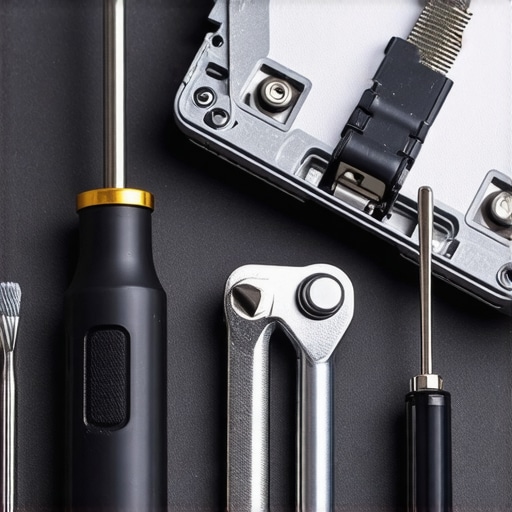
Finding top laptop deals in 2025 is only half the battle; the real victory is making that machine last five years instead of two. I don’t rely on luck. My toolkit always contains a set of Wiha precision drivers and a needle-nose Oiler. Most people reach for WD-40 when they hear a squeak, which is a catastrophic mistake because it can actually dissolve the plastics holding your chassis together. Instead, a single drop of synthetic clock oil on the pivot point can prevent the metal-on-metal grinding that eventually leads to a seized hinge. If you’re using student laptops that balance power and portability perfectly, these small mechanical parts are under constant stress from being stuffed into backpacks. I personally check my hinge screws every six months. If one is loose, it places uneven torque on the other, doubling the chance of a snap. If you’re already hearing that dreaded ‘pop,’ you might need the heavy metal fix for wobbly laptop hinges before the internal mounts are completely pulverized.
How can I extend the life of my laptop hinges?
Maintenance isn’t just about what you do; it’s about what you stop doing. Stop opening your laptop from the corner. This simple habit creates a twisting force that modern thin bezels weren’t designed to handle. Always lift from the center. Furthermore, keep your vents clear. According to technical guides from iFixit, excessive heat from the CPU can migrate to the hinge mounts, making the structural plastic brittle over time. This is particularly dangerous for game-changing gaming laptops for 2025 adventures where internal temperatures frequently peak. If you’re already opening the case to clean out dust, take that opportunity to see how to replace your laptop thermal paste without breaking anything. While you’re in there, a quick visual inspection of the hinge ‘wings’ can save you hundreds in repair costs. If you see white stress marks on the black plastic, that’s your warning sign to back off the hinge tension using the 10 dollar tool that fixes every squeaky laptop hinge.
What the Future Holds for Repairable Tech
I predict that by 2027, we will see a massive shift toward modular hinge designs. Companies like Framework are already proving that users want to replace a broken part rather than an entire motherboard. We are moving away from the ‘glue-everything’ era because consumers are tired of the hidden costs of repairing modern thin and light laptops. Until then, you need to be your own advocate. Don’t wait for a total failure to act. I challenge you to perform the ‘one-finger test’ I mentioned earlier on your current machine right now. If it fails, or if you hear even the slightest click, don’t ignore it. Investing five minutes in tightening a screw or adding a drop of lubricant is the difference between a reliable tool and an expensive paperweight. Make sure your must-have laptop accessories to boost your work setup include a proper sleeve to prevent external pressure on the screen while it’s in your bag.
Lessons from a Decade of Snapped Plastic
After years of repairing machines that literally split at the seams, I’ve realized that a high price tag is no shield against poor engineering. I’ve seen $2,000 workstations with hinges that were effectively glued to thin air. The biggest lightbulb moment for me was realizing that mechanical health is a daily choice, not just a factory spec. If you are hunting for unbeatable laptop deals, remember that the lowest price often comes at the cost of the internal metal bracing that keeps the screen attached to the keyboard. Another hard-learned truth: heat is the silent enemy of structural integrity. When a laptop runs hot, the plastic holding those metal hinges becomes brittle, turning a minor stiffening into a catastrophic snap. Finally, never trust a ‘stiff’ hinge. Smoothness is the only true indicator of a well-calibrated mechanism; if it feels like you’re fighting the machine, the machine is already losing the battle against itself.
What Is Inside My Emergency Maintenance Bag
I don’t leave my hardware’s fate to chance, and neither should you. To keep my student laptops that balance power and portability perfectly running for years, I rely on a few specific tools. First, a high-quality precision driver set is non-negotiable for tightening those internal mounting screws before they vibrate loose. I also swear by synthetic lubricants designed for fine electronics; a single drop can save you from needing the heavy metal fix for wobbly laptop hinges later on. For general upkeep, I always consult the teardown guides on iFixit to see exactly where the stress points are before I even make a purchase. These resources are the gold standard for anyone who wants to avoid the hidden costs of repairing modern thin and light laptops down the road.
Build a Habit of Longevity Today
Your laptop is more than just a collection of chips and pixels; it is a mechanical tool that deserves respect. By shifting your focus from just ‘specs’ to ‘structure,’ you are ensuring that your investment survives the daily grind of commutes, coffee shops, and late-night study sessions. Whether you are looking for game-changing gaming laptops for 2025 adventures or a simple office rig, look for the metal, feel the tension, and keep the heat at bay. Make sure your must-have laptop accessories to boost your work setup include a protective sleeve and a solid surface to work on. You have the power to make your tech last. Have you ever had a laptop hinge snap on you at the worst possible moment? Let me know in the comments below.