
I’ll never forget sitting in a dimly lit airport lounge in Chicago, watching my screen flicker to 2% battery while my “special” charging brick sat 800 miles away on my kitchen counter. I had three different USB-C cables in my bag, two portable battery banks, and a tablet charger. Not one of them could save my presentation. It was a $1,500 paperweight because of a weird, rectangular plastic plug that only one manufacturer makes. That was the day I swore off proprietary power connectors forever. When you’re out hunting for top laptop deals in 2025, it is incredibly easy to get blinded by CPU speeds or screen brightness. But I’ve learned the hard way that the charging port is actually your most important mobility spec. Early on, I actually thought having a unique, magnetic connector was a premium feature. I even spent $80 on a second OEM charger just to keep in my car. Then, that car charger died, and I realized I was trapped in a walled garden of expensive copper and plastic. If you choose a laptop that charges via USB-C Power Delivery, you can literally borrow a charger from a friend, use your phone’s wall wort in a pinch, or pick up the best small chargers for travel that fit in your pocket. We live in a world where even the European Parliament has mandated a common charger to reduce e-waste—a move expected to save consumers around €250 million annually according to official EU reports. Why would you willingly opt back into the dark ages of specialized bricks?
Why Your Wallet Will Thank You for Skipping the Barrel Jack
Proprietary ports are a hidden tax on your future self. When a standard USB-C port fails, any competent repair shop can swap it. When a weird, brand-specific pin bends inside a proprietary jack, you are often looking at a full motherboard replacement or a very expensive, specialized part that’s backordered for weeks. This is especially vital for student laptops that balance power and portability perfectly because students are notoriously hard on their gear. I once saw a friend drop his laptop while it was plugged in; the proprietary pin snapped, and because it wasn’t a standard port, the repair cost half the price of the machine.
Can a tiny USB-C cable actually handle my high-performance needs?
I get the skepticism. You might think your beefy workstation or those game-changing gaming laptops for 2025 need that massive, heavy brick to function. I used to think the same until I realized why we only use 100w PD chargers for our workstations. Modern USB-C technology can handle significant power, and while some ultra-high-end GPUs still push the limits, for 95% of us, the convenience of a universal port far outweighs the peak wattage of a proprietary one. Have you ever been stuck with a dead laptop because you forgot your one-and-only specific charger? I made the mistake of buying a compatible third-party proprietary charger off a random marketplace once. It got so hot it started to smell like melting plastic. That is the real reason your laptop power brick is getting extremely hot—proprietary designs are often harder for third parties to replicate safely compared to the standardized protocols of USB-C.Identify the right port is the first hurdle because not every USB-C hole is created equal. I remember buying a budget machine for a client thinking I could dock it with a single cable, only to find out the port was ‘data only.’ It was a mess. Now, I tell everyone to look for the tiny lightning bolt or the ‘D’ shaped icon (DisplayPort) combined with a battery symbol. If you’re scanning top laptop deals in 2025, always search for ‘Power Delivery’ or ‘PD’ in the technical specifications. If it’s not there, walk away.
Spotting the Right Port on a Busy Chassis
Finding the correct port is like identifying a secret handshake. On many business laptops for professionals, the manufacturers are getting better at labeling, but on cheaper models, you might just see a plain USB-C slot. If the manual is vague, check the charger that comes in the box. If it’s a barrel jack, the USB-C port *might* still support charging, but it’s a gamble. I once tried to use a 30W phone block to juice up my workstation during a long flight. I watched the battery percentage drop more slowly, but it was still dropping. That’s because my laptop needed 65W just to break even. This is the real reason your laptop power brick is getting extremely hot—under-specced chargers work overtime to keep up with high-performance demands.
Stop Carrying the Brick and Switch to GaN
Gallium Nitride (GaN) is the tech that changed my life. It allows chargers to be tiny while pushing massive amounts of power. When you’re looking for the best small chargers for travel, GaN is the only keyword that matters. These bricks are about the size of a deck of cards but can output 100W. 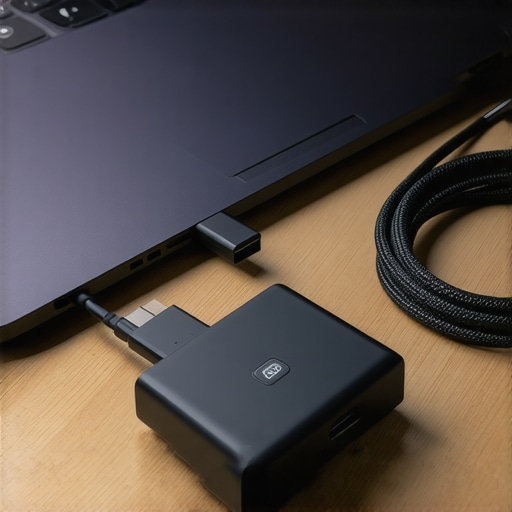
Verify Your Cable Rating or Risk a Fire
Don’t just grab any white cable from the drawer. Most standard phone cables are rated for 60W maximum. If you try to push 100W through a cheap, thin cable, you’re asking for a melted connector or worse. When we set up our office, we realized why we only use 100w PD chargers for our workstations: it forces us to use 5-amp e-marked cables. These cables have a tiny chip inside that tells the laptop exactly how much power it can safely handle. It’s one of those must-have laptop accessories for a seamless setup that prevents expensive hardware from frying.
How to Use a Single Cable to Connect Everything
Once you have a PD-compatible laptop, you can finally achieve the ‘one cable’ dream. By plugging your peripherals into a monitor or a dock that supports Power Delivery, you can charge your laptop, send video to two monitors, and connect your mouse and keyboard all through that one USB-C port. I’ve written a full guide on how to use a single usb-c cable to connect your entire desk because it radically changes how you work. No more fumbling behind the desk when you need to run to a meeting.People often fall for the ‘more is better’ trap when scanning unbeatable laptop deals. They see 16GB of RAM and a flashy 4K screen on a spec sheet and think they’ve hit the jackpot. But here is the contrarian truth: a 4K screen on a 14-inch laptop is almost always a mistake for anyone who actually works on the go. It drains your battery up to 30% faster and provides virtually zero visible benefit to the human eye at that screen density. It’s exactly why we skip the 4k upgrade on 14-inch screens every single time. You’re paying a premium price for a feature that literally makes your laptop less portable.
The Soldered RAM Trap Most Professionals Ignore
I’ve seen this disaster play out with some of the most expensive top business laptops for productivity in 2025. A buyer wants the absolute thinnest machine possible, so they accept a design where the RAM is soldered directly to the motherboard. Two years later, their workflow evolves, their browser needs more memory, and they realize they can’t upgrade. They have to sell the whole machine at a loss. This is why we never buy laptops with soldered ram for longevity. It’s essentially an artificial expiration date built into your hardware to force an early upgrade cycle.
Is there such a thing as too much power for your battery?
You might think a 130W charger is always a ‘better’ buy than a 65W one. However, high-wattage charging is a massive double-edged sword for the chemical health of your cells. According to research from Battery University, fast-charging a lithium-ion battery at high C-rates past 80% capacity creates localized heat that significantly degrades the electrolyte’s lifespan over time. If you’re using student laptops that balance power and portability perfectly, you want that battery to last your entire degree, not just your freshman year. Using a lower-wattage GaN charger for steady, cool charging is a sophisticated way to preserve health, which is the truth about high wattage chargers and battery longevity that most marketing departments conveniently forget to mention. 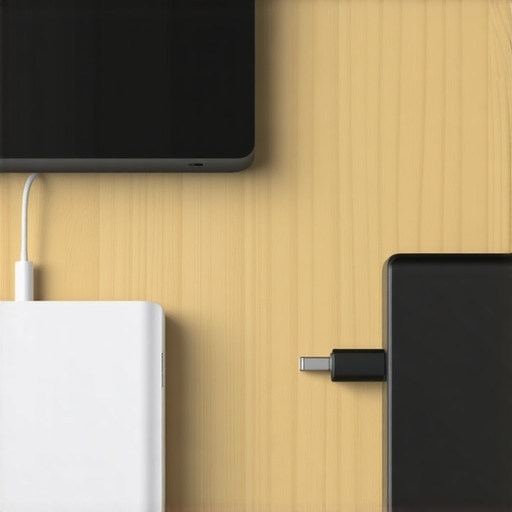
Avoid the Budget E-Waste Cycle
When you see those tempting ‘blowout’ deals, be extremely cautious about the materials used in the chassis and internal storage. I’ve reviewed hundreds of machines and the conclusion is always the same: why most 300 dollar laptops are just e-waste in a box. They often use slow eMMC storage, which is essentially a glorified SD card, and plastic hinges that are designed to fail just after the warranty expires. It is almost always better for your wallet to buy a refurbished high-end workstation than a brand-new budget paperweight. The ‘Oops’ factor also extends to peripherals; people spend $2,000 on a laptop and then use a $5 cable they found at a gas station. That cable lacks an e-marker chip, meaning it can’t safely communicate with your laptop’s power management system. If you’re looking for must-have laptop accessories to boost your work setup, the cable is the one place you absolutely cannot afford to be cheap. Before you pull the trigger on a new setup, ensure you have the must-have laptop accessories for a seamless setup that will protect your investment. Have you ever fallen into the ‘high specs, low quality’ trap? Let me know in the comments.If you want your machine to survive past the three-year mark, you need to stop treating it like a sealed appliance. I’ve seen too many people bin perfectly good top business laptops for productivity in 2025 just because the fans got a little loud. My secret weapon isn’t some expensive software suite; it’s a simple $10 set of precision screwdrivers and a tube of high-quality thermal compound. I personally swear by Noctua NT-H1, which maintains its stability even under extreme pressure, boasting a density of 2.49 g/cm³ and an operating temperature range of -50 to +110°C according to Noctua’s own technical specifications.
Stop Ignoring the Dust Under Your Hood
Most people wait until their laptop sounds like a jet engine before they act. By then, the heat has likely already degraded your battery’s internal chemistry. I make it a habit to open my chassis every six months. If you’re nervous about the process, I’ve detailed exactly how to replace your laptop thermal paste without breaking anything. It’s the single most effective way to drop your core temperatures by 10-15 degrees instantly.
How do I keep my hardware running like day one?
Maintenance isn’t just physical; it’s about managing the invisible stress on your silicon. For those of you rocking game-changing gaming laptops for 2025, the out-of-the-box settings are usually terrible for longevity. I always recommend learning how to undervolt your gaming laptop for better temps and performance. By lowering the voltage slightly, you reduce the heat output without sacrificing clock speeds. It sounds technical, but it’s essentially just giving your laptop a break from the ‘over-voltage’ safety nets that manufacturers use to compensate for lower-quality silicon bins. 
My Go-To Kit for Emergency Tech Surgery
I never travel without a small kit of must-have laptop accessories to boost your work setup. This includes a spudger, a T5 Torx bit, and a small vial of isopropyl alcohol. I once used that kit to find the $10 tool that fixes every squeaky laptop hinge, saving a friend’s screen from snapping off during a conference. If your battery percentage is jumping around, you don’t necessarily need a new one yet. You should first try to calibrate your laptop battery for better accuracy to see if the Windows controller is just misreading the capacity. If that fails, then it’s time to learn how to fix your laptop battery if it only lasts one hour before buying a replacement.
Where Portable Computing is Heading
In the next few years, I predict the ‘sealed’ laptop trend will finally die. With Right to Repair laws gaining momentum globally, we are moving toward a future where every component is modular. We are already seeing this with brands like Framework, and eventually, even the biggest players will have to adapt. I want you to try one thing this weekend: download a hardware monitor like HWInfo64 and check your CPU temps while browsing. If you see numbers hitting 90°C, it’s time to take action. If you’re looking for your next upgrade, check out these unbeatable laptop deals before they expire.
What the Tech Graveyard Taught Me About Buying Smart
Looking back at my drawer full of dead batteries and proprietary bricks, I have realized that the spec sheet is often a distraction from the lived experience. First, never trade a functional port for a millimetre of thickness; you will regret it the second you are away from home. Second, I have learned that the screen finish is often more important than the resolution. High-gloss 4K displays look great in the showroom but are nearly unusable in a bright café or near an office window, which is exactly why we prefer matte screens for working near windows. Finally, the best value is not always the newest release; often, the most reliable path is choosing a well-maintained business machine over a flashy, unrepairable consumer toy that lacks the structural integrity for daily travel.
My Personal Productivity Arsenal
I do not leave my house without a specific set of tools that keep me running efficiently. My first recommendation is a high-quality 100W GaN charger; it is the universal key to every device I own and saves massive amounts of bag space. Next, I always suggest keeping a close eye on your battery health metrics. If your runtime starts to dip unexpectedly, you should know how to fix your laptop battery if it only lasts one hour before you assume the hardware is dead. I also highly recommend investing in must-have laptop accessories to boost your work setup, specifically a high-quality Thunderbolt dock and an e-marked cable. These are the infrastructure components that turn a portable machine into a true desktop-class workstation without the clutter. #IMAGE_PLACE_HOLDER_E#
Stop Being a Passive User and Start Owning Your Tech
We are entering an era where we no longer have to accept the planned obsolescence that manufacturers try to force on us. By choosing hardware that is standardized, maintainable, and robust, you are voting with your wallet for a more sustainable tech future. When you are scouting for the top laptop deals in 2025, look beyond the marketing fluff and ask yourself if the machine is built to be serviced or just used and discarded. You have the power to make your hardware last five years instead of two—it just takes a little bit of knowledge and the right habits to keep the internals cool and the software lean. Have you ever had a proprietary charger fail at the worst possible moment? Let me know in the comments below.