
I was standing in a rainy Starbucks parking lot, holding a sleek silver chassis that I’d just scored for a absolute steal. It felt like one of those [unbeatable laptop deals](https://laptopbuyersclub.com/unbeatable-laptop-deals-save-big-on-quality-devices-today) you only hear about in forums. I handed over the cash, went home, and felt like a total genius—until the screen flickered to a dull gray three days later. My heart sank. I hadn’t checked the serial number, and I had no idea if the original manufacturer would even talk to me. That panic is real. It’s the difference between a minor repair and owning an expensive paperweight. Whether you’re hunting for [student laptops that balance power and portability](https://laptopbuyersclub.com/student-laptops-that-balance-power-and-portability-perfectly) or high-end [business laptops for professionals](https://laptopbuyersclub.com/business-laptops-for-professionals-essential-picks-2025), knowing exactly how much protection you have left is the ultimate safety net. [image_placeholder]
The Moment My Used Laptop Deal Almost Became a Tragedy
That motherboard failure taught me a brutal lesson: never trust a seller’s word alone. I’ve seen people [buy a used workstation without getting burned](https://laptopbuyersclub.com/how-to-buy-a-used-workstation-without-getting-burned), and the secret is always the serial number. Most major brands like Dell, HP, and Lenovo keep a digital paper trail of every machine they’ve ever shipped. I used to think a warranty was just a piece of paper in the box, but it’s actually a live status in a database. If you don’t verify it, you’re essentially gambling your hard-earned money. I once made the rookie mistake of assuming a 1-year warranty sticker on the bottom was still valid, only to find out the laptop had been sitting in a warehouse for ten months before the first owner even touched it. According to data from Consumer Reports, nearly 20% of laptops experience a hardware failure within the first three years, making that remaining coverage more valuable than the discount you got on the price.
Is a Manufacturer Warranty Really Worth All the Fuss?
You might be thinking, I am careful with my gear, do I really need to worry about this? Let me tell you: yes. Even if you’ve got the [best laptop accessories to boost your setup](https://laptopbuyersclub.com/must-have-laptop-accessories-to-boost-your-work-setup), they won’t help if your SSD dies or your hinge snaps. When you’re buying second-hand, that warranty is your only recourse against hidden defects. It’s what allows you to [replace a dead laptop fan without voiding the warranty](https://laptopbuyersclub.com/how-to-replace-a-dead-laptop-fan-without-voiding-the-warranty) or get a free battery replacement if yours starts acting up. Have you ever bought a piece of tech only to realize the seller lied about the coverage? It’s a gut-punching feeling. If you find yourself in that boat, don’t worry—I’m going to show you exactly where to find that tiny serial number and how to plug it into the right portals so you can sleep soundly tonight.
Locate the Digital DNA of Your Machine
Finding the serial number is the first hurdle, and it is often hidden in plain sight. Think of it as the laptop’s social security number or a car’s VIN. You can usually find it on a tiny, friction-worn sticker on the bottom case, but if you are looking at [student laptops that balance power and portability](https://laptopbuyersclub.com/student-laptops-that-balance-power-and-portability-perfectly), those stickers often peel off or become illegible in a backpack within months.
Grab the Serial Number Without Flipping the Laptop
If the sticker is gone or the text is rubbed off, do not panic. You do not need to be a coder to find it. Just hit the Windows Key, type ‘cmd’, and once that black box pops up, type wmic bios get serialnumber and hit Enter. I once used this exact trick while standing in a freezing parking lot checking a used ThinkPad for a friend. The seller insisted it was still under manufacturer coverage, but the BIOS command revealed a completely different serial number than the one on the ‘refurbished’ sticker he had slapped on the bottom. It turned out the bottom cover had been swapped from a newer, broken unit. Always trust the software report over the hardware shell when hunting for [unbeatable laptop deals](https://laptopbuyersclub.com/unbeatable-laptop-deals-save-big-on-quality-devices-today). 
Feed the Portal and Interpret the Results
Once you have that string of alphanumeric characters, head straight to the official manufacturer source. Dell uses a ‘Service Tag,’ while HP and Lenovo just ask for the S/N. When you plug it into their official support portals, you are looking for two specific things: the ‘Ship Date’ and the ‘Warranty Type.’ If you are buying [business laptops for professionals](https://laptopbuyersclub.com/business-laptops-for-professionals-essential-picks-2025), you want to see ‘On-site Support.’ This means if the motherboard fries, a technician comes to your house. If it says ‘Depot,’ you are stuck mailing your machine away for weeks, which can be a nightmare for productivity.
Spot a Fake Warranty Before You Pay
Be extremely wary of generic ‘refurbished’ tags. Some sellers claim a ‘1-year warranty,’ but it is actually a third-party warranty through their own small repair shop, not the original manufacturer. This is a massive red flag when trying to [how to find a used thinkpad that actually lasts three more years](https://laptopbuyersclub.com/how-to-find-a-used-thinkpad-that-actually-lasts-three-more-years). If the manufacturer’s portal says ‘Expired,’ then for all intents and purposes, you are on your own. I have seen people lose hundreds of dollars because they did not know [how to spot a fake warranty on refurbished gear](https://laptopbuyersclub.com/how-to-spot-a-fake-warranty-on-refurbished-gear) before the return window closed. While you are at it, check the power supply too; it is a common point of failure. Learning [how to spot a fake charger before it fries your motherboard](https://laptopbuyersclub.com/how-to-spot-a-fake-charger-before-it-fries-your-motherboard) is just as vital as the serial number check. If the number does not match the listing or the portal shows a ‘gray market’ origin (like a laptop intended for sale in a different region), walk away from the deal immediately.
Everyone tells you to look for the slimmest chassis possible, especially when hunting for student laptops that balance power and portability. But here’s the contrarian truth: thinness is often the enemy of longevity. I’ve seen countless business laptops for professionals that look like a million bucks but perform like a budget tablet after twenty minutes of heavy work. This is because of thermal throttling. When there’s no room for air to move, the CPU intentionally slows down to keep from melting itself. You’re essentially paying for a Ferrari engine but being forced to drive it through a school zone.
Stop Chasing the Thinnest Frame on the Shelf
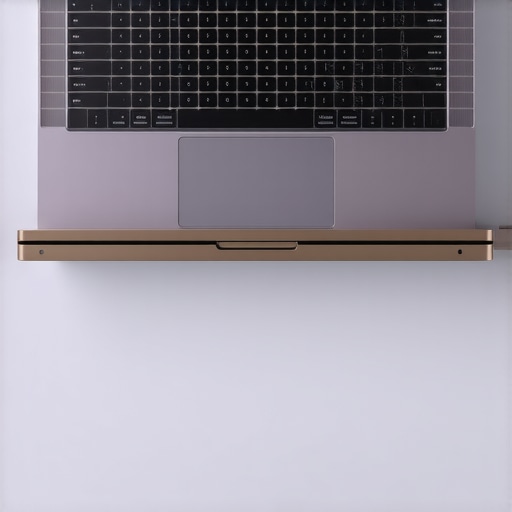
In my experience, the obsession with ‘ultrabooks’ has led to a generation of machines that are nearly impossible to repair or upgrade. Manufacturers often solder the RAM and even the storage directly to the motherboard to save a few millimeters of thickness. This is a massive ‘oops’ factor for many buyers. You might think you’re getting one of those unbeatable laptop deals, only to realize later that you can’t add more memory when your workflow grows. I always suggest looking at the hidden costs of choosing an ultra-thin business laptop before you swipe your card. If the machine can’t breathe, its performance will fall off a cliff. Even why gaming laptops still struggle with thermal throttling in small frames is a testament to the laws of physics—heat has to go somewhere.
Can Your New Laptop Actually Grow With You?
An advanced mistake I see frequently involves ignoring the internal architecture in favor of flashy specs. A study by Rescuecom on hardware reliability suggests that enterprise-grade machines often outlast consumer models specifically because they prioritize cooling and structural integrity over aesthetic thinness. If you’re looking at game-changing gaming laptops for serious players in 2025, don’t just look at the GPU; look at the fan count and heat pipe thickness. Most people assume that why 8gb of ram is no longer enough for modern browsing-2 is the only bottleneck, but a choked processor is far worse. I’ve also started warning people why we avoid laptops with proprietary ssd slots, as it turns a simple storage upgrade into a specialized, expensive nightmare. You should also be aware of the real difference between consumer and enterprise-grade ssds before assuming all storage is created equal. Have you ever bought a laptop that felt fast for ten minutes and then slowed to a crawl once it warmed up? Let me know in the comments—I’d love to hear your horror stories or how you fixed it.
The ‘new laptop smell’ lasts about a month, but the ‘slow laptop crawl’ can last for years if you aren’t proactive. I’ve seen too many people snag top laptop deals in 2025 only to treat them like disposable plastic. If you want your machine to actually survive its four-year lifecycle, you need to move past software updates and start looking at the physical health of your hardware. I keep a dedicated drawer for my gear, and it’s not filled with fancy gadgets—it’s filled with maintenance essentials that prevent minor issues from becoming total failures.
How do I keep my laptop running like new for years?
The secret isn’t a magic app; it’s preventing thermal buildup and managing your battery’s chemical aging. According to technical research from Battery University, keeping a lithium-ion battery between 40% and 80% charge can significantly extend its cycle life compared to constantly topping it off at 100%. Most business laptops for professionals now include BIOS-level settings or vendor apps to cap the charge, and I highly recommend you turn this on if you are usually plugged into a dock. If your battery is already struggling, you should check out how to fix your laptop battery if it only lasts one hour before you consider the machine a lost cause.
Ditch the compressed air for a real toolkit
I used to think a quick blast of air into the side vents was enough to keep things cool. I was wrong. Over time, dust packs into a thick ‘felt’ layer against the exhaust fins that no amount of canned air can dislodge. To really fix it, you need the specific screwdriver kit you need to open 90 of modern laptops. Once you are inside, you can properly learn how to clean the dust out of your laptop without opening it or, even better, safely hold the fan blades still while you clear the debris. While you’re at it, don’t ignore the exterior maintenance. I use the best way to clean your laptop keyboard from crumbs and oil to keep the keys from becoming glossy and gross. If you’ve inherited a used machine covered in old stickers, there is a specific trick to the best method for removing stickers from your laptop lid that won’t destroy the magnesium or plastic finish.
Software bloat is a silent performance killer
Even the most powerful game-changing gaming laptops for 2025 adventures will eventually stutter if Windows is allowed to run fifty background processes you never asked for. My first step with any new machine—whether it’s a budget pick or a high-end workstation—is to follow the best way to configure a new business laptop from scratch. This process involves learning how to disable windows features that eat your battery life and removing the ‘telemetry’ garbage that slows down your CPU. I predict that in the next few years, we will see a massive industry shift back toward modularity, with repairability scores becoming as important as thinness. Until that becomes the global standard, you have to be your own technician. If your screen seems a bit yellow or dull, don’t assume the panel is dying; try how to calibrate your monitor for accurate photo editing without expensive gear first to see if it’s just a software profile issue. My biggest piece of advice? Go into your Task Manager’s ‘Startup’ tab right now and disable everything you don’t use daily. It is the single fastest way to get that ‘day one’ speed back without spending a dime.
What My 15 Years of Laptop Hunting Taught Me
I’ve made every mistake in the book so you don’t have to. First, don’t ignore the hinge tension. A loose screen is the first sign of a dying chassis, and it’s usually why someone is selling. I always suggest learning how to fix a wobbly laptop hinge before it snaps so you can spot the warning signs during a meetup.
Second, the “deal” isn’t over when you hand over the cash. I used to think I’d keep every laptop forever, but I realized why you should trade your laptop every two years to save money—the resale value drops off a cliff after that. Finally, never judge a machine by its specs alone. A high-end CPU in a plastic case will throttle itself until it’s slower than a mid-range business machine.
[image_placeholder]
The Gear I Actually Use Every Week
If you want to move from a casual user to a power user, you need the right physical tools. I never travel without the specific screwdriver kit you need to open 90 of modern laptops. It’s saved me more times than I can count. For performance, I don’t trust “cleaner” apps; I focus on the only 3 ways to genuinely speed up a slow laptop, which usually involves physical cleaning and a fresh OS install. I also rely on free utilities like HWInfo64 to monitor my thermals in real-time—if my fan starts rattling, I know exactly why.
Take Control of Your Silicon Future
You are now equipped with more knowledge than 95% of the people walking into a big-box tech store. Whether you are hunting for unbeatable laptop deals or configuring a top-tier workstation, you have the blueprint to avoid the traps. Don’t be afraid to walk away from a bad deal or open up your machine to keep it healthy. Your hardware should serve you, not the other way around. Which part of the laptop verification process has been the most frustrating for you in the past? Let me know in the comments below!