
I was sitting in a dimly lit coffee shop, ready to crush a deadline, when I realized the ‘click’ I’d been promised on my brand-new rig was actually more of a ‘thud.’ I’d fallen for it. I’d spent hours hunting for unbeatable laptop deals, convinced I was getting a high-end experience, only to find out my keys were basically fancy rubber pads. It was a classic ‘mechanical feel’ trap. If you’ve ever felt that sinking feeling in your stomach after unboxing a machine that felt more like a budget tablet than a pro rig, you aren’t alone. Today, I’m going to pull back the curtain and show you exactly how to verify those switches before you buy. Whether you are looking at game-changing gaming laptops or just want something better for typing, you need to know the truth.
The Day I Realized My ‘Mechanical’ Keys Were a Lie
Early in my tech journey, I actually recommended a laptop to a friend because the sales page shouted ‘Mechanical Typing Experience.’ We both learned the hard way that ‘experience’ is often marketing code for ‘we didn’t actually put a mechanical switch in there.’ It was a mistake that left him with a mushy board and me with a bruised ego. I’ve since spent years obsessing over why we only use mechanical keyboards for all-day coding and serious gaming. Identifying the real deal isn’t just about the sound; it’s about the physical architecture under the cap. Most modern business laptops for professionals stick to chiclet membranes, but gaming brands love to blur the lines. Have you ever felt cheated by a keyboard that looked the part but felt like wet cardboard?
Are These Clicky Keys Actually Worth the Extra Cash?
You might be wondering if this is all just elitism. It’s not. According to industry experts at PCMag, true mechanical switches use individual physical switches for every key, offering a lifespan that can exceed 50 million keystrokes, which is vastly superior to the 5 million typical of membrane keys. When you’re spending thousands on serious gaming laptops, you deserve the tactile precision that only a real switch provides.
Look Beyond the Glowing RGB Lights
The biggest trick manufacturers use is ‘Mem-chanical’ switches. They use a standard membrane layer but add a little plastic clicker to mimic the sound. It’s a cheap imitation. To spot the real thing, you need to look at the key travel and the physical reset point. If you use must-have laptop accessories like a high-end external mouse, you already know the difference quality hardware makes. A real mechanical keyboard on a laptop will usually have a slightly thicker base to accommodate the switches, though companies like Cherry have developed ‘Ultra Low Profile’ switches that are changing the game. We’ll dive into the specific physical tests you can do in the next section.
How to Spot a Fake Switch from a Mile Away
The first thing you need to do is ignore the sound. Modern membrane boards are masters of mimicry; they use tiny plastic clickers to trick your ears. Instead, focus on the ‘break’ of the key. A true mechanical switch has a definitive point of resistance followed by a sudden drop in tension. If the resistance feels like it’s building up linearly like a stretching rubber band, you’re likely dealing with a membrane. I remember scouting hidden warehouse deals on premium laptop brands and finding a unit that sounded like a typewriter but felt like mashed potatoes. The ‘click’ was coming from a separate piece of plastic that didn’t even interact with the electrical contact. It was purely cosmetic, a common trap when hunting for unbeatable laptop deals that seem too good to be true.
The Reset Point Test That Never Fails
This is my secret weapon for debunking marketing fluff. On a standard laptop keyboard, the key has to travel all the way back up to its resting position before you can press it again. On a real mechanical switch—like the ones we discuss in why we only use mechanical keyboards for all-day coding—the ‘reset’ point is usually much higher. Try this: press a key down slowly until it registers, then let it up just a fraction of a millimeter. Try to press it again. If it clicks or registers without going all the way up, it’s a high-quality mechanical switch. I once tried to use this trick to negotiate a better price on an open box laptop by proving to the clerk the ‘mechanical’ keyboard was actually a hybrid. He was stunned when the ‘mechanical’ keys failed to double-tap reliably without full travel.
Don’t Ignore the Laptop’s Profile
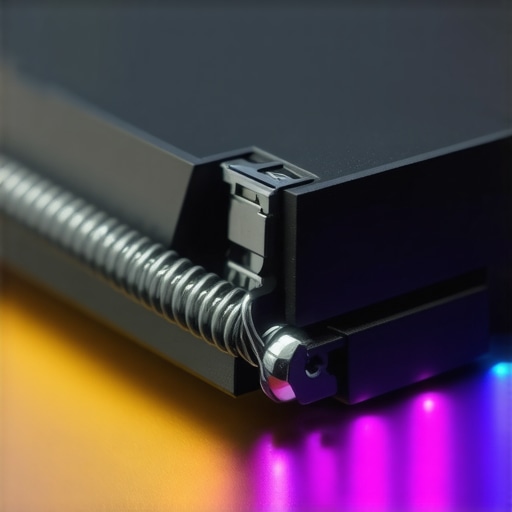
Physics is a stubborn thing. While Cherry and SteelSeries have made incredible strides in low-profile switches, a mechanical mechanism still requires more vertical space than a simple rubber dome. If you are looking at business laptops for productivity in 2025 that are thinner than a smartphone, they almost certainly aren’t mechanical. Even the best lightweight laptop that doesn’t flex when you type will need a slightly beefier chassis to house a real switch. Look for a ‘lip’ around the keyboard deck or a slightly deeper well for the keys to sit in. If the keys sit flush with the surface and have almost zero travel, it’s a membrane, no matter what the sticker says. This is why many game-changing gaming laptops for serious players are still a bit chunkier; that extra millimeter of depth is where the magic happens.
The Software Verification Method
If you have the laptop in front of you, open the device manager or the proprietary control software. Real mechanical boards often show up as specific HID devices rather than ‘Standard PS/2 Keyboard.’ Brands like Razer, Alienware, and MSI will have specific firmware for their mechanical switches to handle N-key rollover. If you’re buying student laptops that balance power and portability, they might skip this high-end hardware, so checking the driver stack is a foolproof way to verify the components. I’ve seen plenty of budget machines use ‘mechanical-like’ branding in the BIOS but show up as generic membrane hardware in Windows. Always trust the software over the salesperson.
Let’s dig deeper. Most people assume that ‘mechanical’ is a binary choice—either it is, or it isn’t. But there’s a nuance that even some tech reviewers miss: the difference between a high-quality membrane and a bargain-bin mechanical switch. In my experience, I’d actually prefer a premium ‘scissor’ switch on top-tier business laptops for professionals over a rattly, unbranded mechanical switch found in a clearance-bin gaming rig. The ‘Oops’ factor here is assuming that the word ‘mechanical’ automatically guarantees quality. I’ve seen enthusiasts chase unbeatable laptop deals only to end up with a board where the keys wobble so much they practically lean into their neighbors.
Does Optical Switching Solve the Mechanical Size Problem?
This is where the industry is heading. If you’re looking for game-changing gaming laptops for serious players, you’ll start seeing ‘optical-mechanical’ switches. These use light to register a keypress, meaning fewer moving parts and a faster response. However, the ‘trap’ is that they often feel much ‘lighter’ than traditional switches. According to a study by the Human Factors and Ergonomics Society, typing speed and error rates are heavily influenced by the ‘break’ force—the amount of pressure needed to get past the initial resistance. If an optical switch is too light, you’ll find yourself making accidental double-taps just by resting your fingers on the home row.
Why Your Fingers Hurt After an Hour of Gaming
Everyone talks about the sound, but no one talks about the ‘bottom-out’ force. A major mistake I see is buyers choosing the clickiest, loudest switch possible because it sounds ‘pro,’ but they ignore the impact on their joints. This is a common hidden downside of ultra-thin gaming laptops that try to cram mechanical switches into a tiny frame. Because the travel is so short, your fingers hit the backplate with more force. If you don’t balance your setup with must-have laptop accessories for a seamless setup, like a padded wrist rest, you’re on a fast track to repetitive strain injury.
Also, let’s talk social awareness. I once brought a ‘clicky blue’ laptop to a local cafe to finish some work. Within fifteen minutes, the guy at the next table was giving me a look that could melt steel. It’s why we often note why most gaming laptops fail the coffee shop noise test. A real expert knows when to opt for ‘brown’ or ‘linear’ style switches that provide the feel without the antisocial noise. Have you ever fallen into this trap and realized your new gear was too loud for public? Let me know in the comments.
Stop Letting Dust Kill Your Tactile Feedback
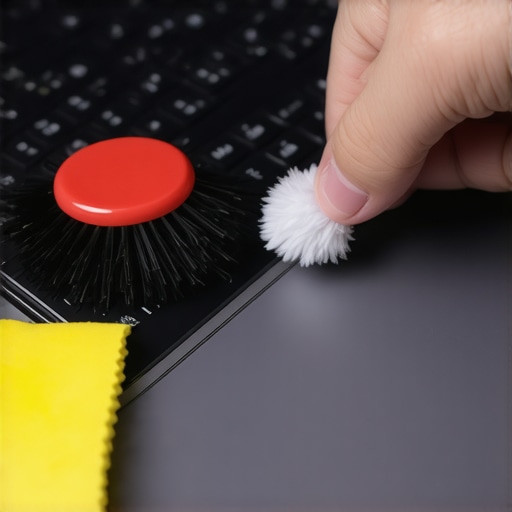
So, you have successfully verified your switches and survived the glares at the local coffee shop. Now comes the part most people ignore until it is too late: keeping that precision feeling alive. The biggest enemy of a high-end mechanical laptop isn’t a catastrophic drop; it is the slow, silent accumulation of skin oils and microscopic crumbs. Unlike membrane boards where the rubber dome is somewhat sealed, mechanical housings have tiny gaps where debris can lodge, causing ‘key chatter’ or missed presses. I personally make it a habit to use a high-pressure air canister and a specialized soft-bristled brush every Sunday. It might sound obsessive, but when you look at the best way to clean your laptop keyboard from crumbs and oil, you realize that preventative care is much easier than desoldering a switch later. I’ve seen too many game-changing gaming laptops for serious players lose their ‘click’ simply because the owner ate a muffin over the WASD keys.
How do I keep my mechanical keyboard feeling brand new?
The secret is consistency and the right chemicals. Never, ever use straight rubbing alcohol on your keycaps; it can strip the UV coating or even melt certain types of ABS plastic. I prefer a 70% isopropyl solution applied to a microfiber cloth first. While you are at it, check the stability of your machine. If you’re constantly opening and closing the lid to clean it, you should also learn how to fix a wobbly laptop hinge before it snaps, as the vibration from a loose hinge can actually affect the internal solder joints of your keyboard over time. According to technical whitepapers from Cherry MX, even a 0.1mm deviation in the contact leaf due to physical stress can lead to inconsistent actuation. If you want that ‘day-one’ feel, you have to treat the laptop like a precision instrument, not a kitchen appliance.
The Specialized Toolkit for Serious Enthusiasts
If you are serious about maintenance, you need more than just a rag. I always keep a precision electronics kit nearby. When I’m traveling with my rig, I pack the specific screwdriver kit you need to open 90 of modern laptops just in case a switch housing gets loose or I need to clear a deep obstruction. You’d be surprised how often a small screw tightening can fix a ‘rattly’ spacebar. Beyond the tools, consider your power environment. Static electricity is a silent killer for sensitive keyboard PCBs. That is why I always recommend why we only use 100w-pd-chargers for our workstations; high-quality, grounded power delivery ensures your internal components aren’t subjected to the ‘dirty’ power that causes ghosting or input lag. These are the must-have laptop accessories to boost your work setup that actually extend the life of your hardware rather than just looking cool on a desk.
Why Magnetic Switches are the Next Big Leap
Looking toward the future, the ‘mechanical’ debate is about to get even more interesting with the rise of Hall Effect (HE) switches. These don’t rely on physical metal contacts at all; instead, they use magnets to measure the exact position of the key. This means zero wear and tear and the ability to customize exactly where the key ‘clicks’ via software. We are already seeing this tech trickle down into top business laptops for productivity in 2025 that want the durability of mechanical without the height. It is a game-changer for longevity. My challenge to you: open your laptop’s control software tonight and check if you have ‘adjustable actuation’ settings. You might be sitting on a piece of high-tech magnetic gear without even knowing it. Give it a tweak and see how it changes your typing speed—you won’t go back to ‘standard’ keys once you’ve felt the difference.
What I Learned After Years of Testing False Clicks
Throughout my time diving into the world of tech, the most painful lesson I’ve learned is that price doesn’t always equal tactile quality. You can find unbeatable laptop deals that feel like a dream, and expensive flagships that feel like mush. I’ve realized that a ‘scratchy’ mechanical switch is actually worse than a high-quality scissor switch, and that the heaviest keys often lead to the most fatigue. Don’t fall for the marketing buzzwords; trust your fingertips over the spec sheet every single time. It is about the consistency of the resistance, not just the volume of the click.
My Personal Arsenal for Keyboard Longevity
To keep my switches in peak condition, I rely on a few non-negotiable items. First, I always keep the specific screwdriver kit you need to open 90 of modern laptops in my desk drawer for quick internal cleanings. I also swear by why we only use 100w-pd-chargers for our workstations to prevent any electrical interference that could cause ghosting during intense sessions. Finally, I tend to favor the only 3 brands that still make easily repairable laptops because even the best mechanical switch will eventually need a replacement after years of heavy use.
#IMAGE_PLACEHOLDER_E#
Your Path to a Better Typing Experience
Finding the perfect set of keys is a journey of trial and error, but once you find that perfect ‘thwack,’ you’ll never look back. Whether you are hunting for game-changing gaming laptops for serious players or a reliable workhorse, prioritize the hardware that speaks to your hands. Your wrists and your productivity will thank you in the long run. Do not settle for marketing fluff when your daily comfort is on the line. Have you ever bought a laptop that promised a mechanical feel only to be disappointed by a mushy membrane? Let me know your biggest keyboard ‘fail’ in the comments below!