
I’ve been there—staring at a ‘too good to be true’ price tag on a used MacBook or a beefy gaming laptop, heart racing, thinking I’ve finally won the tech lottery. I once bought a machine that looked flawless, only to realize three weeks later that a single splash of coffee had slowly been eating its way through the circuitry like acid. It is the ultimate nightmare for anyone hunting for unbeatable laptop deals. You think you are saving money, but you are actually just buying someone else’s expensive disaster. I felt like a fool when that $600 ‘steal’ turned into a paperweight because I didn’t know what to look for.
Don’t Let a Hidden Spill Ruin Your Next Deal
When you are meeting a stranger in a coffee shop to check out a machine, it is easy to get distracted by the specs or the shiny screen. But liquid is a silent killer. According to a study by Allstate Protection Plans (formerly SquareTrade), nearly 30% of laptop failures are due to accidental damage, and liquid spills are the leading cause. Most people think if it turns on, it is fine. I made that exact mistake when I was trying to find a used ThinkPad that actually lasts. I didn’t look for the subtle signs of corrosion, and I paid for it. Today, I am going to show you exactly how to sniff out these hidden traps so you never end up with a high-tech brick. We are going to go beyond the surface and look for the evidence that sellers try to hide.
Is it really possible to hide water damage from a buyer?
You might be skeptical. Surely a massive spill would leave a mark, right? Not always. People are clever. They will swap out keycaps or use compressed air to blow out the surface-level stickiness. However, they almost never clean the internal indicators or the tiny crevices near the ports. If you know where to look, the truth is always there. Have you ever bought a piece of tech only to have it die on you a month later without warning? It is a gut-wrenching feeling that I want to help you avoid. I have learned that bringing the specific screwdriver kit required for that model can save you hundreds of dollars. Even if the seller won’t let you open it, there are external signals that most people miss. We aren’t just looking for wet spots; we are looking for the ghost of spills past. If you have already had a mishap yourself, you might be looking at how to clean a spilled drink out of your laptop keyboard, but when you are the buyer, your job is to avoid the mess entirely and keep your hard-earned cash in your pocket.
Sniff the Chassis and Scan the Ports
The first step in your inspection should be sensory. It sounds strange, but you need to smell the laptop. Put your nose near the exhaust vents and the keyboard. If you detect a faint sugary scent or the acrid smell of cleaning chemicals, be on high alert. Sellers often use heavy-duty cleaners to scrub away the evidence of a soda spill, but the scent lingers in the cooling fans. Next, take a bright flashlight and peer into every single port. Look for a fuzzy green or white crust on the pins. This is oxidation, and it is a death sentence for electronics. I once sat across from a guy in a mall food court while inspecting what seemed like a steal on a mobile workstation. It looked clean, but when I blew a little warm air into the exhaust vent, I smelled the unmistakable scent of dried coffee. I used my flashlight to look into the USB-C port and found a tiny crust of sugar. This is why you must learn how to buy a used workstation without getting burned. Even if the outer shell is pristine, the ports are the windows to the laptop’s soul.
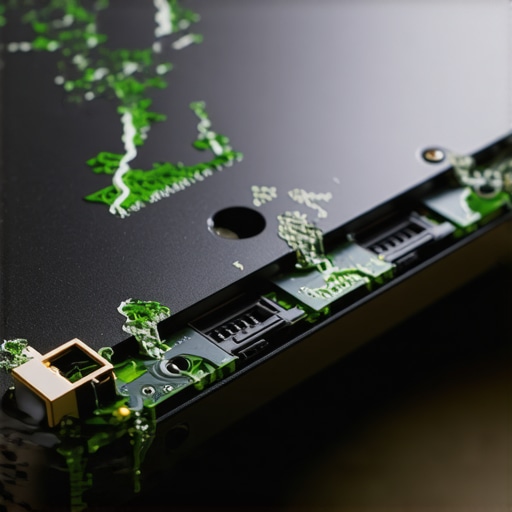
The Keyboard Always Tells the Truth
When you are hunting for top laptop deals in 2025, you have to press every single key. Do not just type a quick sentence; press them one by one. If a key feels ‘crunchy’ or takes a fraction of a second longer to pop back up than its neighbors, liquid has been there. Spilled liquids leave behind a sticky residue that acts like glue inside the scissor switches. While you can look up the best way to clean your laptop keyboard from crumbs and oil, you cannot easily fix a switch that has been corroded from the inside out. For game-changing gaming laptops for serious players in 2025, this is even more critical because the heat generated during gaming sessions can bake that residue onto the motherboard, causing intermittent shorts that are impossible to diagnose.
Spotting Water Damage in the Screen Backlight
Liquid does not just affect the motherboard; it loves to seep into the layers of the display. Turn the brightness to 100% and pull up a solid white background. Look for ‘blooming’ or uneven bright spots that look like tiny clouds trapped behind the glass. These are water stains in the diffusion layers of the backlight. You should also how to check your laptop screen for dead pixels like a pro while you are at it. If you see wavy lines or discolorations that look like an oil slick, the screen has been submerged at some point. This is a common issue with business laptops for professionals that have been hauled through rainstorms in poor-quality bags.
Hunt for the Pink Indicator Stickers
If the seller allows it, the most definitive test is checking the Liquid Contact Indicators (LCIs). These are tiny white stickers that turn bright pink or red when they touch moisture. They are usually hidden near the RAM slots or under the bottom cover. Bringing the specific screwdriver kit for the model you are buying is the pro move here. I remember a time I was looking at a MacBook that the seller swore had never seen a drop of water. I popped the back plate, and the LCI near the battery was glowing neon pink. He tried to claim it was just ‘humidity,’ but those stickers don’t lie. A red sticker means the manufacturer warranty is void and the hardware is on borrowed time. Never settle for a machine that has failed this internal ‘litmus test’ regardless of how low the price goes.
The obsession with ‘thin and light’ is the biggest lie the tech industry ever told us. Everyone wants a machine that looks like a sleek slab of aluminum, but in my years of testing gear, I have found that thinness is often a mask for poor longevity. We are conditioned to think that portability is the ultimate metric for student laptops that balance power and portability perfectly, but there is a hidden cost. When you shave off millimeters from a chassis, you lose the ability to cool the components properly. This leads to the ‘oops’ factor most buyers ignore: thermal throttling. A laptop might have a top-tier processor, but if it is packed into a razor-thin frame, it will slow down to a crawl within ten minutes of heavy work just to keep from melting. This is exactly why gaming laptops still struggle with thermal throttling in small frames even in 2025.
Stop Chasing Thinness and Start Chasing Airflow
The contrarian truth is that a slightly thicker ‘boring’ laptop is almost always a better investment than the newest ultra-thin flagship. A study by the Public Interest Research Group (PIRG) in their ‘Failing the Repair’ report found that as laptops become thinner, their repairability scores plummet because manufacturers resort to glue and soldering to save space. I have seen countless people jump on top laptop deals in 2025 only to realize they bought a machine with zero upgrade paths. This is why we never buy laptops with soldered RAM for longevity. If a single memory chip fails, or if you simply need more power for a new software update, the entire motherboard becomes e-waste. When you are looking for business laptops for professionals, look for a machine that actually has visible intake vents on the bottom. If the bottom is a solid sheet of metal with no holes, that heat has nowhere to go but into your battery, shortening its lifespan significantly.
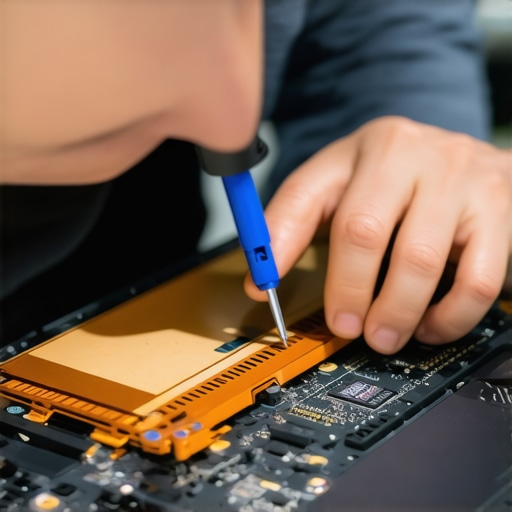
How can you tell if a ‘refurbished’ deal is actually just a used lemon?
Many sellers use the word ‘refurbished’ loosely. To a pro, refurbished means the thermal paste was replaced, the fans were cleaned, and the battery was cycle-tested. To a random seller on a marketplace, it might just mean they wiped the screen with a microfiber cloth. Always ask for a battery health report and how to check if your used laptop still has a manufacturer warranty before handing over cash. You should also be wary of the hidden costs of choosing an ultra-thin business laptop, such as the need for a $100 dongle just to connect a standard monitor or mouse. For those who need a machine that survives more than a semester, I always point them toward student laptops that boost productivity and learning by offering actual ports and user-replaceable parts. Have you ever fallen into the ‘thinness trap’ and regretted it a year later? Let me know in the comments; I’d love to hear your horror stories or your wins in finding a truly durable machine.
Once you’ve avoided the ‘thinness trap’ and secured a machine that isn’t a liquid-damaged disaster, the real work begins. You don’t just want a laptop that works today; you want one that stays fast until 2030. I treat my hardware like a high-performance engine, and that means looking under the hood more than once a year. The most common reason a ‘great deal’ turns into a sluggish mess is thermal degradation. Technical data from NotebookCheck’s long-term stress tests confirms that thermal conductivity in consumer laptops can drop by nearly 15-20% after 24 months of heavy use as the factory-applied paste dries out and loses its ability to transfer heat.
Keep the Heat Away or Watch Your Performance Die
If your machine is more than two years old, you are likely leaving performance on the table. I use a tool called HWiNFO64 to monitor my sensors. If I see my CPU hitting 95°C during simple tasks, I know it’s time for surgery. I personally recommend learning how to replace your laptop thermal paste without breaking anything. I use Arctic MX-6 because its high viscosity prevents the ‘pump-out’ effect common in thin-and-light laptops. While you are inside, check the fans. If they are making a grinding noise, you should know how to replace a dead laptop fan without voiding the warranty. A $15 fan replacement can save a $1,000 motherboard from a slow, heat-induced death.
How do I maintain my laptop speed over several years?
It isn’t just about the physical dust; it’s about the software decay. Windows 11 loves to bloat itself with telemetry and background services that eat your CPU cycles. I always take the time to how to disable windows features that eat your battery life. This isn’t just for runtime; a CPU that isn’t working as hard stays cooler, which in turn preserves the battery’s chemistry. I also recommend setting a charging limit. Most modern business and gaming laptops allow you to cap the charge at 80%. This prevents the ‘swollen battery’ syndrome that plagues people who leave their machines plugged in 24/7. If you notice the real reason your laptop power brick is getting extremely hot, it’s usually because your internal components are drawing too much power due to inefficiency. 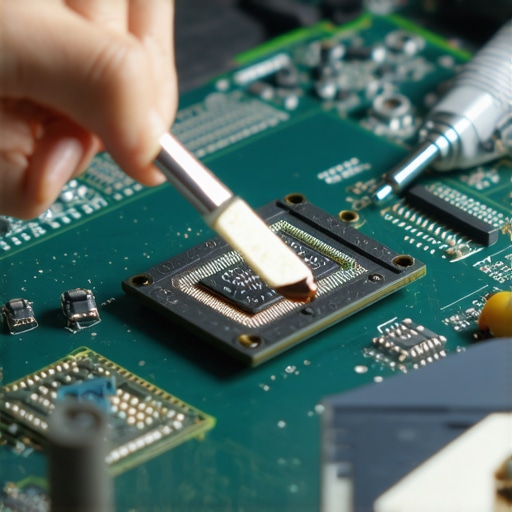
The Right Tools for the Job
You cannot maintain a modern machine with a kitchen knife and a prayer. I rely on the specific screwdriver kit with Pentalobe and Torx bits to avoid stripping screws. Beyond the internals, I focus on the interface. Investing in must-have laptop accessories to boost your work setup, like a high-quality vertical stand, helps with airflow even when you aren’t actively tinkering. My prediction for the future? We are moving toward a world where ‘Repairability Scores’ will be the primary metric for resale value, much like mileage on a car. The era of disposable tech is ending because the hardware is simply getting too expensive to throw away. **Action Tip:** Download HWiNFO64 today and check your ‘Core Max’ temperature while watching a 4K video. If it’s over 85°C, it’s time to clean those vents and consider a repaste.
The Costly Mistakes I Made So You Don’t Have To
After years of flipping hardware, I’ve realized that the ‘refurbished’ label is often just a marketing word for ‘wiped down.’ I once bought a premium machine only to find out it had zero upgrade paths. This is why we never buy laptops with soldered RAM for longevity; if that memory fails, you’re looking at a total loss. I also learned the hard way that a seller’s word is secondary to proof. Always verify the status of the machine by learning how to check if your used laptop still has a manufacturer warranty before you commit. My biggest ‘lightbulb moment’ was realizing that a slightly bulkier laptop with actual airflow beats a sleek, thermal-throttling disaster every single time. Don’t be seduced by aesthetics; remember the hidden costs of choosing an ultra-thin business laptop when a more robust model will actually finish the render or the gaming session without dying.
My Go-To Toolkit for Vetting Used Hardware
I never show up to a marketplace meetup without my diagnostic arsenal. First on the list is HWiNFO64, which I keep on a thumb drive to check for thermal issues instantly. I also carry the specific screwdriver kit required to peek inside the chassis if the seller allows it. For setting up a station that lasts, I’ve moved toward the best vertical docks that support dual 4k displays to keep my desk clean and my laptop elevated for better cooling. #IMAGE_PLACEHOLDER_E# These tools aren’t just for professionals; they are for anyone who wants to stop being a victim of planned obsolescence. I trust these resources because they’ve saved me thousands of dollars in potential repair bills over the last decade.
Take Control of Your Tech Future Today
Buying technology shouldn’t feel like a gamble at a casino. Whether you are hunting for business laptops for professionals or searching for student laptops that balance power and portability perfectly, you now have the blueprint to find a winner. Stop being a passive consumer and start being an informed owner who knows how to spot a spill, bypass the thinness trap, and keep a machine running cool for years. Your wallet—and the planet—will thank you for keeping high-quality hardware out of the landfill. Have you ever found a hidden defect after buying a used laptop, or did you manage to spot a lemon before the sale? Let me know your stories in the comments below.