
I remember it like it was yesterday. 2:00 AM, three cups of coffee deep, and I was staring at a row of numbers that made no sense. I was building a projection model for a client on my old 16:9 laptop, and I spent more time scrolling up and down than actually typing formulas. Every time I looked at a cell, I had to scroll up to see what the header was. It felt like trying to read a novel through a mail slot. I made the classic mistake of buying a machine solely because it was marketed as ultra-thin—I didn’t realize that the hidden costs of choosing an ultra-thin business laptop often include a cramped, squat screen that kills your focus. That night was my lightbulb moment. I realized that the wider cinematic screens we’ve been sold for years are actually the enemy of anyone who works for a living. Today, I’m going to show you why the 16:10 aspect ratio is the single most important feature you should look for when browsing business laptops for professionals. Have you ever felt like you’re suffocating on a wide, short screen while trying to finish a report?
Stop Squinting at Your Cells
For a long time, laptop manufacturers pushed 16:9 screens because they were cheaper to produce—they used the same glass panels as TVs. But what’s good for Netflix is miserable for Net Income statements. When I finally swapped to a taller display, it was like someone had finally turned the lights on in a dark room. I could see my data without a neck-straining dance of mouse clicks, and even navigating with full-size arrow keys felt more intuitive when the layout matched the screen height. Even the student laptops that boost productivity are moving this way now, because writing a 10-page paper on a 16:9 screen means half your screen is wasted ‘black bar’ space while your text is squeezed into a tiny horizontal strip.
Does a measly 11% more space really change your workflow?
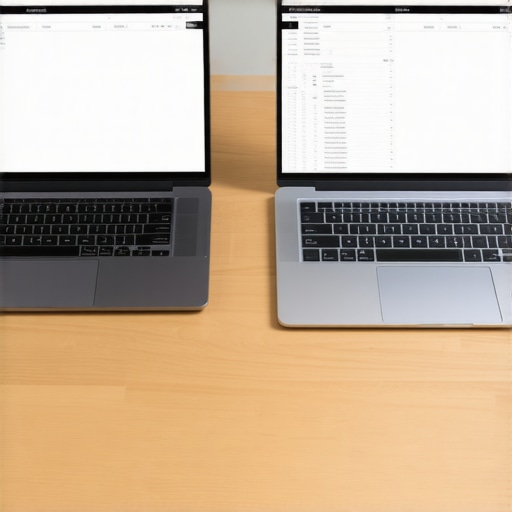
You might be skeptical. After all, we’re talking about a fraction of an inch of vertical height. However, according to industry analysis by PCMag, the shift to 16:10 provides roughly 11% more vertical pixels, which translates to about two to three extra rows in Excel. That sounds small until you realize those two rows are often the difference between seeing your ‘Total’ line and having to scroll for it every single time. It’s about maintaining your ‘flow state.’ Every time you stop to scroll, your brain loses a tiny bit of momentum. Over an eight-hour workday, that adds up to massive fatigue. [image placeholder] Setting up the right workspace is about more than just the screen, but the ratio is where it all begins. Let’s look at the actual math of why this verticality wins every single time.
Get your vertical real estate back
If you spend your day in Slack, Excel, or VS Code, you are working vertically. You read from top to bottom, not left to right. When I first started hunting for top business laptops for productivity in 2025, I focused on CPU speed, but I quickly realized that the screen shape was the actual bottleneck. To maximize this extra space, you need to think about how your software interacts with those extra pixels. It isn’t just about having the room; it’s about how you fill it. I used to keep my taskbar at the bottom of a 16:9 screen, which felt like wearing a belt that was too tight. When I switched to 16:10, I could finally breathe.
Test your current limits with the browser test
Before you go out and hunt for top laptop deals in 2025, try this: open a long article and see how much text is cut off by your browser’s tabs and your OS taskbar. On a standard 16:9, you’re losing nearly 20% of your viewable area to UI chrome. On a 16:10 machine, that extra height swallows the tabs and still gives you more actual content than the wide screen ever could. I once tried to ‘fix’ my old 16:9 laptop by auto-hiding the taskbar to gain space, but I ended up constantly triggering the pop-up menu whenever I tried to click a cell at the bottom of my sheet. It was a mess of misclicks that doubled my data entry time. Native height beats software hacks every single time.
Choose the right finish for your environment
Once you have the right ratio, don’t ruin it with the wrong coating. I’ve seen people buy beautiful high-resolution 16:10 screens only to find they can’t see anything because of office glare. You should really understand the truth about matte vs glossy screens for office productivity before you pull the trigger. A matte finish helps that extra vertical space stay usable even under harsh overhead fluorescent lights. 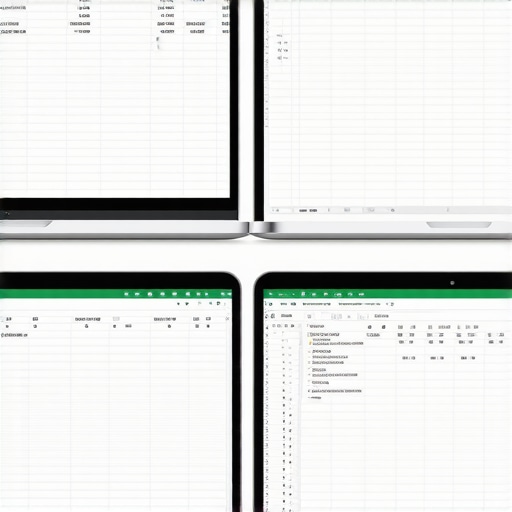
Ditch the clutter for deeper focus
Having more room doesn’t mean you should fill it with more junk. The secret is to use the extra height to see more of your primary task, not more widgets. I found that the best way to organize your desktop for deep work on a taller screen is to keep your most-used shortcuts in a small vertical dock on the side. This preserves every single precious pixel of that vertical 16:10 height for your document or code. When you finally sit down to configure a new business laptop, prioritize the 1200p or 1600p vertical resolution. It’s the difference between seeing a snippet of a problem and seeing the whole solution at once. Even adding must-have laptop accessories to boost your work setup, like a proper stand, works better with 16:10 because the screen sits naturally higher at eye level, reducing that dreaded ‘laptop slouch.’
Most people think that if they want more space, they just need a higher resolution. They hunt for 4K panels in unbeatable laptop deals, thinking more pixels equals more productivity. But here is the professional truth: 4K on a 14-inch screen is often a productivity nightmare. You end up scaling Windows to 200% just to read an email, which effectively gives you the desktop real estate of a 1080p screen—just sharper. The 16:10 ratio, however, gives you physical room to breathe regardless of the pixel density. It’s about the ‘effective’ workspace, not just the pixel count.
Stop chasing pixels and start chasing verticality
I’ve seen dozens of colleagues fall for the ultra-high-res trap. They buy a 16:9 4K screen and then wonder why their eyes hurt after two hours. The issue is that 16:9 is designed for passive consumption, while 16:10 is designed for active creation. When you are looking for top business laptops for productivity in 2025, you need to ignore the marketing fluff about ‘cinematic experiences.’ A study by the Software Usability Research Laboratory (SURL) at Wichita State University indicates that as screen aspect ratios optimize for vertical content, task completion times drop significantly because of reduced scrolling. You want a tool, not a movie theater in your lap.
Can you really feel the difference between 1200p and 1600p?
On a 14-inch frame, the answer is a resounding yes. While 1200p (FHD+) is the baseline for modern business laptops for professionals, upgrading to 1600p (QHD+) provides a crispness that reduces eye strain during 10-hour spreadsheet sessions. However, the trap is thinking that resolution can compensate for a lack of RAM. I often see people splurge on a 1600p screen but stick with 8GB of memory. Let me be clear: why 8GB of RAM is no longer enough for modern work is a topic every professional should internalize. A beautiful screen won’t help you if your system is chugging every time you switch tabs.
The high-resolution trap that drains your battery
Here is the ‘oops’ factor many people miss until it’s too late: the more pixels your screen has to light up, the faster your battery dies. I once consulted for a firm that bought 4K 16:9 laptops for their sales team, only to find the reps couldn’t make it through a single client presentation without hunting for a wall outlet. If you choose a 16:10 QHD+ screen, you hit the sweet spot of vertical space and power efficiency. This is especially true when you configure a new business laptop; always opt for the ‘low power’ panel options if they are available. It’s the hidden secret to getting 12 hours of life out of a machine that actually lets you see your work.
Another common mistake is pivotting to gaming hardware for work purposes. People see the raw specs and think it’s a steal, but why gaming laptops still struggle with thermal throttling is a major concern in office environments. You don’t want a machine that sounds like a jet engine during a quiet meeting just because you have a few PDFs open. Stick to business-grade 16:10 machines that prioritize silent cooling and vertical real estate. Have you ever fallen into the trap of buying a laptop for its specs only to realize the screen shape made it impossible to use for your specific job? Let me know in the comments.
Keep your gear pristine for the long haul
Buying the right screen ratio is only half the battle; keeping that machine from turning into a paperweight after two years is where the pros distinguish themselves. I’ve seen too many people grab unbeatable laptop deals in 2025 only to treat the hardware like a disposable plate. If you want that 16:10 display to remain your primary productivity hub, you have to tackle the internal heat. Dust is the silent killer of vertical real estate. When your fans clog, your CPU throttles, and suddenly that smooth scrolling in Excel becomes a laggy mess. I personally use a small electric duster every two weeks, but you should at least learn how to clean the dust out of your laptop without opening it to keep the airflow consistent.
How do I maintain my laptop’s peak performance over time?
It’s not just about software updates. Real maintenance involves the physical components that manufacturers hope you ignore. For example, the thermal paste between your processor and the heat sink eventually dries out and loses its effectiveness. According to technical studies published in the Journal of Thermal Analysis and Calorimetry, standard thermal interface materials can lose significant conductivity after 24 to 36 months of heavy thermal cycling. This is why I occasionally recommend that advanced users consider why we swapped the thermal paste on our brand new laptop to ensure longevity. If you aren’t ready to go that deep, at least make sure you have the specific screwdriver kit you need to open 90 of modern laptops so you can occasionally tighten the chassis screws. I’ve seen way too many 16:10 panels get ruined because a loose hinge put uneven pressure on the glass. You need to know how to fix a wobbly laptop hinge before it snaps to save yourself a massive repair bill.
The tools that actually matter for your setup
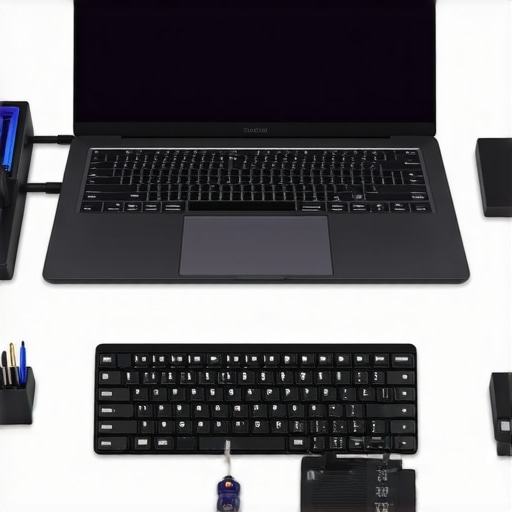
Beyond the internal components, your external environment dictates your success. I’ve stopped using cheap peripherals because they simply don’t last. When I’m doing heavy data work, I rely on the best keyboards for high-speed coding sessions on the go because the tactile feedback prevents the fatigue that comes with standard chiclet keys. Also, don’t overlook your power supply. Using a knock-off brick is the fastest way to fry a motherboard. I only trust high-quality PD units, and I’ve spent time researching the truth about high-wattage chargers and battery longevity to make sure I’m not killing my cells while I work. If you’re often on the move, the best small chargers for travel-heavy business trips are a life-saver for keeping your bag light without sacrificing the wattage needed for a 16:10 workstation.
Looking ahead, I predict the 16:10 ratio is just a stepping stone. We are already seeing the rise of 3:2 displays and even foldable dual-screen setups that effectively double your vertical space. The industry has finally realized that we aren’t just watching movies; we are building worlds. My advice? Don’t wait for the future to optimize your workflow. Go into your settings right now and move your Windows taskbar to the left or right side of your screen. It sounds trivial, but on a 16:10 display, this frees up the maximum amount of vertical space for your actual work. If you’re still looking for the perfect machine, check out our updated list of top business laptops for productivity in 2025 to see which models are leading the vertical revolution.
The Expensive Mistakes I Made Chasing Vertical Space
After a decade of testing hardware, I’ve realized that the spec sheet only tells half the story. If you’re switching to a taller aspect ratio, here’s the inside scoop on what actually matters when the rubber hits the road:
- Watch for the False Height: Some manufacturers claim a 16:10 ratio but then surround it with a massive plastic bezel at the bottom. To truly feel the benefits, look for designs that maximize the screen-to-body ratio so the extra pixels aren’t wasted.
- Airflow is Your Best Friend: Taller screens often sit higher in the chassis, which can change how heat dissipates. I always make sure to clean the dust out of your laptop without opening it every few weeks to prevent that extra vertical real estate from becoming a heat trap.
- Keyboard Deck Leverage: Taller screens exert more leverage on the hinges. Before you buy, ensure the chassis doesn’t flex when the screen is tilted back, as this is a common point of failure on thinner 16:10 machines.
What I Keep on My Desk to Stay Focused
The screen is your primary window into your work, but these tools are the foundation that keeps that window open and clear. I’ve tested hundreds of peripherals, and these are the ones I trust for a high-performance setup:
- A Reliable Vertical Hub: To keep my desk clean and my screen at the right eye level, I rely on the best vertical docks that support dual 4k displays. It keeps the clutter away and preserves that sense of vertical space.
- Professional Maintenance Kit: A dirty screen or greasy keys can ruin the experience of a premium display. I swear by the best way to clean your laptop keyboard from crumbs and oil to keep my touchpoints feeling like they just came out of the box.
- Consistent High-Wattage Power: Taller, brighter screens draw more juice than older 16:9 panels. I’ve stopped using the cheap bricks that come in the box; understanding why we only use 100w PD chargers for our workstations is the key to ensuring your system never throttles during heavy loads.
[image placeholder]
The Future of Your Daily Grind
Switching to a taller screen isn’t just about adding a few more rows to a spreadsheet; it’s about respecting your own time and cognitive load. When you invest in high-quality business laptops for professionals, you are choosing a tool that works with your brain’s natural vertical processing. Don’t let an outdated, narrow screen dictate how much of your own work you can see at once. It’s time to stop scrolling and start producing. Have you ever felt that a standard 16:9 screen was actually slowing down your productivity on big projects? Let me know in the comments below!