
I still remember the smell of ozone wafting from my desk three years ago. I thought I had scored the deal of a lifetime—a high-end mobile workstation for less than the price of a mid-range tablet. It looked pristine, but ten minutes into my first heavy video render, the screen flickered, the fans screamed like a jet engine, and the whole thing died. I had just spent $800 on a heavy, metallic paperweight. That was the day I realized that buying used professional hardware isn’t just about comparing specs; it is about knowing exactly where the skeletons are hidden. If you are tired of looking at top business laptops for productivity and seeing price tags that rival a used car, you are in the right place. I am going to show you how to navigate the used market without losing your shirt. [image_placeholder]
Stop Paying the New Machine Tax and Buy Smarter
I have spent the last decade hunting for hardware gold in the bargain bins of the internet. The truth is, most people do not need a brand-new machine; they just need a machine that works. Professional-grade workstations are built to a much higher standard than the plastic stuff you find at big-box retailers. According to hardware data from PCMag, professional workstations are often designed for 24/7 operation and undergo rigorous MIL-SPEC testing, making them significantly more durable than your average retail laptop. This means a three-year-old ThinkPad P-series or a Dell Precision often has more life left in it than a brand-new budget laptop. However, the path is full of traps. You need to know how to spot a scam laptop listing on social media before you even send a message. I once bought a machine that turned out to be a ‘parts-only’ unit with the description cleverly hidden at the very bottom of a long text block. Do not be like me. You also have to be able to tell if that refurbished deal is actually just used and cleaned up with some rubbing alcohol. Have you ever felt that sinking feeling in your stomach after clicking ‘buy’ on a deal that felt just a little too good to be true?
Do These High-End Workhorses Actually Survive Heavy Use?
It is the question every skeptic asks, and they are right to ask it. When you buy a used workstation, you are essentially buying a tool that someone else might have used to run 40-hour simulations or 4K renders every single day. The secret is that these machines are modular. Unlike thin-and-light laptops where everything is soldered together, workstations allow you to swap parts. If you know where to find hidden warehouse deals, you can often pick up units with plenty of warranty left or user-replaceable parts that make them immortal. Today, I am going to walk you through the checklist I use to vet every seller and every serial number before a single dollar leaves my wallet. We are going to look at thermal health, battery cycles, and the red flags that scream ‘stolen’ or ‘corporate-locked.’ Let’s get into the nitty-gritty of making sure your next ‘new-to-you’ powerhouse is a total win.
Get the Serial Number Before You Pay a Single Cent
The very first thing you need to do is ask the seller for the service tag or serial number. If they hesitate or claim they ‘can’t find it,’ stop the conversation. For professional machines like ThinkPads or Dell Precisions, that number is your golden ticket to the machine’s entire history. You can plug it into the manufacturer’s support site to see exactly which components it shipped with and, more importantly, if it has any remaining ProSupport or on-site warranty. I once found a listing for a generic-looking Dell on Marketplace for $300. After checking the service tag, I realized it still had two years of next-day on-site warranty remaining. That $300 investment was protected by a multibillion-dollar company. 
Why a Locked BIOS is an Absolute Dealbreaker
While you are looking at the machine, you have to verify that the BIOS is not password-protected. Many corporate-surplus machines are sold by liquidators who forgot to clear the supervisor passwords. If that BIOS is locked, you might not be able to change the boot order, disable secure boot, or even update the firmware. It turns your powerful workstation into a rigid, uncustomizable box. I learned this the hard way with a Latitude I bought three years ago; I couldn’t even install a fresh OS because the boot menu was locked. Always ask for a photo of the BIOS ‘Security’ tab before you commit. You also need to check for ‘Computrace’ or ‘Absolute’ persistence. If this is ‘Active,’ the previous corporate owner could technically brick the machine at any moment.
Test the Battery to Avoid Getting Stranded
Do not trust the seller when they say the battery ‘lasts a few hours.’ Everyone’s definition of ‘a few hours’ is different. Instead, use the built-in Windows tool by typing powercfg /batteryreport into the command prompt. This generates a file that shows you the ‘Full Charge Capacity’ versus the ‘Design Capacity.’ If the full charge capacity is less than 70% of the design capacity, you are looking at a machine that will need a replacement soon. This is exactly why your next business laptop needs a user-replaceable battery. I once picked up a beautiful 4K workstation that looked mint, but the battery report showed 1,200 cycles. It was essentially a desktop that required a permanent tether to a wall outlet. Checking this early also lets you see how to tell if your laptop battery is swelling, which is a massive fire hazard you want to avoid.
Push the Thermals to the Breaking Point
Workstations are meant for heavy lifting, so you need to see how they handle heat. Bring a portable SSD with a stress-testing tool like Cinebench or Aida64. Run a test for ten minutes and watch the clock speeds. If the laptop starts ‘throttling’—meaning the processor slows down significantly to keep from melting—it usually means the fans are clogged or the thermal paste has dried out. In my experience, this is often the reason people sell these machines; they think the laptop is ‘getting slow,’ when it just needs a five-dollar tube of paste. If you are comfortable with tools, you can even find out if your laptop can be upgraded while you have it open for cleaning. I frequently buy ‘overheating’ workstations for 50% off, and why we swapped the thermal paste ourselves is a secret that has saved me thousands. Always check official repair guides for your model to see how easy it is to access the cooling system before you buy.After you have pushed the thermals to the limit, you need to confront the ‘Portability Paradox.’ Everyone tells you that the future of work is a two-pound ultrabook that fits in a manila envelope. In my experience, that is exactly how you end up with a throttled, unrepairable mess. If you look at the hidden costs of choosing an ultra-thin business laptop, you will see that you are often sacrificing 30% of your performance just to save a few ounces of weight. Real workstations are thick for a reason: they need airflow. A 2023 study by reliability firm Rescuecom highlights that professional-grade hardware consistently maintains a lower repair-to-deployment ratio than consumer-grade ‘premium’ ultrabooks precisely because they do not compromise on cooling and chassis rigidity.
Is Your High-End Display Actually Lying to You?
One of the most common myths is that a ‘4K’ or ‘High Definition’ sticker means the screen is professional-grade. I have seen countless buyers get frustrated because their expensive workstation prints colors that look nothing like what they saw on the screen. This is why your laptop screen looks different next to an iMac or a calibrated monitor. Most business laptops focus on brightness and matte coatings for office work, but they often fail miserably at DCI-P3 color gamut coverage. If you are doing creative work, do not just look at the resolution; look for the Delta-E rating. 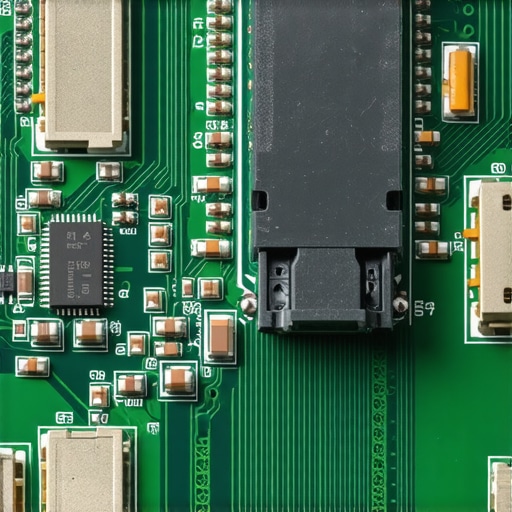
Avoid the Proprietary Component Death Trap
Here is the ‘oops’ factor that ruins more deals than anything else: proprietary hardware. Some manufacturers, even in their workstation lines, have started soldering components or using non-standard shapes for internal drives. I always advise that why we avoid laptops with proprietary SSD slots is about more than just convenience; it is about data recovery. If your motherboard dies and your SSD is a unique shape or soldered on, your data is effectively gone. The same goes for power—why we avoid buying laptops with proprietary power bricks is because you cannot just grab a replacement at a local shop when you are traveling. While you are at it, make sure you know how to spot a fake NVMe drive on Marketplace, because scammers love to swap the high-end original drive for a $10 knockoff before selling. You might think you are getting unbeatable laptop deals, but if the internals have been cannibalized, you are buying a shell. When hunting for top laptop deals in 2025, remember that experts look at the hinge and the keyboard deck rather than just raw specs. For those looking at student laptops that balance power and portability perfectly, the biggest mistake is buying a budget ‘gaming’ laptop for school. These machines usually have atrocious battery life and cooling fans that roar during a quiet lecture. A three-year-old business machine is almost always the better bet for reliability and silence. Have you ever fallen into this trap and realized your ‘bargain’ had hidden strings attached? Let me know in the comments.Once you have successfully navigated the minefield of used listings and secured your high-end machine, the real work begins. Owning a workstation is like owning a classic sports car; you cannot just ignore the maintenance and expect it to perform at redline every day. I personally rely on a software suite that most casual users have never heard of: HWiNFO64. It is not just for looking at your CPU speed; it provides granular data on voltage and individual core temperatures that Windows Task Manager hides from you. If you see a discrepancy of more than 10 degrees between cores, it is a definitive sign that your thermal paste is unevenly spread. This level of detail is exactly what separates people who have to buy a new machine every two years from those of us who keep our hardware screaming for seven.
How do I maintain my workstation performance over time?
Consistency is more important than occasional deep cleans. Every six months, I perform what I call the ‘internal audit.’ I use a dedicated electric air duster—never a vacuum, as static discharge can be fatal—to blow out the radiator fins. If you ignore this, the dust acts as an insulator, and your fans will work twice as hard to achieve half the cooling. While you are at it, you should learn how to clean a greasy trackpad without causing damage using 70% isopropyl alcohol and a microfiber cloth. It sounds trivial, but oils from your skin are actually mildly acidic and will eventually erode the protective coating on premium magnesium chassis if left unchecked. You also need to keep an eye on the mechanical parts; learning how to fix a wobbly laptop hinge before it snaps can save you from a $200 screen replacement down the line. Hardware experts at iFixit frequently highlight that the hinge is the most common mechanical failure point in laptops that move frequently between meetings and classrooms. 
Invest in the Right Kit for Long-Term Scaling
To truly get the most out of your used beast, you need to look at must-have laptop accessories to boost your work setup. I always recommend a high-quality docking station to reduce the wear and tear on your machine’s physical ports. Repeatedly plugging and unplugging a charging cable is the fastest way to loosen a solder joint. In my home office, I prioritize the only 3 brands that still make easily repairable laptops because I know I can buy a replacement daughterboard for the USB ports if I ever mess them up. For security, I don’t trust software alone; why we still carry a physical webcam cover is a habit I picked up from the cybersecurity community, where physical air-gaps are the only true protection. Looking ahead, I predict a massive shift back toward modularity. With the ‘Right to Repair’ movement gaining legal ground in the EU and US, we are going to see a return to the golden age where a student could swap a GPU in their dorm room. If you want to join the ranks of power users, I challenge you to download HWiNFO64 tonight and check your VRM temperatures during a heavy task—if they are hitting 95C, it is time for that five-dollar tube of thermal paste.[image_placeholder]
The Silicon Skeletons I Found in My Own Closet
Over the years, I have learned that the best specs on paper can still lead to a total dud if you do not look past the surface. One lightbulb moment for me was realizing that corporate-surplus machines often have pristine internals because they spent three years connected to a dock in a climate-controlled office, while consumer laptops have lived through coffee spills and pet hair. I also realized that you should never trust a ‘Grade A’ rating without verifying it yourself; always check how to tell if that refurbished deal is actually just used and simply wiped down with a magic eraser. Another hard lesson? The screws never lie. If the screw heads are shiny or stripped, someone who didn’t know what they were doing has been inside that chassis. Finally, remember that a workstation with a slightly older CPU but a high-end cooling system will outperform a brand-new thin laptop that throttles within minutes of starting a task.
My Essential Hardware Survival Kit
To navigate this market, you need more than just luck. I personally rely on the iFixit database because they provide the gold standard for teardowns. Before I buy any model, I check how to find official repair guides for your exact model to see if the fans are easy to clean or if the battery is glued in. I also suggest keeping an eye on top laptop deals in 2025 to compare used prices against current sales; sometimes a new unit is actually cheaper if the market is flooded. For the technical side, HWiNFO64 is my non-negotiable tool for real-time monitoring, and I always check if the hardware comes from the only 3 brands that still make easily repairable laptops to ensure I am not buying a disposable piece of tech. Finally, once you have your machine, invest in must-have laptop accessories for a seamless setup to protect those vital ports.
Claim Your Professional Power Today
The barrier to owning high-end technology is much lower than the manufacturers want you to believe. You do not need to spend three thousand dollars to get a machine that handles 4K video or complex data sets. By choosing business laptops for professionals over shiny consumer toys, you are choosing longevity, serviceability, and raw power. When you look at the top business laptops for productivity, remember that the ‘old’ model in that same lineage is often 90% as capable for 30% of the cost. Don’t be afraid to open the case, repaste the chips, and take control of your hardware. Your next powerhouse is waiting in a warehouse somewhere—go find it. Have you ever found a used deal that felt too good to be true, only to discover a hidden flaw? Let me know below.