
I was sitting in a sunny library last Tuesday, trying to look productive on my sleek new machine, when the light hit my WASD keys at just the right angle. It looked like I’d been eating fried chicken while typing a manifesto. The ‘gloss’ wasn’t premium; it was pure finger oil. It’s a universal tragedy: you spend a fortune on top-tier business laptops only for them to look like a used pizza box within a month. I felt that familiar sting of embarrassment, realizing my expensive tool looked neglected and unprofessional.
Stop Living with Sticky Keys and Shiny Plastic
It isn’t just about aesthetics. A greasy keyboard actually makes your fingers slip, slowing down those late-night coding sessions or essay marathons. Whether you’re rocking one of the latest student laptops that boost productivity or a high-end rig, the buildup is inevitable. I used to think I was just ‘well-seasoning’ my gear, but the reality is that skin oils and dead skin cells create a grimy film that can eventually interfere with the switches themselves. Today, I’m going to share the exact routine I use to restore that satisfying, tactile feel without risking a short circuit. We’ll move past the ‘quick wipe’ and actually solve the problem once and for all.
Is a little bit of grease really going to kill my laptop?
You might think a shiny spacebar is just a badge of honor for a hard worker. However, according to research from the University of Arizona, the average desktop can harbor 400 times more bacteria than a toilet seat. That grease is the glue that holds all those germs and dust in place. I learned this the hard way years ago when I tried to ‘deep clean’ a keyboard by spraying it directly with window cleaner. Spoiler alert: it seeped into the chassis, and I ended up scouring guides on how to fix a laptop that wont wake from sleep because of the moisture damage. Don’t be like 2015-me. We’re going to do this the safe way, using the best way to clean your laptop keyboard from crumbs and oil without drenching the sensitive electronics underneath.
By using the right must-have laptop accessories, like high-quality microfiber cloths and 70% isopropyl alcohol, we can make those keys look brand new again. It works for everything from the most expensive gaming laptops to a basic office workhorse. Before we dive into the step-by-step guide, I have to ask: have you ever been in the middle of a presentation and realized your trackpad was too oily to even click accurately? It’s a soul-crushing moment, isn’t it? Let’s make sure it never happens again.
Power Down Before You Touch a Single Key
First things first: cut the power. I once tried to ‘surface clean’ a running machine and accidentally sent a half-finished, gibberish email to a client because I wiped over the Enter key. If you’re working on student laptops that boost productivity, you can’t afford a software mishap or a short circuit. Shutdown, unplug, and if you have one of those rare laptops with removable battery packs, pop that out too. This isn’t just about safety; it’s about peace of mind while you’re getting aggressive with the cleaning tools.
Let Gravity Do the Heavy Lifting
Next, gravity is your best friend. Flip the laptop over and give it some gentle taps on the back. It’s disgusting what falls out—crumbs from a sandwich you ate in 2023, hair, and unidentifiable grit. For the stubborn stuff stuck under the scissor switches, use compressed air. Angle it so you’re blowing *across* the keys, not driving the dust deeper into the chassis. I learned this the hard way with a high-end unit I snagged from top laptop deals in 2025; I blew the dust directly *down*, and it jammed the spacebar for a week.
Use Alcohol as a Precision Tool
Now for the ‘shiny’ problem. Grab a high-quality microfiber cloth. You’ll find these in most must-have laptop accessories to boost your work setup. Lightly dampen—don’t soak—the cloth with 70% isopropyl alcohol. I made the mistake of using a dripping wet paper towel once on a budget rig; the liquid seeped under the ‘S’ key and it never felt tactile again. Rub each key in a circular motion. The alcohol acts as a solvent, breaking down the chemical bonds of your skin oils. 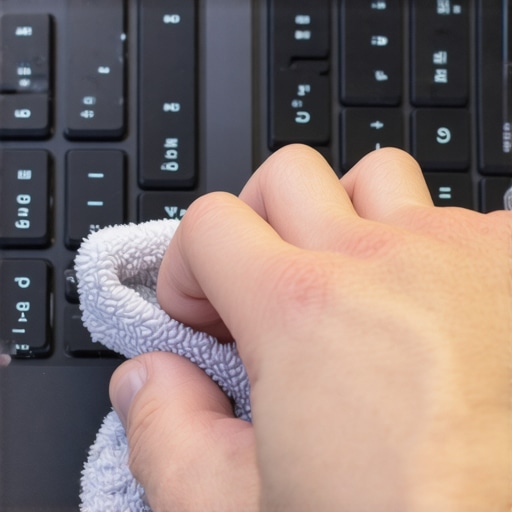
Detail the WASD Zone
If the grease is particularly stubborn, especially on game-changing gaming laptops for serious players in 2025 where the WASD keys take a beating, use a cotton swab. It gives you the precision to scrub the sides of the keycaps where grime loves to hide. This is the best way to clean your laptop keyboard from crumbs and oil without risking the delicate internal membranes. I once ruined a ‘D’ key on a loaner laptop because I used a generic cleaning spray that contained ammonia. The plastic literally started to cloud over, making it look ten years older in ten minutes.
Protect the Matte Finish Long Term
To prevent the ‘pizza box’ look from returning next week, consider proactive measures. While some hate the feel of silicone covers, the best protective skins for keeping your laptop resale value high can actually look quite stealthy and keep the oils off the plastic entirely. If you’re constantly hunting for unbeatable laptop deals to flip for a profit, keeping those keys matte is the difference between a ‘Like New’ and a ‘Fair’ condition rating. A clean keyboard isn’t just about hygiene; it’s about maintaining the value of your tech investment.
Most people think that ‘shine’ on their keyboard is just stubborn oil. I hate to be the bearer of bad news, but if you’ve been scrubbing for twenty minutes and it still looks glossy, you aren’t looking at grease—you’re looking at physical degradation. Most top business laptops for productivity in 2025 use ABS plastic for their keycaps because it’s cost-effective and easy to mold. The ‘shine’ is actually the texture of the plastic being sanded down by your fingertips. You can’t clean your way out of a physical polish, which is why choosing high-quality must-have laptop accessories to boost your work setup like an external keyboard can save your laptop’s resale value.
Why Your Keyboard Stays Shiny Even After Cleaning
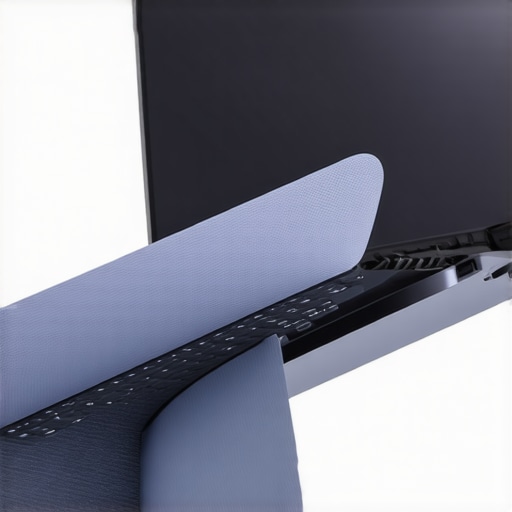
Everyone suggests silicone keyboard covers as a preventative measure, but I actually think they are a terrible idea for modern machines. If you are using game-changing gaming laptops for serious players in 2025, your keyboard isn’t just for input; it’s part of the cooling system. Many manufacturers design air to be pulled *through* the keyboard to mitigate the fact that gaming laptops still struggle with thermal throttling in small frames. By slapping a silicone sheet over it, you’re essentially putting a plastic bag over your laptop’s mouth. This traps heat right against the motherboard and can lead to internal component degradation over time.
Stop Using Silicone Keyboard Covers Right Now
There is a more dangerous trap: the screen clearance. I’ve seen countless student laptops that boost productivity end up with permanent ‘ghost’ marks on the display or even cracked panels because the keyboard cover was just a fraction of a millimeter too thick. Apple and other major manufacturers have specifically warned that using any material between the keyboard and the display when the lid is closed can cause permanent damage to the anti-reflective coating. This leads to the hidden costs of repairing modern thin and light laptops which often exceed the initial cost of the device.
How much damage does a heavy typist actually do?
Sometimes the issue isn’t the frequency of cleaning, but the intensity of the friction. If you’ve secured one of the unbeatable laptop deals recently, you might notice the keys wearing faster than your old machine. This is because modern manufacturers prioritize weight over plastic thickness. According to hardware research by the International Data Corporation (IDC), thermal management and physical stress are the two biggest factors in the lifespan of mobile workstations. If you’re a heavy typist, the constant heat from the processor combined with the friction of your skin can actually accelerate the breakdown of the keycaps’ surface. If you’ve let the grime sit long enough to block airflow, even a sparkling keyboard won’t fix the real reason your laptop feels sluggish after three months. You have to address the internal dust as well. Have you ever fallen into this trap where you thought a cover would save you, only to have it cause more problems? Let me know in the comments.
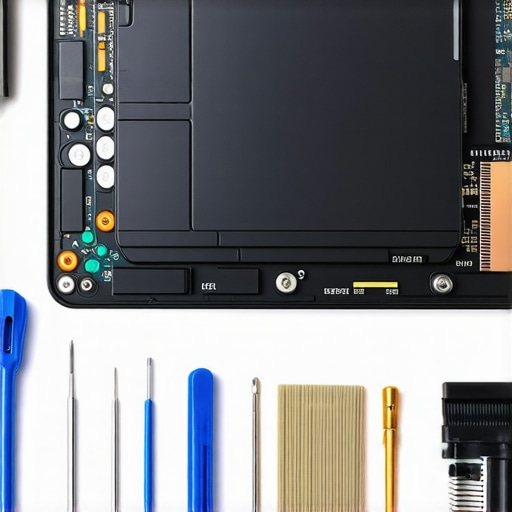
I used to be terrified of opening up my laptop. I had this irrational fear that as soon as I loosened a screw, a spring would fly out and my warranty would instantly vanish into thin air. But after dealing with thermal throttling on my primary workstation for three months, I realized that external cleaning is only half the battle. If you want your hardware to last, you need the right tools. I finally invested in the specific screwdriver kit you need to open 90% of modern laptops, and it changed everything. No more stripped screws or scratched aluminum cases from using the wrong-sized Phillips head. Having a precision kit is one of those must-have laptop accessories to boost your work setup that most people ignore until it is too late.
How do I keep my laptop running like new for years?
The secret isn’t just a clean keyboard; it is what is happening under the hood. Every six months, I make it a point to check my fans. Dust is a silent killer, especially in high-performance game-changing gaming laptops for serious players in 2025. If you hear a slight clicking, you should learn how to stop your laptop fan from rattling without buying parts before the bearing fails entirely. Beyond dust, the factory thermal paste often dries out after a year or two of heavy use. I’ve found that applying a high-quality aftermarket paste can drop temperatures by 5-10 degrees Celsius. If you’re nervous, there are plenty of guides on how to replace your laptop thermal paste without breaking anything that break it down step-by-step.
For those who aren’t ready to go ‘under the knife’ just yet, software-side maintenance is your best friend. I swear by undervolting. By reducing the voltage sent to your CPU, you can significantly reduce heat without sacrificing clock speeds. It is a game-changer for top business laptops for productivity in 2025 that tend to run hot in thin chassis. Experts at Gamers Nexus have frequently highlighted how factory voltage settings are often more aggressive than necessary, leading to wasted energy and excess heat. Learning how to undervolt your gaming laptop for better temps and performance is probably the single most effective thing you can do for your device’s longevity.
Looking ahead, I predict we are entering the era of ‘Right to Repair’ as a premium feature. We are already seeing companies like Framework lead the charge, and I expect even the big players to start moving away from the anti-consumer trends of the last decade. For now, however, why we never buy laptops with soldered RAM for longevity remains a core rule of thumb for our team. If you can’t upgrade it, you can’t maintain it. I strongly encourage you to grab a can of compressed air and a precision screwdriver set this weekend—give your machine the deep clean it deserves. You’ll be surprised how much faster it feels when it isn’t constantly fighting to stay cool.
You’ve seen the damage that ignoring a greasy keyboard can do, but after years of experimenting with every cleaning hack under the sun, I’ve realized that the ‘clean’ look is just the beginning of actual hardware longevity.
Lessons Learned from the Front Lines of Sticky Keyboards
One of the biggest ‘aha’ moments I had was realizing that friction is a silent killer. Even if you have one of the top business laptops for productivity in 2025, if you type with heavy hands, you are essentially sandpapering your keys with every email. I’ve also learned that less is always more when it comes to liquid. I once bricked a trackpad because I thought ‘damp’ meant ‘slightly dripping’—it doesn’t. Finally, remember that the goal isn’t just a pretty machine; it’s a responsive one. If your keys feel mushy even after a surface clean, it’s time to check for debris under the switches rather than just scrubbing the top.
The Arsenal I Use to Keep My Gear Pristine
I don’t trust generic ‘cleaning kits’ from the bargain bin anymore. Instead, I rely on a few high-quality basics that actually work. First, the specific screwdriver kit you need to open 90% of modern laptops is essential for deep cleaning fans and clearing out the grit that falls between the keys. For the keys themselves, I only use 70% isopropyl alcohol and a lint-free microfiber cloth found in the must-have laptop accessories to boost your work setup. If I’m doing a heavy coding session, I actually switch to only using mechanical keyboards for all-day coding to save my laptop’s built-in keys from the inevitable shine and oils.
#IMAGE_PLACE_HOLDER_E#
Take Pride in Your Digital Workspace
Your laptop is an extension of your professional self. Whether you’re a student using student laptops that boost productivity or a pro with a high-end rig, keeping it clean sends a message of discipline and care. Don’t wait until the grime becomes a distraction or a hygiene hazard. Grab your cloth, power down, and restore that factory-fresh feeling today. A well-maintained machine doesn’t just look better; it lasts longer, protecting the resale value of your business laptops for years to come. Have you ever accidentally ruined a key while trying to clean it? Let me know in the comments below!