
I was sitting in a crowded coffee shop, three minutes away from a deadline that felt like life or death. My laptop—a beautiful, expensive machine I’d bragged about for weeks—suddenly decided that the local WiFi didn’t exist. My phone saw it. My tablet saw it. But my laptop? It was a digital brick. I spent the next hour rebooting, uninstalling drivers, and sweating through my shirt, only to realize the cheap, soldered-in wireless card had simply given up the ghost. That was the moment I swore off ‘disposable’ tech forever. If I can’t reach in and swap a component that costs less than a pizza, I’m not buying the machine.
Stop Letting a Tiny Chip Turn Your Laptop Into E-Waste
Most people check the screen resolution or the processor speed when hunting for unbeatable laptop deals, but they ignore the one component that actually connects them to the world. We’ve entered an era where manufacturers are soldering everything—RAM, storage, and even the WiFi card—directly to the motherboard. It’s a trend I despise. When that WiFi module starts acting up—and it will, especially if it’s a budget Realtek or MediaTek chip—you’re usually looking at a full motherboard replacement. That is a $500 fix for a $15 problem. I made this mistake early on with a sleek ‘ultrabook’ that looked great but performed like a toy when the signal got weak. I thought I was being savvy by saving a few bucks, but I ended up with a machine that couldn’t hold a connection ten feet from the router. Today, I’m going to show you why demanding a modular WiFi slot is the ultimate ‘pro move’ for longevity and how it saves you from the cycle of planned obsolescence.
Is a modular card really that much better than what comes built-in?
The short answer is a resounding yes. According to a report by iFixit, the move toward soldered components is often driven more by assembly costs and thinness than by actual performance gains for the user. When you have a dedicated M.2 slot, you aren’t stuck with whatever mediocre chip the manufacturer got a bulk discount on. You can actually take matters into your own hands. In fact, we recently replaced our laptop wi-fi card with an intel ax210 and the difference in stability was night and day.
The Secret Weapon of Savvy Business Travelers
Whether you are looking at the top business laptops for productivity in 2025 or even high-end gaming laptops, the wireless card is often the hidden bottleneck. A modular slot allows you to upgrade to the latest standards, like WiFi 6E or WiFi 7, without buying a whole new computer. It’s the same philosophy behind why we never buy laptops with soldered ram. We want machines that grow with us, not machines that expire. This is especially vital for student laptops where a stable connection in a lecture hall is non-negotiable. Have you ever had your connection drop in the middle of an important task while everyone else stayed online? It’s incredibly frustrating, right? I want to know if you’ve been burned by a ‘fixed’ component before—let me know if you’ve ever had to retire a laptop just because one tiny part failed. Beyond the internal components, I always suggest looking into must-have laptop accessories to round out your kit, but no dongle can truly replace a high-quality, internal wireless card. In the next section, I’ll walk you through which brands still respect your right to repair and how to identify a modular slot before you click ‘buy.’
Spotting the M.2 Slot in the Spec Sheet Jungle
Identifying a modular WiFi card isn’t always as easy as looking at a box. Manufacturers love to hide this detail deep in technical manuals because they’d rather you just buy a new machine when the current one fails. I’ve learned the hard way that you can’t trust a generic product description. Instead, I always search for the specific model name followed by ‘teardown’ or ‘service manual.’ Websites like LaptopMedia or NotebookCheck are gold mines for this. You’re looking for a dedicated M.2 2230 slot. If you see ‘WiFi soldered’ or ‘onboard wireless,’ run the other way. This is especially critical when hunting for top laptop deals in 2025, as the steepest discounts often come on machines that are built to be disposable.
The Right Way to Verify Your Hardware
Once you have a model in mind, look for the ‘User Service Guide.’ Companies like Dell and Lenovo are actually quite good about providing these. If the manual shows a step for ‘Wireless WAN card removal,’ you’ve hit the jackpot. I once spent three hours helping a friend research student laptops that boost productivity and learning, only to find that half of the ‘budget’ options had the WiFi chip fused to the board. We eventually settled on a refurbished Latitude because I knew we could swap the card in five minutes if the campus signal was weak. 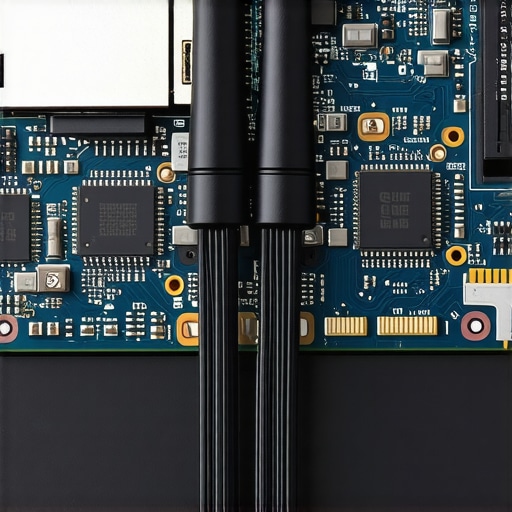
Cracking the Case Without Voiding Your Sanity
Before you even touch a screwdriver, check your warranty status. While most regions have laws protecting your right to open your own device, some brands still use ‘warranty void’ stickers. I usually ignore them, but you should know the risks. When you’re inside, the WiFi card usually looks like a small postage stamp with two tiny wires (the antennas) clipped onto it. These clips are notoriously finicky. I remember my first time swapping a card—I accidentally bent the gold pin on the antenna cable. It took me forty minutes with a pair of tweezers and a magnifying glass to straighten it out. It was a stressful mess, but it taught me that patience is the most important of all must-have laptop accessories.
Look for These Brands First
If you want a machine that respects your wallet, stick to the ‘Pro’ lines. The top business laptops for productivity in 2025, like the Lenovo ThinkPad T-series or the Dell Latitude 5000 series, almost always feature modular slots. On the flip side, many game-changing gaming laptops are starting to solder these components to save space for massive cooling fans. Before you commit, it’s worth learning how to check your laptop fan for dust without opening it, as it gives you a good excuse to see if the bottom panel is even meant to be removed. If the screws are hidden under glued rubber feet, that’s a massive red flag. The hidden costs of repairing modern thin and light laptops are often hidden right behind those rubber pads.
The Massive Performance Lie of Ultra-Thin Chassis
Most buyers think that a slim profile is the hallmark of a premium machine, but after a decade of tearing these things apart, I’ve realized it’s often a marketing gimmick that actively kills your productivity. We are told that ‘thinness’ equals ‘modernity’ when looking for unbeatable laptop deals, but the physical reality is much crueler. When you squeeze a high-performance processor into a chassis as thin as a smartphone, there is nowhere for the heat to go. Everyone says thinness is a feature, but in my experience, it’s a structural liability. I have seen $2,000 ultrabooks struggle to open a spreadsheet because their CPUs were choking for air. This is the root of the real reason your laptop feels sluggish after three months; it’s not the software, it’s the physics.
How much does thermal throttling actually kill your productivity?
The hidden nuance that most reviewers miss is the ‘sustained clock speed.’ A study by NotebookCheck highlighted that some ultra-thin laptops lose up to 40% of their performance after just ten minutes of heavy work because they hit their thermal ceiling. While game-changing gaming laptops often have the bulk to handle heat, many ‘pro’ machines fail this test miserably. I once bought a flagship 13-inch laptop with a 4K screen, thinking I was getting the ultimate setup. It was a disaster. Not only did the screen eat the battery, but the high-resolution output forced the integrated graphics to run so hot that the whole system slowed to a crawl. This is why why we avoid 4k displays on laptops under 15 inches; the trade-off is almost never worth the extra pixels on a tiny panel. 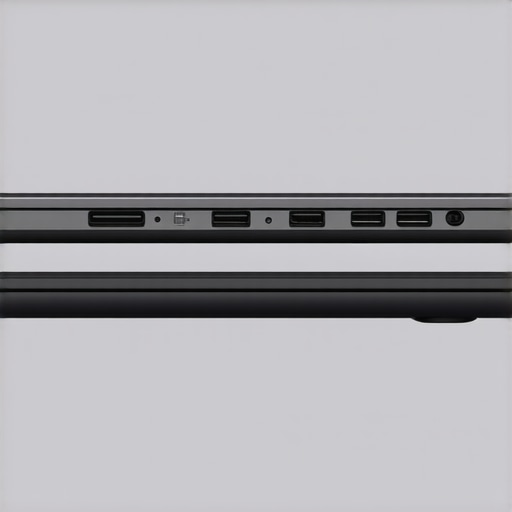
The Hidden Trap of the 45-Watt Charger
Another mistake that even seasoned techies make is ignoring the power brick. If you are hunting for top laptop deals in 2025, check the wattage of the included charger. Many manufacturers ship thin laptops with underpowered 45W chargers to keep the box small. If you’re doing heavy video editing or running complex simulations on top business laptops for productivity in 2025, an underpowered brick can actually cause the battery to drain while it’s plugged in. You need to know how to tell if your laptop is being throttled by its charger before you blame the CPU for your slow render times. It’s an easy fix, but it’s one that costs extra if you don’t catch it early. Even the best student laptops that balance power and portability perfectly can fall victim to this if you buy a cheap third-party replacement.
Don’t Settle for One-Port Wonders
The final ‘oops’ factor is the dongle life. We’ve reached a point where people think carrying five adapters is normal. It’s not. It’s a failure of design. When you’re picking out must-have laptop accessories to boost your work setup, you shouldn’t be forced to buy a $100 dock just to use a mouse and a USB drive at the same time. This is particularly annoying with business laptops for professionals where reliability is everything. I’ve seen people lose an entire presentation because they forgot their HDMI adapter at the hotel. Have you ever fallen into this trap? Let me know in the comments. Whether it’s a soldered Wi-Fi card or a lack of ports, these ‘thin’ compromises are the true hidden costs of repairing modern thin and light laptops.
After seeing so many machines die early, I’ve developed a ritual to keep my gear in peak condition. It starts with the right tools. I don’t buy those generic 100-piece kits; I use a single iFixit Pro Tech Toolkit because the bits are precision-engineered and won’t strip the soft screws often found in consumer-grade electronics. When you finally snag one of those unbeatable laptop deals, the very first thing you should do is verify you can actually open the thing without a struggle. I keep a can of compressed air and 99% isopropyl alcohol nearby at all times. Cleaning your intake vents every six months isn’t just about reducing noise; it’s about preventing the cumulative heat damage that eventually kills motherboards.

Swap the Paste Before the Performance Plummets
If you’ve had your machine for more than two years and notice it’s running louder than it used to, it’s probably time for a re-paste. The factory thermal compound in even the top business laptops for productivity in 2025 is often applied by a machine and can dry out, becoming a crusty insulator rather than a conductor. I personally use Thermal Grizzly Kryonaut because it remains stable at high temperatures for much longer than the ‘no-name’ brands. Learning how to replace your laptop thermal paste without breaking anything is the single most valuable skill you can acquire to extend a machine’s life from three years to seven. This is especially true for game-changing gaming laptops that regularly push the limits of their cooling systems.
How do I maintain my laptop’s health over the long term?
Beyond the physical cleaning, I focus heavily on battery health and software hygiene. I never leave my machine at 100% charge if it’s going to be sitting on a desk for a week. Many modern BIOS settings allow you to cap the charge at 80%, which drastically slows down chemical degradation. You should also regularly learn how to calibrate your laptop battery for better accuracy so you aren’t caught by a sudden shutdown at 20%. Software-wise, I’m a bit of a minimalist. I use HWInfo64 to keep a real-time eye on my VRM temperatures—if those get too hot, your laptop will throttle even if the CPU looks ‘fine.’ This level of monitoring is the best of all must-have laptop accessories because it costs nothing and provides total transparency into your hardware’s status.
What the Next Decade Holds for Right to Repair
I predict we are entering a period of massive friction between ‘disposable’ design and the ‘right to repair’ movement. While some brands are doubling down on glue and solder, others are adopting the CAMM2 memory standard, which allows for ultra-thin laptops to still have replaceable RAM. Puget Systems recently published a reliability report indicating that hardware with modular components survives significantly longer in enterprise environments, and I think consumers are starting to demand that same longevity. My advice? Try one advanced maintenance tip this week—specifically, check out our guide on how to undervolt your gaming laptop for better temps and performance. It’s a software-based way to lower your temps and increase your battery life without even picking up a screwdriver.
Hard Lessons from a Decade of Component Swapping
After years of tearing down everything from budget netbooks to workstation behemoths, I’ve realized that the spec sheet is only half the story. The biggest lightbulb moment for me was discovering that a ‘cheap’ laptop often becomes the most expensive one you’ll ever own once a single soldered chip fails. I’ve learned that thinness is a marketing trap; if you can’t see the screws, you’re not buying a tool, you’re buying a subscription to a replacement cycle. I also realized that the best unbeatable laptop deals aren’t the ones with the lowest price tag, but the ones with the most accessible internal slots. For student laptops that boost productivity and learning, reliability isn’t just a feature—it’s a requirement for passing your classes.
The Resources I Use to Keep My Gear Alive
You don’t need a degree in electrical engineering to maintain your hardware, but you do need the right gear. My workbench is never without a few specific essentials. First, I swear by the iFixit kits because they prevent the nightmare of stripped screws. Second, I constantly monitor my system health with HWInfo64 to catch thermal issues before they kill the motherboard. #IMAGE_PLACEHOLDER_E# If I find things are getting too hot, I always refer back to my own guide on how to replace your laptop thermal paste without breaking anything. To round out a mobile rig, I look for must-have laptop accessories to boost your work setup that prioritize function over aesthetic flash. These tools aren’t just extras; they are the insurance policy for your investment.
Build a Machine That Lasts
Stepping away from the ‘disposable’ tech culture is incredibly liberating. When you know you can fix, upgrade, or clean your own device, the anxiety of a technical glitch completely vanishes. Whether you are hunting for top laptop deals in 2025 or looking for a professional workstation, demand more from the manufacturers. Don’t let a $15 Wi-Fi chip dictate when your computer dies. Have you ever had a laptop fail on you because of a part you weren’t allowed to fix? Let me know your horror stories in the comments below!