
I remember the look on my cousin’s face when he unboxed that shiny, silver $280 laptop he found at a big-box store last Black Friday. On the outside, it looked like a million bucks. On the inside, it was a disaster waiting to happen. Within two weeks, the simple act of opening three tabs in a browser caused the whole thing to seize up like it had just run a marathon in the Sahara. I felt a pang of guilt because I hadn’t warned him in time. I had let him buy a beautiful paperweight. We see these shiny boxes every day, marketed as the perfect student laptops that balance power and portability, but the reality is much grimmer. Most of these ultra-budget machines are essentially e-waste the moment they leave the assembly line.
The Real Reason Your Cheap Laptop Feels Like a Brick
The problem isn’t just that these machines are inexpensive; it’s that they are fundamentally underpowered for the modern web. When you buy a brand-new laptop for under $300, you aren’t just getting a slower version of a high-end machine. You are often getting technology that was outdated three years ago. Manufacturers love to brag about “all-day battery life,” but they fail to mention that the processor is so weak it can barely handle a Windows update. I’ve made the mistake of thinking I could “make it work” by stripping down the software, but you can’t outrun bad hardware. Most of these units come with 4GB of RAM and 64GB of eMMC storage. That isn’t enough to run a modern operating system comfortably, let alone do actual work. It’s a cycle of frustration that ends with the device in a drawer after six months. According to the United Nations’ Global E-waste Monitor, the world generated over 62 million tonnes of e-waste in 2022, and short-lived, low-quality consumer electronics are a massive part of that growing mountain. We need to stop falling for unreliable laptop deals that promise the world for the price of a nice dinner.
Is it actually possible to get a good machine for three hundred bucks?
I get it. You’re skeptical. You’re thinking, “But I only have $300! What am I supposed to do?” The answer isn’t to buy a new, crappy laptop; it’s to look where most people aren’t looking. Instead of a plastic toy from a retail shelf, I always recommend looking at business laptops for professionals that are a few years old. A used ThinkPad or Latitude will run circles around a brand-new Celeron-powered machine. I’ve personally found that buying a used office workstation is the single best way to get real performance on a tight budget. These machines were built to survive the corporate world, not just to look pretty on a shelf. Why settle for laptops with soldered RAM that you can never upgrade? You deserve a tool that grows with you, not something that forces you to buy a replacement next year. Have you ever been burned by a “budget” tech purchase that died way too soon? I’d love to hear your horror stories in the comments below.
Hunt Where the Big Corporations Dump Their Tech
Finding a high-quality machine for the price of a budget tablet requires a shift in strategy. You shouldn’t be looking at retail circulars; you should be looking at lease returns. Most large companies lease their hardware for three years and then refresh the entire fleet. These machines are often in pristine condition and were originally built with magnesium alloy frames and spill-resistant keyboards. I’ve found that the secret to buying laptops directly from lease returns is to target wholesalers on eBay or dedicated refurbishers rather than individual sellers. These bulk sellers want to move inventory fast, which is why you can often find top business laptops for productivity at a 70% discount from their original MSRP.
A Used V8 Beats a New Lawnmower Engine Every Time
Think of a laptop processor like a vehicle engine. A brand-new Celeron or Pentium in a $250 retail laptop is like a shiny, new lawnmower engine. It’s fresh, but it will never have the torque to pull a trailer. An older Intel Core i5 or i7 from three years ago is like a used V8 engine. Even with some miles on it, it has the raw power to handle heavy multitasking, dozens of Chrome tabs, and video calls without breaking a sweat. When looking at student laptops that boost productivity, always prioritize a used ‘i-series’ processor over a new ‘budget’ chip. You’ll also want to keep an eye on repairability. I always tell people to check why we never buy laptops with soldered RAM because the ability to add an extra 8GB of memory later for $20 is the difference between a laptop that lasts two years and one that lasts six.
My Five-Minute Checklist for Vetting a Used Unit
I once bought a used Latitude from a guy in a coffee shop for $180. It looked perfect, but the moment I got home, I realized the ‘E’ and ‘R’ keys required a hammer blow to register. I felt like an amateur. Since then, I’ve developed a non-negotiable checklist. First, I check the BIOS to ensure there isn’t a supervisor password lock—if it’s locked, you basically bought a brick. Second, I open a notepad and hit every single key. Third, I use a flashlight to peer into the USB ports to check for bent pins. If you’re buying online, you need to know how to spot a fraudulent laptop listing before you send any money. If a deal looks too good to be true, it’s usually because the battery is shot or the screen has pressure marks.

Physical Red Flags You Can’t Ignore
Before you commit, you have to look for signs of trauma. A small crack in the corner of the chassis might seem cosmetic, but it often indicates a drop that could have weakened internal solder joints. I always make sure to test a used laptop for liquid damage by looking for corrosion in the charging port or keyboard area. If the machine passes the physical test, the first thing I do is use the saved cash to grab some must-have laptop accessories like a high-quality mouse or a protective sleeve. A used professional machine is a tank, but even a tank needs a little care to keep it running smoothly through four years of college or a demanding career.
Everyone tells you to buy the most powerful machine you can afford, but in my experience, that advice is exactly how people end up with a five-pound paperweight that dies in ninety minutes. We’ve been conditioned to look at raw specs—more RAM, faster clock speeds, dedicated GPUs—without considering how those components actually behave in a thin chassis. The biggest contrarian truth I’ve learned is that a mid-tier business machine usually outperforms a high-end consumer laptop after just one hour of use. Why? Because of thermal throttling. When a laptop gets too hot, the system intentionally slows itself down to prevent a literal meltdown. I’ve seen enthusiasts drop thousands on game-changing gaming laptops for serious players in 2025 only to find they perform worse than a used ThinkPad during a long render because the cooling system can’t keep up.
Your CPU is Likely Fighting for Its Life
The industry’s dirty secret is the ‘burst’ speed. Manufacturers love to advertise a processor’s maximum turbo frequency, but they rarely mention that the machine can only maintain that speed for about thirty seconds before it gets too hot and throttles back. This is a massive ‘oops’ factor for anyone doing video work or gaming. You think you’re buying a race car, but you’re actually buying a race car with a five-gallon gas tank. This is also the real reason your gaming laptop feels sluggish on battery. To save juice and heat, the system often disables the very features you paid extra for the moment you unplug. A study by SquareTrade found that nearly 20% of high-end laptops experience hardware failures within the first three years, and a significant portion of those are related to heat damage in thin-and-light designs. If you want to avoid this, you need to learn how to undervolt your gaming laptop for better temps and performance, which is basically telling your computer to use less power to do the same amount of work.
Why does my powerful machine feel slow when I leave my desk?
It’s the Windows power management trap. Most people buy student laptops that balance power and portability only to realize the ‘power’ half vanishes when they aren’t near an outlet. By default, Windows will park CPU cores and throttle your SSD to preserve battery life. You might think your hardware is failing, but it’s just the software being over-protective. You can sometimes bypass this if you know how to force your laptop to use the dedicated GPU in every app, but be prepared for your battery to evaporate in record time. Have you ever fallen into the trap of buying a ‘beast’ of a laptop that turned out to be a turtle in the real world? Let me know in the comments below.
Stop Wasting Money on Worthless Accessories
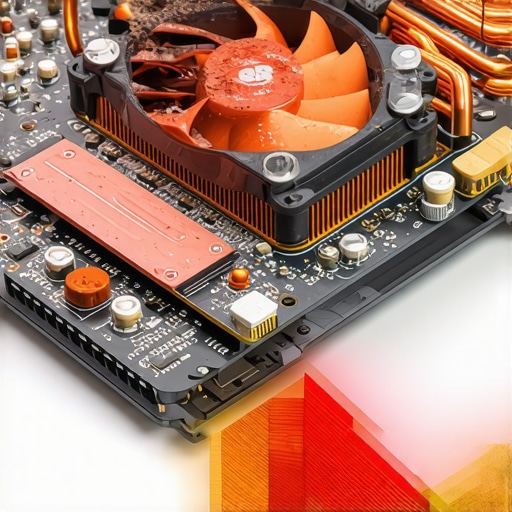
Once people realize their laptop is running hot, they usually go out and buy a cooling pad. I’m here to tell you that why most laptop cooling pads are a waste of money comes down to simple physics: if the fans aren’t aligned with your laptop’s intake vents, they’re just blowing air at a plastic base. Instead of buying gimmicks, focus on must-have laptop accessories for a seamless setup that actually improve your ergonomics and workflow. And for the love of your data, please be careful when upgrading your storage. The market is flooded with fakes; knowing how to spot a fake NVME drive on Amazon will save you from a catastrophic drive failure six months down the line. Real pros don’t just buy the fastest specs; they buy the most stable ecosystem. Have you ever been burned by a ‘budget’ tech purchase that died way too soon? I’d love to hear your horror stories in the comments.
I’ve spent years opening up chassis and I’ve learned that the biggest enemy isn’t software—it’s dust and dried-up thermal goop. If you want to keep those top business laptops for productivity running like day one, you have to be willing to get your hands a little dirty. I personally swear by a $10 tube of Arctic MX-4. Most factory thermal paste is applied by a machine and is about as effective as dried toothpaste after two years. When I showed my brother how to replace your laptop thermal paste without breaking anything, his fan noise dropped from a jet engine roar to a faint whisper. It’s the single most effective maintenance task you can perform. According to testing by the experts at NotebookCheck, high-quality aftermarket paste can reduce core temperatures by as much as 10 degrees Celsius under load. That’s the difference between a laptop that lasts three years and one that survives for seven.
Fresh Paste Keeps the Fans Quiet
Maintenance isn’t just about the internals; it’s about the physical points of failure that most people ignore until it’s too late. I’ve seen countless students lose their entire machine because a hinge seized up and snapped the screen cable. If you notice a weird sound when opening the lid, use the $10 tool that fixes every squeaky laptop hinge—usually just a tiny drop of synthetic lubricant or a slight adjustment to the tension screw—to prevent the plastic from snapping. This kind of proactive care is what separates a tech pro from a victim of planned obsolescence. 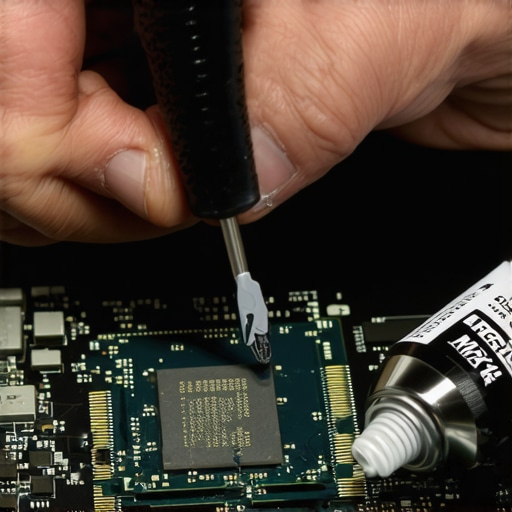
How can I make this hardware last for five years or more?
The hardware is only half the battle; the software is usually actively trying to kill your battery through inefficient background processes. I always tell my friends that the first thing they should do with a new or used machine is how to disable Windows features that eat your battery life. Background telemetry, search indexing, and the ‘fast startup’ setting actually put unnecessary wear on your SSD and battery cells by keeping the machine in a low-power state rather than fully off. Speaking of the battery, don’t just leave it plugged in 24/7. You need to learn how to calibrate your laptop battery for better accuracy every few months to ensure the Windows percentage actually matches the physical chemistry of the cells.
Don’t Let Windows Kill Your Battery
If your machine starts feeling dated, don’t buy a new one yet. The modularity of older machines is their greatest strength. I’ve found that why we replaced our laptop wi-fi card with an intel ax210 is the best $20 I’ve ever spent. It fixed my dropping Zoom calls instantly and gave me access to Wi-Fi 6E, making an old Latitude feel like a brand-new 2025 model. My prediction for the next few years? We’re going to see a massive shift toward ARM-based Windows machines that mimic the efficiency of the MacBook Air. However, until those become affordable on the used market, the x86 business machines we’ve been discussing will remain the kings of value because they are actually repairable. Go ahead and try undervolting your CPU tonight; you’ll be shocked at how much cooler your machine runs without losing a single frame of performance.
Hard Truths About Why Specs Lie to You
After years of tearing down machines, I’ve realized that student laptops often fail because people buy based on a sticker rather than internal cooling efficiency. A magnesium chassis will always feel better than a 4K screen sitting on a flimsy plastic base. I’ve learned to prioritize how to find a used ThinkPad that actually lasts three more years because build quality is a spec you can’t see on a benchmark chart. Maintenance is your secret weapon; most machines labeled as slow just need a fresh start and a clear airway to perform like new again.
My Essential Gear for Reviving Older Tech
I don’t just buy hardware; I treat it like an investment. My toolkit always includes a set of precision drivers to open those business laptops without causing cosmetic damage to the case. For real-time monitoring, I use lightweight tools that show if my CPU is hitting those dangerous thermal limits we discussed earlier. I’ve also found that why most laptop cooling pads are just loud paperweights is because they ignore the real culprit of heat: internal dust. To round out my workspace, I look for laptop accessories like the best laptop desks that dont wobble on carpet to ensure I’m not blocking the intake vents while I work on heavy projects.
#IMAGE_PLACEHOLDER_E#
Stop Settling for Second-Rate Hardware
You deserve a machine that keeps up with your ambitions without constantly fighting for its life against heat and bloatware. By looking for professional-grade gaming laptops or corporate lease returns, you’re stepping out of the cycle of disposable electronics. It might even be worth looking into why you should trade your laptop every two years to save money while the resale value remains high. The best laptop deals aren’t found on a Black Friday flyer; they’re found by knowing exactly what quality looks like under the hood. Have you ever successfully brought an old, slow laptop back to life with a simple hardware upgrade? Let me know in the comments below!