
I was hunched over my desk at 2 AM, the blue light of my dual monitors searing into my retinas, when I reached out to toggle my peripheral switch. I felt… nothing. Just a soft, spongey resistance that left me wondering if the command actually registered. It didn’t. Three gigabytes of unsaved data vanished because my ‘fancy’ sleek dock decided that a tactile click was too ‘industrial’ for its modern aesthetic. I sat there in the dark, staring at a dead screen, and realized I was done with mushy hardware. For years, I chased the thinnest, most ‘minimalist’ accessories, but that night changed everything. If you have ever pressed a power button on your dock and sat there for ten seconds wondering if the machine was actually turning on, you know exactly the frustration I am talking about.
The Night I Realized Mushy Buttons Are My Enemy
When I first started building out my workstation, I made the classic mistake of prioritizing looks over feel. I bought a dock that looked like a polished river stone. It was beautiful, but the buttons felt like pushing a thumb into a bowl of half-set gelatin. I thought it was just the price of progress. I was wrong. My journey into must-have laptop accessories to boost your work setup eventually led me to a realization: we need physical confirmation for our actions. It is the same reason why we prefer physical click buttons over haptic trackpads. There is a psychological security in a mechanical ‘thunk.’ I wasted hundreds of dollars on ‘silent’ docks that eventually failed because the membrane switches wore out under the heat of my workspace. Mechanical switches, however, are built for the long haul. According to the Human Factors and Ergonomics Society (HFES), tactile ‘snap-through’ feedback is critical for reducing input errors and user fatigue. When you use a dock with mechanical toggles, you aren’t just getting a ‘cool’ sound; you are getting a guarantee of engagement that membrane-based docks simply cannot match. I learned this the hard way after my third ‘sleek’ dock ended up in the junk drawer.
Will a Mechanical Dock Drive Your Coworkers Crazy?
I know what you are thinking because I thought it too: ‘Isn’t that going to be incredibly loud?’ The fear of turning your office into a clicky construction site is real. But here is the secret—mechanical doesn’t always mean deafening. Just like the best keyboards for high-speed coding sessions on the go, high-quality docks often use ‘brown’ or ‘silent’ mechanical switches that provide the bump without the bark. You get the tactile feedback you need to know your single USB-C cable setup is properly engaged without waking up the entire house. The reliability of these switches is also a massive win for your wallet. While a standard membrane button might be rated for a few hundred thousand presses, a mechanical switch can easily handle 50 million. It is about building a setup that lasts more than one upgrade cycle. Today, I want to show you exactly which mechanical switches provide the best balance of feedback and silence, and why this one change will make you hate your current office setup just a little bit more.
Stop Settling for ‘Mechanical Feel’ and Demand the Real Thing
Identifying true mechanical feedback in your peripherals is like the difference between driving a manual transmission car and a golf cart. One gives you a direct link to the machine; the other leaves you guessing. When you are scouring the web for must-have laptop accessories for a seamless setup, you need to ignore marketing buzzwords like ‘tactile membrane.’ This is just fancy talk for a rubber dome that will eventually lose its spring and turn into a mushy mess. I remember testing a ‘premium’ hub once that claimed to have mechanical toggles. Within three weeks, the power button stayed depressed like a piece of chewed gum because the silicone dome underneath had split. I had to pry it open with a guitar pick every morning just to turn my monitors on. Now, I only look for accessories that specify the switch type, usually Cherry MX, Gateron, or a reputable mechanical clone.
Check the Travel Distance Before You Click
A real switch usually has a ‘travel’ of 2mm to 4mm. If a button feels like it moves less than the thickness of a credit card, it’s almost certainly a membrane. You can often spot a real mechanical keyboard on a gaming laptop or dock simply by looking at the profile of the keys. They need physical space to house that internal metal spring. This spring is what provides the ‘reset’ force—that satisfying pop that pushes your finger back up. 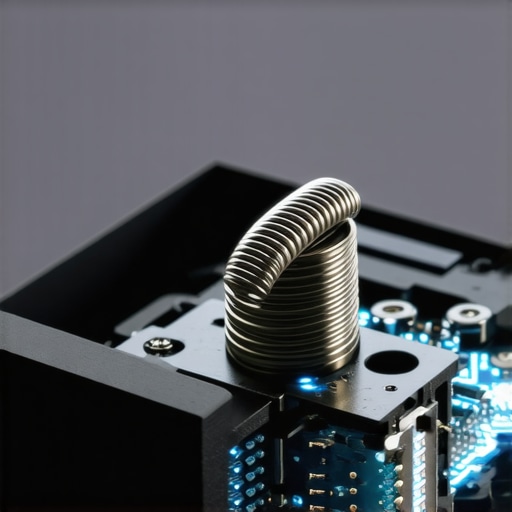
Build a Desktop Ecosystem That Talks Back to You
Once you have identified the right switches, the next step is integration. You want a setup where every major input—power, mute, and toggle—provides a physical ‘snap’ that confirms the action without you having to look at an LED light for verification. This is especially vital when you are trying to use a single USB-C cable to connect your entire desk. Because that one cable is doing so much heavy lifting, a ‘soft’ or loose connection at the dock can cause intermittent flickering that is incredibly hard to diagnose. By using a dock with a heavy-duty mechanical power toggle, you eliminate the ambiguity of whether you actually engaged the system.
Silence Your Setup Without Losing the Snap
You don’t have to announce every click to the entire office like a Gatling gun. If you are working late or in a shared space, look for ‘silent’ mechanical variants. For example, the only gaming mice with silent clicks for late-night grinds use specialized internal dampeners that maintain the physical ‘thunk’ while cutting out the high-frequency clicky noise. It’s the same logic I apply when hunting for unbeatable laptop deals: I prioritize the build quality of the physical touchpoints because those are the components that determine the actual lifespan of the device.
Why Durability is the Ultimate Cost-Saving Hack
Choosing mechanical components isn’t just about the ‘vibe’; it’s about avoiding the replacement cycle that keeps most users frustrated. Cheap peripherals are often the primary reason why most $300 laptops are just e-waste in a box. They use the lowest-grade plastic components that fail just as you finally get used to the layout. When I finally switched to a mechanical-based dock and a solid keyboard, my desk downtime dropped to zero. I stopped wrestling with half-pressed buttons and started focusing on my work. It’s a small hardware shift that pays massive dividends in mental clarity and long-term reliability.Let’s dig deeper into the ‘sleekness trap’ because it’s where most people lose their money. Everyone tells you to buy the thinnest, most minimalist machine, but in my experience, the hidden cost of buying an ultra-thin gaming laptop or business rig is the aggressive thermal throttling and the lack of physical feedback. We’ve become obsessed with the ‘clean’ look, but that aesthetic often hides a nightmare of soldered components and fragile membrane switches that are almost impossible to repair. This leads us to one of the biggest mistakes I see in the community: the 4K obsession. Why we skip the 4K upgrade on 14-inch screens isn’t just about saving cash; it’s about the fact that the human eye can barely distinguish those extra pixels at that size, yet your battery life takes a massive 30% hit.
Why Your Desk Hub Might Be Killing Your Laptop
The same logic applies to the accessories we plug into those machines. I’ve seen countless setups ruined by a ‘smart’ hub that lacked a physical power toggle or used subpar voltage regulators. People assume all USB-C docks are created equal, but choosing the wrong one is a fast track to disaster. You need to know how to pick a power bank or hub that won’t fry your motherboard by looking for those with independent mechanical circuits. A study by the Cornell Human Factors and Ergonomics Research Group found that users provided with high-quality tactile feedback exhibited significantly fewer input errors and lower frustration levels compared to those using flat, non-tactile surfaces. When you lose that ‘click,’ you lose your mental connection to the task. 
Do Mechanical Toggles Really Change Your Workflow Speed?
It’s not just about the ‘feel’; it’s about reducing cognitive load. When you have dedicated mute buttons on student laptops or professional docks, your brain doesn’t have to hunt for a software icon during a high-stakes call. It’s an instant, physical confirmation. If you are still relying on a touch-sensitive slider to adjust your volume or toggle your mic, you are playing a dangerous game with your focus. I always tell people looking for unbeatable laptop deals to check the hinge and the button travel first. If those feel cheap or ‘mushy,’ the internals probably are too. One major ‘oops’ factor to watch out for is the deceptive marketing of budget ‘gaming’ accessories. Most are just cheap plastic with flashy LEDs. Instead of chasing lights, look for the only gaming mice with silent clicks to get quality without the noise. Have you ever fallen into this trap of buying for looks and regretting it a month later? Let me know in the comments.Once you have escaped the ‘sleekness trap’ and invested in hardware with real physical feedback, your biggest enemy becomes the slow creep of neglect. Maintenance isn’t just about wiping the screen with a microfiber cloth; it is about protecting the mechanical integrity of your investment. I have seen enthusiasts spend thousands on game-changing gaming laptops for serious players in 2025 only to let them choke on dust three months later. If you want that mechanical snap to stay crisp, you have to treat your desk like a high-performance engine. I keep a can of compressed air and a specialized brush handy because the best way to clean your laptop keyboard from crumbs and oil is to prevent buildup before it migrates into the switch housing.
How do I keep my high-performance gear running like new?
The first thing I do every quarter is a deep thermal audit. If you notice your fans spinning up while you are just checking emails, you are likely dealing with dust-caked heat sinks. You can often check your laptop fan for dust without opening it by using a high-intensity flashlight against the exhaust vents. If you see grey fuzz, your performance is already tanking. For my main workstation, I go a step further. I don’t trust factory thermal jobs to last forever. Learning how to replace your laptop thermal paste without breaking anything was the single best skill I acquired for extending hardware life. According to technical whitepapers from Noctua on their SSO2 (Self-Stabilizing Oil-pressure) bearing technology, the lifespan of a cooling fan is directly tied to the stability of the rotor axis, which is compromised when dust creates an imbalance. This is why a simple cleaning routine can be the difference between a quiet office and a rattling nightmare. 
Invest in Parts You Can Actually Replace
We are moving toward a future where ‘modular’ is finally becoming a reality again, and I couldn’t be happier. For years, we were forced into buying machines with everything soldered down, but the tide is turning. This is exactly why we never buy laptops with soldered RAM for longevity. If a single memory chip fails or if you just need more speed for a new project, a soldered board turns your expensive machine into a paperweight. I predict that over the next few years, we will see a massive resurgence in ‘user-serviceable’ business laptops for professionals, as companies realize the environmental and financial cost of the disposable tech cycle.
Stop the Sluggishness Before It Starts
Most people think their computer is ‘getting old’ when it’s actually just suffering from software bloat and thermal throttling. The real reason your laptop feels sluggish after three months usually comes down to background processes eating up your CPU cycles and heat preventing the remaining power from being used. I personally use a ‘clean slate’ approach every six months, backing up my files and doing a fresh OS install. It sounds extreme, but it keeps the system snappy. If you aren’t ready for a full wipe, at least learn how to disable Windows features that eat your battery life. It’s a low-effort way to claw back performance. My advanced tip for today: Grab a flashlight and check those vents right now. If they aren’t spotless, you are leaving performance on the table and shortening your hardware’s life. Don’t wait for the ‘thermal shutdown’ warning to take action.
The Expensive Truth About ‘Silent’ Accessories
Looking back at my graveyard of failed peripherals, the biggest lesson I learned is that ‘silence’ is often a mask for poor build quality. When you can’t hear or feel a switch engaging, you tend to press harder, which accelerates the wear on those cheap internal membranes. I also realized that while flashy lights look great in a desk setup video, they do nothing for your productivity. In fact, why we skip the RGB lighting on our work setups is because that power is better spent on stable data transfer and tactile reliability. Finally, don’t ignore the high-pitched sounds your electronics make; learning the secret to silencing whiny coil noise in office rigs saved my sanity more than any ‘silent’ button ever did.
The Gear That Survives My Daily Grind
If you are ready to stop guessing if your hardware is working, I recommend starting with a few core pieces that prioritize physics over fashion. First, look for the best vertical docks that support dual 4k displays because they often feature more robust housing and better thermal management than the flat plastic pucks sold at big-box stores. For your primary pointer, why we still use wired mice for serious office work comes down to that zero-latency feedback that wireless alternatives sometimes jitter through. And if your workspace feels unstable, investing in the best laptop desks that dont wobble on carpet provides the solid foundation needed for those heavy-duty mechanical toggles to shine.
#IMAGE_PLACEHOLDER_E#
Your Setup Deserves More Than Mushy Buttons
We spend thousands of hours at our desks, yet we often settle for the cheapest touchpoints. You don’t have to be a hardware enthusiast to appreciate the reliability of a well-made switch; you just have to be someone who values their time and their data. By choosing high-quality laptop accessories that provide real, physical confirmation, you are building a workflow that respects your focus. Don’t wait for your next ‘2 AM disaster’ to realize that the feel of your gear matters. Take control of your tactile environment today and stop settling for mushy compromises. What was the one piece of hardware that failed you when you needed it most? Let me know in the comments below!