
I remember sitting in a terminal at O’Hare, three hours into a surprise flight delay, watching my laptop’s battery percentage tick down like a countdown timer to total boredom. I had my charger in my bag, but every single outlet in the vicinity was occupied by a small army of travelers huddled together like penguins. My sleek, ‘modern’ ultrabook was about to become a very expensive, very dead paperweight in less than fifteen minutes. That was the exact moment I realized the industry’s obsession with glued-in, non-removable batteries wasn’t designed for my benefit—it was for theirs. We’ve been sold a sleek lie that ‘thin’ is always better, even if it means our gear comes with a pre-determined expiration date. I’m tired of seeing perfectly good hardware hit the landfill just because a fifty-dollar chemical component wore out.
Stop Letting Manufacturers Decide When Your Laptop Dies
I’ll be honest with you: I fell for the marketing fluff early on. I used to think that a laptop as thin as a notepad was the peak of engineering. I once spent way too much on a high-end machine where everything was glued shut and soldered down. When that internal battery inevitably started swelling two years later, the manufacturer quoted a repair price that was nearly half the cost of a new machine. I felt cheated. That mistake taught me a hard lesson about the hidden costs of choosing an ultra-thin business laptop that limits your repair options. Today, I’m going to show you why searching for a machine with a bridge battery or a simple latch system is the ultimate longevity hack. Have you ever been stuck with a ‘plugged in, not charging’ error and wished you could just pop in a fresh spare without a screwdriver?
Wait, Does a Swappable Battery Make the Laptop Too Heavy?
This is the biggest piece of skepticism I hear from my friends when I recommend they look for top laptop deals in 2025 that still feature modular parts. They worry they’ll end up carrying a heavy brick reminiscent of the 1990s. But here is the reality: the extra few millimeters of thickness are a tiny trade-off for true, unchained mobility. When you can swap a dead cell for a full one in ten seconds, you don’t need to hunt for outlets or constantly monitor your brightness settings. It is a scientific fact that lithium-ion batteries are consumable items. Research from Battery University indicates that most lithium-based cells only maintain their peak performance for about 300 to 500 full discharge cycles before their capacity drops significantly. If you can’t replace that cell easily, you’re essentially on a timer from the day you unbox it. Whether you are trying to fix your laptop battery if it only lasts one hour or simply want a machine that lasts through a full day of classes, prioritizing modularity is the smartest move you can make. Even when I’m looking at top business laptops for productivity in 2025, the first thing I check is the underside for that beautiful, sliding latch. It’s about taking back control over the life of your tech.You don’t need a degree in electrical engineering to take back control of your hardware. It starts with knowing exactly what to look for on the spec sheet and the chassis. When I was scouring for unbeatable laptop deals last year, I ignored the ‘thinness’ metrics entirely and looked for one specific physical feature that manufacturers are trying to hide: the external battery latch.
Hunt for the Magical Power Bridge Latch
The fastest way to identify a laptop that values your time is to flip it over. You are looking for two sliding locks. This indicates a ‘Power Bridge’ system, common in classic ThinkPads, where an internal battery keeps the system running while you swap the external one. If you are looking for how to find a used Thinkpad that actually lasts three more years, this latch is your holy grail. It means you can carry a slim battery for the coffee shop and a ‘slice’ battery for a cross-country flight. This isn’t just for business pros; it is essential for student laptops that boost productivity and learning by ensuring you never have to sit on the floor next to a wall outlet in the library.
Get the Right Tools Before You Pry Anything
Not every laptop has a tool-less latch, but that doesn’t mean the battery is ‘permanent.’ Many modern machines use simple Philips or Torx screws instead of glue. I remember trying to revive an old workstation I found at a garage sale. I didn’t have the right tools, so I used a flat-head jewelry screwdriver that didn’t quite fit. I stripped the screw head so badly I had to use a tiny drill bit to get it out. It was a mess, but it taught me that the specific screwdriver kit you need to open 90 of modern laptops is the best twenty dollars you will ever spend. Having the right bit prevents the ‘stripped screw nightmare’ and makes a battery swap a five-minute job rather than a weekend disaster. 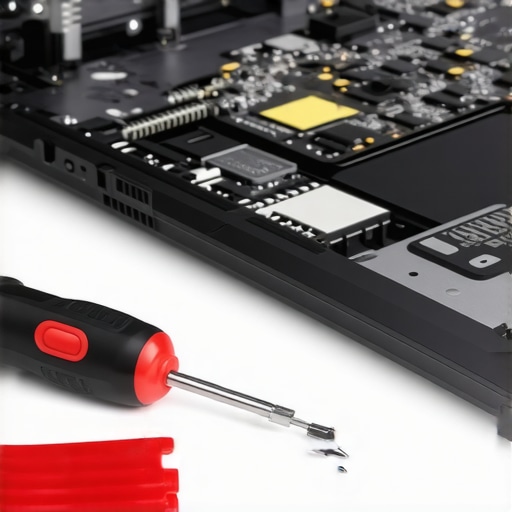
Avoid the Soldered Components Dead-End
A swappable battery is useless if the rest of the machine is designed to fail. When you are comparing business laptops for professionals, check the internal layout. If the RAM is soldered to the motherboard, you are stuck with whatever specs you buy on day one. I always tell people that why we never buy laptops with soldered ram for longevity is simple: one bad memory chip shouldn’t turn a $1,500 laptop into a brick. Modular parts are the ultimate insurance policy against planned obsolescence.
Combine Hot-Swaps with High-Wattage PD Chargers
Even with a swappable battery, you need a smart charging strategy. If you are on the road, don’t rely on the bulky brick that came in the box. I’ve switched entirely to 100W Gallium Nitride (GaN) chargers. Understanding the truth about high wattage chargers and battery longevity allows you to top off your modular cells in record time without damaging the chemistry. It is one of those must-have laptop accessories to boost your work setup that changes how you interact with your gear. Instead of being tethered to a wall, you treat your laptop like a power tool—swap the pack, charge the spare, and keep working.Most people assume that more power is always better, especially when scouting for game-changing gaming laptops for serious players in 2025. They think, ‘I’ll buy the high-end GPU so it lasts longer.’ But here is the nuance: in a mobile frame, more power often equals more heat, which leads to a faster chemical breakdown of those very batteries we’ve been talking about. In fact, research published in IEEE Access on thermal management suggests that consistent exposure to temperatures above 45°C can accelerate battery capacity loss by up to 20% annually. If you buy a ‘pro’ machine but use it on a soft surface, you are cooking your components from the inside out.
Don’t Fall for the ‘Gaming Laptop for School’ Trap
It is the most common advice given to freshmen: buy a gaming rig so you can do everything. But why most gaming laptops fail the coffee shop noise test is a lesson learned in embarrassment. These machines are designed for high-airflow environments. In a quiet lecture hall, those fans will spin up to prevent thermal throttling, making you the loudest person in the room. When I talk about how to pick a student laptop that lasts all four years, I focus on ‘thermal headroom’ rather than raw clock speed. A mid-tier processor that stays cool will outlive and outperform a throttled flagship every single day.
The Cooling Pad is a Band-Aid for Bad Design
One of the biggest ‘Oops’ factors I see is people spending fifty bucks on a plastic cooling stand thinking it fixes their overheating issues. The reality is that why most laptop cooling pads are just loud paperweights comes down to intake placement. If your laptop doesn’t have vents on the bottom, a cooling pad is just blowing air at a plastic wall. Instead of buying accessories to fix a flawed machine, look for a chassis with proper side-venting and heat-pipe density. 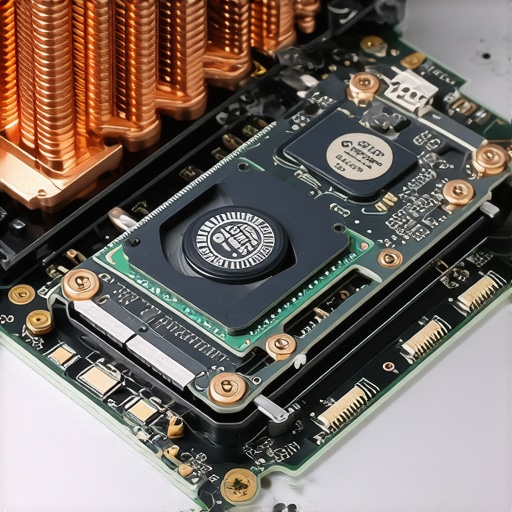
Does Undervolting Actually Extend the Life of Your Motherboard?
This is a question I get from the more technical side of my audience. The answer is a resounding yes. By reducing the voltage your CPU receives, you lower the heat output without sacrificing performance (if done correctly). It prevents the constant expansion and contraction of the motherboard’s solder joints, which is the leading cause of ‘dead’ laptops that won’t turn on. If you are serious about business laptops for professionals, learning to manage your power profiles is more important than the brand name on the lid. I’ve seen ‘budget’ machines last seven years because the owner knew how to manage thermals, while ‘premium’ ultrabooks died in eighteen months from heat stress.
Skip the Touchscreen and the Glare
Another nuance people miss is the hidden cost of the digitizer. I always argue that why students should skip the touchscreen trend this semester is a matter of both battery and repairability. Touchscreens are almost always fused to the glass. If you crack that screen, the repair is double the price of a standard panel. Plus, the extra layer of hardware in the display assembly adds constant drain on your battery, even when you aren’t touching it. Have you ever fallen into the ‘high-spec’ trap and regretted the weight or heat? Let me know in the comments below, I’d love to hear your horror stories.Beyond the hardware specs, the biggest mistake I see is the ‘buy it and forget it’ mentality. If you treat your machine like a toaster, don’t be surprised when it burns out. I’ve seen $3,000 workstations crawl within a year because the owner never cleared their cache or, worse, never blew out the vents.
Kill the Bloat Before It Kills Your Battery
Most people don’t realize that the real reason your laptop feels sluggish after three months isn’t the hardware aging; it’s the digital ‘gunk’ accumulating in the background. Every time I set up a new machine, I spend the first hour using PowerShell scripts to strip out telemetry and pre-installed nonsense. Learning how to disable windows features that eat your battery life is the difference between getting four hours of work done and getting seven. It’s about being an active admin of your own gear.
Deep Cleaning is the Ultimate Performance Hack
Every six months, I do what most users are afraid to do: I open the bottom panel. Whether you are maintaining heavy-duty business laptops or slim student laptops, the physics of airflow remains the same. If you are intimidated by this, you can start by learning how to clean the dust out of your laptop without opening it using compressed air and a steady hand. Dust is a thermal insulator; a thin layer on your heat sink is basically a blanket for your CPU. For my primary machines, I take it a step further. There is a reason why we swapped the thermal paste on our brand new laptop—factory paste is often applied poorly and dries out quickly. High-quality aftermarket paste can drop temperatures by 5-10 degrees Celsius instantly. 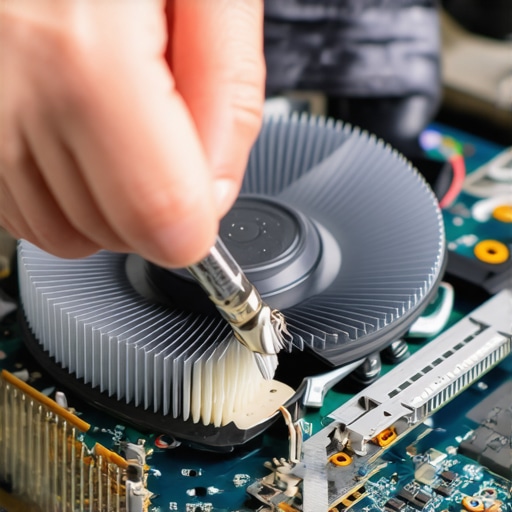
How do I maintain my workstation over the long haul?
Maintenance is a mix of hardware hygiene and software discipline. I personally use a ‘clean-install’ philosophy every eighteen months to keep things crisp. On the physical side, don’t ignore the small signs of wear. I keep a small vial of lithium grease and the $10 tool that fixes every squeaky laptop hinge in my desk drawer. This prevents the hinge from seizing and eventually snapping the plastic mount—a death sentence for most screens. According to the NASA Goddard Space Flight Center technical standards for electronics, ‘thermal cycling’ and mechanical stress are the two biggest predictors of interconnect failure. By keeping your laptop cool and your hinges fluid, you are literally fighting the laws of physics to keep your tech alive.
The Future is Modular
Looking ahead, I predict a massive shift back to user-serviceable parts. This is already happening in the niche gaming laptops market where enthusiasts demand easier access. We are seeing the European Union push for regulations that would make batteries as easy to replace as they were in 2010. We might soon see a world where you don’t buy a new laptop, you just buy a new motherboard ‘slab.’ Until then, the best thing you can do is buy smart and maintain often. If your current machine is truly on its last legs, you can learn how to turn an old work laptop into a high speed home server instead of tossing it. My parting advice for today? Go download HWInfo64 and check your internal temperatures while running a few browser tabs. If you’re hitting 90°C, it’s time to clean those fans.
Hard Truths from a Decade of Fried Motherboards
After years of tearing down everything from rugged workstations to failed ultrabooks, I’ve realized that the most expensive feature you can buy is often just ‘convenience.’ That soldered-on RAM might save you a millimeter of thickness, but it costs you the entire machine when a single chip fails. My biggest lightbulb moment was realizing that the only 3 ways to genuinely speed up a slow laptop often involve opening the chassis, not buying new software. I’ve also learned that ‘Pro’ labels are often marketing decoys; a mid-range machine you can maintain will always outlast a flagship that is glued shut.
One of the most liberating shifts I made was embracing modularity over sleekness. For instance, why we replaced our laptop wi-fi card with an intel ax210 was a simple twenty-dollar fix that made a five-year-old machine feel brand new. Don’t let the fear of a warranty sticker stop you from truly owning your hardware and extending its life far beyond the manufacturer’s roadmap.
My Go-To Maintenance Arsenal for Longevity
I don’t leave my tech’s health to chance. My toolkit is built around the philosophy that heat is the ultimate killer of silicon. I always carry the specific screwdriver kit you need to open 90 of modern laptops because you never know when a fan might need a quick dusting or a hinge needs a tighten. To combat the bulk of traditional charging, I’ve moved to high-efficiency GaN bricks, though I always keep an eye on the real reason your laptop power brick is getting extremely hot to avoid safety risks. Finally, I swear by keeping a small tube of high-quality thermal paste in my desk; it’s the cheapest insurance policy you can buy for a hard-working CPU. #IMAGE_PLACEHOLDER_E#
Reclaim Your Right to Repair
Whether you are hunting for the latest unbeatable laptop deals or trying to stretch the life of student laptops that boost productivity, the power is in your hands. You aren’t just a consumer; you are the lead engineer of your personal workstation. By prioritizing repairability and keeping up with basic maintenance, you save thousands of dollars and keep harmful e-waste out of landfills. Your business laptops and gaming laptops deserve more than a two-year lifespan. It’s time to stop letting manufacturers set the expiration date on your productivity. Have you ever successfully fixed a ‘dead’ laptop with a simple part swap or a deep clean? Let me know your success stories below!