
I still remember the pit in my stomach when I realized I’d just handed over four hundred bucks for a hollowed-out laptop shell. I was sitting in a parking lot, feeling like the world’s biggest sucker. I thought I’d found one of those legendary laptop deals, but instead, I’d just funded a scammer’s weekend. It’s a gut-punch that stays with you. Today, I’m going to make sure that never happens to you by showing you exactly how to sniff out the fakes before you even leave your couch.
Stop Handing Your Hard-Earned Cash to Digital Bandits
If you’re hunting for gaming laptops or reliable student laptops, Facebook Marketplace looks like a goldmine. But let’s be real: it’s also a minefield. My biggest mistake early on was trusting a listing just because the seller seemed nice and the photos looked clean. I didn’t know how to spot a fake SSD or that I should be checking for things like dead pixels before the money changed hands. According to data from the Federal Trade Commission, social media has become a preferred playground for scammers, with consumers losing billions to increasingly sophisticated schemes involving electronic goods. It’s not just about losing money; it’s the violation of trust that hurts. We’re going to fix that today by arming you with a checklist that even the slickest con artist can’t bypass.
Is Saving a Few Hundred Bucks Really Worth the Risk?
I get it. The temptation to snag a high-end machine for half-price is intense. You might be worried that every listing is a trap, or that you’ll miss out on a legitimate steal by being too paranoid. But here’s the truth: a real seller won’t mind you being thorough. If they get twitchy when you ask for a serial number or a video of the machine booting up, they’ve already told you everything you need to know. Have you ever shown up to a meetup only to have the seller ghost you or bring a completely different device? I want to hear about your close calls in the comments. Let’s look at the red flags that turn a potential bargain into a total disaster.
Tear Down the Listing Before You Even Say Hello
Your first line of defense isn’t at the meetup; it’s in the listing itself. Scammers are inherently lazy. They’ll often use stock images or photos ripped from eBay. If you see a laptop looking too perfect with a white background, walk away. You want to see the machine on a messy kitchen table or a cluttered desk. When searching for top laptop deals in 2025, look for at least five high-resolution photos from different angles. If the description is just three words like ‘Works great, fast,’ it’s a red flag. Real sellers who invested in business laptops for professionals will usually list the specific CPU, RAM, and storage because they know the value of what they have. I always ask for a photo of the ‘About’ screen in Windows or macOS settings. If they refuse or send a blurry shot, they’re likely hiding a downgraded processor or a dying battery.
Force the Seller to Prove the Specs are Real
Don’t take their word for it. Scammers have gotten clever enough to spoof the System Properties window to make a cheap Celeron look like a Core i9. It sounds like a spy movie, but it’s a common trick to inflate the price of laptop deals. I once drove forty miles to buy what I thought was a high-end workstation, only to find the seller had used a software hack to hide a failing drive. Now, I never leave home without a thumb drive loaded with HWInfo or CrystalDiskInfo. These portable tools tell the truth that a sticker cannot. Specifically, you need to know how to spot a fake SSD by checking the read/write speeds and the total power-on hours. If the laptop is ‘new’ but the SSD has 4,000 hours of use, you’re being played. Also, always ask for the serial number before you meet so you can learn how to check if your used laptop still has a manufacturer warranty on the brand’s official site. A remaining warranty is the ultimate insurance policy for a used purchase.

The Three-Minute Stress Test Every Buyer Needs
When you finally meet, don’t just poke at the keys and hand over the cash. You need to treat this like a mechanical inspection. I learned this the hard way after buying a ‘mint’ laptop that shut down the second I tried to open more than three Chrome tabs. Start by checking the physical integrity. Open and close the lid slowly. Does it creak? Does it feel like the hinges are about to give up? Many student laptops get tossed around in backpacks, leading to internal fractures that don’t show up in photos. I always carry a small LED flashlight to peer into the USB ports. This is vital because you need to know how to test a used laptop for liquid damage before you buy. Look for any white or green corrosion in the ports or the pink ‘tell-tale’ stickers that signify a spill. If that sticker is red, the motherboard is a ticking time bomb.
Test the Battery and the Ports Like a Pro
Finally, check the peripherals. A dead USB-C port can turn a great deal into a paperweight, especially if it’s the only way to charge the machine. Plug in your own must-have laptop accessories, like a mouse or a headset, to ensure every jack works. If the seller says they forgot the charger, leave immediately. You cannot verify if the battery even holds a charge or if the charging circuit is fried without it. I remember a time I bought a laptop in a rush, thinking I’d just buy a cheap charger later. It turned out the internal power jack was snapped off, a repair that would have cost more than the laptop itself. Also, take a moment to look at the RAM. If you’re looking for a machine that lasts, remember why we never buy laptops with soldered RAM for longevity. If the seller claims it’s upgradeable but it isn’t, that’s your cue to negotiate the price down or walk away from the deal entirely. Checking these ‘boring’ details is the difference between a successful upgrade and a $500 lesson in skepticism.
Let’s peel back the curtain even further. One of the biggest misconceptions I see people making is assuming that all ‘Core i7’ or ‘Ryzen 7’ processors are created equal just because the sticker says so. Everyone tells you to buy the thinnest, sleekest machine available, but in my experience, that’s where the trouble starts. If you’re looking for longevity, you need to understand that
The Pro Label is Often Just Expensive Marketing
Most buyers think they’re getting a steal when they find a slim ‘business-class’ machine for a bargain price on the used market. However, you need to consider the hidden costs of choosing an ultra-thin business laptop, which usually includes soldered components and miserable thermal management. A ‘thin’ laptop often throttles its performance to 50% within ten minutes of actual work just to keep the motherboard from melting. This is the ‘oops’ factor that most beginners miss: they pay for 100% of the advertised speed but only ever get to use half of it because the chassis can’t breathe. While a bulky machine from three years ago might look ‘old,’ it often outperforms a modern ‘ultrabook’ because it has the thermal headroom to actually run at its maximum clock speed.
Why Do Enterprise SSDs Cost More When the Speed is the Same?
It’s easy to look at two spec sheets and think they’re identical because the ‘read speeds’ match. But if you dig into the real difference between consumer and enterprise-grade SSDs, you’ll find that enterprise drives are built for sustained workloads and significantly higher write endurance. According to research by storage experts at Backblaze, the annualized failure rate of drives can vary wildly based on the specific manufacturing batch and the heat environment they are kept in. A consumer drive in a machine used for heavy data entry or video editing will burn out years before an enterprise equivalent. When you’re buying used, a ‘standard’ SSD might already be at death’s door, while an enterprise-grade drive is just getting started. 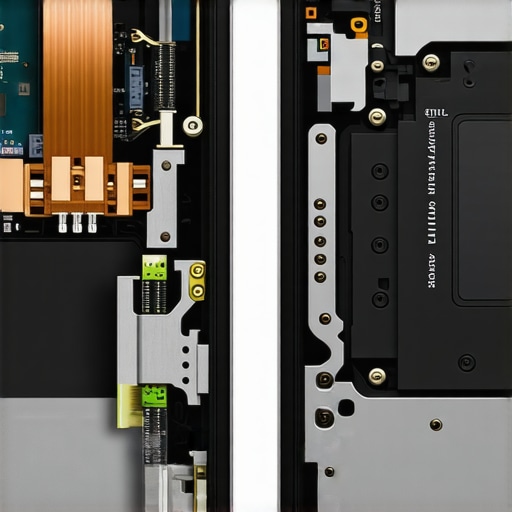
Stop Chasing Specs While Ignoring the Thermal Trap
This same principle applies to high-end hardware found in many top business laptops for productivity in 2025 expert recommendations. Many people hunt for these machines but get frustrated when the device feels sluggish after a few hours. The culprit isn’t usually the CPU; it’s the cumulative heat soak. This is exactly why gaming laptops still struggle with thermal throttling in small frames—you simply cannot fight the laws of physics. If you buy a gaming rig that is less than an inch thick, expect it to sound like a jet engine and perform like a budget PC after an hour of play. To mitigate this, you should invest in must-have laptop accessories to boost your work setup, such as high-quality vertical stands that allow for unobstructed airflow to the intake vents. Have you ever fallen into this trap of buying a high-spec machine that felt slow out of the box? Let me know in the comments.I’ve seen too many people find unbeatable laptop deals only to watch the machine die six months later because they never cleaned the vents. If you want your business laptops for professionals to last five years instead of two, the work starts the day you bring it home. I personally never trust a used machine’s internal state. My first move is always to grab the specific screwdriver kit you need to open 90 of modern laptops and take a peek inside. Most people are terrified of voiding a warranty that probably already expired, but according to iFixit’s repairability reports, the most common cause of premature failure in high-end machines is simple dust accumulation and dried-out thermal interface material.
How Can I Actually Extend the Lifespan of My Used Laptop?
Longevity isn’t about luck; it’s about heat management and power hygiene. Once I’m inside, I look for any dust bunnies choking the cooling fins. If the machine is over two years old, I’ll learn how to replace your laptop thermal paste without breaking anything. Applying a high-quality compound like Thermal Grizzly Kryonaut can often drop temperatures by 10 to 15 degrees Celsius. This isn’t just about making the machine run quieter; it’s about preventing the slow degradation of the CPU and GPU. While you’re in there, check the fan. If it’s making a grinding noise, you should know how to replace a dead laptop fan without voiding the warranty. It’s a ten-minute fix that prevents a total system meltdown. 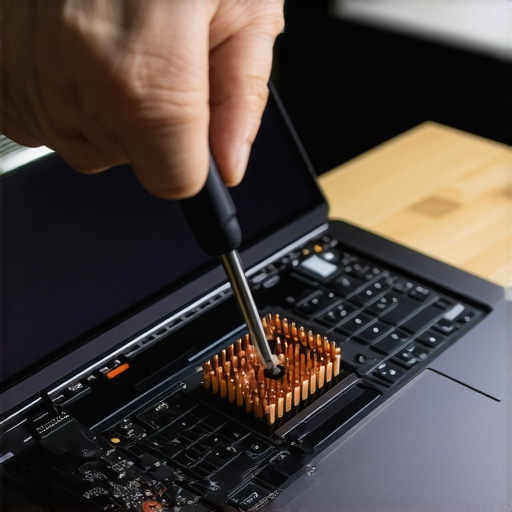
Software Tweaks That Save Your Battery Life
Maintenance isn’t just physical. One of my favorite tricks for student laptops is to set a charge limit. If you use your laptop plugged in at a desk most of the time, don’t let it sit at 100% capacity. Most professional-grade machines have BIOS settings or manufacturer apps that let you cap the charge at 80%. This significantly slows down the chemical aging of the lithium-ion cells. I also pay close attention to the truth about high wattage chargers and battery longevity. Using a 100W PD charger for everything is convenient, but fast charging creates extra heat, which is the ultimate battery killer.
The Future of Modular Laptops and DIY Repair
Looking ahead, I predict we are moving back toward a world of modularity. With the emergence of the Framework laptop and the new CAMM2 memory standard, the days of being stuck with soldered RAM might finally be numbered. Manufacturers are realizing that ‘disposable’ tech is a bad look and a bad investment. Until that becomes the global standard, though, your best defense is a set of good tools and a bit of bravery. If you’ve never opened your laptop before, I challenge you to try it tonight. Just unscrew the bottom panel and use a can of compressed air to clear the fans. You’ll be shocked at how much ‘performance’ was just hidden under a layer of lint.
Everything I Learned the Hard Way While Hunting for Deals
After years of flipping machines and occasionally getting burned, a few truths have stuck with me that you won’t find in a spec sheet. First, never rush the physical inspection. If a seller is tapping their watch or acting impatient, they are likely trying to distract you from a defect. Second, smell the laptop. It sounds strange, but a faint burnt odor or the heavy scent of cigarette smoke is a dealbreaker that photos can’t capture. I’ve found that when learning how to find a used thinkpad that actually lasts three more years, the best indicator is keyboard wear; if the keys are shiny and smooth, it means the machine has seen thousands of hours of heavy use. Finally, trust your instincts. If the seller’s story about why they are selling doesn’t add up, keep your cash in your pocket.
Tools I Never Leave Home Without
To really win at the used game, you need to show up prepared with a professional toolkit. I never head to a meetup without the specific screwdriver kit you need to open 90 of modern laptops just in case the seller is transparent enough to let me check for liquid damage. I also keep a dedicated tab open to how to check if your used laptop still has a manufacturer warranty because an active service plan can turn a good deal into a legendary one. For software, I rely on CrystalDiskInfo to see if the drive is about to fail and HWInfo to ensure the components match the listing. #IMAGE_PLACEHOLDER_E# these tools have saved me thousands by flagging issues that are invisible to the naked eye.
Your Path to a Machine That Actually Lasts
Finding unbeatable laptop deals is a rewarding art form that favors the patient and the prepared. You now have the full checklist, the software arsenal, and the thermal knowledge to buy with total confidence. Don’t let the fear of a bad deal stop you from getting the high-end hardware you deserve. Go out there, ask the tough questions, and bring home a machine that will power your productivity or gaming for years to come. Have you ever caught a seller lying about specs in a marketplace listing? Let me know your stories in the comments below!