
I still remember the exact moment my budget-friendly laptop gave up the ghost—it was right in the middle of a client demo, the fans screaming like a jet engine before the screen just faded into a sad, permanent gray. I had spent four hundred dollars on what I thought was a steal, but within six months, the keyboard felt mushy and the all-day battery barely lasted through lunch. It was a classic mistake, one I see people make every day when looking for laptop deals at big-box retailers. We get seduced by the shiny sticker and the New tag, ignoring the fact that the chassis is made of thin plastic and the internals are designed to be obsolete by next Tuesday. That failure taught me the hard way that a brand-new cheap computer is almost always a worse investment than a high-end used office workstation. Today, I want to show you how to break out of that cycle. We are going to look at why enterprise-grade hardware—the stuff designed for engineers and architects—is the ultimate life hack for anyone from remote workers to those seeking student laptops. I will help you spot the secret to buying laptops directly from lease returns so you can get two thousand dollars worth of performance for the price of a grocery run.
Why Built-for-Business Beats Shiny-for-Retail Every Time
The core of the issue is build quality. Retail budget PCs are built to a price point, while workstations are built to a standard. When I started out, I used to ignore business laptops because I thought they looked boring. But that boring magnesium alloy frame is the reason a five-year-old ThinkPad can survive a drop that would shatter a brand-new budget consumer laptop. According to data from IDC, enterprise-class hardware typically maintains a higher reliability rating over a five-year span compared to consumer-grade equipment which often sees a sharp decline in performance after year two. This isn’t just about speed; it is about not having to worry about the hidden costs of repairing modern thin and light laptops that are glued together and impossible to service. Have you ever been burned by a bargain computer that felt more like a toy than a tool?
Won’t an older machine feel slow and clunky?
That is the biggest fear, right? You worry that buying used means buying obsolete. But here is the kicker: a three-year-old i7 processor in a workstation will often run circles around a brand-new Celeron or Pentium found in today’s three-hundred-dollar specials. Plus, workstations are designed to be opened. You can actually replace your laptop thermal paste or swap the RAM, things that are becoming impossible on retail units where everything is soldered. Buying a workstation is about choosing longevity over a fleeting new-car smell.
Scour the Lease Returns for the Real Gold
Finding these machines is like hunting for a vintage watch at a flea market; you have to look past the dust to see the movements. Most people search for top laptop deals in 2025 and end up with a plastic shell that creaks when they type. Instead, look for corporate liquidators on major auction sites. These companies offload thousands of machines when a big firm refreshes its fleet. I once snagged a fleet of Dell Latitudes for a small non-profit I was helping. They were listed as Grade B because of minor scuffs on the lid. We spent ten minutes with some isopropyl alcohol and the best method for removing stickers from your laptop lid, and they looked brand new. You are looking for business laptops for professionals that have lived their lives on a desk, not in a backpack. 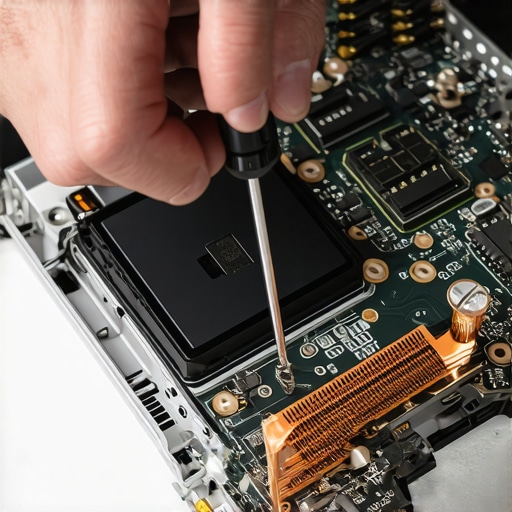
The Quick Physical Audit That Saves Your Wallet
Once you have a potential candidate, you need to be a detective. Check the ports first. If the USB-C charging port feels wiggly or has visible charring, walk away—that is a motherboard repair waiting to happen. Open the bottom cover if you can. This is where you see the difference between a toy and a tool. We prioritize these machines because we never buy laptops with soldered RAM. If a component fails or you just need more speed for student laptops that balance power and portability, you want to be able to swap it out yourself. I once bought a machine that seemed perfect until I ran a simple check and found coffee residue near the fan. Always take a second to learn how to test a used laptop for liquid damage before you buy; it takes two minutes and saves you hundreds.
Turn That Office Machine Into a Speed Demon
The beauty of a workstation is its modularity. You aren’t stuck with what is in the box. Think of it like a professional chef’s knife; it might need a bit of sharpening, but the steel is superior. Step one is almost always a fresh install of Windows to clear out corporate bloatware. Step two is getting inside. You will need the specific screwdriver kit you need to open 90% of modern laptops. Once inside, blow out the dust using compressed air. If the machine is more than three years old, it is probably time to replace your laptop thermal paste. This one ten-dollar fix can drop your temperatures by ten degrees and stop your fans from sounding like a vacuum cleaner during basic tasks.
Don’t Ignore the Battery Health
The only real wear item in a used laptop is the battery. Before you commit to the purchase, check the cycle count in the BIOS or using a command-line tool. If the battery is shot, do not panic—just factor the replacement cost into your bid. Unlike retail units, the batteries in top business laptops for productivity are usually held in by screws, not industrial-strength glue. I have seen people throw away perfectly good machines just because they did not realize a thirty-dollar replacement part would give them another four years of life. It is about seeing the potential in the hardware rather than the age on the sticker.
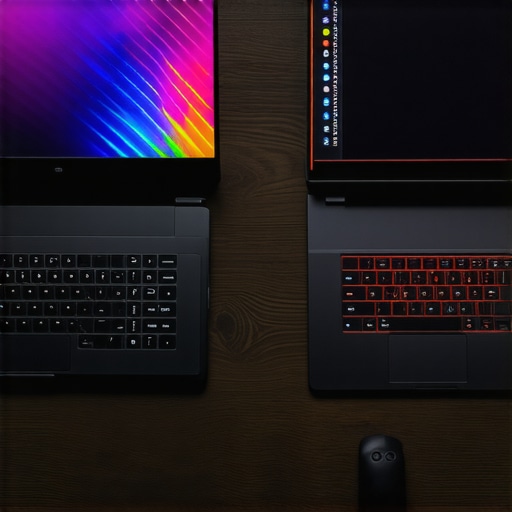
I often see professionals and college students make a very specific, expensive mistake: they buy game-changing gaming laptops thinking they are getting a ‘productivity beast’ for a lower price. It sounds logical on paper—you get a dedicated GPU and a high-refresh-rate screen for less than a high-end ThinkPad. But in my years of testing hardware, this is almost always a trap. The reality is that these machines are optimized for short bursts of power, not the eight-hour grind of a workday. Most users don’t realize that most gaming laptops fail the coffee shop noise test because their cooling fans are tuned for maximum decibels under even moderate loads, making them a nightmare for professional environments.
Stop Chasing Peak Specs You Can’t Actually Use
The biggest myth in the tech world is that a higher ‘Turbo Boost’ number equals a faster computer. In reality, sustained performance is what matters for spreadsheets, coding, or video editing. According to independent testing by hardware experts at NotebookCheck, many thin-and-light gaming rigs lose up to 30% of their clock speed within fifteen minutes due to heat buildup. This is why gaming laptops still struggle with thermal throttling in small frames, whereas a proper business workstation is designed to hold a steady, slightly lower speed indefinitely without sounding like a hair dryer. When you hunt for unbeatable laptop deals, you must look at the thermal design power (TDP) limits, not just the sticker on the box.
Why do gaming laptops still struggle with thermal throttling in small frames?
It comes down to physics and profit margins. To keep costs down on consumer-grade performance machines, manufacturers often use shared heat pipes for both the CPU and GPU. This means if you are doing a heavy task, the heat from one chip bleeds into the other, forcing both to slow down. High-end business laptops for professionals use discrete cooling paths and more expensive vapor chambers to prevent this. It is the difference between a car that can go 150 mph for one minute and a car that can go 80 mph all day across the desert.
The Glossy Screen Mistake That Ruins Your Productivity
Another nuance people miss involves the display. Many retail top laptop deals in 2025 feature high-resolution glossy screens because they look stunning under the bright lights of a showroom. However, the moment you sit near a window, that screen becomes a mirror. I always advocate for the truth about matte vs glossy screens for office productivity: matte wins every single time for long-term eye comfort. Furthermore, we have moved past the era of the 16:9 widescreen. For serious work, we prefer 16:10 aspect ratios for spreadsheet work because that extra vertical space means less scrolling and more data on the screen at once.
Avoid the ‘Gamer’ Aesthetics to Keep Your Resale Value
Finally, consider the long-term cost. Gaming hardware depreciates faster than a standard office machine because the ‘gamer’ aesthetic goes out of style and the chassis is often made of less durable plastics. If you want to keep your gear in top shape, investing in must-have laptop accessories to boost your work setup—like a dedicated dock and a high-quality sleeve—is essential. But even with the best care, a plastic-heavy gaming laptop is prone to the hidden trap of budget gaming screens, which often develop pressure spots or ghosting over time. Have you ever fallen into this trap of buying ‘too much’ power only to realize the machine was unusable for your actual daily work? Let me know in the comments.
I have seen people toss three-year-old machines in the trash simply because the battery didn’t hold a charge or the fans were too loud. If you have been hunting for unbeatable laptop deals, the best way to protect that investment is to stop treating your tech like a disposable appliance. In my home office, I am still running a Dell Precision from 2018 that feels faster than most of the Chromebooks you find in schools today. The secret isn’t magic; it is about proactive maintenance and using the right tools to keep the internals breathing.
The Proactive Routine to Stop Internal Rot
Software-side maintenance is where most people fail. We let background processes and outdated drivers eat away at our resources until the real reason your laptop power brick is getting extremely hot becomes obvious: your CPU is working at 100% just to sit at the desktop. I make it a habit to check my battery health every three months. According to Microsoft’s technical documentation on the Advanced Configuration and Power Interface (ACPI), thermal-related wear is the primary killer of lithium-ion cells. I recommend running the command ‘powercfg /batteryreport’ in your Windows Terminal to see exactly how much capacity you have lost. If the gap between ‘Design Capacity’ and ‘Full Charge Capacity’ is more than 30%, it is time to learn how to calibrate your laptop battery for better accuracy to squeeze out every possible minute of life.
How do I maintain my laptop over the long haul?
The physical environment is the second biggest factor. I never work on soft surfaces because you should never use your laptop on a soft blanket—it acts as an insulator, trapping heat and baking the motherboard. Once a month, I use a specialized toolkit to check the internal dust buildup. You cannot do this with a kitchen screwdriver; you need the specific screwdriver kit you need to open 90% of modern laptops, which usually includes Torx and Pentalobe bits. A quick blast of compressed air can prevent that annoying rattling sound, or you can learn how to stop your laptop fan from rattling without buying parts by simply cleaning the impeller blades with a cotton swab and isopropyl alcohol. If you are a student, keeping the gunk out of your machine is vital, so always use the best way to clean your laptop keyboard from crumbs and oil to ensure your keys don’t stick during a final exam.
Scale Your Setup With One Single Cable
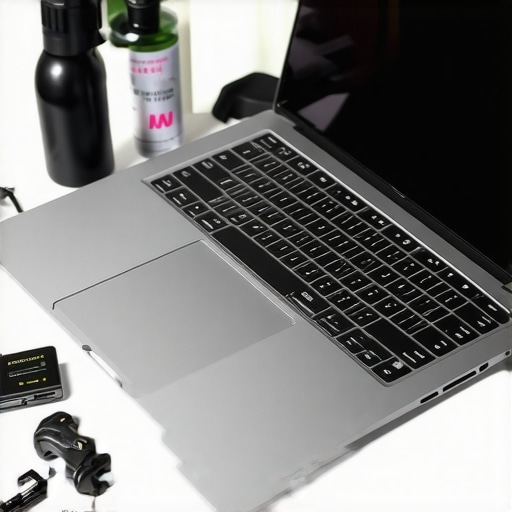
As you transition from a single device to a full-time professional or student workflow, your desk setup matters more than the laptop itself. I have moved away from bulky proprietary docks because we only use 100w PD chargers for our workstations now. This universal standard allows you to charge your phone, your tablet, and your high-end business laptops for professionals with the same brick. When you invest in must-have laptop accessories to boost your work setup, look for a high-quality USB-C hub that supports power delivery. This allows you to walk into your office, plug in one cable, and instantly connect to your monitors, external storage, and wired peripherals. I predict that within the next two years, we will see the total disappearance of barrel-jack chargers even on performance machines, making your gear more interchangeable than ever. I want you to try this right now: open your command prompt, run that battery report, and see exactly where your hardware stands. It is the first step to taking control of your tech’s lifespan.
The Hard-Won Secrets of a Hardware Minimalist
After years of tearing down laptops, I’ve realized that the spec sheet is a lie told by marketers. The most important lesson I can share is that a laptop’s value isn’t in how it looks on day one, but how easy it is to fix on day 500. I’ve stopped looking at the brand name and started looking at the hinges; if the frame is plastic, it’s a ticking time bomb. This is why business laptops for professionals are the only machines I trust for my own work.
Another lightbulb moment was realizing that slow computers are usually just hot computers. You do not always need a new machine; you often just need a clean fan and a fresh start. Also, don’t get trapped in the proprietary ecosystem. I learned the hard way about the problem with proprietary docking stations for business—invest in universal USB-C standards instead to keep your setup flexible and future-proof.
Finally, remember that the screen and the keyboard are your primary interfaces. If you spend eight hours a day on a machine, a high-quality matte display is non-negotiable for eye health. It is always better to have a slightly thicker laptop with a great typing experience than a razor-thin one that feels like typing on a glass pane.
My Personal Toolkit for Keeping Tech Alive
If you want to move from being a consumer to a curator of hardware, you need the right gear. I never start a rescue mission on a lease-return laptop without the specific screwdriver kit you need to open 90% of modern laptops. It is the difference between a clean upgrade and a stripped screw that ruins the chassis.
For power, I have ditched the heavy proprietary bricks. I have found that we only use 100w PD chargers for our workstations because they simplify travel and reduce cable clutter. To find the best hardware to start with, I always point people toward learning how to find a used thinkpad that actually lasts three more years—it is the gold standard for durability in the used market.
Lastly, for my daily workflow, I still swear by reliability over wireless convenience. This is why we still use wired mice for serious office work; no batteries to charge and zero latency when the deadline is looming.
Take Control of Your Digital Tools
You do not have to be at the mercy of planned obsolescence. By looking past the flashy retail displays and hunting for genuine laptop deals in the enterprise market, you gain a machine that respects your time and your wallet. It is an empowering shift—going from someone who simply buys a computer to someone who maintains a workstation. You have the knowledge now to spot the quality in the rough and the patience to keep it running for years to come.
Which specific business model are you currently eyeing for your next setup? Let me know in the comments below!