
There I was, sweating under the harsh fluorescent lights of O’Hare Terminal 3, frantically digging through a mountain of tangled USB-C cables and loose receipts while a line of fifty impatient travelers burned holes in my back with their glares. I couldn’t find my laptop. It was buried somewhere under a pair of “emergency” socks and a heavy power brick that had migrated to the very bottom. That was the moment I realized my gear deserved better than a chaotic black hole of a backpack. I looked like a disaster, and I felt like one too. [IMAGE_PLACEHOLDER]
Stop Treating Your Bag Like a Junk Drawer
If you’re anything like the old me, you probably think that having a bag with twenty different zippers is the solution to organization. It’s not. In fact, more pockets often lead to more places to lose your keys. When I first started traveling for work, I made the amateur mistake of assuming “bulkier is better.” I bought a massive tactical bag that could probably survive a literal war zone, but it was so poorly balanced that it gave me chronic shoulder pain within three months. I learned the hard way that weight distribution matters more than volume. According to the Occupational Safety and Health Administration (OSHA), improper carrying of heavy loads is a primary cause of musculoskeletal disorders, which account for roughly 33% of all worker injury and illness cases.
Is all this micro-organization actually worth the extra weight?
You might be skeptical. I certainly was. I thought spending money on small pouches inside a bag was just “over-optimizing” for a problem that didn’t exist. But here is the reality: when you’re sprinting between gates, knowing exactly where your best small chargers for travel-heavy business trips are located isn’t just a luxury—it’s a survival skill. It’s about reducing the friction of your day.
Build a Better Foundation for Your Gear
The secret isn’t just about where you put things, but how you access them under pressure. I’ve transitioned to using carry-on laptop sleeves that fit the TSA rules because they allow me to pull the machine out without disturbing the rest of my gear. If you are carrying one of the top business laptops for productivity, or even trying to figure out the best way to carry two laptops in one bag, you need to think about the spine of the backpack. The heaviest items should always be flush against your back to keep your center of gravity stable. I also found that laptop bags that look like professional briefcases offer a much better internal structure than floppy gym bags. Have you ever had to unpack your entire bag on a dirty airport floor just to find one tiny adapter? It’s a rite of passage I’d like to help you skip. Today, I’m going to show you exactly how to “zone” your bag so you never have to dig again.
Keep Your Center of Gravity Tight Against Your Back
Organizing a bag is a bit like packing a rucksack for a mountain hike; if the weight is shifting, your back is going to pay the price. I once carried a heavy workstation laptop in the front pocket of a messenger bag because I liked how easy it was to reach. After three days of a literal ‘lopsided’ commute, my neck felt like it was stuck in a permanent tilt. The rule is simple: anchor the heaviest item—the laptop—as close to your spine as possible. If you have recently secured one of the unbeatable laptop deals on a 16-inch beast, you cannot afford to have it swinging around. This placement stabilizes your gait and prevents the bag from pulling your shoulders backward. Treat the laptop sleeve as the ‘foundational wall’ of your mobile office. Everything else builds out from there.
Adopt the Tech Pouch Religion Immediately
Stop throwing loose items into the void of the main compartment. I used to think I was too busy to use pouches, until the ‘Spaghetti Incident’ of 2023. I was at a high-stakes meeting and pulled out my charger, only to have a tangled web of earbuds, a half-eaten granola bar, and three pens come flying out with it. It was unprofessional and honestly, a little embarrassing. Now, I use dedicated tech pouches for my must-have laptop accessories to boost your work setup. Think of these pouches as ‘internal drawers’ for your backpack. One pouch handles cables and dongles, another handles the power brick, and a third—smaller one—holds things like SD cards or USB drives. This modular approach means that if you switch from a work bag to a weekend bag, you just grab the pouches and go. 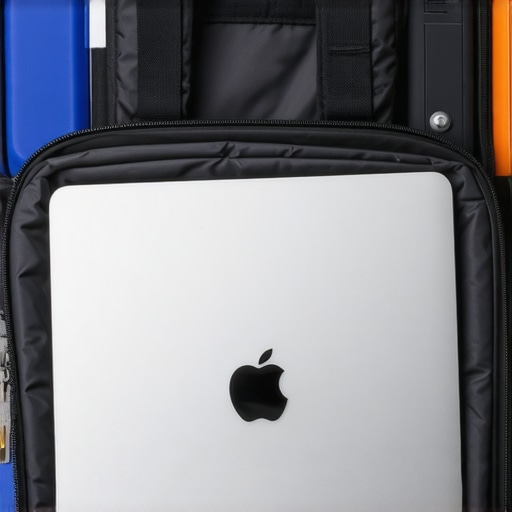
Balance the Bulk of Your Power Bricks
Power adapters are the sworn enemy of a clean bag. They are dense, oddly shaped, and have cables that want to unravel. If you are hauling around game-changing gaming laptops for 2025 adventures, your power brick is likely the size of a literal brick. Place these at the bottom of the bag but still close to the back panel. This keeps the heaviest weight low and centered. For those using student laptops that boost productivity and learning, you might have the luxury of a smaller GaN charger. Even so, keep it secured. A moving charger acts like a wrecking ball inside your bag, potentially denting your laptop lid or cracking a screen if you drop the bag onto a hard surface.
Streamline Your Connection Points
One of the best ways to reduce the ‘clutter tax’ in your bag is to simplify what you actually need to carry. I started looking into how to use a single usb-c cable to connect your entire desk, and I realized that many of those same principles apply to travel. If one cable can charge your phone, your laptop, and your headphones, why are you carrying four? Every cable you remove is one less thing to tangle and one less gram of weight on your shoulders. The goal isn’t just to fit everything in; it’s to create a system where you can find any specific item in under five seconds, even in total darkness.However, even a perfectly organized system is just a band-aid if you’ve chosen the wrong tools for the job. I see it every single day: people spend hundreds of dollars on the flashiest gear, thinking they are future-proofing their life, only to end up with a setup that is heavy, inefficient, and expensive to maintain. Let’s peel back the curtain on the mistakes even the ‘pros’ make when browsing those unbeatable laptop deals.
Stop Chasing Pixels You Can’t Even See
The biggest myth in the tech world right now is that you need a 4K resolution on every device. If you are working on a 14-inch machine, it’s exactly why we skip the 4k upgrade on 14-inch screens. At that size, the human eye literally cannot distinguish the extra pixels at a standard viewing distance. What you *can* distinguish, however, is your battery life plummeting by 30% because those extra pixels require massive amounts of power to light up. A notable study by the Nielsen Norman Group highlights that higher resolution doesn’t always equate to higher legibility; in fact, on smaller screens, it often leads to ‘scaling fatigue’ where users struggle with tiny UI elements. 
Why does your brand-new laptop feel slower after a year?
It usually isn’t the processor’s fault. The hidden trap of modern ‘thin-and-light’ design is the move toward non-upgradeable parts. This is the primary reason why we never buy laptops with soldered ram for longevity. Manufacturers want you on a two-year upgrade cycle. If you buy a machine with 8GB of RAM soldered to the motherboard, you are essentially buying a device with a pre-planned expiration date. Even if you find student laptops that boost productivity and learning at a great price, always check if the memory can be swapped out later.
The Reality of Battery Life Marketing
We’ve all seen the stickers: ’18-Hour Battery Life!’ It sounds like a dream for long flights, but the reality of 10-hour battery life claims is usually far grimmer. Those tests are often conducted with the screen at 10% brightness, Wi-Fi turned off, and a single low-resolution video looping. In the real world—where you have twenty Chrome tabs open, Slack running in the background, and your screen bright enough to actually see—that ’18-hour’ battery is usually a 6-hour battery.
Prioritize Vertical Space Over Raw Power
If you’re a writer, coder, or spreadsheet warrior, stop looking at core counts and start looking at aspect ratios. Most consumer laptops use a 16:9 widescreen format because it’s cheaper to manufacture, but why we prefer 1610 screens for writing and code comes down to vertical real estate. That extra bit of height means less scrolling and more context. It’s a nuance that separates a basic consumer machine from a true professional tool. Have you ever fallen into the trap of buying a high-spec machine only to realize it didn’t actually fit your daily needs? Let me know in the comments.If you’ve already fallen for a bad deal, don’t panic—proper maintenance can often extend the life of a ‘mistake’ until you are ready for a real upgrade. But if you have followed my advice and secured a quality machine, your next job is to keep it from becoming a sluggish, dusty paperweight. It’s one thing to buy a high-end device; it’s another to keep it performing like day one.
Keep the Grime Away from Your Workstation
Most people treat their keyboards like a dinner plate, and honestly, I’ve been there. But skin oils and microscopic debris are more than just an aesthetic nightmare; they can lead to mechanical failure. I’ve made it a weekly habit to focus on cleaning your laptop keyboard from crumbs and oil because that buildup eventually seeps into the switches. If you’re using a high-travel gaming deck or a premium business machine, that grit acts like sandpaper on the internal mechanisms. 
Heat is the Silent Killer of Your CPU
We often talk about ‘performance’ as if it’s a static number, but your laptop is constantly fighting against physics. Over time, the factory-applied cooling material degrades. Standardized testing, specifically the ASTM D5470 method for measuring thermal conductivity, reminds us that even the best cooling fans are useless if the thermal interface material has dried out and lost its ability to transfer heat. If you notice your fans ramping up while you’re just browsing the web, it might be time to learn how to replace your laptop thermal paste without breaking anything. This single hour of maintenance can drop your temperatures by 10 or 15 degrees Celsius, effectively ‘resetting’ your hardware’s lifespan.
Stop Killing Your Battery While You Sleep
One of the most common habits that destroys longevity is the ‘overnight charge.’ Modern lithium-ion batteries hate being held at 100% capacity in a high-temperature environment. This is exactly why we never leave our laptops plugged in overnight. Most pros now use software to cap the charge at 80%. It sounds counterintuitive to ‘lose’ 20% of your range, but it ensures that your battery doesn’t swell or lose capacity within twelve months.
Organize Your Desktop Without the Cable Mess
When you finally get home or to the office, the last thing you want is a ‘cable octopus’ cluttering your headspace. I’m a huge advocate for streamlining the physical connection. By using the best vertical docks that support dual 4k displays, you keep your laptop upright and out of the way, which also helps with passive cooling. It’s about creating a ‘frictionless’ transition from mobile to desktop.
How do I maintain my hardware performance for three years or more?
Maintenance isn’t just about cleaning; it’s about monitoring. Use tools like HWMonitor or CrystalDiskInfo to keep an eye on your SSD health and thermal peaks. If you catch a failing component early, you might even be able to fix your laptop screen if the backlight dies or replace a drive before you lose your data.
Where is the Future of Mobile Hardware Headed?
I believe we are moving toward a ‘Modular Renaissance.’ We are seeing a pushback against the ‘disposable’ tech culture. In the next few years, I expect more manufacturers to adopt user-replaceable parts, similar to the Framework model. We’ll look back at soldered RAM and glued-in batteries as a dark age of consumer electronics. My challenge for you: tonight, download a battery health utility and check your actual cycle count—you might be surprised how close you are to the ‘danger zone’.
The Hardest Lesson I Learned While Building the Perfect Mobile Rig
After years of traveling and testing dozens of must-have laptop accessories for a seamless setup, I’ve realized that the biggest enemy of productivity is friction, not a lack of processing power. I used to think I needed every dongle and every backup battery in my bag just to feel prepared. In reality, that extra weight just made me reluctant to open my bag at all. Here are the core truths I live by now:
- Stop buying for your ‘fantasy self.’ If you don’t actually edit 4K video at the airport, you don’t need a heavy workstation that kills your battery in two hours. Match your hardware to your actual daily habits.
- Portability is a hidden performance metric. A lighter bag means you’ll actually take your work to the park or the cafe, leading to more deep-work sessions overall.
- Maintenance is significantly cheaper than replacement. Taking ten minutes a week for cleaning a greasy laptop keyboard can save you from a sticky mechanical failure or an expensive repair bill down the road.
- The ‘Just in Case’ trap is a weight penalty. If you haven’t used a specific adapter or cable in three months, it’s taking up space that belongs to your comfort.
My Minimalist Toolkit for Hardware Longevity
I don’t believe in buying every gadget on the shelf; I focus on a few high-impact tools that keep my business laptops for professionals running smoothly for years. First, I always carry a high-quality GaN charger—it is half the size of standard bricks and charges my phone, tablet, and laptop simultaneously. Second, I use localized cleaning kits to prevent dust buildup in the vents. Finally, if you are a student, I highly recommend looking into the best laptop settings for taking notes in dark lecture halls to save your eyes and your battery life during long seminars. Avoiding the temptation of why most 300 dollar laptops are just e-waste in a box is the single best first step you can take toward a sustainable and reliable mobile setup.
Build a Setup That Actually Works for You
At the end of the day, your laptop is a tool designed to help you create, connect, and solve problems. It shouldn’t be a source of physical pain or mental stress caused by a disorganized bag. By taking the time to zone your gear and perform basic maintenance, you are respecting your own time and your investment. Whether you’re currently hunting for top laptop deals in 2025 or trying to squeeze one more year out of an old favorite, remember that a little care goes a long way. Don’t be afraid to strip back the clutter and start fresh—your best work happens when the technology disappears into the background. [IMAGE_PLACE_HOLDER_E]
What is the one accessory you absolutely cannot live without when working on the go? Let me know in the comments below!