
I remember sitting in my favorite corner of the sunroom, coffee in hand, ready to crush my morning deadlines. I had just treated myself to a top-tier laptop with a gorgeous, glass-covered OLED display. It looked like a million bucks in the dim light of the showroom. But the moment the 9:00 AM sun hit that glass? My screen turned into a high-definition mirror. Instead of my spreadsheet, I was staring at my own squinting, frustrated reflection. It was a total disaster. I spent the next three hours hunched over like a gargoyle, trying to find a specific angle that did not cause a searing headache. This is why I eventually learned the truth about matte vs glossy screens for office productivity. My early mistake was thinking that more vibrance always meant a better experience, but I was prioritizing aesthetics over my own sanity.
Stop Fighting the Sun and Embrace the Anti-Glare Life
When we discuss top business laptops for productivity in 2025, we often obsess over RAM or the latest CPU speeds. However, if you cannot actually see what you are doing, that i9 processor is effectively useless. I used to think matte screens looked dull or even cheap compared to their shiny counterparts. I was wrong. Matte screens utilize a specialized microscopic texture to scatter light rather than reflecting it directly back into your retinas. This is a complete game-changer for anyone who does not work in a windowless basement. According to the American Optometric Association, glare is a primary contributor to Digital Eye Strain, which can lead to blurred vision, dry eyes, and chronic neck pain. By choosing a matte finish, you are not just buying a tool; you are protecting your health. [image]
Is a matte finish really worth the loss in color vibrancy?
You might be worried that your photos or videos will look washed out without that glossy coating. It is a valid fear that many students and professionals have when looking for the best laptop screens for outdoor use without the glare. But for real-world work—writing, coding, or managing complex spreadsheets—the clarity of an anti-glare finish beats the pretty reflections of glossy glass every single time. In my experience, the tiny sacrifice in contrast is a small price to pay for being able to work anywhere in your house. Have you ever spent more time looking at your own reflection than your actual work? I would love to hear about your most frustrating screen-glare moment in the comments below. We are going to dive into the technical details next, so you can finally sit by the window in peace.
Turn Your Workspace Into a Reflection-Free Zone
To get the most out of your hardware, you need to treat your environment like a controlled studio. Even when you find unbeatable laptop deals, a high-quality panel can be ruined by poor positioning. I once worked in a glass-walled conference room where the midday sun hit a white table and bounced directly onto my glossy screen. It was like trying to read a spreadsheet through a flashlight. I ended up taping cardboard to the window just to finish my report. It looked ridiculous, but it taught me that managing light is step zero. Think of light hitting a glossy screen like a tennis ball hitting a flat concrete wall—it bounces straight back at you. A matte screen is like hitting that same ball into a pile of gravel; the energy (light) is scattered in a thousand directions, making it much easier on your eyes.
Position Your Desk to Kill the Bounce
Never sit with a window directly behind you. This is the cardinal sin of office ergonomics. The light will hit your screen and reflect right into your retinas. Instead, position your desk perpendicular to windows. This allows natural light to illuminate your space without turning your monitor into a mirror. If you are shopping for business laptops for professionals, look for models that specifically mention ‘Anti-Glare’ or ‘ComfyView’ in the specs. These are not just marketing buzzwords; they represent a physical chemical etching on the glass that diffuses incoming light. 
The 400-Nit Minimum Rule for Bright Rooms
If you cannot control the light—say, in a coffee shop or a modern open-plan office—you need raw power to overcome the glare. This is measured in ‘nits,’ which is essentially a measure of candlepower. Most budget student laptops ship with 250-nit screens, which are virtually invisible in a sunny room. I always tell my friends to aim for at least 400 nits. This brightness level allows the backlight to ‘punch through’ the reflections. When combined with a matte finish, it creates a screen that remains legible even under harsh overhead fluorescent lights.
Don’t Rely on Aftermarket Screen Protectors
You might be tempted to buy a glossy laptop and just slap a matte plastic film over it. I have tried this more times than I care to admit, and the result is almost always a disaster. These films often introduce a ‘rainbow’ effect or make the text look fuzzy. This is why we stopped using laptop screen protectors entirely for professional work. The native matte finish applied at the factory is always superior because it is integrated into the display stack, maintaining sharpness while killing reflections. If you truly need color precision for creative work but hate the glare, you should learn how to find laptops with high color accuracy for cheap that still offer a high-quality matte coating. It is about finding that sweet spot where the anti-glare texture is fine enough to stay invisible but effective enough to keep you from squinting all day.While a matte screen solves your visibility issues, it won’t help if the hardware underneath is failing you. I’ve seen so many people jump on top laptop deals in 2025 only to regret it two months later because they focused on the wrong numbers. Let’s talk about the ‘Sticker Spec’ myth. Most shoppers think a Core i9 sticker is a guarantee of power. It isn’t. If that chip is stuffed into a chassis designed for an i3, the system will aggressively throttle the power. According to technical deep-dives by AnandTech, some ‘premium’ laptops lose up to 30% of their advertised performance within five minutes of heavy use because the fans just can’t keep up. This is why gaming laptops still struggle with thermal throttling in small frames—you simply cannot fight the laws of physics with a thin piece of plastic. 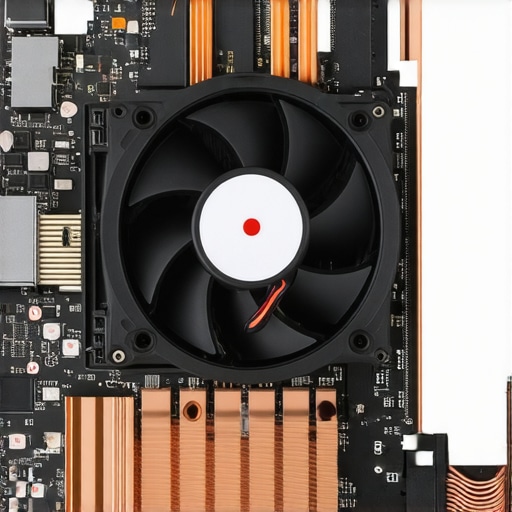
Why Your New i9 Might Be Slower Than an i5
In my experience, a well-ventilated mid-range processor will always outperform a high-end chip that is gasping for air. Everyone says to buy the highest tier CPU your budget allows, but I argue that you should buy the best thermal design instead. If you find unbeatable laptop deals that seem too good to be true, check the weight and the vent placement. If it is paper-thin and carries an H-series processor, you are likely paying for power you will never actually use.
The Sneaky Way Budget Laptops Cut Corners on Speed
The biggest ‘oops’ factor I see involves storage. Manufacturers love to hide the fact that they use DRAM-less SSDs in their cheaper models. This is the real reason your laptop feels sluggish after three months. It’s not because the Windows registry is cluttered; it’s because the drive lacks a dedicated cache to manage data flow. When the drive starts to fill up, the latency spikes, making your high-speed machine feel like a relic from 2010. Understanding the real difference between consumer and enterprise grade SSDs can save you more frustration than any CPU upgrade ever will.
Can you really trust the ‘Max Boost’ clock speed on the box?
The short answer is no. Most consumer laptops hit that peak frequency for about 15 seconds before the motherboard forces it back down to a ‘sustained’ state to protect the components. If you are doing long tasks like video editing or compiling code, that advertised boost speed is almost a marketing fantasy. Furthermore, if you are looking at gaming options, beware of the display quality beyond the refresh rate. You might see 144Hz advertised, but if the panel has a slow response time, you’ll be plagued by the hidden trap of budget gaming screens: motion blur. Have you ever fallen into the trap of buying a laptop that looked great on paper but felt slow in real life? Let me know in the comments below.Once you have snagged one of those top laptop deals in 2025, the real work begins. Most people treat their laptops like a toaster—they use it until it breaks and then throw it away. But if you want your machine to actually last five years instead of eighteen months, you need a proper maintenance kit. I personally swear by the specific screwdriver kit you need to open 90% of modern laptops. Every six months, I pop the bottom panel off and use a soft brush to clear the exhaust. If you see a gray, dry crust on your CPU, you need to learn how to replace your laptop thermal paste without breaking anything. This single ten-minute task can drop your temperatures by 10 degrees Celsius, effectively extending the life of your motherboard and keeping your fans quiet.
Don’t Let Your Fans Turn Into a Dust Trap
Overheating is the silent killer of mobile hardware. If you are using your device on soft surfaces, you are effectively suffocating the intake vents. I always advise my readers to avoid the couch or bed unless they are using a hard tray. Research from the IEEE Transactions on Components and Packaging Technologies indicates that thermal-induced failures account for over 50% of electronic system failures. For those with game-changing gaming laptops for serious players in 2025, I also suggest you how to undervolt your gaming laptop for better temps and performance. It is essentially free performance without the heat penalty. 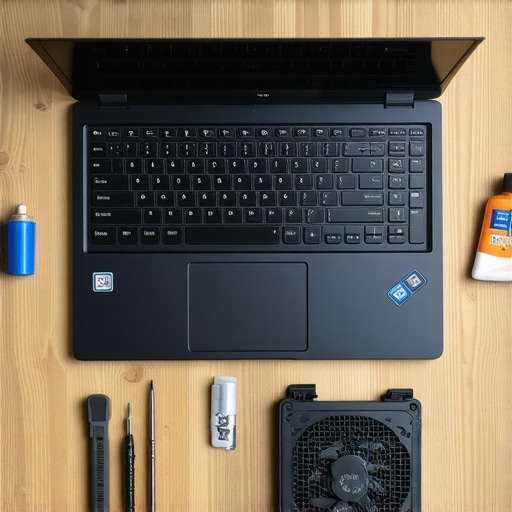
Keep Your Battery From Dying Young
I always tell students looking for student laptops that balance power and portability perfectly that their battery is a ticking clock. If you leave it plugged in at 100% all year, you are causing the lithium-ion cells to degrade much faster. I use a tool called ‘Battery Limiter’ to keep my charge between 20% and 80%. Additionally, you should how to calibrate your laptop battery for better accuracy at least once a quarter. This prevents that sudden ‘shutdown at 10%’ heart attack during a critical meeting or lecture.
How do I maintain my laptop’s speed over several years?
It is not just about the dust; it is about the digital clutter. Windows has a nasty habit of hoarding background processes that you do not need. I recommend manually learning how to disable Windows features that eat your battery life. It is the difference between a machine that feels snappy and one that chokes every time you open a browser tab. Looking ahead, I predict we are entering the era of ‘Modular Sustainability.’ Companies are feeling the pressure to move away from glued-in parts, which is why we never buy laptops with soldered RAM for longevity. Soon, your laptop will not be a disposable slab; it will be a chassis you upgrade for a decade. My challenge for you this week is simple: open your task manager, find the top three ‘startup’ apps you do not use, and disable them. Your future self will thank you for those extra minutes of battery life.
What Most Buyers Learn the Hard Way After Six Months
I’ve spent years testing hardware, and if there is one thing I’ve realized, it’s that the best specs on paper don’t always translate to the best experience on your desk. For instance, I’ve found that why students should skip the touchscreen trend this semester is a hard-earned truth; they often add weight and glare without providing much real utility. Another lightbulb moment for me was realizing that why we prefer 16:10 aspect ratios for spreadsheet work comes down to vertical space—those extra lines of data prevent so much unnecessary scrolling. Finally, don’t ignore the physical build; how to find a lightweight laptop that doesn’t flex when you type is the difference between a machine that feels like a toy and one that feels like a professional tool.
Tools I Use to Keep My Tech Humming
To keep my workflow smooth, I rely on a few specific items and strategies. First, for hardware maintenance, the specific screwdriver kit you need to open 90% of modern laptops is non-negotiable for cleaning out dust. For managing my desk clutter, I’ve learned how to use a single USB-C cable to connect your entire desk, which saves me ten minutes of cable-fiddling every morning. When I am looking for high-end gear on a budget, I’ve had incredible luck with the secret to finding high-end laptops at local estate sales—you can often find corporate-grade machines for pennies on the dollar.
Stop Hunting for Specs and Start Doing the Work
At the end of the day, your laptop is just a vehicle for your ideas. Whether you are hunting for top laptop deals in 2025 or looking for student laptops that boost productivity and learning, focus on the features that actually remove friction from your day—like a matte screen or a reliable battery. Don’t let the marketing hype distract you from the practical reality of how you work. Now, I have to ask: have you ever bought a laptop based on a high-end spec only to find it didn’t actually make your work any easier? Let me know your story in the comments below!